






In the contemporary era of hybrid work, the built-in webcam has become a central piece of professional infrastructure. While original equipment manufacturers (OEMs) have significantly improved laptop hardware, the vast majority of integrated sensors still struggle to provide the visual fidelity required for high-stakes video conferencing, client-facing presentations, and digital content creation. As virtual interactions continue to serve as the primary medium for business communication, the reliance on external hardware has shifted from a niche interest for streamers to a foundational necessity for the modern office professional.
The Evolution of Desktop Imaging Technology
Historically, webcams were utilitarian peripherals designed for low-resolution, informal video chats. However, the mass transition to remote work beginning in 2020 accelerated the industry’s trajectory toward high-definition standards. Today, market demand focuses on three core pillars: resolution, low-light performance, and AI-driven automation.
The current landscape of external webcams represents a departure from the "plug-and-play" simplicity of the early 2000s. Manufacturers are now integrating advanced CMOS sensors—often borrowed from the smartphone and entry-level DSLR market—to provide image processing that far exceeds the capabilities of thin-bezel laptop lids. Industry analysis suggests that as corporate environments settle into long-term remote or hybrid models, employees are increasingly prioritizing hardware that reduces the "digital fatigue" caused by grainy, under-lit, and poorly framed video feeds.
Comparative Analysis of Leading Market Solutions
To navigate the current market, it is essential to distinguish between general-purpose cameras and specialized high-end equipment. Our analysis of the current product cycle highlights five distinct categories that address specific user needs.
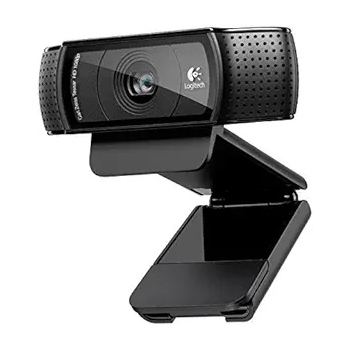
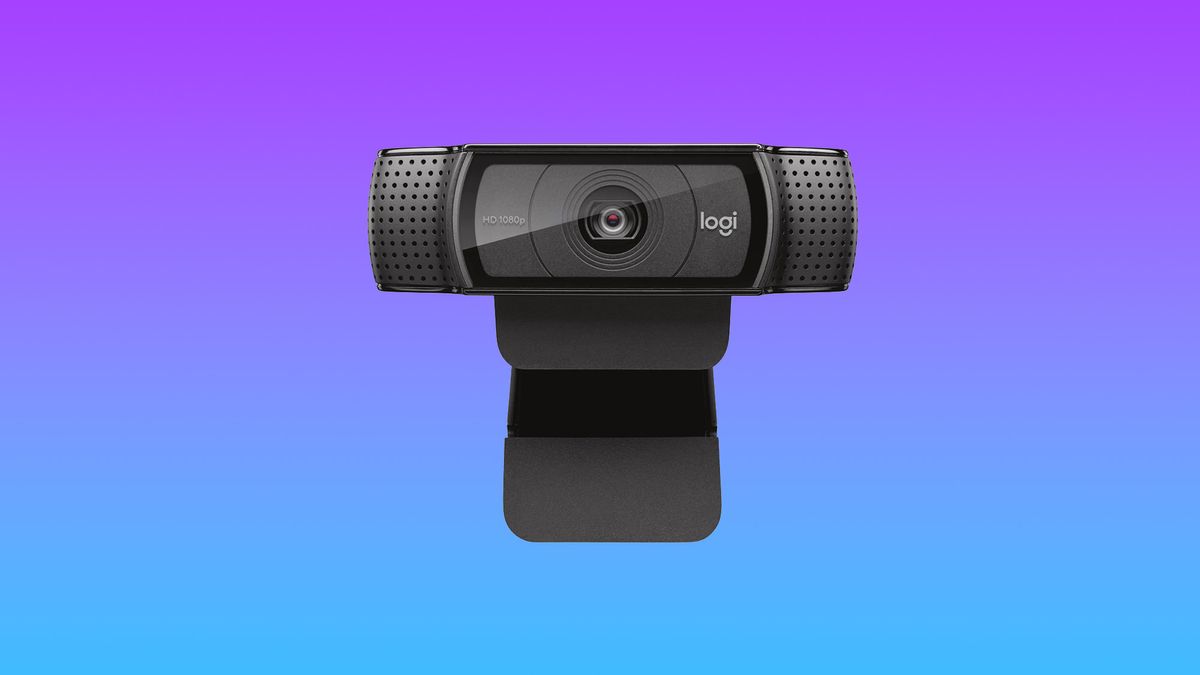
1. The Standard for General Professionalism: Logitech HD Webcam C920
The Logitech C920 remains the industry benchmark for consistent, reliable performance. Priced at approximately $60, it provides a 1080p resolution that serves as the baseline for professional Zoom or Microsoft Teams calls. The unit’s 78-degree field of view is optimized for a single user, preventing the "fisheye" distortion found in cheaper alternatives. While its software suite is dated, the hardware’s reliability and color accuracy make it the safest investment for general office use.
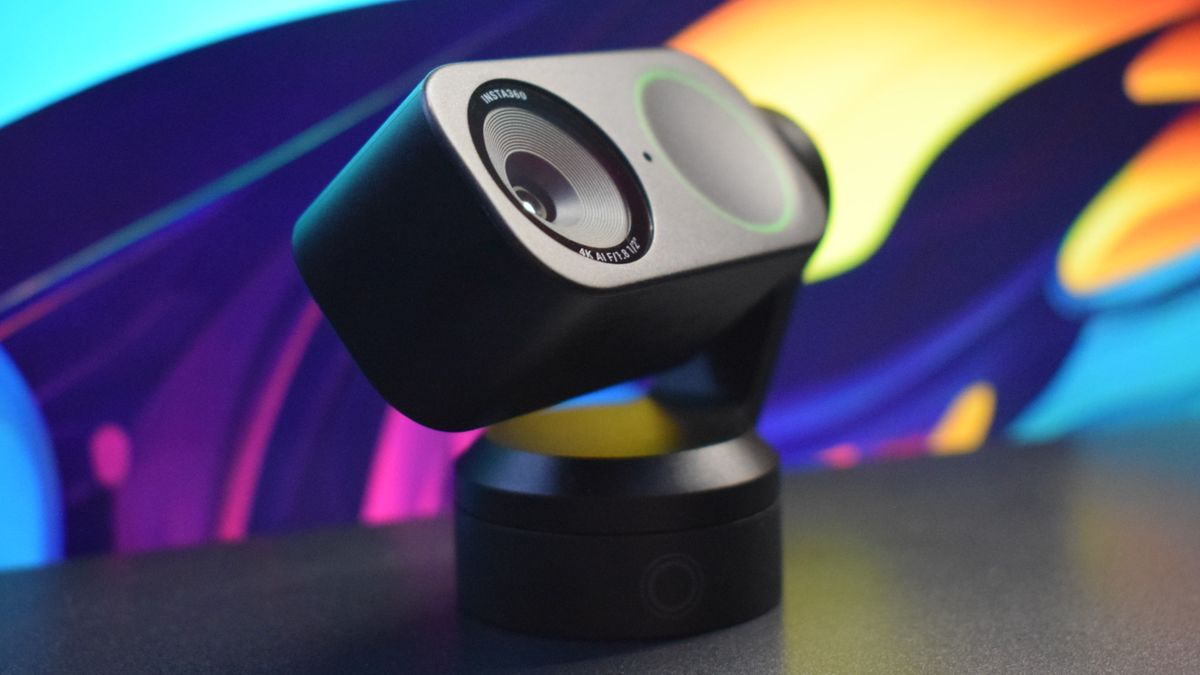
2. The Premium Content Creation Suite: Insta360 Link 2
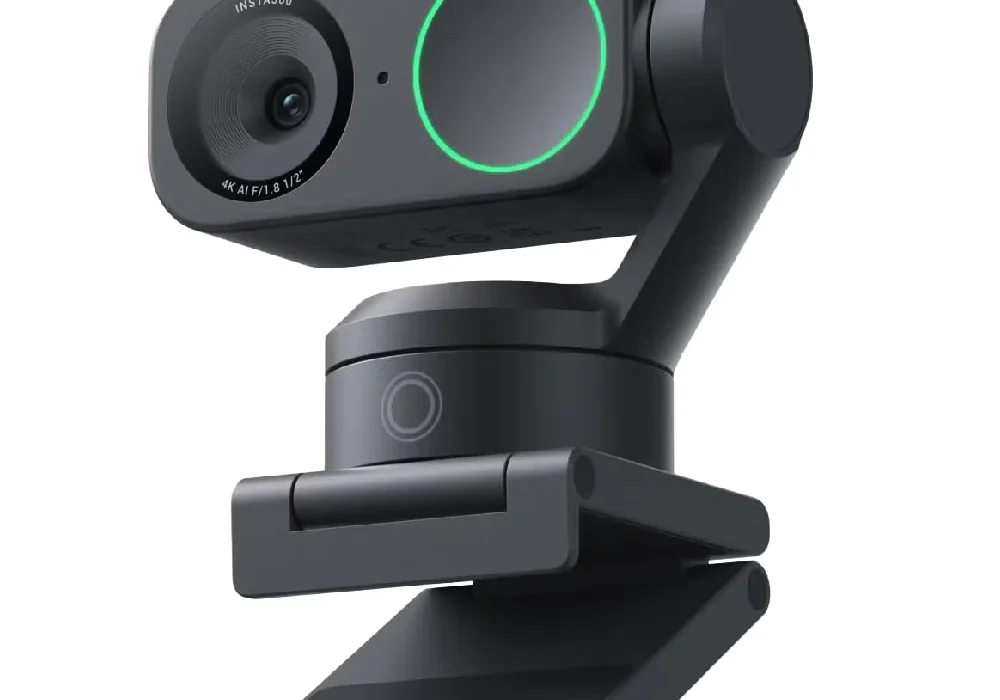
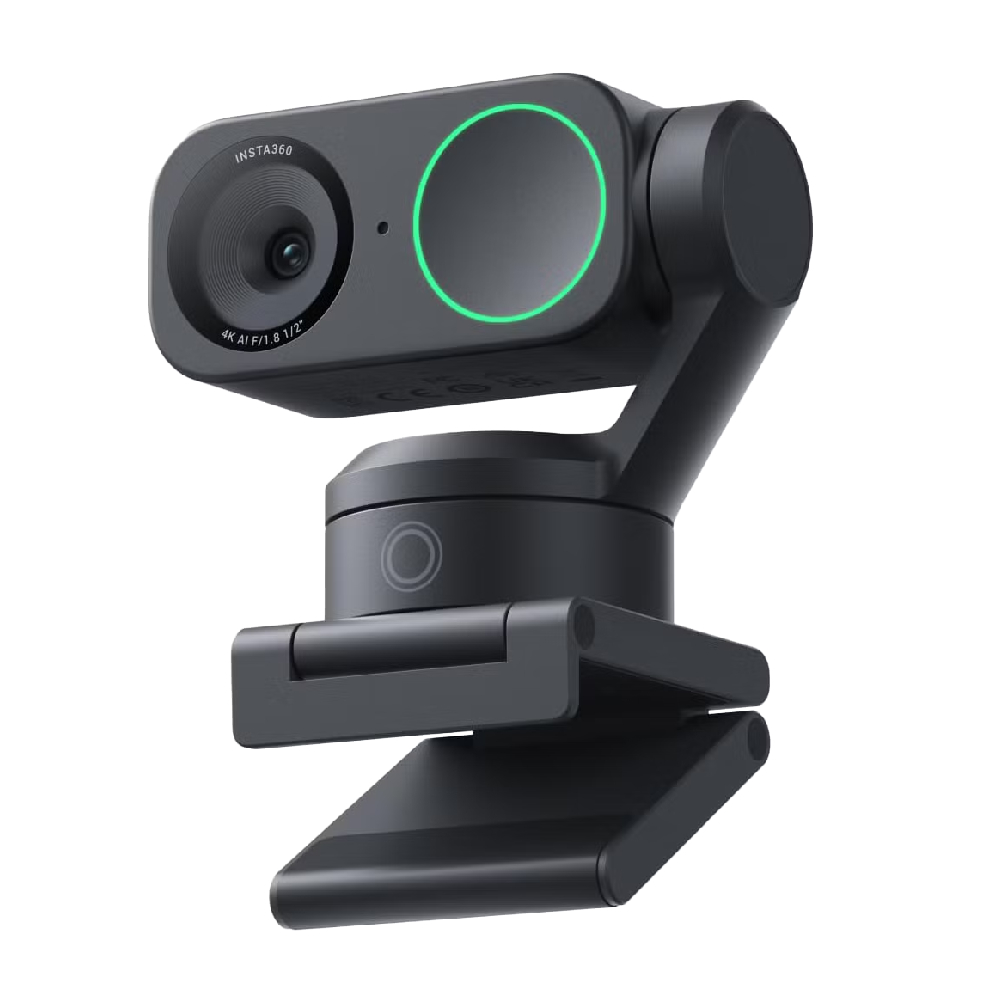
Representing the upper echelon of current technology, the Insta360 Link 2 incorporates a 4K sensor mounted on a dual-axis gimbal. This is a significant technological leap, as the camera physically tracks the user’s movement, ensuring that even in a dynamic presentation environment, the speaker remains perfectly framed. Its ability to pivot for "DeskView" modes—useful for demonstrating physical documents or whiteboard work—positions it as an indispensable tool for educators and creative professionals. The integration of AI for subject tracking has become a standard requirement for high-end hardware, effectively automating the role of a camera operator.
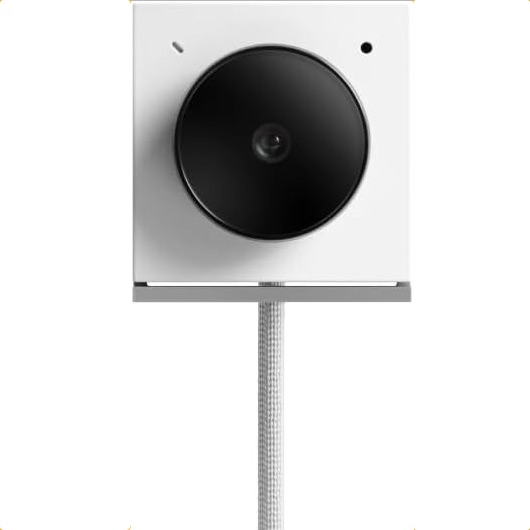
3. The Portability Solution: Opal Tadpole
The challenge of high-quality mobile hardware is the physical footprint. The Opal Tadpole addresses the "traveler’s dilemma" by offering 4K image quality in a package no larger than a thumb drive. By utilizing a high-performance CMOS sensor in a minimal form factor, the device proves that optical quality is no longer strictly tied to physical bulk. Its design philosophy favors simplicity, functioning as a plug-and-play device that bypasses the need for heavy, power-hungry software installations.
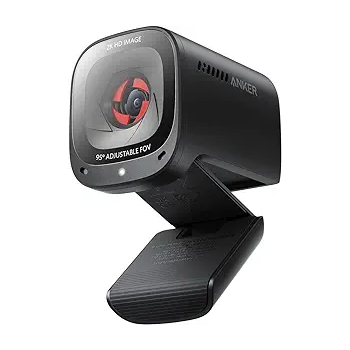
4. The Midrange Value Proposition: Anker PowerConf C200
Anker has successfully disrupted the mid-market by offering 2K resolution at a $70 price point. The inclusion of a physical privacy shutter has become a mandatory feature for security-conscious corporate users. Our testing indicates that the C200’s primary advantage is its superior performance in low-light environments, a common failure point for even expensive integrated laptop cameras. The device effectively bridges the gap between budget peripherals and professional-grade conference equipment.
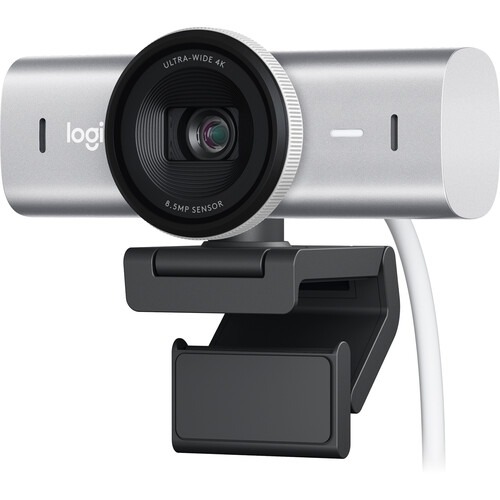
5. High-Fidelity 4K Capture: Logitech MX Brio 4K
For those requiring the highest possible visual fidelity, the Logitech MX Brio 4K utilizes an 8.5MP Sony STARVIS CMOS sensor. This hardware choice is critical; it allows the camera to pull detail out of shadows that would otherwise be crushed into black noise. While the price point of $200 is significant, the return on investment is found in the reduced need for external studio lighting. It is, in effect, a "prosumer" device for individuals who need their video feed to match the production value of high-end corporate media.
The Role of Software and AI Integration
The modern webcam is defined as much by its firmware as its lens. Advanced software features now include auto-framing, background blur, and noise-canceling microphone arrays. The shift toward AI integration—such as the Insta360’s ability to recognize and track subjects—indicates that the industry is moving away from static imaging toward responsive, intelligent capture.
However, users must remain aware of the hardware-software handshake. Most high-end webcams require dedicated applications to unlock their full potential, such as custom LUTs (color profiles) or zoom adjustments. This creates a reliance on the stability of the manufacturer’s software updates, which should be a factor in any long-term procurement decision for a corporate IT department.
Implications for the Future of Remote Collaboration
The implications of this shift in hardware quality are profound. As high-definition video becomes the standard, the "visual expectation" for meetings has risen. Professional perception—how one is viewed by colleagues, investors, or clients—is now inextricably linked to the quality of one’s digital presence.
A study of recent professional trends shows that organizations are increasingly standardizing the peripheral hardware used by remote staff. This is not merely an aesthetic choice; it is a tactical one. Clear audio and sharp video reduce the cognitive load on meeting participants, leading to more efficient communication and a reduction in the "Zoom fatigue" that characterized the early stages of the pandemic.
Strategic Selection Criteria
When selecting a webcam, users should prioritize the following criteria to ensure their investment remains viable for the next three to five years:
- Sensor Size: A larger sensor, such as the 1/2-inch sensor in the Insta360 Link 2, will always outperform a smaller sensor in low-light conditions, regardless of resolution.
- Frame Rate: For most video conferencing, 30 fps is sufficient. However, for live streamers or those recording content for playback, 60 fps at 1080p is preferred to capture motion without blurring.
- Privacy Protocols: The presence of a physical lens shutter is a primary security requirement. Digital software shutters can be bypassed or toggled accidentally; physical barriers offer total peace of mind.
- Connectivity: Ensure the device supports USB-C, as this is the standard for modern high-bandwidth data transmission. Avoid legacy USB-A adapters where possible to maintain the throughput required for 4K video.
Conclusion: The Strategic Value of Visual Clarity
The transition from integrated hardware to dedicated external webcams is a recognition of the new reality of professional life. We are no longer simply "taking a call"; we are broadcasting our presence into the digital offices of our peers.
For the average user, the Logitech C920 remains the most sensible choice, providing a massive upgrade over internal hardware for a minimal cost. For the professional who spends four or more hours a day in virtual meetings, investing in a high-end solution like the Logitech MX Brio 4K or the Insta360 Link 2 is not an indulgence—it is a tool that improves the clarity, authority, and engagement of every interaction.
Ultimately, as the boundary between physical and virtual workspaces continues to blur, the hardware we choose to represent us will remain a defining factor in how we are perceived by the global digital economy. Whether traveling with the compact Opal Tadpole or managing a home studio with the MX Brio, the objective remains the same: ensuring that the technology facilitates communication, rather than becoming a barrier to it. By focusing on sensor quality, environmental lighting, and the specific needs of one’s workflow, users can move past the limitations of stock hardware and establish a professional presence that commands attention in any virtual room.