










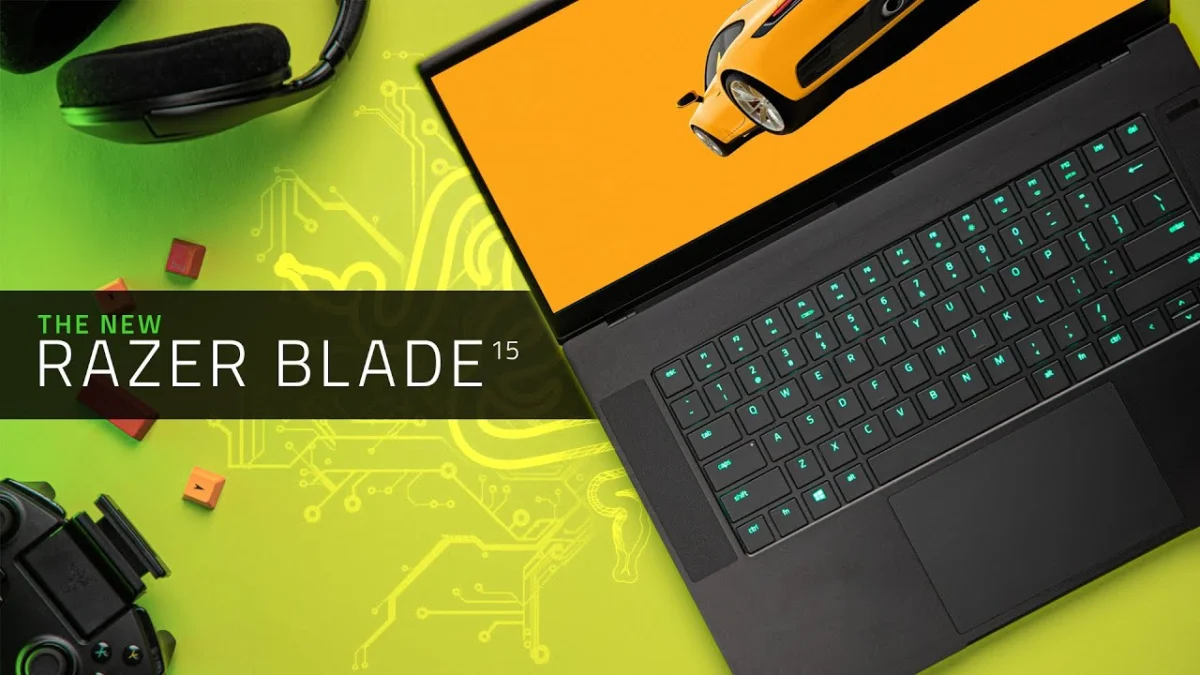
The high-end gaming laptop market has long been defined by a constant tension between thermal performance, component miniaturization, and skyrocketing retail costs. Into this competitive landscape steps the Razer Blade 15 Advanced (2021), a machine that attempts to balance cutting-edge internal silicon against a physical architecture that is becoming increasingly familiar to enthusiasts. Featuring NVIDIA’s RTX 30-series graphics processors coupled with Intel’s 10th-generation Core processors, the newest iteration of Razer’s flagship portable powerhouse aims to satisfy both discerning gamers and demanding content creators.
While the semiconductor industry faces unprecedented supply chain constraints and widespread price inflation, Razer has opted to maintain a pricing structure comparable to previous generations. This strategy places the Blade 15 Advanced in a unique market position. However, as competitors lean aggressively into alternative architectures—most notably AMD’s Ryzen processors and 16:10 display aspect ratios—the enduring viability of Razer’s traditional formula warrants a thorough examination of its hardware capabilities, thermal engineering, and ergonomic design choices.
Model Configurations and Market Pricing
The Razer Blade 15 Advanced series spans multiple SKUs, catering to varied performance and budgetary requirements within the luxury gaming tier. The entry-level model, retailing at $2,500 USD, equips users with an Intel Core i7-10875H central processing unit featuring 8 cores and 16 threads, 16GB of system RAM, a 1TB NVMe solid-state drive, and an NVIDIA GeForce RTX 3070 graphics card. This configuration drives a 15.6-inch Quad HD (2560 x 1440) IPS-type display operating at a 240Hz refresh rate.
For consumers prioritizing raw motion clarity over pixel density, an alternative $2,600 USD configuration swaps the Quad HD panel for a 1080p screen boasting an ultra-fast 360Hz refresh rate. Stepping up to the RTX 3080 GPU configurations introduces higher costs. A $2,900 USD variant pairs the RTX 3080 with 8GB of VRAM and doubles the system memory to 32GB while retaining the entry-level Quad HD 240Hz display. Opting for the 1080p 360Hz display with the RTX 3080 shifts the price point to $3,000 USD.
At the apex of the lineup sits the $3,300 USD flagship model. This configuration pairs the RTX 3080—featuring a full 16GB of VRAM—with a 4K OLED display capped at a 60Hz refresh rate. Comparing these figures to the 2020 product generation reveals that Razer has avoided the temptation to increase retail pricing amid the global GPU shortage. In fact, entry-level variants are priced slightly lower than their predecessors, a move that provides welcome relief in a hardware market plagued by widespread price gouging. Nonetheless, the Blade 15 Advanced remains a substantial financial investment.
Industrial Design and Ergonomic Challenges
Externally, the 2021 Blade 15 Advanced preserves the minimalist, boxy aesthetics that have characterized the product line for years. Built around an anodized aluminum chassis, the laptop retains its signature illuminated green Razer logo on the outer lid. Minor dimensional refinements have shaved fractions of a millimeter from the overall thickness, though the device maintains a familiar footprint and weight profile.
The interior layout likewise remains unchanged, housing a familiar keyboard configuration featuring per-key Razer Chroma RGB lighting. While the integrated glass trackpad continues to rank among the best available on Windows-based portable computers, the mechanical keyboard switches leave room for improvement. When evaluated against contemporary alternatives—such as the tactile travel and satisfying bottom-out feedback found on ASUS ROG or Dell XPS keyboards—the Blade 15’s typing experience feels unexceptional relative to its premium cost.
Ergonomic concerns persist regarding the sharp 90-degree angles of the chassis edges surrounding the palm rest. Extended typing or gaming sessions can cause the metallic edges to press uncomfortably against the user’s wrists, a drawback that becomes more pronounced during lap use. Furthermore, physical connectivity peripherals present ongoing inconveniences. The included braided power cable is notably rigid, complicating rapid packing for travel, while the rectangular power connector’s orientation can obstruct adjacent USB ports if plugged in incorrectly. Critics note that these persistent design oversights suggest the once-vanguard chassis design is beginning to show its age.
Display Innovations and Technical Compromises
The 15-inch display panel introduces notable advancements, particularly in the Quad HD 240Hz configuration. Delivering a resolution of 2560 x 1440 on a 15.6-inch screen provides enhanced desktop workspace while maintaining crisp image fidelity. Color accuracy testing demonstrates strong performance, with the panel covering 100% of the sRGB color space, 88% of Adobe RGB, and 99% of DCI-P3, making it well-suited for professional photo and video editing workloads.
Despite these strengths, technical limitations temper its reception. Peak luminance tops out at approximately 315 nits, trailing behind several competing high-end gaming laptops. Furthermore, users running on battery power frequently encounter an aggressive white contrast adjustment caused by Intel’s integrated graphics power-saving features. Mitigating this visual anomaly requires disabling NVIDIA Advanced Optimus and forcing the system to run exclusively on the discrete GPU, a workaround that negatively impacts battery runtime.
NVIDIA’s Advanced Optimus technology also dictates the display’s dynamic refresh rate behavior. During standard desktop navigation, the screen defaults to 60Hz to conserve energy, switching automatically to 240Hz only when a compatible title launches in exclusive full-screen mode. While users can manually override this behavior via the NVIDIA Control Panel to maintain a constant 240Hz refresh rate when plugged into a wall outlet, doing so increases power consumption.
Connectivity and Storage Upgrades
Port selection offers robust utility for both mobile professionals and multimedia creators. The left side of the chassis houses the proprietary power input, two USB 3.2 Gen 2 Type-A ports, a USB 3.2 Gen 2 Type-C port supporting up to 100W Power Delivery charging, and a 3.5mm audio combination jack. The right side accommodates a Kensington lock slot, an HDMI 2.1 output, a third USB Type-A port, a Thunderbolt 3 Type-C port, and a full-size UHS-III SD card reader—a welcome inclusion for photographers and videographers.
Internal upgradability is thoughtfully engineered. Removing the bottom aluminum panel grants immediate access to two replaceable RAM slots. Beneath a specialized protective bracket lies the primary high-speed NVMe solid-state drive. Ingeniously, Razer designed this bracket to support a secondary M.2 NVMe SSD stacked directly on top, allowing users to expand storage capacity without sacrificing internal layout efficiency.
Thermal Engineering, Power Profiles, and Noise Levels
To achieve a slim profile while maintaining adequate cooling for a 95W NVIDIA GeForce RTX 3070 graphics card, engineers made compromises regarding battery capacity. Sticking to a standard 80Wh lithium-ion cell, combined with an Intel processor architecture that is less power-efficient than competing AMD alternatives, results in modest battery longevity. Under heavy operational loads, battery depletion can occur in under ninety minutes, necessitating reliance on the AC adapter for demanding tasks.
Razer addresses performance customization through its proprietary Synapse software suite, offering granular controls over both CPU and GPU power limits. Beyond standard presets like Balanced, the software features a Custom tab allowing users to adjust CPU power scaling from a low-power 35W state up to a sustained 55W Boost mode. The RTX 3070 graphics card operates at 85W under Low and Medium settings, scaling up to a robust 95W in High performance mode—a power threshold rarely exceeded in laptops of comparable physical dimensions.
Thermal performance under these elevated power targets remains remarkably well-controlled. During extended gaming sessions with the hardware pushed to its maximum configurable thresholds, the graphics processor consistently remained below 80 degrees Celsius. Acoustic output is similarly managed; while fan speeds increase under load to exhaust thermal energy away from the primary mousing zones, the acoustic profile avoids the high-pitched whine typical of ultra-thin gaming systems, though sensitive users may occasionally detect subtle electronic coil noise.
Gaming and Processing Performance Analysis
Benchmarks illustrate the efficacy of Razer’s power tuning. When pairing the 95W RTX 3070 with the Intel Core i7-10875H processor, the Blade 15 Advanced achieves gaming performance that frequently challenges or surpasses competing laptops equipped with higher-tier RTX 3080 GPUs configured with lower wattage limits. At both 1080p and 1440p resolutions, frame rates in demanding AAA titles remain exceptionally high, validating the engineering focus on sustained GPU power delivery.
Conversely, central processing unit benchmarks reveal the widening performance gap between Intel’s 10th-generation Comet Lake architecture and AMD’s Ryzen processors. While single-threaded performance remains competitive for general tasks, multi-threaded workloads demonstrate that Intel’s silicon struggles to match the computational throughput of contemporary AMD Ryzen 5000-series mobile chips, despite the Blade 15 carrying a higher retail price tag. The system partially compensates for this discrepancy in GPU-accelerated creative applications, such as Adobe Premiere Pro and DaVinci Resolve, where the combination of the RTX 3070 and responsive lightly threaded CPU performance yields favorable rendering outcomes.
Industry Implications and Outlook
The 2021 Razer Blade 15 Advanced successfully refines several internal metrics compared to its predecessors, delivering top-tier gaming frame rates, controlled thermal emissions, and manageable fan noise without succumbing to inflationary price adjustments. For consumers navigating a turbulent hardware market, the stability of Razer’s pricing serves as an encouraging anchor point.
At the same time, the device highlights persistent industry pressures. As competitors embrace power-efficient AMD processors, more expansive 16:10 display aspect ratios, and refined ergonomic chassis designs, Razer’s reliance on its long-standing industrial aesthetic faces growing scrutiny. While the Blade 15 Advanced remains a formidable luxury gaming machine, future iterations will likely need to address chassis ergonomics, keyboard tactile feedback, and processor architecture to maintain its competitive standing in an evolving marketplace.