
The quest for a reliable and functional laptop often leads consumers to a critical crossroads: balancing performance with an accessible price point. While the allure of high-end machines with their cutting-edge features and premium designs is undeniable, a significant segment of the market seeks capable devices that do not necessitate a substantial financial outlay. Navigating the sub-$500 laptop category can indeed feel like a monumental task, fraught with the challenge of discerning true value from superficial savings. Budget models, by their very nature, often forego the flashier functionalities of their pricier counterparts, making it difficult for consumers to gauge durability and long-term utility. However, the market for affordable laptops has matured considerably, now offering genuinely solid options that master essential tasks and frequently surprise with an added bonus feature or two.
Crucially, setting realistic expectations is paramount when exploring this price tier. For users whose primary needs revolve around fundamental computing activities such as web browsing, document creation, video streaming, or utilizing basic productivity applications, the landscape is rich with sub-$500 laptops perfectly capable of handling these demands. These devices represent an ideal solution for students requiring tools for academic work, families seeking robust machines for children’s educational or entertainment purposes, or individuals desiring a dependable secondary device without straining their finances. While Windows-based machines are available within this segment, the prevailing market trend indicates that Chromebooks frequently deliver a superior value proposition, largely due to their optimized operating system and cloud-centric architecture.
Naturally, the lower cost inherently involves certain tradeoffs. Consumers should temper expectations regarding top-tier specifications, advanced graphics capabilities, or the use of premium construction materials. Instead, the typical profile includes more modest processors, constrained storage capacities, and displays that, while functional, may not boast exceptional brightness or color fidelity. Nevertheless, the leading budget models are characterized by intelligent compromises, often prioritizing critical user experiences. A standout feature consistently observed across the most highly-rated laptops in this category is exceptional battery life, a testament to manufacturers’ understanding of essential user needs. With a clear understanding of individual requirements, a budget laptop can undoubtedly prove to be a worthwhile investment, offering substantial utility without the premium price tag. The information presented herein is regularly updated, reflecting Laptop Mag’s top recommendations for 2025, with recent updates including the addition of FAQs, detailed testing charts, and the Acer Chromebook Spin 312, alongside a refreshed "how to choose" section as of May 5, 2025.

The Evolving Landscape of Budget Laptops: Market Trends and Technological Advancements
The sub-$500 laptop segment has undergone a significant transformation over the past decade. Once dominated by underpowered netbooks and severely compromised machines, this category now benefits from advancements in component efficiency, operating system optimization, and fierce market competition. The shift towards cloud computing and the proliferation of web-based applications have particularly elevated the utility of Chromebooks, making them formidable contenders against traditional Windows laptops in the entry-level space. These devices, running Google’s ChromeOS, thrive on efficiency, requiring less powerful hardware to deliver a smooth user experience. This contrasts sharply with the demands of a full-fledged Windows operating system, which typically necessitates more robust processors, greater RAM, and faster storage solutions to avoid performance bottlenecks, especially with ongoing updates and background processes.
The increasing demand for affordable computing solutions has also been influenced by broader socioeconomic factors. The global pivot towards remote work and hybrid learning models, accelerated by recent world events, underscored the necessity for accessible and reliable personal computing devices across all demographics. This environment created a surge in demand for secondary devices, as well as primary machines for students and entry-level professionals, further incentivizing manufacturers to refine their budget offerings. The result is a market where compromises are smarter, focusing on delivering core functionality and essential user experiences rather than simply cutting costs indiscriminately. Long battery life, for instance, has emerged as a non-negotiable feature, demonstrating a clear understanding of user priorities in an increasingly mobile world.
Key Considerations for Smart Budget Laptop Selection
Choosing the optimal laptop under $500 requires a strategic approach, prioritizing features that directly impact the user’s intended applications. Here are the tried-and-true guidelines to navigate this competitive segment:
- Budget vs. Value Proposition: The price tag is only one piece of the puzzle; understanding what specifications and build quality accompany that price is crucial. While both Windows laptops and Chromebooks are available, a careful evaluation of internal hardware, from processor type to keyboard ergonomics, is essential. Comprehensive reviews, like those from Laptop Mag, dissect these aspects, offering insights into which models punch above their weight. When independent reviews are scarce, a quick search for the laptop’s name followed by "review" can yield valuable user and expert opinions.
- Screen Size and Portability: For most budget users, portability is a key factor. Laptops with screen sizes ranging from 12 to 14 inches generally strike the best balance between a usable display area and a lightweight, thin chassis. These dimensions are common in the sub-$500 category and are ideal for students or mobile professionals who carry their devices frequently. Larger screens, while offering more real estate, tend to increase weight and diminish battery life.
- Form Factor: Clamshell, Convertible, or Detachable? Traditional "clamshell" laptops often provide a more robust feature set for a given price, benefiting from simpler engineering. However, the market also offers an increasing number of convertible (2-in-1s with 360-degree hinges) and detachable laptops within the budget. These versatile machines cater to users who desire tablet-like functionality for note-taking, drawing, or media consumption. It’s important to note that 2-in-1s in tablet mode can feel thicker due to the keyboard folding back, while detachables offer a cleaner tablet experience, often with included keyboards and covers—a notable value proposition in this segment.
- Battery Life: The Endurance Factor: A non-negotiable feature for any modern laptop, especially budget-friendly ones, is long battery life. An ideal budget laptop should comfortably offer at least 10 hours of runtime on a single charge based on standard web surfing tests at moderate brightness. This ensures that the device can last through an entire workday or school day without needing a power outlet, significantly enhancing its utility and convenience.
- Specifications: Realistic Expectations and Optimal Configurations: While top-tier specs are out of reach, consumers can aim for the best possible configuration within their budget. An ideal scenario would include 16GB of RAM, a 256GB SSD, and an Intel 13th-gen processor or newer. More commonly, however, sub-$500 laptops feature 8GB of RAM, 128GB or less of storage (often the slower eMMC type), and processors like Intel N-series, MediaTek Kompanio, or Qualcomm Snapdragon. For these more modest specifications, a Chromebook generally extracts more performance and longevity compared to a Windows laptop, due to ChromeOS’s lighter footprint.
Leading the Pack: Top Budget Laptops of 2025
The rigorous testing and expert evaluation conducted by Laptop Mag have identified several standout models that excel in various aspects, demonstrating that affordability doesn’t necessarily mean sacrificing essential quality.
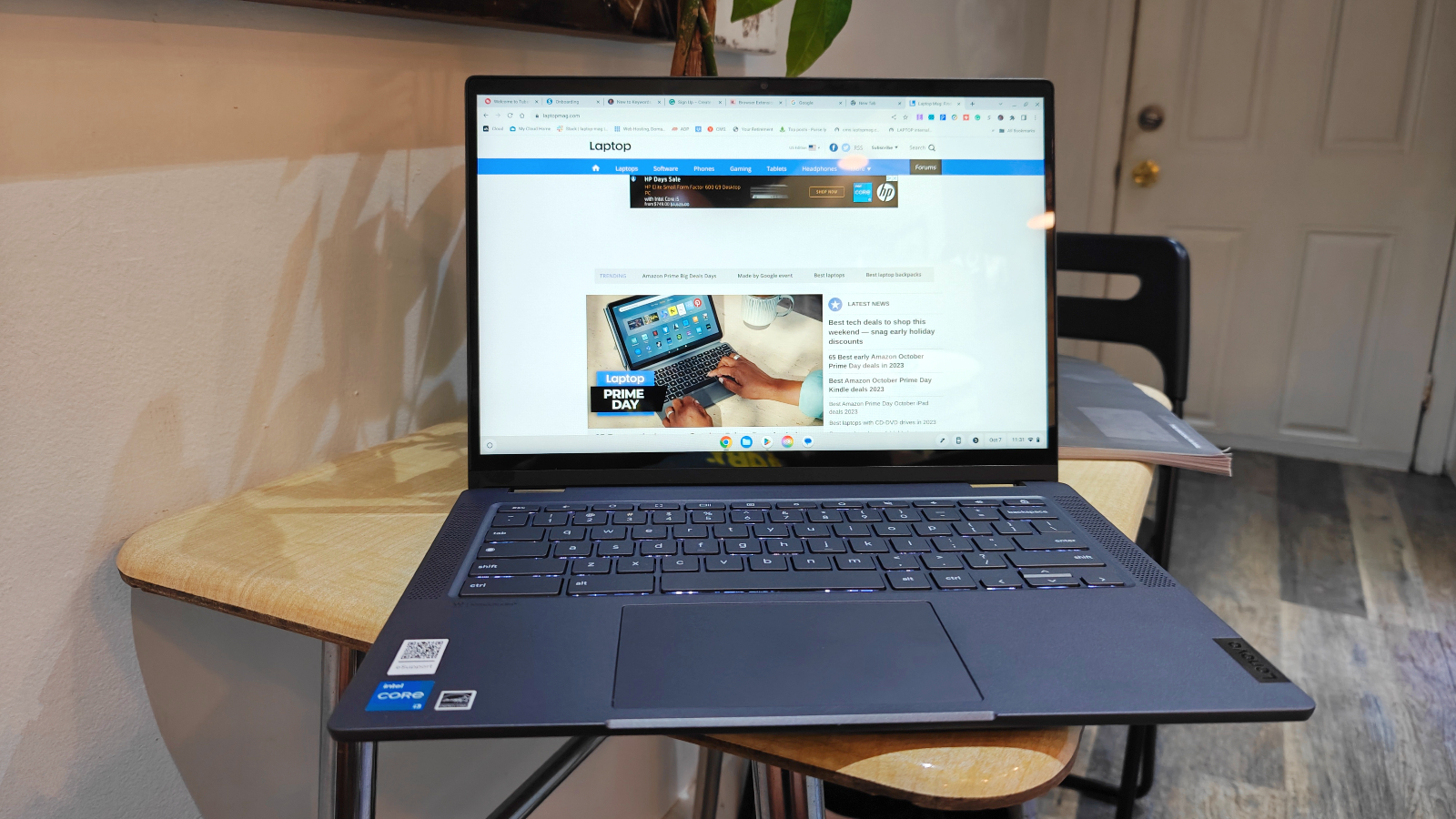
Best Overall: Lenovo IdeaPad Flex 5i Chromebook Plus Gen 7
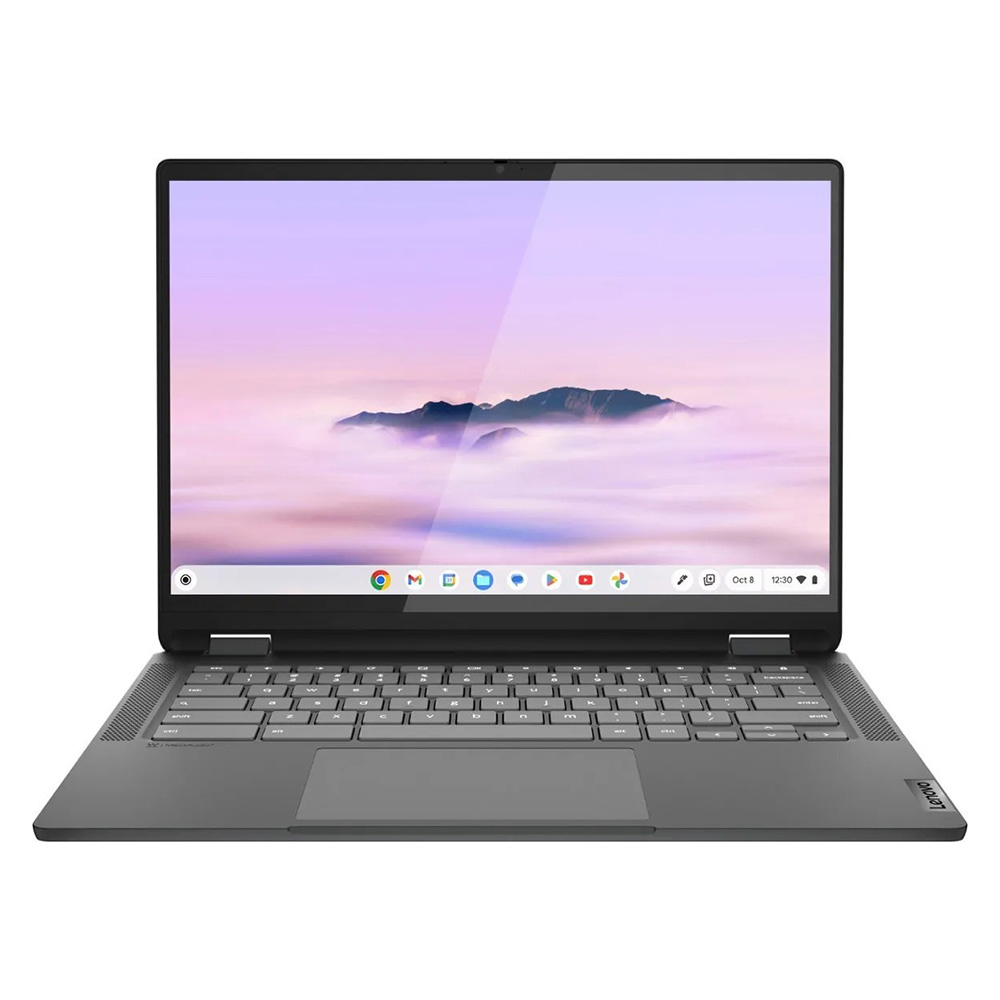
The Lenovo IdeaPad Flex 5i Chromebook Plus redefines expectations for budget laptops, presenting a modern aesthetic combined with surprisingly potent performance for its price point. This 2-in-1 device offers an AI-infused, next-level experience that makes it an undeniable frontrunner. Powered by an Intel Core i3-1315U processor and 8GB of RAM, it achieved a Geekbench 6 multi-core score of 5,384, comfortably surpassing the Chromebook average of 5,259 and significantly outperforming many other budget devices. This robust performance, especially within the context of a Chromebook’s typically lighter workload, translates into a remarkably smooth and responsive user experience. Features like AI-backed performance, which enhances tasks from search queries to photo management within ChromeOS, add considerable value.
Beyond its internal prowess, the IdeaPad Flex 5i boasts a design that belies its budget status. Its attractive chassis and sturdy hinges give it a premium feel, distinguishing it from the often-clunky designs prevalent in this price range. Measuring 12.4 x 9.0 x 0.8 inches and weighing 3.57 pounds, it strikes a balance between portability and robust construction. The 14-inch, 1080p IPS touch display, while not the brightest (306 nits) or most colorful (46.5% DCI-P3), benefits from a 16:10 aspect ratio, providing more vertical screen real estate ideal for productivity tasks. Coupled with nearly 10 hours of battery life, the Lenovo IdeaPad Flex 5i Chromebook Plus stands as a testament to intelligent engineering in the affordable computing sector.
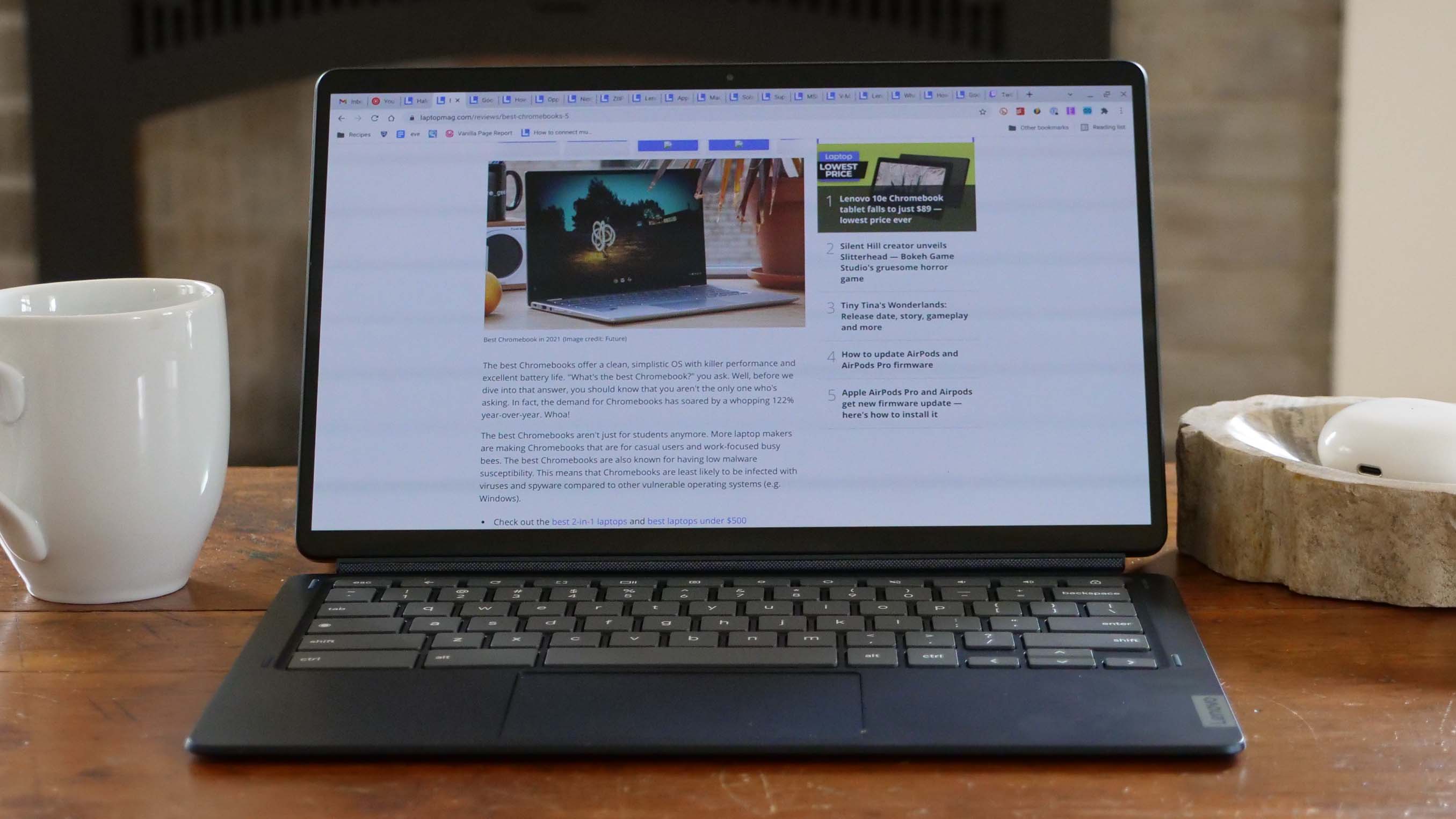
Best Under $300: Lenovo Duet 5 Chromebook
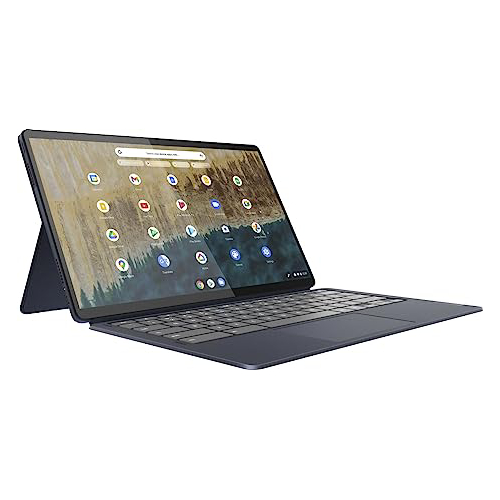
For years, the Lenovo Duet 5 Chromebook has been an undisputed champion in the ultra-budget category, only recently making room for newer, more advanced models. Yet, its enduring appeal and exceptional value remain undiminished. This detachable 2-in-1 device offers unparalleled versatility, seamlessly transitioning between a tablet and a full-fledged laptop, with the crucial inclusion of both a keyboard and cover – a feature often omitted in more expensive detachables.
While its Qualcomm Snapdragon 7c Gen 2 processor delivers somewhat underwhelming performance in synthetic benchmarks (Geekbench 5 multi-core score of 1,727, below the Chromebook average of 2,253), its strengths lie elsewhere. The Duet 5 Chromebook features a stunning 13.3-inch, 1920 x 1080 OLED display, a rarity at this price point. It reproduces an impressive 85.2% of the DCI-P3 color gamut and achieves an average brightness of 361 nits – figures typically associated with premium laptops. This vibrant display, combined with an outstanding 13 hours and 31 minutes of battery life, makes it an ideal companion for media consumption and light productivity on the go. Its compact form factor (1.5 pounds for the tablet, 2.24 pounds with the keyboard) further enhances its portability, making the compromises in raw processing power perfectly acceptable for its target audience.
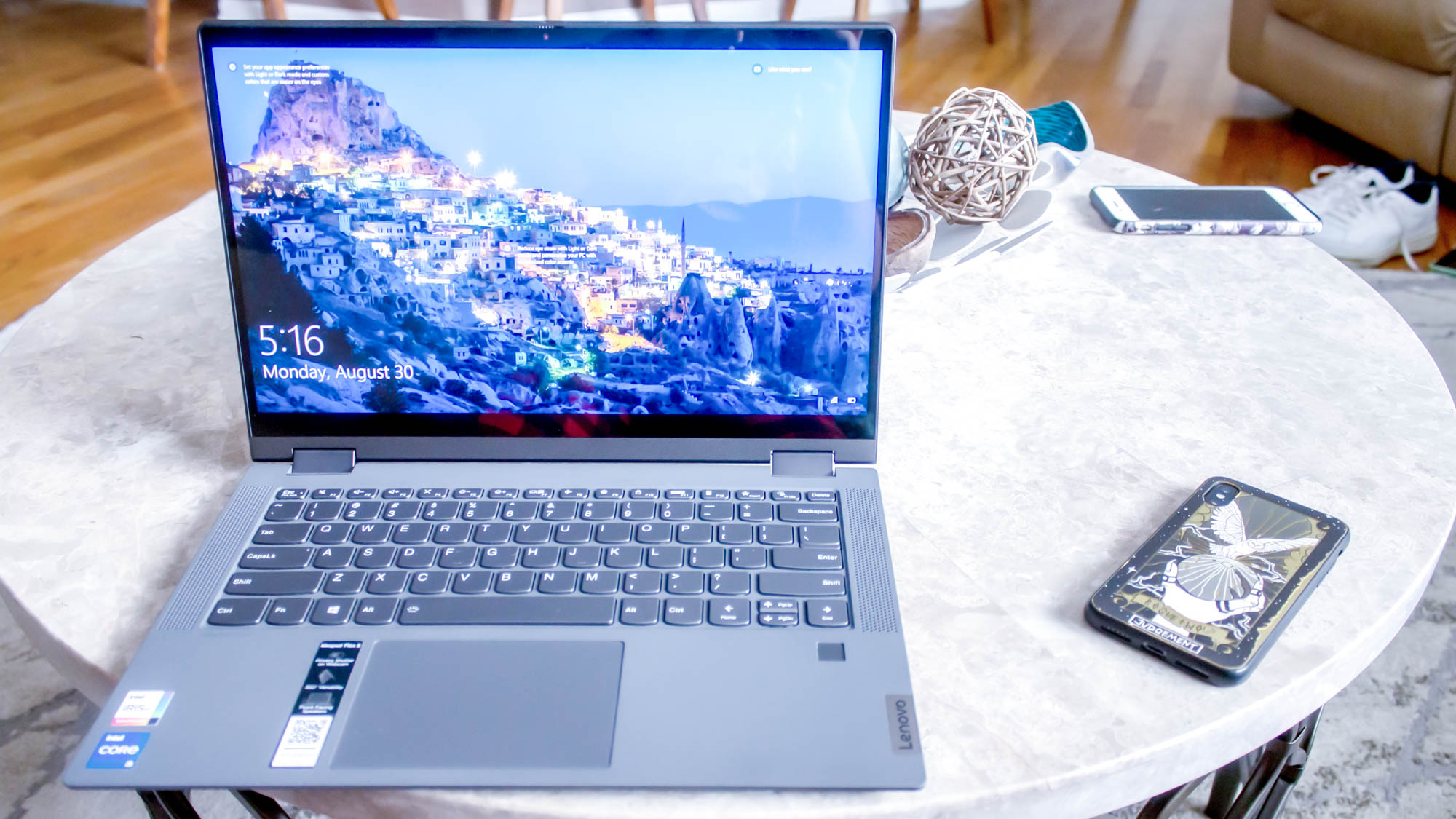
Best Windows Laptop: Lenovo IdeaPad Flex 5 14 (Intel)
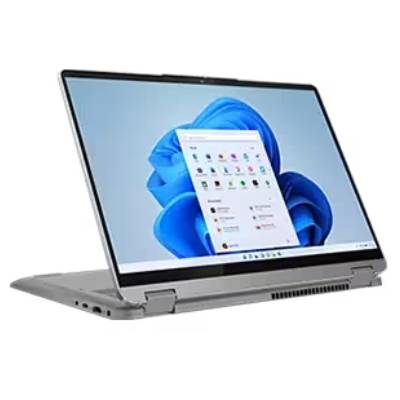
Securing a genuinely capable Windows laptop for under $500 is a significant challenge, given the operating system’s higher hardware demands. The Lenovo IdeaPad Flex 5 14 (Intel) rises to this challenge, offering a compelling blend of performance, battery life, and user comfort. Equipped with an Intel Core i5-1135G7 processor, a generous 16GB of RAM, and a 512GB SSD, it delivers solid performance, achieving a Geekbench 5 multi-core score of 3,841. This score comfortably surpasses the Chromebook average and many other budget laptops, demonstrating its ability to handle more demanding Windows applications.
One of its most striking features is its exceptional battery life, lasting over 14 hours on a single charge – a feat even many premium laptops struggle to achieve. The keyboard offers a responsive and comfortable typing experience, despite being slightly shallower than ideal, making it suitable for extended writing sessions. While the 12.3-inch, 2400 x 1600 IPS touch display is somewhat dim (200 nits) and dull (45% DCI-P3), and the device features only one USB-C port, these are understandable compromises for a Windows laptop offering such strong core performance and endurance at this price. The availability of an AMD Ryzen 3 model also offers an alternative, though its specific performance and battery life characteristics may vary.
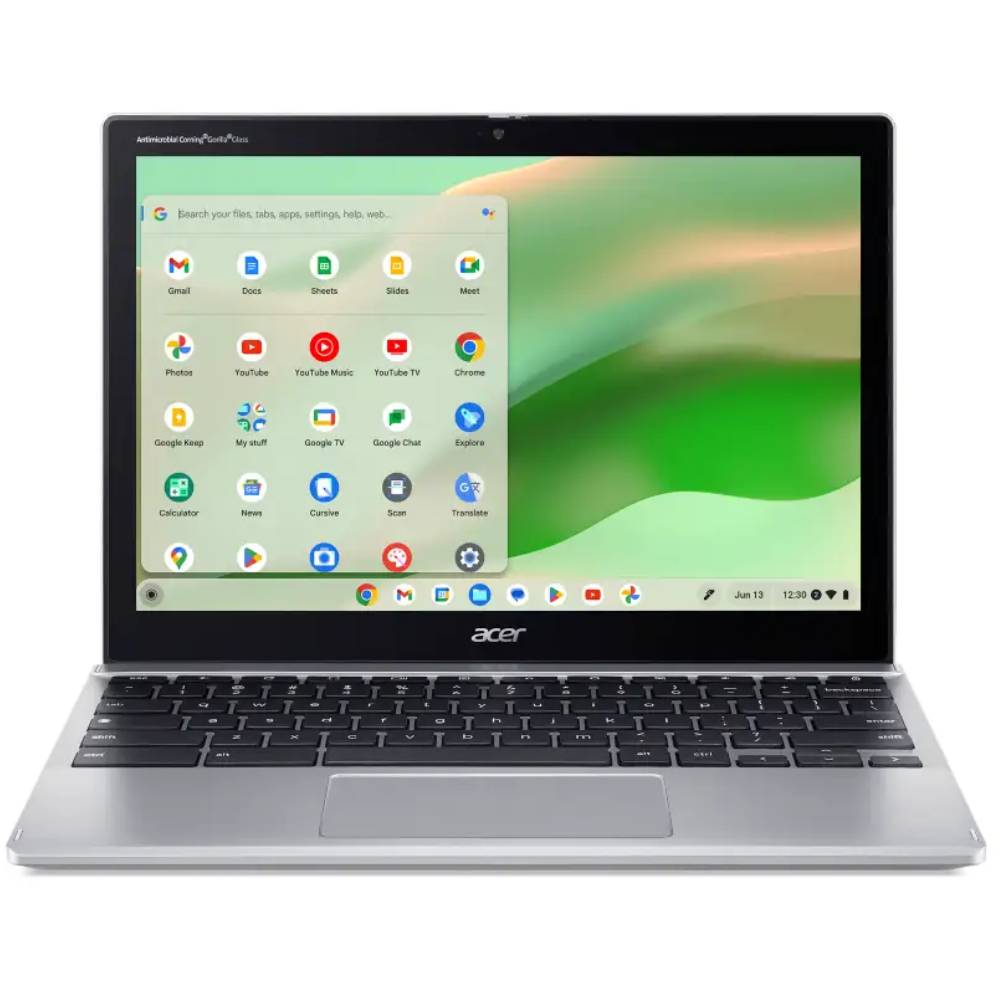
Best for Students: Acer Chromebook Spin 312
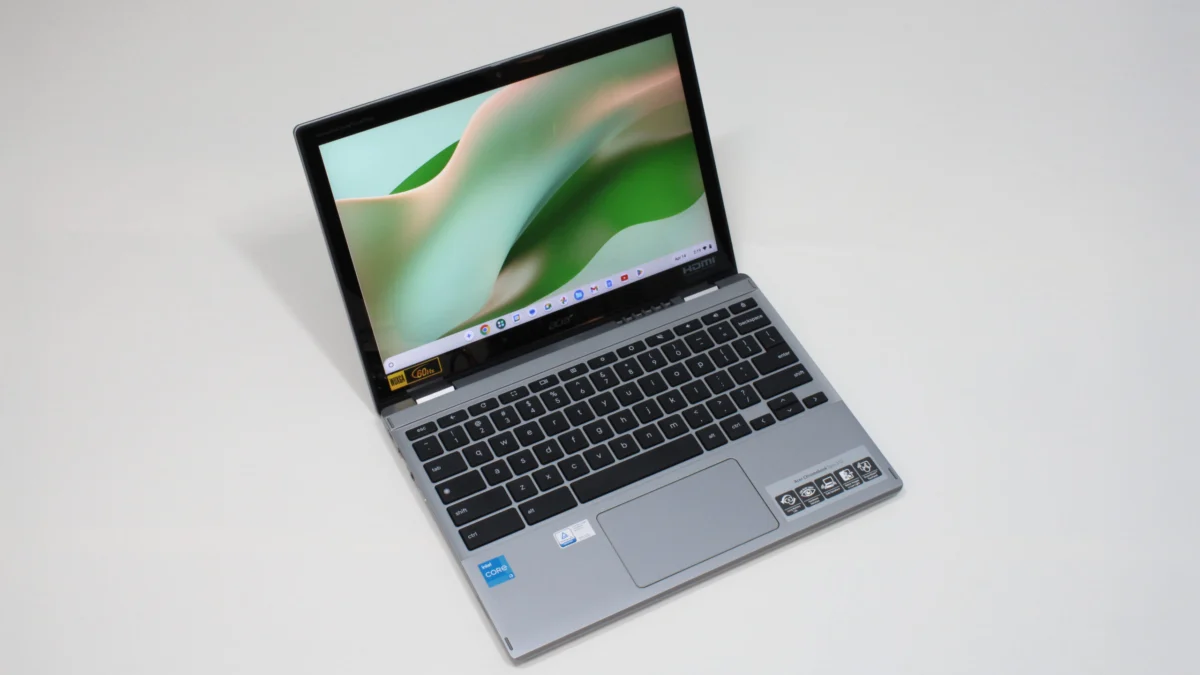
The Acer Chromebook Spin 312 stands out as an exemplary student laptop under $500, offering a significant upgrade over many institutional devices. Its sleek, silver-coated chassis imparts a more expensive look than its price tag suggests, making it an aesthetically pleasing choice. Weighing just under 3 pounds, it is remarkably light and portable, an essential characteristic for students who frequently move between classes. Furthermore, its battery can endure for an impressive 10 hours and 33 minutes on a full charge, easily covering a full school day.
The Spin 312 incorporates several unique features that enhance the user experience. Acer’s OceanGlass touchpad is notably smooth, offering a tactile response often superior to those found on more expensive Windows laptops. The 12.2-inch, 1920 x 1200 IPS touch display, protected by Corning Gorilla Glass, presents colors with surprising vividness despite covering only 55% of the DCI-P3 color gamut. The Gorilla Glass coating enhances contrasts and color perception, making the display appear more vibrant than its raw specifications might suggest. While the keyboard has a peculiar "clicky-squishy" feel due to thin plastic keycaps, and the audio is shallow, these are common budget compromises. As a 2-in-1 laptop, it also caters to students who prefer handwritten notes, offering flexibility in how it’s used for learning.
Comprehensive Benchmark Comparisons

To provide a clear, objective comparison, Laptop Mag employs a suite of synthetic and real-world benchmarks. These tests rigorously evaluate performance, display quality, and endurance across all reviewed laptops. The data highlights the strengths and weaknesses of each model, offering consumers a factual basis for their purchasing decisions.
| Metric | Lenovo IdeaPad Flex 5i Chromebook Plus | Lenovo Duet 5 Chromebook | Lenovo IdeaPad Flex 5 14 | Acer Chromebook Spin 312 |
|---|---|---|---|---|
| Geekbench 6 (Higher is better) | 5,384 | NA | NA | 4,477 |
| Geekbench 5 (Higher is better) | NA | 1,727 | 3,841 | NA |
| Jetstream 2 (Higher is better) | 272.91 | 70.1 | NA | 215 |
| CrXPRT 2 (Higher is better) | NA | 55 | NA | 140 |
| Handbrake time (MM:SS), lower is better | NA | NA | 25:30 | NA |
| Battery life – Web surfing (HH:MM) | 09:43 | 13:31 | 14:16 | 10:33 |
| SSD transfer speeds (MBps, higher is better) | NA | NA | 565.9 | NA |
| DCI-P3 Color Gamut (Higher is better) | 46.5% | 85.2% | 45% | 55% |
| Display Brightness (Nits, higher is better) | 306 | 361 | 200 | 277 |
| Hottest temperature (95 degree comfort threshold) | 89.5 | NA | 94 | 91.5 |
Note: NA indicates that the specific benchmark was not performed or not applicable for that model due to different testing methodologies for distinct OS environments or updated benchmark versions.
Broader Impact and Implications of the Budget Laptop Market
The continued improvement and strong market presence of sub-$500 laptops have several significant implications. For consumers, it means greater accessibility to essential computing tools, bridging digital divides and enabling more individuals to participate in online education, remote work, and digital commerce. This democratization of technology fosters innovation by putting powerful tools in more hands.
However, the budget segment is not immune to external economic pressures. Factors like global supply chain disruptions, fluctuating material costs, and geopolitical trade policies, such as the potential impact of tariffs (as seen with discussions around US tariffs on Chinese electronics), can significantly influence pricing. While the average price of laptops has remained relatively stable over recent years, a sudden increase in tariffs could make finding quality devices under $500 considerably more challenging. This underscores the importance of strategic purchasing, often during major sales events like Black Friday and Cyber Monday, when manufacturers and retailers offer their most aggressive discounts.
From a sustainability perspective, the longevity of budget laptops is a critical, though often overlooked, factor. While manufacturers strive for affordability, the environmental impact of short-lived electronics is a growing concern. The emphasis on robust build quality and extended battery life, as observed in the top models, indirectly contributes to greater longevity, reducing the frequency of replacements.
The competitive nature of the budget laptop market also drives continuous innovation. Features that were once exclusive to premium devices, such as OLED displays or convertible designs, are gradually trickling down to more affordable price points. This fierce competition among brands like Lenovo, Acer, and others ultimately benefits the consumer, pushing the boundaries of what’s possible at a lower cost.
Laptop Mag’s Rigorous Testing Methodology
At Laptop Mag, every laptop undergoes an exhaustive series of benchmark tests—both synthetic and real-world—before reaching our reviewers. This meticulous process ensures a comprehensive evaluation of each device’s performance, battery life, display quality, audio output, and thermal management.
Our benchmark testing protocols include:
- Display Analysis: A Klein K10 colorimeter is utilized to precisely measure the display’s brightness in nits and its coverage of the DCI-P3 color gamut, providing objective data on visual fidelity.
- Performance Benchmarks: Laptops are subjected to a gauntlet of industry-standard tests, including Geekbench 5 and 6 for CPU performance, and 3DMark for professional graphics capabilities, offering insights into raw processing power.
- Real-World Performance Evaluation: To simulate practical usage, we task laptops with converting a 4K video to 1080p resolution and duplicating a substantial 4.97GB multimedia file. Our real-world graphics test involves running the Sid Meier’s Civilization 6 Gathering Storm benchmark at medium settings and 1080p resolution.
- Thermal Management: Heat tests are conducted by playing a 15-minute full-screen video, after which temperatures are measured across various points of the laptop to assess heat dissipation and user comfort.
- Battery Endurance: Our standard battery test involves continuous web surfing over Wi-Fi at 150 nits of brightness. For MacBooks and premium Windows 11 laptops, a runtime exceeding 9 hours is considered commendable, while gaming laptops and workstations achieving more than 5 hours are praised for their endurance.
Following the completion of these rigorous lab tests, each laptop is then assigned to our team of expert reviewers for in-depth, hands-on evaluation. These reviewers integrate the laptop into their daily workflows for several days, performing tasks such as writing, editing, video conferencing, and streaming. This blend of objective technical analysis and subjective real-world experience enables Laptop Mag to deliver well-rounded, unbiased, and genuinely informative perspectives on every product reviewed. More detailed information on our benchmarking procedures can be found on our "How We Test Laptops" page.
Why Trust Laptop Mag for Your Purchasing Decisions
Laptop Mag stands as a trusted authority in the technology review space, with a legacy spanning three decades. Our commitment to independence and journalistic integrity ensures that our reviews are always unbiased and focused on providing consumers with the most accurate and useful information. Each year, our dedicated team reviews over a hundred different laptops, encompassing everything from featherlight ultrabooks to powerful gaming rigs that push the boundaries of frame rates in the most demanding AAA titles. Our expertise extends beyond laptops to include smartphones, tablets, headphones, PC accessories, software, and the latest innovations in gaming.
As a proud part of Future Publishing, one of the world’s largest technology publishers, Laptop Mag benefits from unrivaled experience across every tech sector. Our position as the group’s specialist for all things mobile technology reinforces our ability to deliver comprehensive and authoritative insights. Our experienced writers and editors meticulously analyze available product information and put each system through its paces, ensuring that our recommendations are based on thorough testing and real-world application. This rigorous approach guarantees that when you consult Laptop Mag, you are relying on decades of collective experience and a steadfast commitment to helping you make informed purchasing decisions with confidence.