The open-source home automation ecosystem has reached a major development milestone with the official rollout of Home Assistant 2026.9. Headlined by significant architectural upgrades to Modbus communication, next-generation private voice processing, and advanced security and data visualization dashboards, this release addresses long-standing user friction points while deepening integration with the broader Open Home Foundation roadmap. As smart home infrastructure scales to encompass more complex energy and security management systems, the latest software update bridges critical gaps between proprietary hardware protocols and local-first control.
Background Context and Evolution of the Release
Home Assistant, developed and maintained by a massive global community alongside the Open Home Foundation and commercial partner Nabu Casa, has evolved from a niche hobbyist project into a comprehensive operating system for residential automation. Releases follow a strict monthly cadence, ensuring rapid iteration and continuous integration of new Internet of Things (IoT) standards.
The 2026.9 release arrives at a pivotal time for smart home technology, where consumer demand for local privacy, energy monitoring, and cross-platform interoperability is colliding with fragmented manufacturer ecosystems. By focusing heavily on protocol modernization—specifically regarding industrial and residential energy hardware like solar inverters and heat pumps—this update attempts to democratize access to devices that previously required advanced coding knowledge. Furthermore, the timing of the release coincides with the consumer electronics exposition IFA Berlin, where the Open Home Foundation has established a dedicated presence to showcase local-first smart home technologies to a broader European and global market.
Modernizing Modbus: Bridging Industrial Protocols and Consumer UI
For years, Modbus has served as the silent backbone for critical home infrastructure, powering solar photovoltaic inverters, residential heat pumps, and high-precision energy meters. However, its adoption within local automation platforms was heavily restricted by the necessity of hand-writing complex register maps in YAML configuration files. This technical barrier locked a vast category of efficiency-focused hardware out of reach for average users.
Home Assistant 2026.9 introduces a modernized approach to Modbus by enabling native UI-driven integrations that share a single connection pipeline. Instead of competing sessions causing connection timeouts or data bottlenecks, multiple integrations can now securely query the same physical bus. The architecture leverages a new standalone modbus-connection library built on top of tmodbus, a fully typed, modern Python Modbus implementation.
The initial rollout includes native support for Fronius solar inverters via optional Modbus TCP (SunSpec) connectivity, providing granular per-string data—including real-time current, voltage, power, and lifetime energy for each Maximum Power Point (MPP) tracker—which was previously inaccessible via local HTTP APIs. Similar native integrations have been introduced for Sofar Inverters and Flexit ventilation systems. This architectural shift shifts the burden of protocol interpretation away from the end-user and into the software layer, signaling a maturation of local energy management capabilities.
Next-Generation Cloud Voice Processing and Privacy Guarantees
Voice-controlled home automation has historically forced consumers to choose between cloud-based convenience with compromised privacy or local-processing alternatives that struggle with accents, environmental noise, and non-English languages. Building upon the foundation laid by the Home Assistant Voice Preview Edition, version 2026.9 introduces a testable, next-generation speech-to-text (STT) engine for Home Assistant Cloud subscribers.
Developed in collaboration with Nabu Casa and powered under the hood by speech technology provider Soniox, the new engine specifically targets three persistent failure points in voice assistants: regional accents, high ambient background noise, and non-English linguistic structures. Despite routing speech data through a new third-party provider for processing, the core privacy architecture remains strictly enforced: audio streams are never logged, stored, or utilized for machine learning model training.
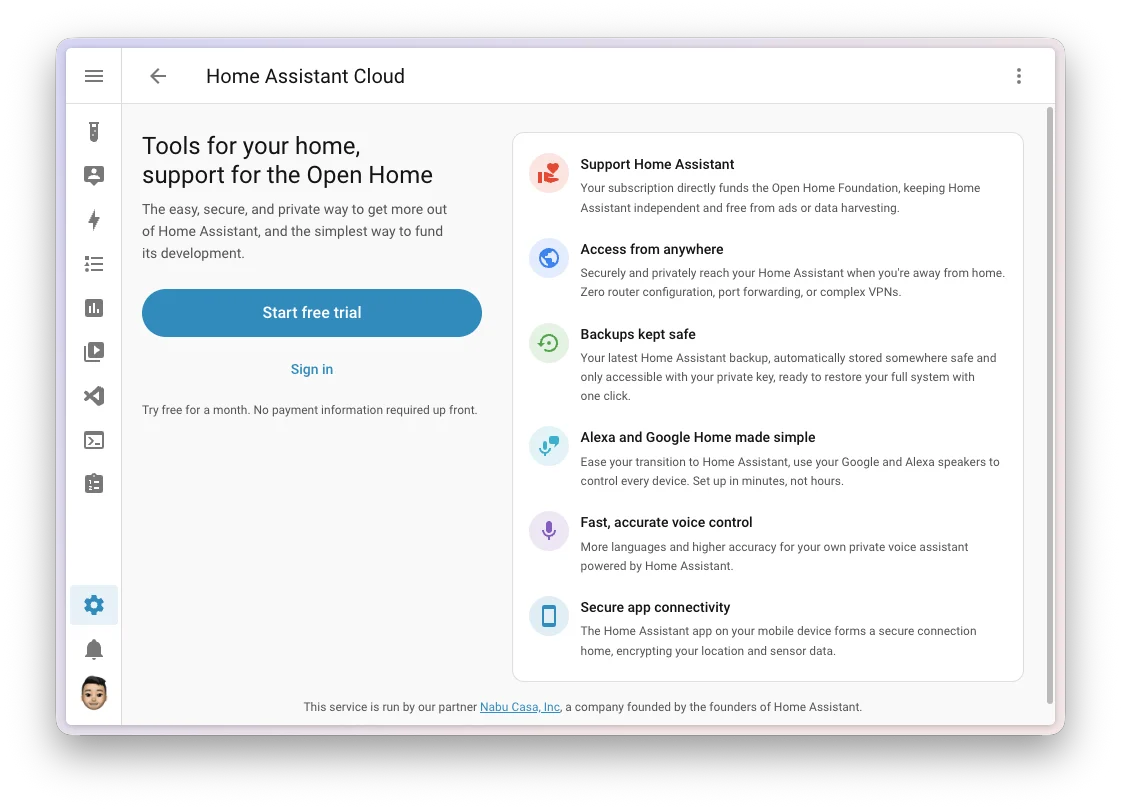
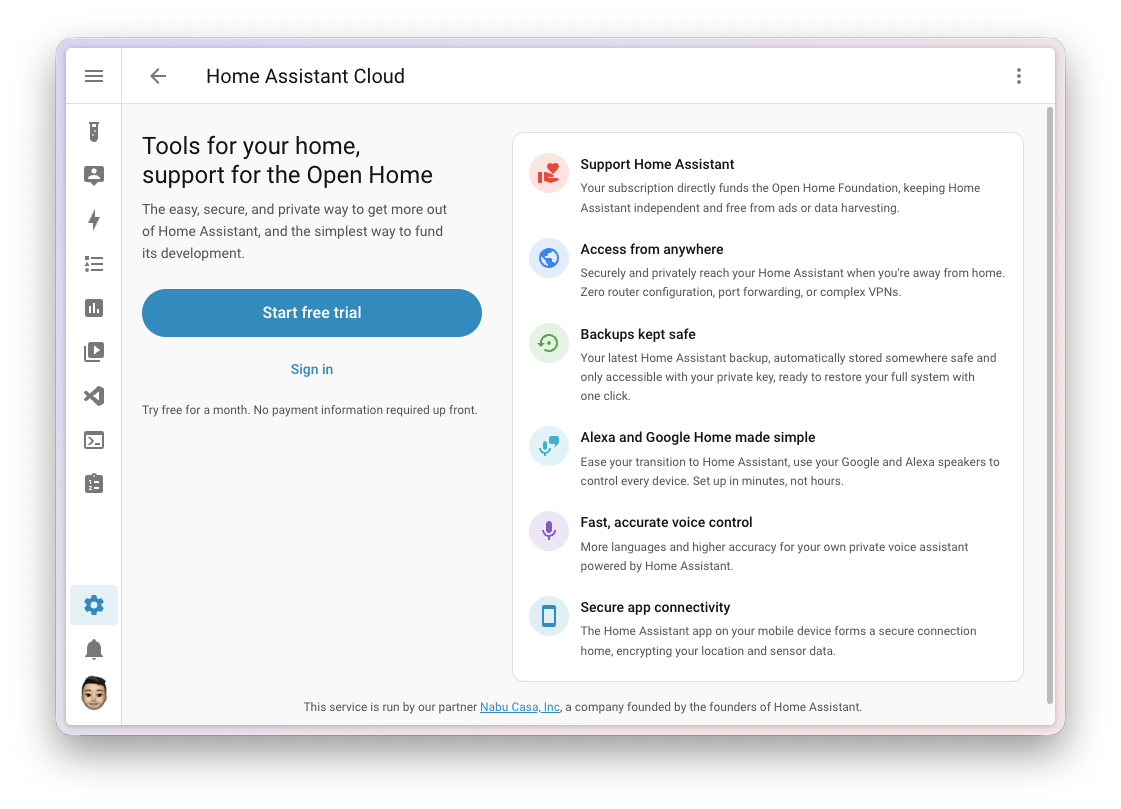
Subscribers can activate the new engine directly through the system labs interface. To streamline adoption, the Home Assistant Cloud onboarding funnel has been redesigned, offering a transparent feature overview prior to trial activation and automated session logins upon email confirmation. These improvements reflect a concerted effort by Nabu Casa to sustain long-term funding for the Open Home Foundation while delivering tangible, high-value utility to paying subscribers.
Dashboard Enhancements: Security, Activity Tracking, and Matter Network Mapping
User interface customization and data transparency receive substantial upgrades in 2026.9, directly addressing community feature requests and Open Home Foundation UX design discussions.
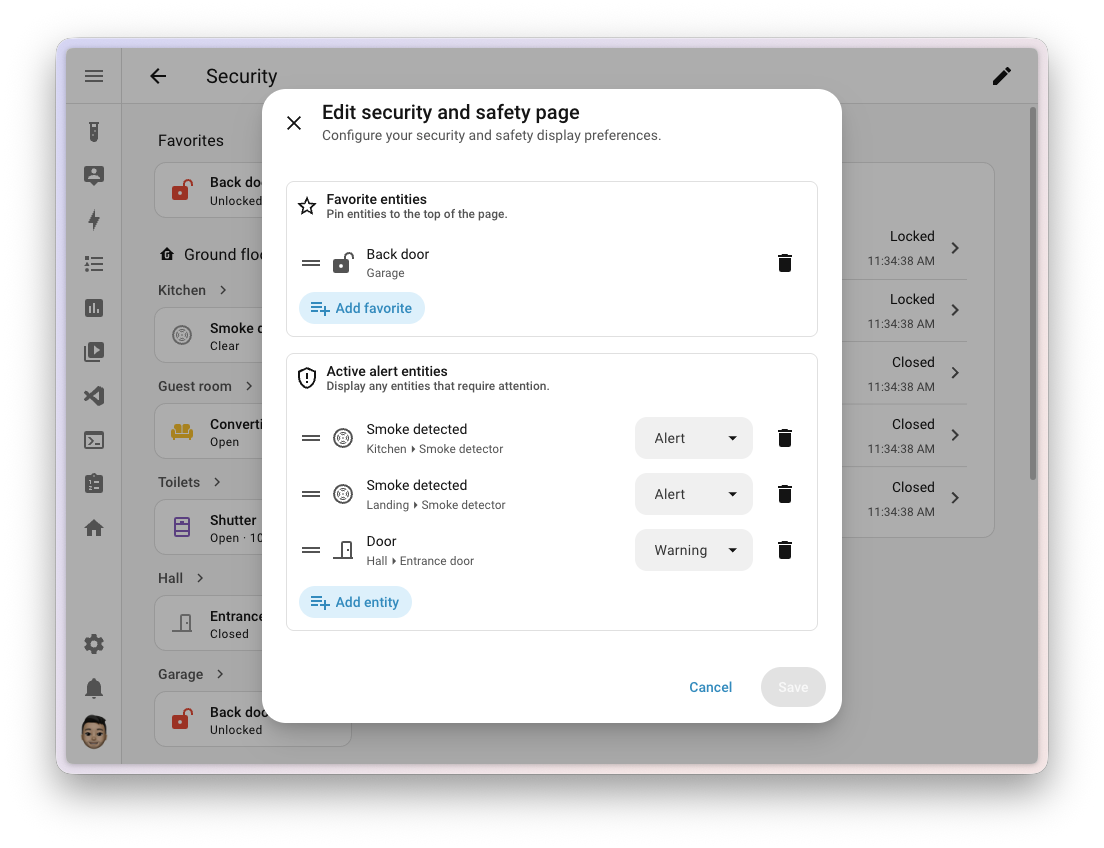
The built-in Security dashboard now incorporates dynamic Active alerts and customizable Favorites. The Active alert section remains hidden during normal operations, materializing only when critical thresholds are breached—such as an unlatched exterior door or a triggered smoke detector. Entities can be categorized by severity levels (Alert versus Warning), applying distinct visual indicators derived from community-designed UX concepts. Simultaneously, the new Favorites panel pins high-priority locks, sensors, and doors to the top of the interface.
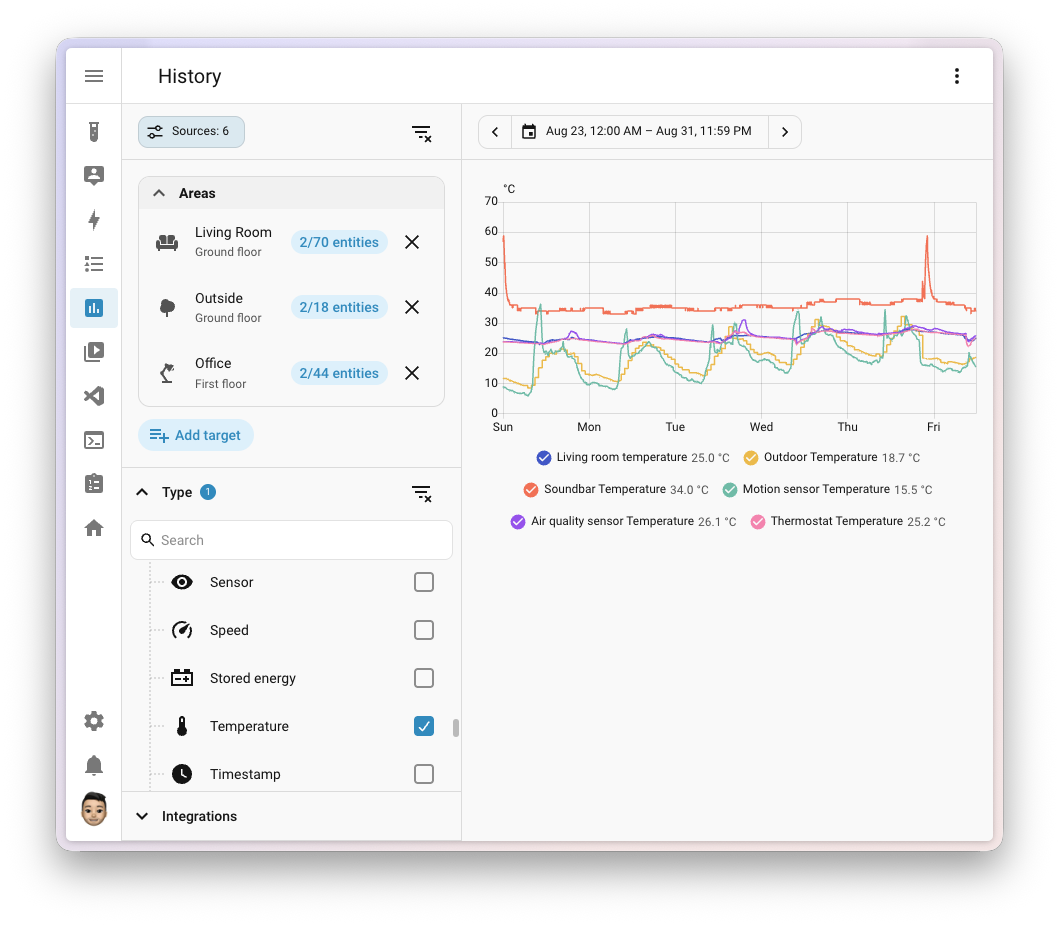
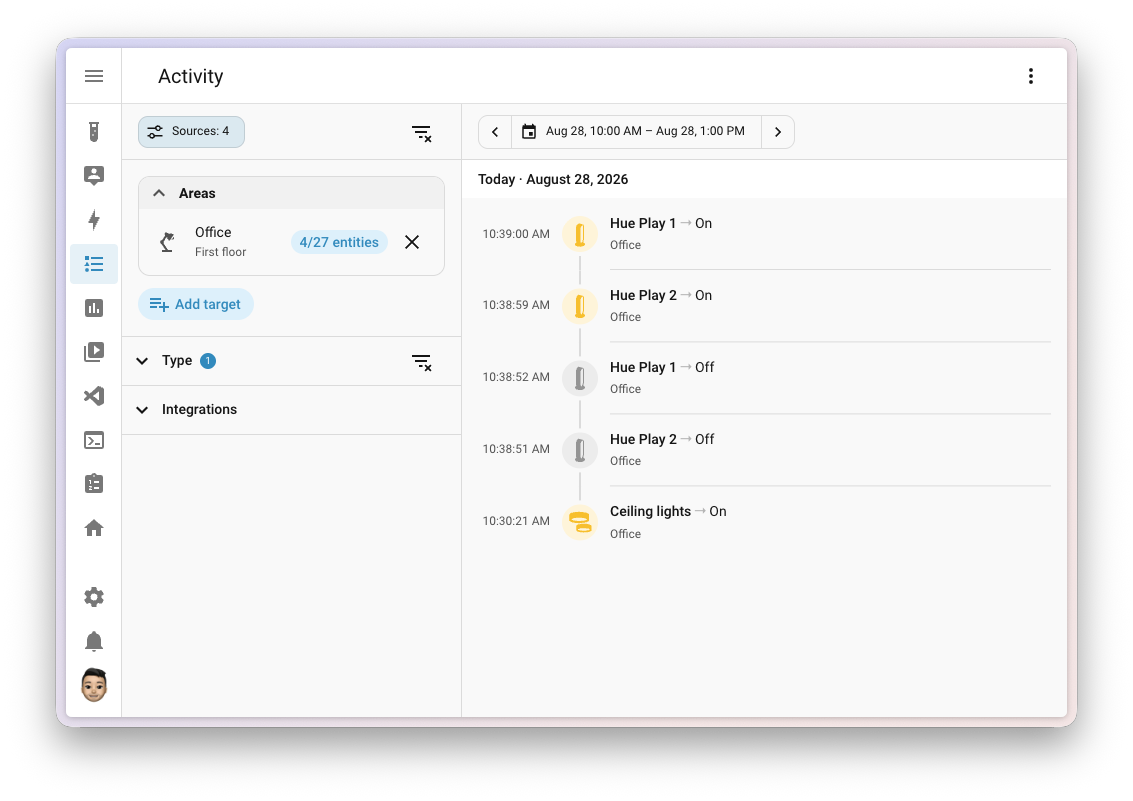
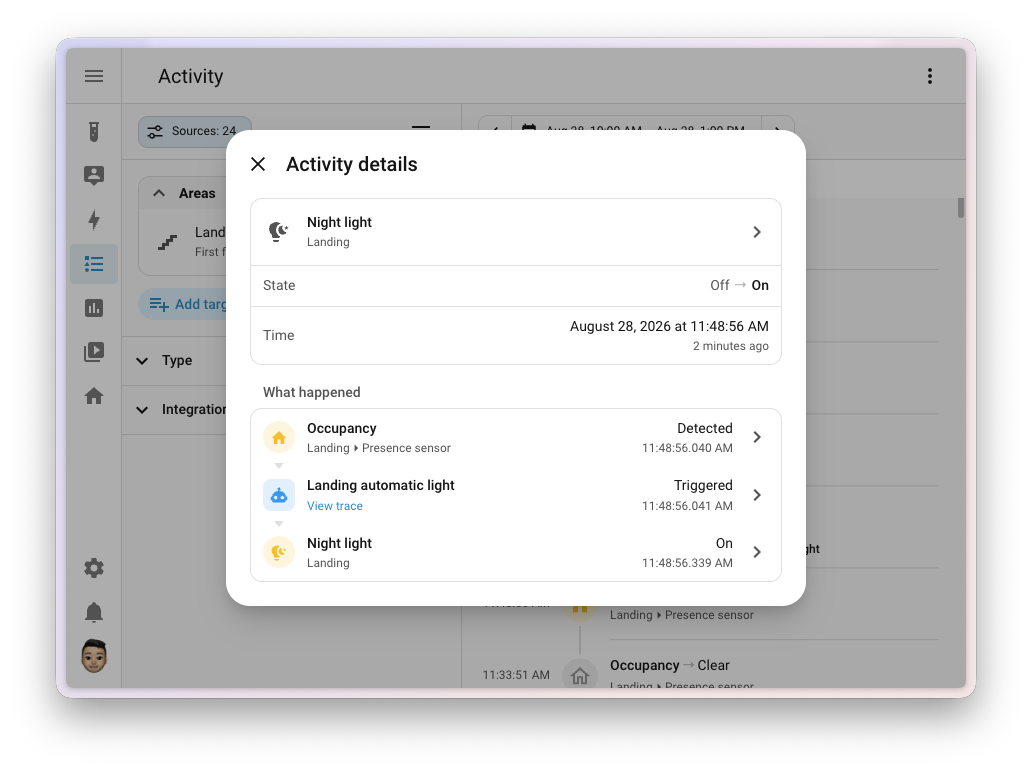
History and Activity logs have been unified under a shared Sources panel located on the left-hand navigation pane. Users can filter data across floors, areas, devices, and entities while cross-referencing domains and device classes. Crucially, the Activity log has evolved from reporting mere state changes to explaining the underlying catalysts. Selecting any log row opens a detailed chronological breakdown tracing an event from its origin—such as a specific user action, schedule, or integration restart—through intermediate automation or script execution chains down to the final entity state change, complete with millisecond-level timestamps and direct links to automation traces.
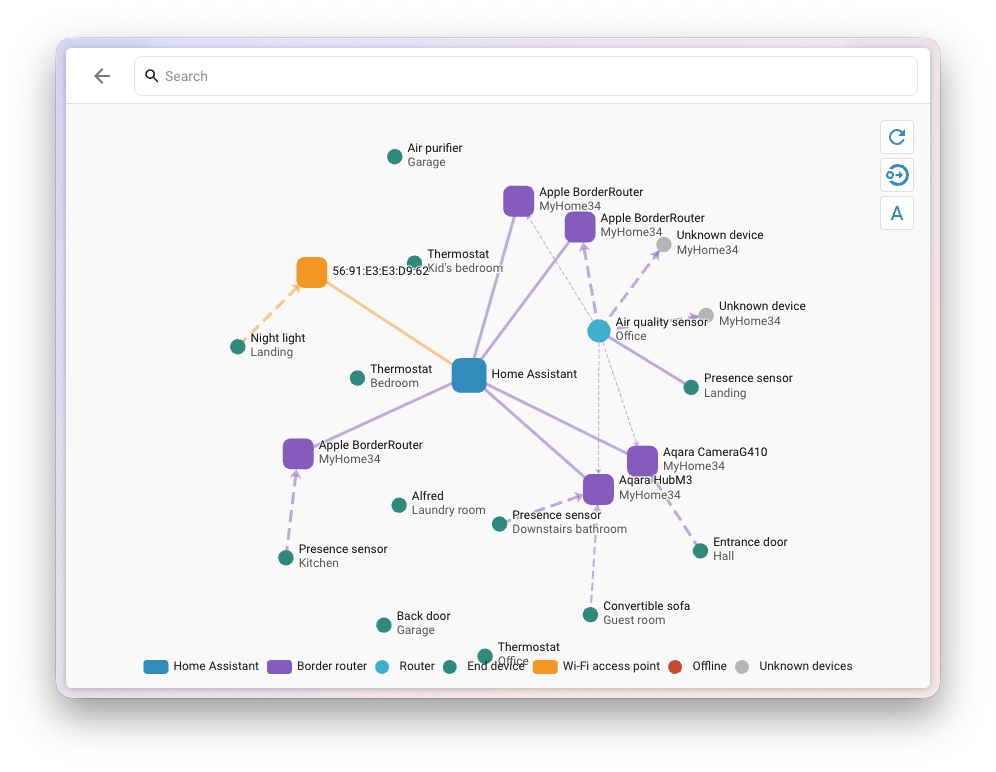
Furthermore, the Matter protocol gains a long-awaited native network map. Accessible directly from the Matter integration panel, the new visualization tool renders the underlying mesh topology—distinguishing between Wi-Fi and Thread connections, identifying border routers and battery-powered end devices, and displaying real-time signal quality metrics.
Accessibility, Serial Connectivity, and Network Storage Insights
Accessibility remains a core development tenet in the 2026.9 release, most notably through the introduction of keyboard and auditory navigation for data charts. Historically rendered as static image outputs, line and bar charts are now fully accessible via screen readers and keyboard navigation. Using arrow keys, users can inspect data points sequentially, accompanied by dynamically generated audio tones that pitch upward or downward to convey overall trend shapes and data distribution anomalies.
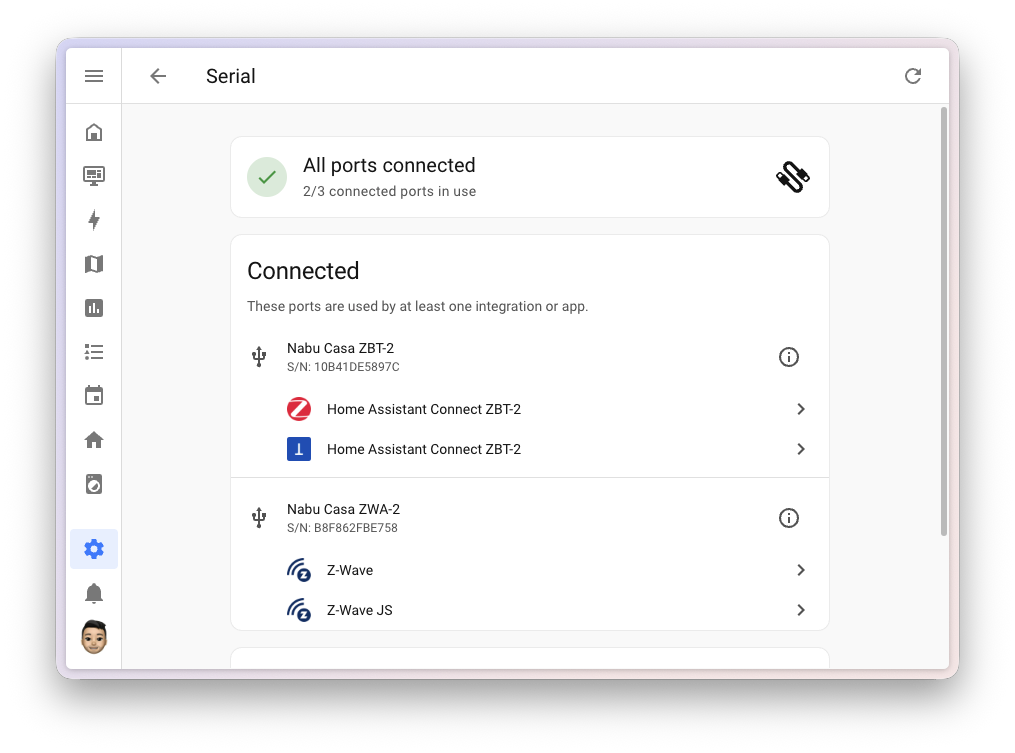
Connectivity management has been further centralized under the Settings menu with the introduction of a dedicated Serial panel, joining existing infrared and radio frequency dashboards. The interface categorizes serial ports into active, connected-idle, and missing device states, providing immediate diagnostic feedback for USB dongles and local applications. A corresponding MQTT settings page adds a dedicated broker status banner, device discovery controls, and an integrated packet-publishing and payload-testing tool.
Storage management has also been enhanced to prevent unmonitored capacity exhaustion. Network-attached storage (NAS) mounts utilized for system backups and media libraries now feature real-time usage indicator bars. These visual metrics dynamically shift color—turning amber past 85% capacity and red past 95%—providing preemptive warnings before storage volumes fail.
Breaking Changes and Developer Implications
As with any major platform update, Home Assistant 2026.9 introduces a select number of backward-incompatible changes designed to improve long-term system stability and security. Notable adjustments include:
- Restricting update installations, skips, and configuration-level actions to administrator accounts.
- Transitioning LLM tool names to incorporate domain prefixes (e.g.,
homeassistant__GetLiveContext). - Removing the deprecated fireplace mode switch entity from the Flexit Nordic (BACnet) integration in favor of standard climate preset modes.
- Adjusting KNX expose behavior to prevent initial value broadcasting unless explicitly configured via initialization parameters.
Analysis of Implications
The release of Home Assistant 2026.9 underscores a broader industry trend toward local-first interoperability supported by robust commercial ecosystems. By lowering the technical barrier for industrial hardware protocols like Modbus and integrating complex mesh networks like Matter directly into standard dashboards, the platform continues to close the feature gap with commercial smart home conglomerates while preserving user data sovereignty. As residential energy management and security monitoring converge, updates of this caliber demonstrate that open-source alternatives are increasingly capable of handling enterprise-grade automation demands within residential environments.