The high-performance gaming laptop market has long been dominated by established industry giants such as Dell, HP, ASUS, and MSI. However, boutique manufacturers have increasingly carved out a lucrative niche by offering bleeding-edge specifications that often outclass mass-market alternatives. Among these smaller competitors is Eluktronics, a brand that has consistently sought to bridge the gap between custom-tailored enthusiast machines and mainstream flagships. Following previous releases like the RP-15—which earned a reputation as one of the fastest Ryzen-powered laptops in its class—the company has returned with its most aggressive offering to date: the Prometheus XVII Ultra.
Introduction to the Prometheus XVII Ultra and Market Context
The naming convention of the Prometheus XVII Ultra blends classical mythology with contemporary tech marketing tropes. In Greek mythology, Prometheus represents the fire bringer, an apt metaphor for a device engineered to handle intense thermal loads, while "Ultra" denotes the absolute peak of a product stack. Beneath this marketing facade lies a heavy-duty desktop replacement built around AMD’s Ryzen 5000H series mobile processors paired with NVIDIA’s high-wattage GeForce RTX 3080 graphics cards.
In the current global electronics market, acquiring high-end silicon remains a logistical challenge. Supply chain constraints affecting semiconductor fabrication plants have made Ryzen processors and top-tier graphical processing units (GPUs) scarce commodities. Eluktronics has navigated these hurdles by fulfilling backorders incrementally, leading to occasional production delays driven by high consumer demand. Despite these market headwinds, the Prometheus XVII Ultra enters the arena as a calculated attempt to deliver uncompromising frame rates to competitive gamers and content creators alike.
Pricing, Configuration Tiers, and Value Proposition
The Prometheus XVII Ultra adopts a tiered pricing structure that scales significantly depending on internal component choices. Entry-level configurations begin at approximately $1,700 USD, equipping users with an older-generation AMD Ryzen 7 4800H processor, 16GB of random-access memory (RAM), a 512GB NVMe solid-state drive (SSD), and an NVIDIA GeForce RTX 3060 GPU. Interestingly, stepping up to the next tier requires an additional $400, which trades the AMD architecture for an Intel 10th Generation Core i7-10875H paired with an RTX 3070.
For enthusiasts seeking the pinnacle of the line, a further investment of $500 unlocks AMD’s later Ryzen 7 5800H processor alongside an RTX 3080 featuring 16GB of dedicated video RAM (VRAM). Review units outfitted with double the memory and expanded storage capacity push the total cost to approximately $2,800 USD. While this represents a substantial financial commitment, industry analysts note that it remains competitively priced compared to rival laptops utilizing similarly configured, high-wattage RTX 3080 implementations. Furthermore, Eluktronics incentivizes large purchases by including a comprehensive gaming bundle—consisting of a mouse pad, lightweight gaming mouse, headset, and a 10-foot HDMI cable—for orders exceeding $2,500 USD.
Design, Build Quality, and Portability
Externally, the Prometheus XVII Ultra maintains an understated, minimalist aesthetic. The chassis is constructed from a hybrid of aluminum and structural plastics, avoiding the garish styling elements that often plague gaming notebooks. Consumers seeking a more customized appearance can opt for a third-party dbrand matrix skin for a nominal fee. Subtle RGB light strips wrap around the base edges of the chassis, offering software-controlled color customization.
As a 17-inch desktop replacement, portability is inherently constrained. Measuring just under an inch in thickness, the chassis can slide into larger backpacks, but its approximately six-pound weight demands consideration from anyone planning a daily commute. Structural integrity presents mixed results. The central hinge design results in noticeable screen flexing when opened single-handedly from the corners, and minor chassis wobble can be observed during lap use. Because Eluktronics relies on a standardized, off-the-shelf chassis design shared by other original design manufacturers (ODMs), the physical exterior lacks distinct brand identity.
Ergonomics: Keyboard Layout and Trackpad Performance
The interior workspace accommodates a full-sized keyboard complete with a dedicated number pad, a logical inclusion given the expansive 17-inch form factor. However, the layout introduces certain ergonomic quirks. The arrow keys match the dimensions of standard alphanumeric keys, frequently leading to misinputs during blind navigation—such as striking the "1" key instead of the up arrow. Additionally, the numeric keypad omits a secondary enter key, a potential inconvenience for data entry professionals utilizing applications like Microsoft Excel.
On a positive note, the mechanical feel of the keys receives high marks. Key travel is well-calibrated, offering a tactile bottom-out sensation with minimal lateral wobble, placing it in direct competition with acclaimed typing surfaces like the ASUS ROG Zephyrus G15. Backlighting is handled via a single-zone RGB system with limited effect customization, though maximum luminance levels prove adequate for dark environments.
The glass-surfaced trackpad is exceptionally large, surpassing even the dimensions found on the Dell XPS 17. While the smooth texture facilitates fluid cursor navigation, palm rejection algorithms require further refinement. Users resting their palms near the primary click zones may experience registration failures when attempting drag-and-drop operations. Although software allows users to disable half of the active trackpad area, this workaround compromises usability. Smaller-handed users may also find the recessed placement of the keyboard deck relative to the palm rest causes minor ergonomic strain over extended typing sessions.
Multimedia: Display, Webcam, and Audio Capabilities
Visual output is driven by a single display configuration: a matte-finish, IPS-level panel boasting a Quad HD (2560×1440) resolution and a 165Hz refresh rate. This resolution strikes an effective balance for a 17-inch screen, providing crisp text rendering and ample workspace. Color gamut coverage spans 99% of the sRGB spectrum, 76% of Adobe RGB, and 79% of DCI-P3. While sufficient for general media consumption and baseline content creation, professional colorists may find the color space limitations falling short of expectations for a device approaching the $3,000 threshold. Furthermore, peak brightness hovers around 350 nits, making outdoor legibility difficult.
The integrated webcam delivers modest fidelity suitable primarily for casual video conferencing. Due to the aforementioned flexibility in the central display hinge, typing vibrations can induce noticeable camera shake during calls. Audio performance is similarly polarized; while voice clarity remains acceptable, the downward-firing stereo speakers lack meaningful bass response and exhibit harsh high frequencies, necessitating the use of external headphones for media consumption.
I/O Connectivity and Upgradability
Connectivity options represent one of the Prometheus XVII Ultra’s strongest attributes, featuring a well-distributed array of ports. The left flank houses a USB 3.1 Gen 2 Type-A port alongside discrete audio jacks. The right side features two USB Type-A ports (operating at Gen 1 speeds) and a full-size UHS-I SD card reader. The rear panel accommodates the DC power input, Gigabit Ethernet, an HDMI 2.1 output, and a USB Type-C port with DisplayPort alt-mode passthrough. This rear-centric layout significantly enhances cable management for stationary desk setups.
Internal access is straightforward, revealing dual accessible RAM slots and two M.2 NVMe storage slots. The primary storage drive offers competitive read speeds, though write performance lags slightly behind top-tier competitors. The inclusion of a physical MUX (Multiplexer) switch allows users to bypass the integrated AMD Radeon graphics entirely, routing the display directly to the discrete NVIDIA GPU to minimize latency in competitive gaming scenarios.
Software Ecosystem and Power Profiles
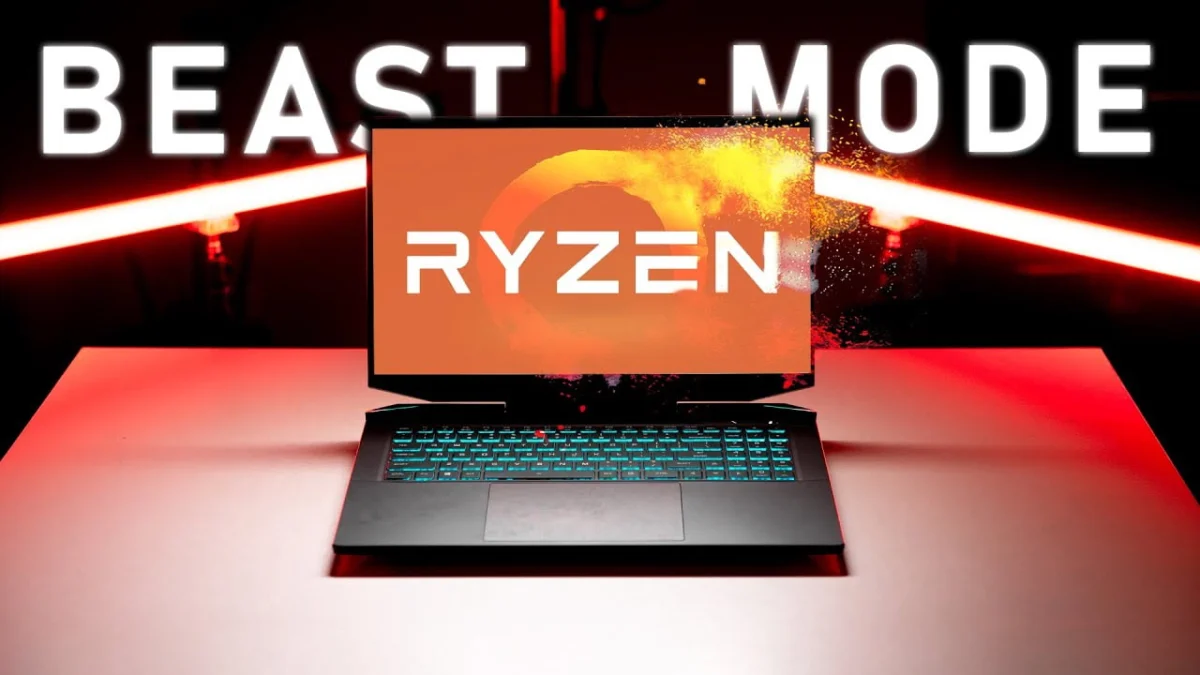
Eluktronics provides proprietary control software designed to govern thermal and electrical parameters. The application features three primary operating profiles: Office Mode, Balanced Mode, and Beast Mode. Advanced submenus allow users to manipulate fan curves, adjust CPU power limits up to 80 watts, overclock the GPU, and toggle Dynamic Boost. Notably, disabling Dynamic Boost allows the RTX 3080 to draw up to 150 watts—a massive thermal and electrical allocation for a mobile GPU.
Despite its extensive customizability, the software interface has drawn criticism for its clunky user experience and unintuitive profile-saving mechanics, representing a regression in user-friendliness compared to previous iterations seen in models like the RP-15.
Thermal Performance, Power Delivery, and Battery Life
Given its class as a desktop replacement, battery endurance is severely limited. Powered by a modest 62Wh battery, the laptop yields minimal untethered runtime even under conservative office workloads.
Thermal and electrical testing reveals how the hardware behaves under varying profiles. In Office Mode, performance is throttled to conserve energy. Balanced and standard Beast Mode operate within close electrical parameters, whereas Beast Mode Maxed pushes power delivery to its absolute ceiling. Interestingly, while CPU power sliders can be pegged at 80W, sustained loads typically stabilize around 73W. Pushing the system to maximum thresholds induces elevated internal temperatures, prompting the CPU to dynamically reduce clock speeds to prevent overheating—a notable limitation for a chassis of this thickness.
The RTX 3080 GPU exhibits unique behavior under maximum power targets. Even with sliders configured to 150W and Dynamic Boost disabled, the graphics card rarely sustains its theoretical maximum power limit. Despite this, thermal regulation remains exceptionally well-managed, with GPU temperatures safely below the 87°C thermal throttling threshold across all tested profiles.
Gaming Performance and Acoustic Profile
In real-world gaming scenarios, the Prometheus XVII Ultra lives up to its moniker. At native Quad HD resolution, frame rates outpace many competing laptops, particularly when power sliders are maximized. However, benchmark analysis reveals diminishing returns: while the 150W RTX 3080 consumes roughly 50% more electrical power than lower-wattage implementations found in thinner competitors like the Razer Blade 15, the resulting performance gain sits at approximately 15%.
Acoustic performance scales logically with the selected power profile. Office Mode prioritizes silence, while Beast Mode produces significant fan noise under load. Balanced Mode offers the optimal acoustic-to-performance ratio for daily use. Surface temperatures remain generally manageable, though the lateral edges of the chassis become warm during prolonged gaming sessions, potentially impacting comfort for users employing external mice.
Conclusions and Broader Implications
The Eluktronics Prometheus XVII Ultra succeeds in delivering raw computing and graphical horsepower, backed by comprehensive I/O connectivity and an upgrade-friendly interior. Its willingness to let advanced users manually tune electrical wattage and thermal limits sets it apart from more locked-down manufacturer ecosystems.
However, the reliance on a generic chassis introduces notable compromises, including an uninspired exterior, an inconsistent trackpad, a weak display hinge, and subpar built-in audio. For consumers whose priority is unadulterated mobile gaming performance at a competitive price point, the Prometheus XVII Ultra remains a compelling recommendation. Conversely, for buyers seeking a polished, premium everyday driver approaching the $3,000 threshold, the system’s structural and ergonomic drawbacks may necessitate looking toward more refined alternatives in the luxury gaming segment.