









Apple has officially pulled back the curtain on iOS 27, and while the crown jewel of the annual software update cycle is undoubtedly the deep, predictive integration of Siri AI across the operating system, the native applications have also received substantial engineering attention. Among the suite of apps receiving upgrades—including Messages, Notes, and Wallet—the Apple Photos application stands out as a major beneficiary of advanced machine learning models and spatial computing pipelines. For users who manage vast libraries of digital memories, iOS 27 brings a balanced mix of generative editing tools, organizational utilities, and long-overdue media export options.
While the fundamental user interface architecture introduced in iOS 18 remains largely intact, avoiding a total design overhaul that some nostalgic users may have hoped for, the functional capabilities beneath the hood represent a generational leap forward. As Apple continues to lean heavily into its proprietary on-device silicon capabilities, the Photos app in iOS 27 transforms from a passive storage repository into an active, intelligent media manager and editing studio.
Apple Intelligence Powers Next-Generation Editing Suite
The most visually striking additions to the iOS 27 Photos app are anchored by Apple Intelligence, which drives a trio of powerful editing features: Extend, Spatial Reframing, and an overhauled Clean Up tool. Building upon the foundational object-removal capabilities first introduced in previous iOS iterations, these new tools utilize sophisticated neural networks to analyze, manipulate, and generate image data with unprecedented fidelity.
The new Extend feature is designed to give subjects within a frame more visual breathing room without sacrificing the core integrity of the shot. In practical terms, users can straighten a crooked horizon or alter an image’s aspect ratio, allowing the underlying image generation models to intelligently fill in the missing pieces at the edges. Rather than simply stretching pixels or cropping out crucial compositional elements, Extend synthesizes contextually appropriate background data to seamlessly complete the scene.
Complementing this is Spatial Reframing, a feature that draws heavily from Apple’s deep understanding of spatial models developed through the engineering of the Apple Vision Pro. Spatial Reframing allows users to dynamically alter the composition of an image after it has already been captured. By touching and dragging the photo canvas, users can preview perspective shifts in real time, simulating the effect of physically repositioning a camera within the original physical space. The underlying image models selectively generate new visual content only where the perspective has shifted, ensuring that the final reframed image maintains strict consistency with the original capture environment.
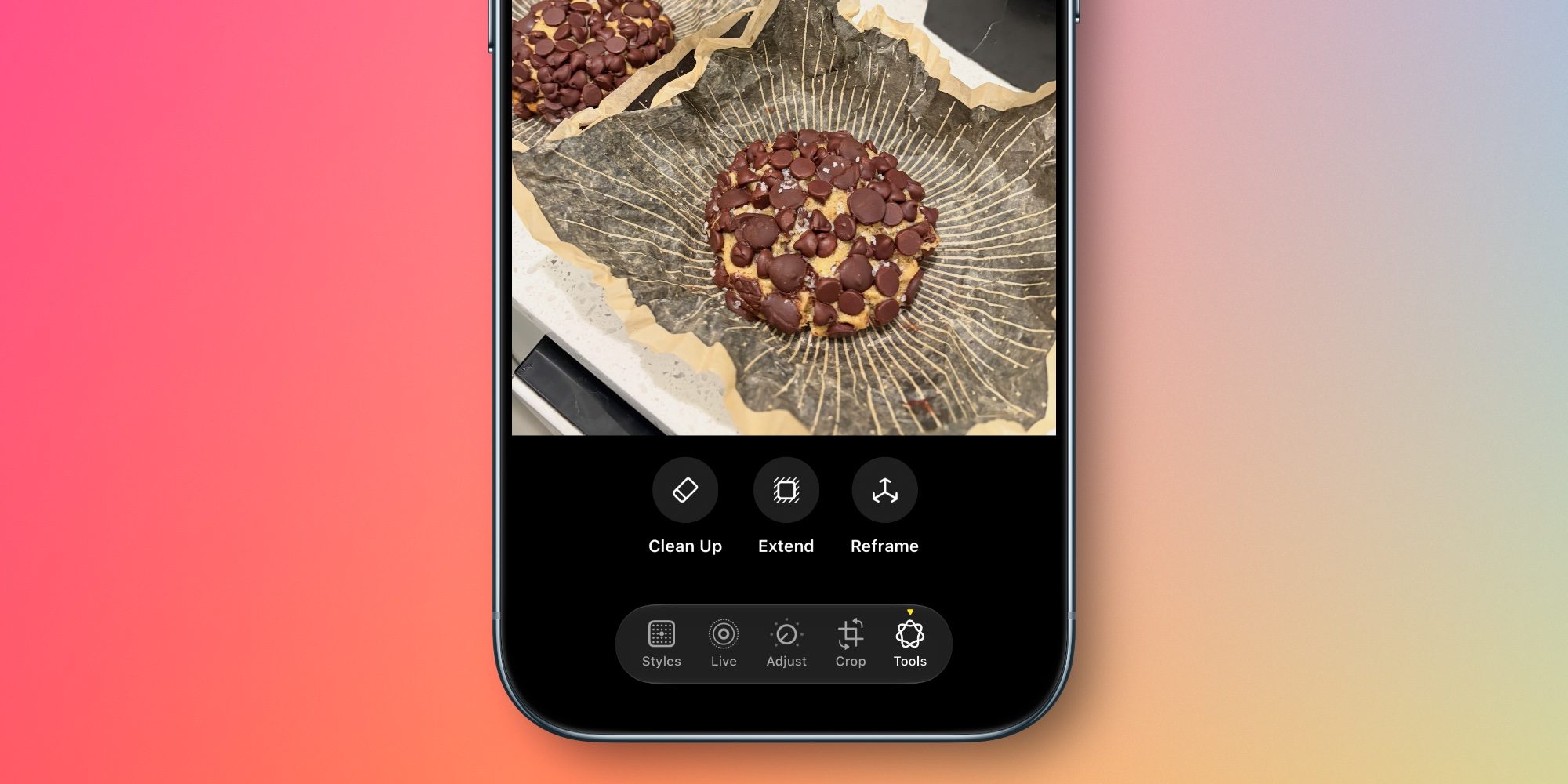
Meanwhile, the popular Clean Up tool—initially launched in iOS 18—receives a significant quality-of-life upgrade. Apple has tuned the underlying algorithms to handle complex scenes with greater precision, allowing users to eliminate accidental photobombers, stray power lines, or background distractions with sharper infill quality and vastly reduced artifacting.
Enhanced Utilities and Smarter Library Organization
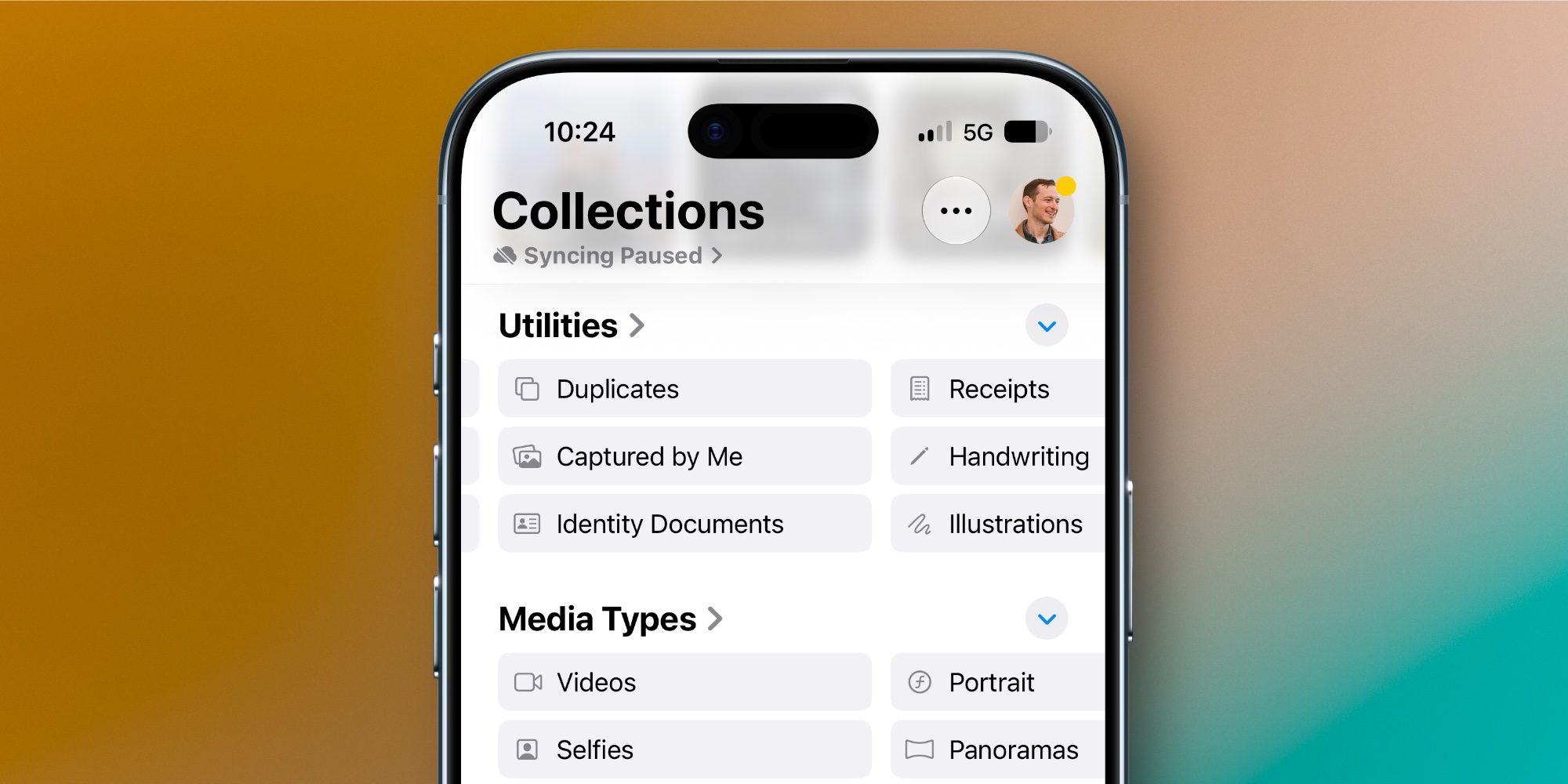
Beyond generative editing, iOS 27 introduces practical organizational enhancements aimed at cutting down the clutter that naturally accumulates in large photo libraries. Buried under the Utilities section of the app, users will find two distinct new collections: "Captured by Me" and "Identity Documents."
The "Captured by Me" collection serves as an exclusive repository for original media shot directly by the device owner, automatically filtering out unsolicited screenshots, saved memes, downloaded graphics, and images shared by third-party applications. This makes locating authentic, personal photography significantly faster.

Simultaneously, the "Identity Documents" feature utilizes on-device optical character recognition and visual classification to scan through the user’s entire library, intelligently surfacing and categorizing images containing vital personal reference documents. Passports, driver’s licenses, and identification cards are automatically grouped together, streamlining the retrieval of essential paperwork when needed.
Organization within user-created albums has also been refined, though Apple has noted general "album organization improvements" without detailing every backend tweak. However, a major workflow addition for power users is the introduction of dedicated keyword tagging. While captions remain fully supported, scrolling up on any individual photo now reveals a prominent "Add Keywords" field near the bottom of the metadata panel. This granular tagging system allows archivists and professional photographers to categorize images using custom metadata strings, bridging the gap between mobile snapshot management and traditional desktop DAM (Digital Asset Management) workflows.
Advanced Slideshow Customization and Export Capabilities
Slideshows have long been a staple of the Apple Photos ecosystem, offering automated, music-backed retrospectives of memories and trips. Historically, however, these generated slideshows were rigid; users had little to no control over pacing, transition styles, or duration once the system compiled them.
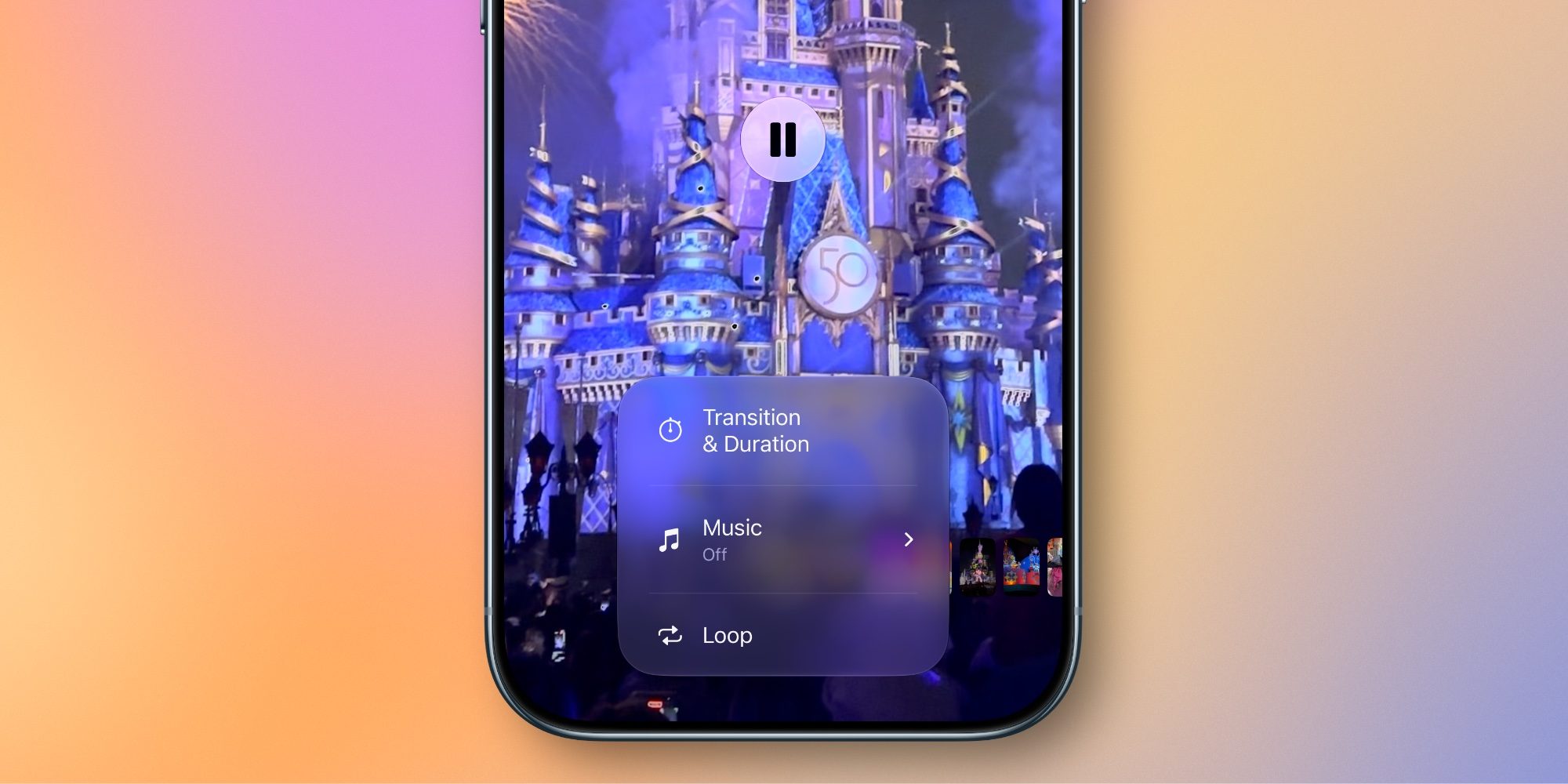
iOS 27 radically modernizes this feature by introducing robust customization tools. Users can now manually adjust transition types, dictate custom playback lengths for the overall presentation, and fine-tune the duration of individual slides. This level of granular control transforms the automated feature into a versatile storytelling medium.
Perhaps the most practical addition to the slideshow suite is the ability to export and save any customized slideshow directly as a standard video file with a single tap. This eliminates the cumbersome requirement of screen-recording a playback session or relying on third-party conversion software, making it exceptionally easy to share polished, multimedia clips across messaging platforms or social media.
Strategic Implications and Ecosystem Alignment
Industry analysts note that the specific timing and feature set of the iOS 27 Photos update are unlikely to be coincidental. The massive overhaul of iCloud Shared Albums—representing the first major architectural upgrade to the sharing feature in years—alongside the advanced slideshow export tools and deeper metadata management, dovetails neatly with Apple’s hardware roadmap.
With the recent expansion of the company’s smart home and ambient display ecosystem, notably anchored by products like HomeView, users increasingly demand robust, seamless ways to display, organize, and cycle through personal media libraries across multiple household screens. By equipping iOS 27 with superior slideshow engines, refined sharing frameworks, and intelligent document filtering, Apple is positioning the iPhone as the central command hub for an interconnected digital life.
Conclusion and Market Reception
While iOS 27 declines to roll back the controversial interface changes introduced in iOS 18, it delivers where it matters most: under the hood and in the editing suite. By combining state-of-the-art generative AI tools like Extend and Spatial Reframing with practical utilities like Captured by Me and advanced keyword tagging, Apple has ensured that the Photos app remains a competitive powerhouse in mobile imaging.
As developers and early beta testers continue to stress-test the new operating system ahead of its public autumn release, user feedback has largely centered on the impressive speed and accuracy of the new AI editing models. Whether these features will drive hardware upgrade cycles remains to be seen, but for millions of existing iPhone users, iOS 27 promises a significantly smarter, more responsive, and vastly more creative photography experience.