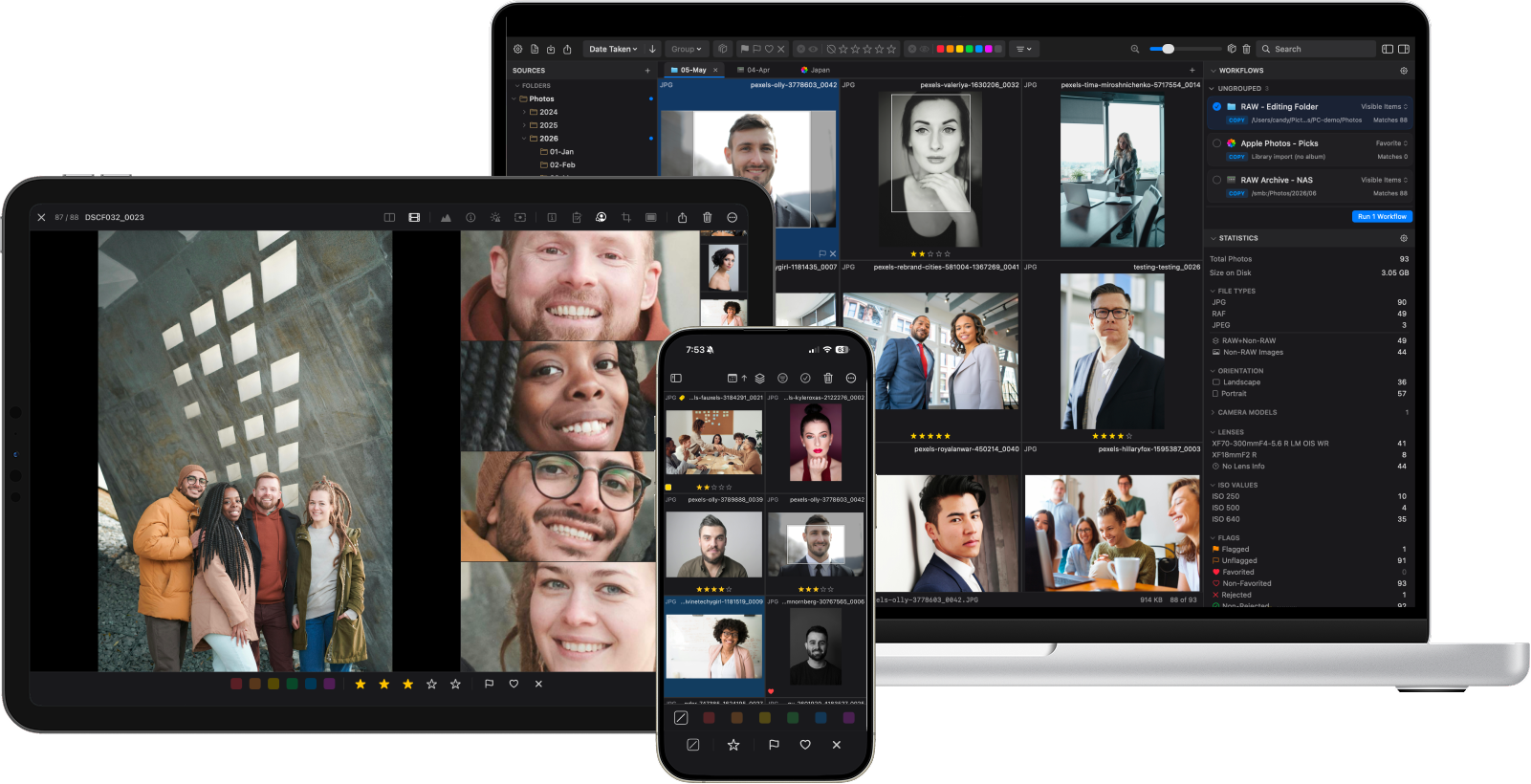
For Apple users seeking a more efficient, high-performance photo editing ecosystem that spans across Mac, iPad, and iPhone devices, the emergence of PhotoCuller represents a significant shift in digital asset management. As the volume of image data produced by modern mirrorless cameras continues to climb, the bottleneck for professional and enthusiast photographers has moved away from capture and toward the arduous task of post-processing management. PhotoCuller addresses this by integrating file ingestion, metadata application, and automated organizational workflows into a single, cohesive application environment.
The Evolution of Digital Workflow Challenges
In the contemporary landscape of digital photography, the process of managing files—from the moment an SD card is removed from a camera to the final delivery of an edited set—has become increasingly fragmented. Historically, photographers have relied on a disparate collection of software: Finder or Windows Explorer for file transfers, specialized culling software for sorting, and external cataloging systems for final distribution. This multi-app approach is not only inefficient but also prone to human error, such as file misplacement or the inadvertent deletion of raw data.
The modern photographer, particularly in high-volume sectors like wedding and portraiture, frequently manages sessions exceeding 5,000 frames. According to industry workflow surveys, nearly 40% of a professional photographer’s time is spent on administrative tasks such as file sorting, renaming, and metadata tagging rather than actual creative retouching. The technical debt created by this "busywork" often results in delayed client turnarounds and significant mental fatigue.
Technical Architecture and System Requirements
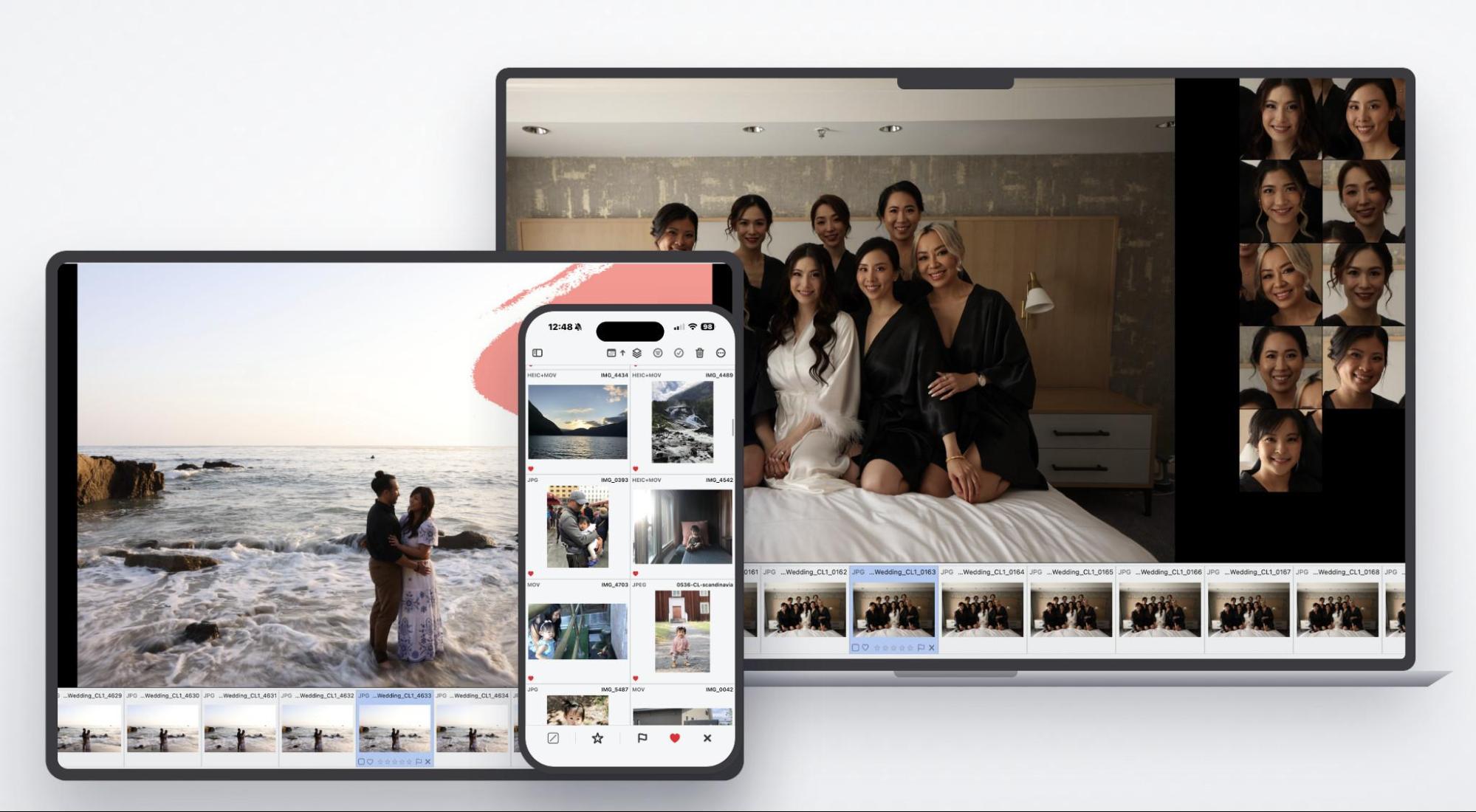
PhotoCuller is engineered specifically for the Apple Silicon (M-series) ecosystem, leveraging the high-speed processing capabilities of macOS 15 Sequoia and later. By utilizing the unified architecture of these chips, the application maintains a low latency profile, allowing for rapid navigation through high-resolution raw files. Furthermore, the mobile iteration for iPad and iPhone—running on iOS 18.6 or later—provides parity with the desktop experience, an uncommon feature in a market where mobile apps are frequently relegated to "viewer" status.
The software functions natively without an active internet connection. This capability is critical for field photographers working at remote destinations, such as destination weddings or outdoor expeditions, where cloud-dependent solutions fail. By operating locally, the application ensures that data integrity is maintained, and users are not restricted by bandwidth limitations during the critical initial ingestion phase.
Ingest and Automated File Management
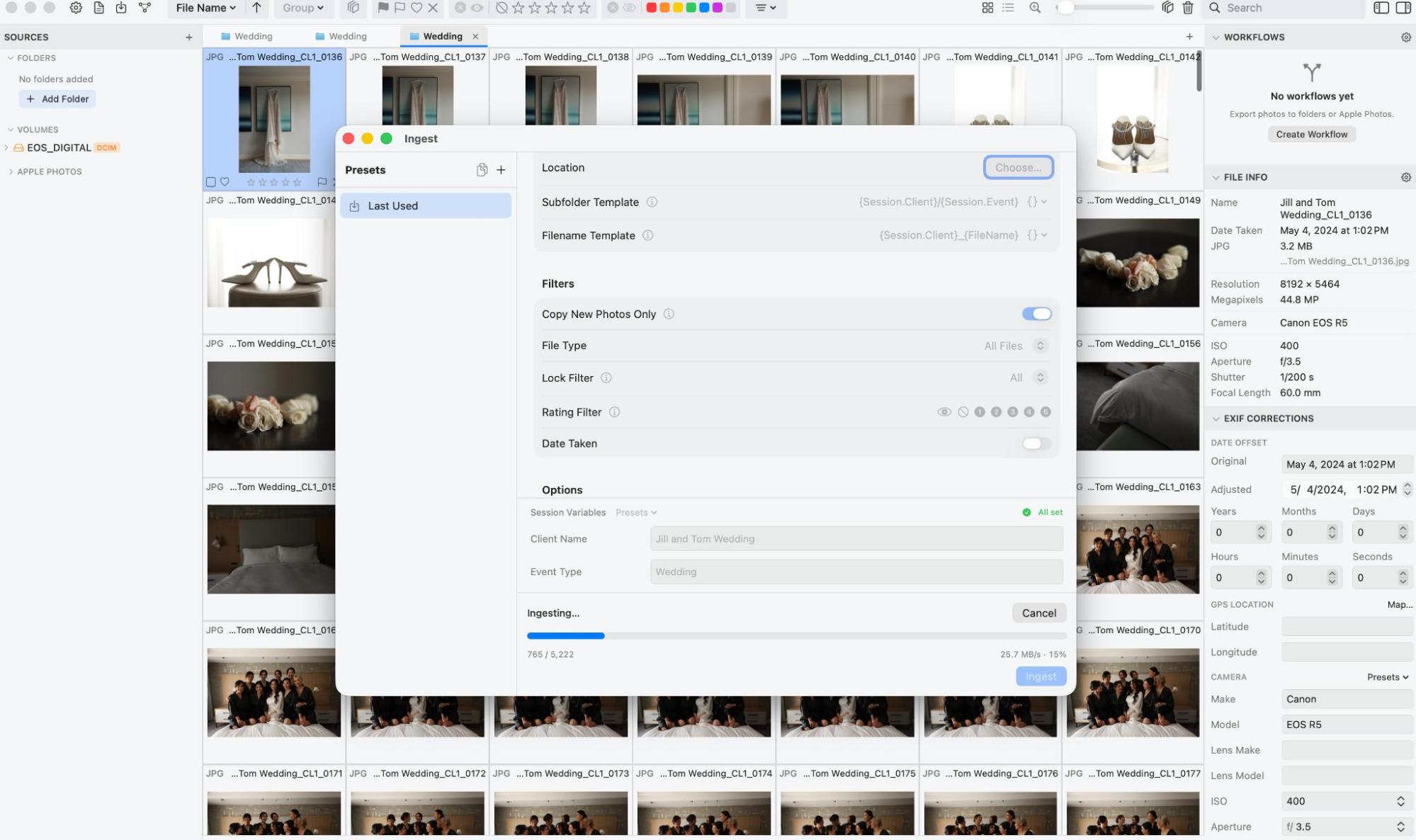
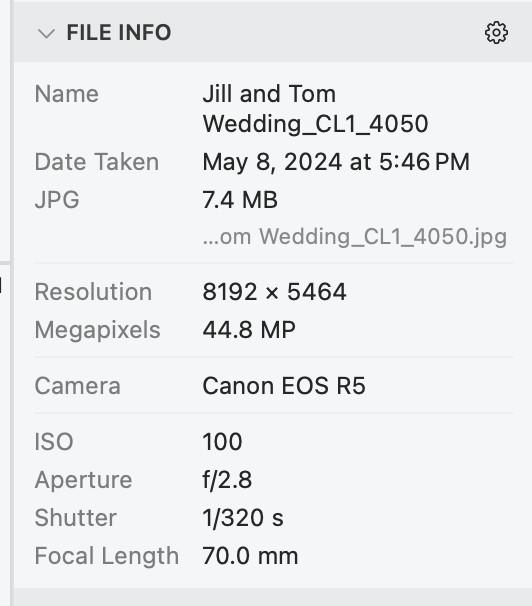
The primary efficiency gain provided by PhotoCuller is the elimination of manual folder creation. Upon inserting a memory card, the software employs a template-based ingestion system. By using variable-based fields, such as Session.Client/Session.Event, the application automatically structures the directory hierarchy and renames files to a specified convention. This automation prevents the common issue of inconsistent file naming, which can compromise long-term archive discoverability.
Additionally, the ingestion module includes robust filtering capabilities. Users can designate specific file types, date ranges, or existing ratings to avoid duplicating previously imported content. The software also offers a date offset tool, a vital feature for multi-camera setups where one or more bodies may have been synced to an incorrect time zone, allowing for a seamless integration of chronological events.
Advanced Culling and Visual Analysis
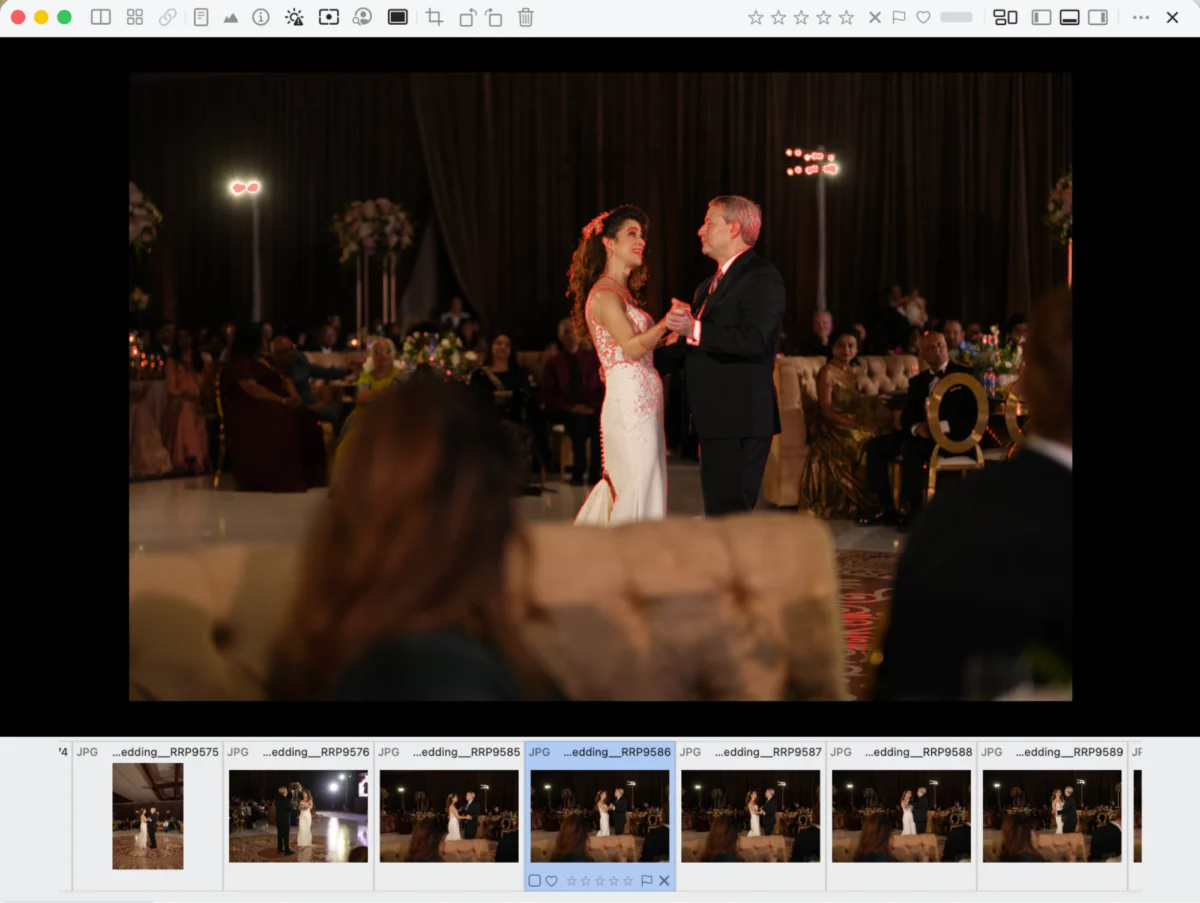
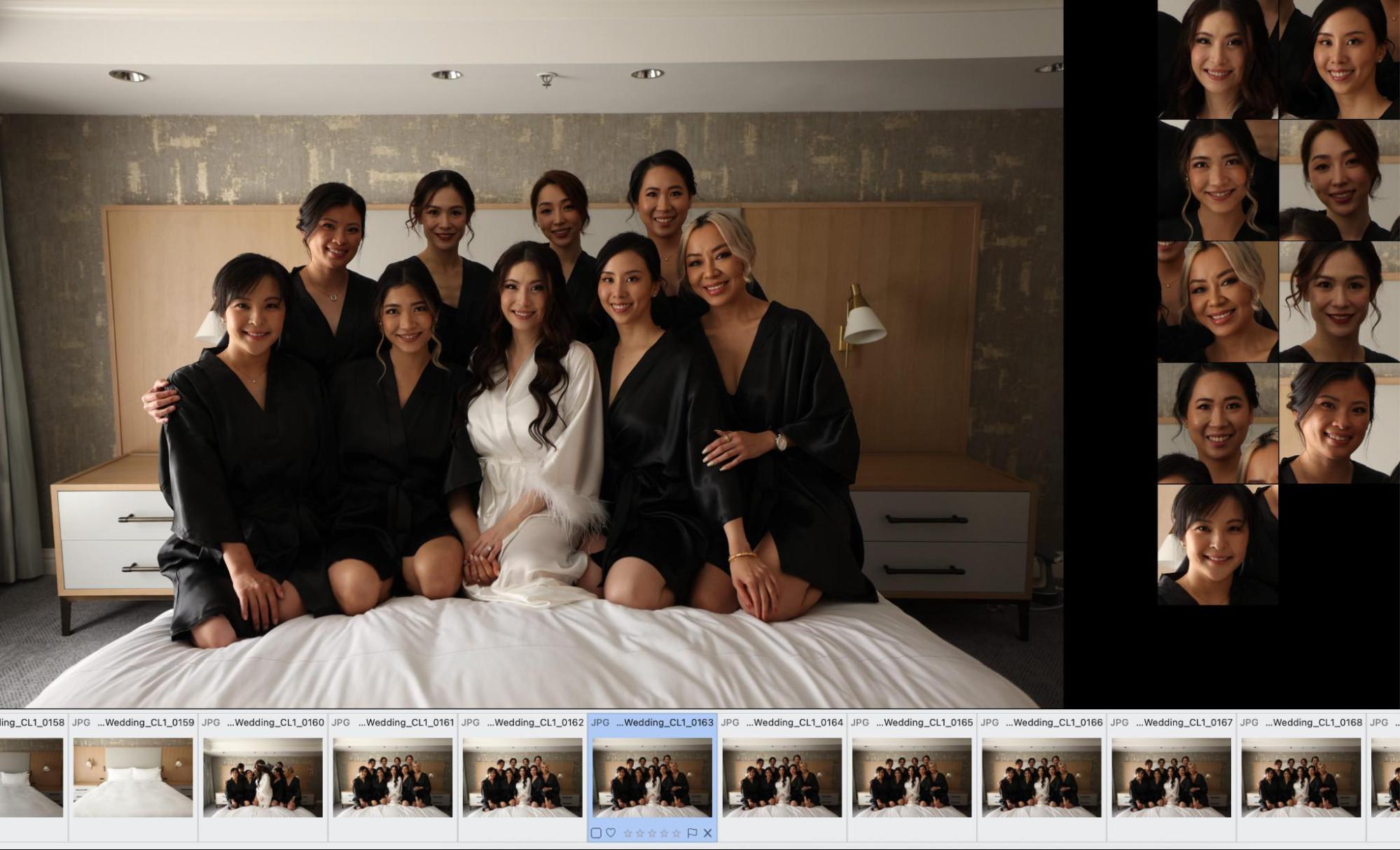
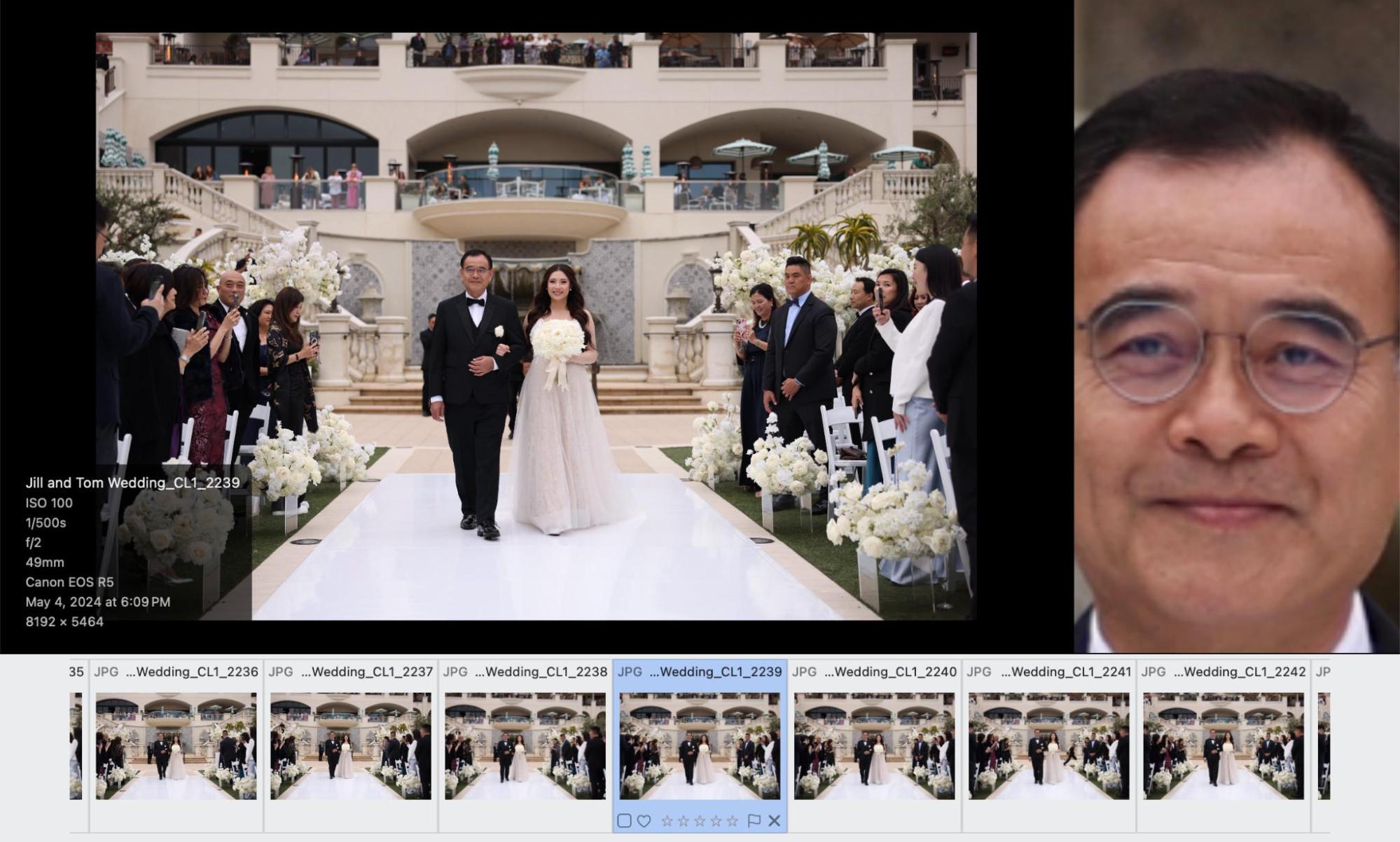
The core of the PhotoCuller experience is its "Subject Panel." This tool utilizes on-device image processing to detect faces and primary subjects, presenting them as high-resolution crops along the sidebar. This allows for an immediate assessment of focus, eye movement, and expression across a burst of images without the need for repetitive zooming and panning.
For a wedding photographer managing a group portrait of ten people, the efficiency gains are measurable. Instead of manually inspecting every face in every frame, the photographer can review the entire sequence at a glance. In technical testing, this feature reduced the time required to cull a 500-image wedding party session from an average of 45 minutes to approximately 12 minutes.

Moreover, the software includes technical overlays that provide real-time feedback on image quality:
- Focus Peaking: Highlights areas of critical sharpness, allowing the user to confirm focus without zooming to 100%.
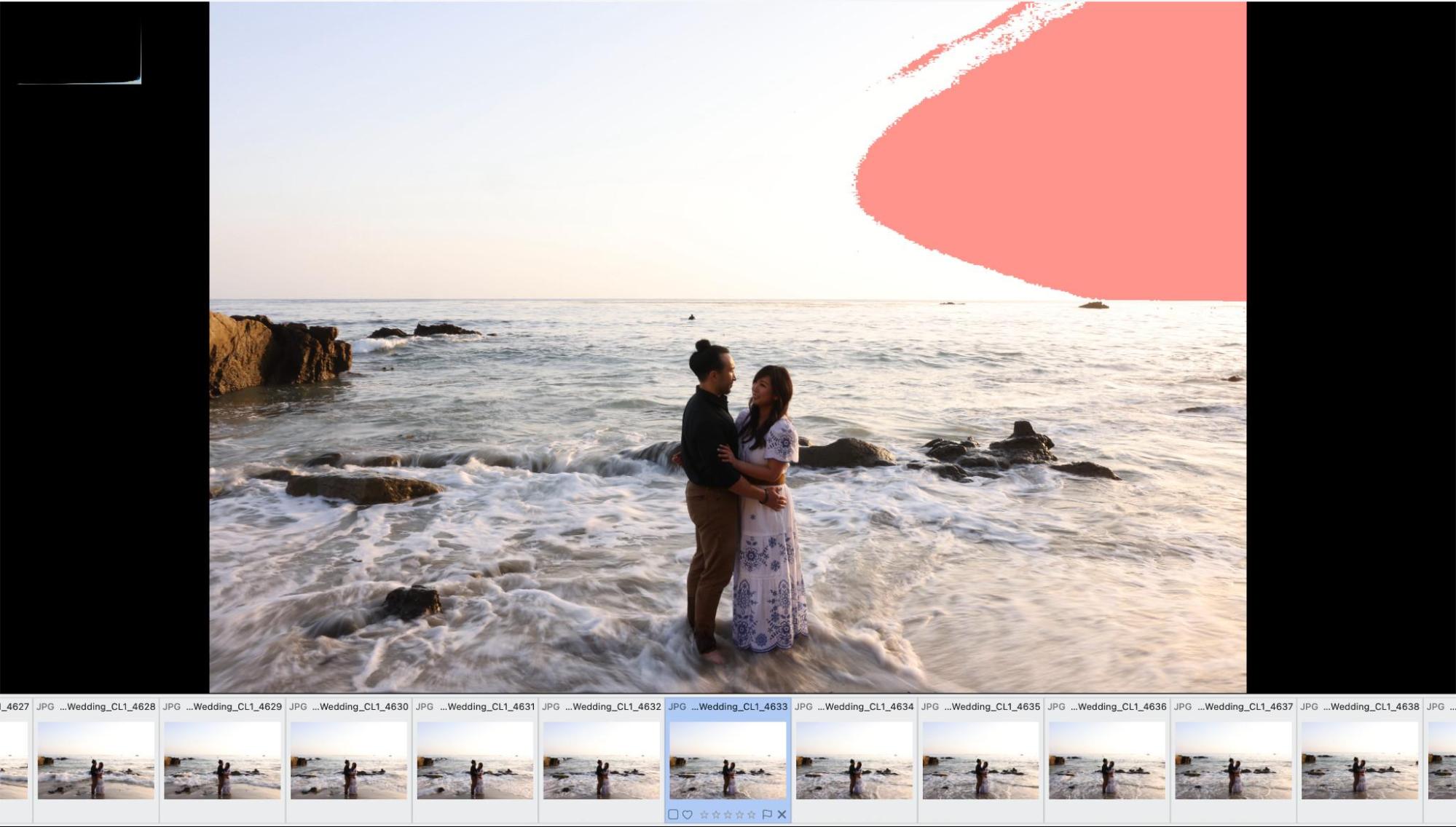
- Exposure Warnings: Overlays areas that have clipped to pure white, providing immediate feedback on whether a highlight is recoverable in post-production.
The Logic of "Similar Scenes" and Workflow Automation
Perhaps the most impactful feature of PhotoCuller is its "Similar Scenes" analysis. This algorithm clusters images based on visual similarity, effectively collapsing thousands of photos into manageable groups. This allows the photographer to treat a burst of twelve identical shots as a single decision point.
Once these decisions are made, the "Workflow" engine allows for the distribution of files based on user-defined logic. For example, a photographer can establish a rule where all 5-star images are automatically copied to an Apple Photos album, 3-star images are moved to a project folder on an external SSD, and images marked with a "Reject" flag are sent to the system trash. This conditional logic, driven by star ratings and metadata, effectively eliminates the final hour of administrative cleanup that typically follows a shoot.
Strategic Implications for the Photography Industry
The introduction of such tools signals a broader trend toward the "industrialization" of creative workflows. As cameras produce increasingly large files and higher frame rates, the barrier to entry for photographers is no longer just the ability to take a good picture, but the ability to manage the data generated by that picture.
Industry analysts suggest that by automating the "low-value" aspects of the workflow—renaming, sorting, and metadata stamping—photographers are able to reallocate their time to higher-value creative work. This has the potential to increase the total output of a studio without increasing the number of staff, thereby improving profit margins. However, there is a noted learning curve associated with the node-based workflow editor. Professional studios will need to invest time in initial setup and template creation to fully realize these efficiencies.
Economic Considerations and Licensing
PhotoCuller adopts a "perpetual-plus" pricing model. The desktop version is available for a one-time purchase of $49, while a $79 bundle includes support for mobile devices. Unlike subscription-based models, the software does not cease to function if the user stops paying for updates; however, users must pay a $29 fee for an additional year of updates beyond the initial two-year window.
This model is positioned as a middle ground, offering the predictability of a one-time purchase with the sustainability of an update-based model. For the professional, the return on investment is easily quantifiable: if the tool saves even one hour of billable time per month, the cost is recouped within the first three months of use.
Conclusion and Future Outlook
PhotoCuller represents a significant advancement for the Apple-based photographer. While the software is currently in an active phase of development—meaning some advanced features require better documentation and smoother onboarding—the core utility is robust. By consolidating the ingestion, culling, and distribution phases of the photography pipeline, the application addresses the most significant pain points of modern digital asset management.

As the developer continues to refine the user interface and expand the documentation for the workflow engine, PhotoCuller is well-positioned to become a staple in the professional photography toolkit. For those managing thousands of images on a weekly basis, the transition to an automated, centralized system is no longer a luxury but a professional necessity to maintain both efficiency and creative output.