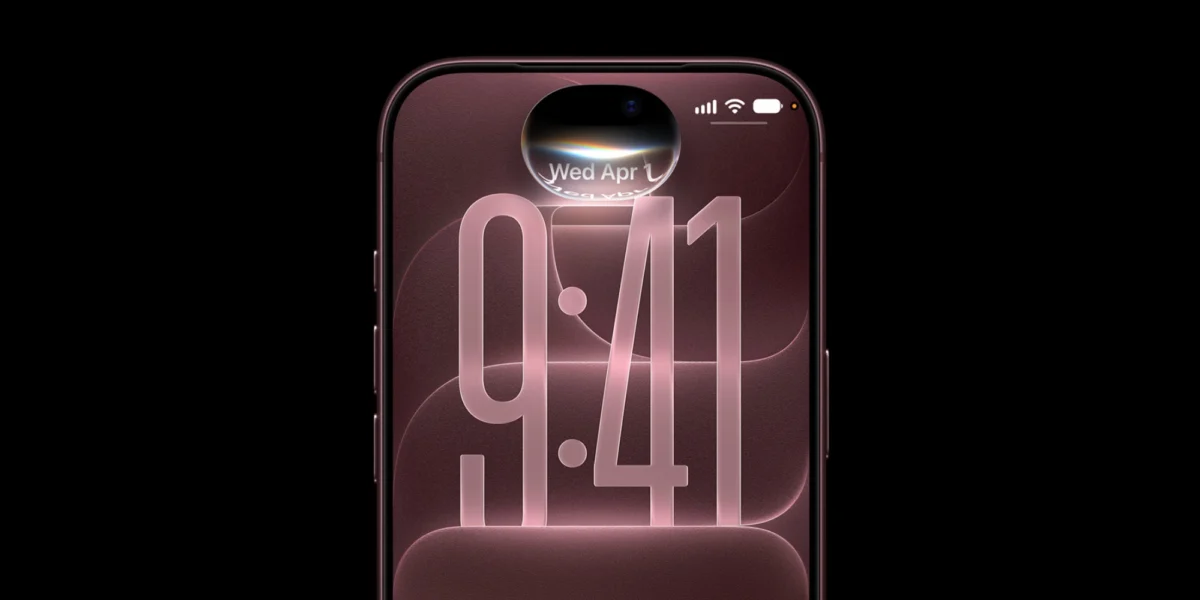
The official rollout of Apple’s highly anticipated next-generation digital assistant, marketed as Siri AI, has officially reached the broader consumer base this month alongside the release of iOS 27. Distributed through a gradual rollout via a queue-based waitlist, the new platform represents a monumental paradigm shift for Apple’s mobile operating ecosystem, introducing advanced on-screen awareness, deep personal context retrieval across native messages and notes, and complex multi-app action execution. However, despite the technological ambitions underpinning the platform, the early public reception has been markedly mixed. Labeled strictly as a beta release, Siri AI has exposed a series of frustrating performance bottlenecks, unexpected regressions, and interface friction points that have left a significant portion of early adopters yearning for the predictability of classic Siri.
The Evolution of Apple’s Flagship Voice Interface: Background and Context
The journey toward Siri AI has been years in the making. Following industry-wide leaps in generative artificial intelligence and large language models throughout the mid-2020s, Apple faced mounting pressure to modernize its aging voice assistant architecture. Classic Siri, while reliable for basic operational commands like setting timers or checking weather forecasts, had long fallen behind competitors in natural language comprehension, contextual memory, and cross-application execution.
To bridge this gap, Apple announced ambitious overhauls relying on a hybrid architecture that combines on-device neural processing models with secure cloud-based inference powered by Private Cloud Compute. The overarching vision was to create a truly context-aware digital companion capable of understanding what is physically displayed on a user’s device screen, parsing personal communication histories to answer nuanced queries, and executing intricate, multi-step workflows.
However, transitioning a legacy assistant built on deterministic command-matching frameworks into a probabilistic, generative AI-driven ecosystem is a monumental engineering challenge. The current beta classification of Siri AI serves as an acknowledgment by Apple that the transition is still a work in progress, requiring substantial real-world telemetry and continuous iteration to achieve parity and stability.

Chronology of the iOS 27 Siri AI Rollout
The deployment of Siri AI follows a carefully managed timeline designed to mitigate server-side strain and hardware compatibility bottlenecks:
- June (WWDC): Apple officially unveils the architectural redesign of Siri, showcasing advanced personal context integration and on-screen awareness as core pillars of the upcoming iOS 27 software suite.
- Early September: The software package becomes available to developers and public beta testers, though access is gated behind a server-side enrollment waitlist.
- Late September: Mass deployment begins as iOS 27 rolls out globally to compatible hardware, including the iPhone 18 Pro lineup and preceding generations supporting the advanced Neural Engine requirements.
- Current Phase (Present Day): Users flood social media and support forums with bug reports, performance complaints, and usability feedback, prompting widespread discussions on how to revert to classic Siri functionality.
- October Roadmap: Apple has tentatively scheduled an expansion of Siri AI language support to encompass additional regional dialects, though a comprehensive patch roadmap addressing core stability bugs has yet to be formally disclosed.
Primary User Complaints and Technical Friction Points
An aggregation of user feedback across developer forums, social platforms, and technical support communities highlights five distinct categories of complaints plaguing the initial beta release of Siri AI.
Persistent Network Connectivity and Server Failures
A prominent friction point reported by early adopters involves frequent interruptions culminating in the generic error message, "Sorry, something went wrong." This failure state typically manifests during query invocation and appears tied to intermittent breakdowns in communication between the user’s mobile hardware and Apple’s cloud-backend infrastructure. While some users have discovered temporary workarounds—such as disabling active virtual private networks (VPNs) or adjusting Wi-Fi security protocols—the Siri user interface itself provides zero diagnostic feedback. Consequently, users are left with a non-functional assistant and no clear path to remediation, suggesting that Private Cloud Compute infrastructure is experiencing heavy load scaling issues.
Search Indexing Regressions and Context Retrieval Failures
Paradoxically, despite Siri AI being heavily marketed for its superior ability to search local device contents, numerous users have documented severe indexing regressions. Common voice commands such as "Add milk to my grocery list in Reminders" frequently result in the assistant claiming it cannot locate the specified list. Similar failures have been logged regarding smart home device management, where HomeKit accessories fail to respond to previously reliable names, and bizarre edge cases on wearable devices where users are told that essential applications like the Clock app are missing entirely.
Overly Aggressive Authentication Safeguards
Security and privacy have always been paramount to Apple’s product philosophy, but Siri AI has introduced an authentication hurdle that is frustrating drivers and mobile users alike. The new assistant frequently demands that the host device be physically unlocked to fulfill standard requests—even when the system setting allowing Siri while locked is explicitly enabled. Because semantic indexing operations require secure access to personal data stores, executing simple commands like sending a text message while the phone is stowed in a pocket or connected to a vehicle dashboard now triggers authentication blocks that were absent in classic Siri.

Latency and Processing Delays, Particularly on Apple Watch
Speed is a critical metric for voice-activated interfaces. While on-device models handle localized tasks swiftly, the reliance on cloud offloading for complex reasoning means that Siri AI is noticeably slower than its predecessor for routine queries. This performance lag is acutely felt by users running watchOS 27 on hardware like the Apple Watch Series 9 and newer models. Simple instructions, such as initiating a five-minute countdown timer, can suffer multi-second delays before resolving—a frustrating regression for an interaction model designed for instant utility.
Feature Gaps and Natural Language Ambiguity
Transitioning to an advanced AI model has inadvertently broken certain legacy workflows. Features deeply integrated into previous software iterations—such as direct Health app data queries—are currently unsupported under the Siri AI framework. Furthermore, users who relied on explicit third-party integrations, such as prefixing commands with instructions to utilize ChatGPT, have found those specific routing pathways temporarily disabled. Additionally, because Siri AI possesses a vastly expanded capability set, certain phrasings that classic Siri interpreted deterministically now suffer from semantic ambiguity, leading to misinterpretations.
User Interface Friction and Ergonomic Backlash
Beyond functional bugs, the visual and physical integration of Siri AI within the iOS 27 operating environment has drawn criticism. Users have expressed dissatisfaction with the pervasive placement of prominent "Ask Siri" interface elements across various native apps. Furthermore, the removal of real-time speech transcription within the updated Dynamic Island interface leaves users blind to whether the system accurately captured their spoken words. Ergonomically, the reassignment of systemic gesture controls—such as the mid-screen swipe-down action traditionally reserved for notification management now invoking Spotlight and Siri features—has disrupted long-standing muscle memory for millions of iPhone owners.
Industry Implications and the Path Forward
The initial turbulence surrounding Siri AI highlights the precarious tightrope major technology companies must walk when deploying generative artificial intelligence into consumer operating systems. As consumers grow accustomed to instantaneous, multimodal digital assistance, the tolerance for latency, dropped connections, and inconsistent state management is exceptionally low.
For Apple, the primary challenge lies in scaling its Private Cloud Compute infrastructure while simultaneously optimizing on-device neural models to minimize latency and dependency on cellular network stability. If left unaddressed, widespread consumer dissatisfaction risks damaging the brand equity of Apple’s intelligence ecosystem just as competing platforms aggressively court dissatisfied users.

How to Revert to Classic Siri in iOS 27
For users whose daily workflows have been severely disrupted by the bugs, latency, and authentication barriers inherent to the current beta release, Apple has provided a temporary administrative mechanism to downgrade back to the traditional assistant architecture.
To disable Siri AI and restore classic Siri functionality without performing a full software rollback:
- Open the native Settings application on your compatible iPhone or iPad.
- Scroll down and select Screen Time.
- Tap on Content & Privacy Restrictions, then navigate to Allowed Apps & Features or the dedicated Siri security submenu depending on your exact sub-version build.
- Locate the setting labeled Allowed Siri Version and change the selection from Siri AI (Beta) to Siri Classic.
- Exit the Settings menu; the system will immediately reinitialize the assistant under the classic, deterministic framework.
Alternatively, users can navigate directly to the standard Siri settings panel, disable the assistant entirely, and upon re-enabling the feature, select the classic operational profile. Apple has not yet announced a definitive timeline for when Siri AI will exit its beta designation, making the fallback option a vital escape hatch for productivity-focused consumers.