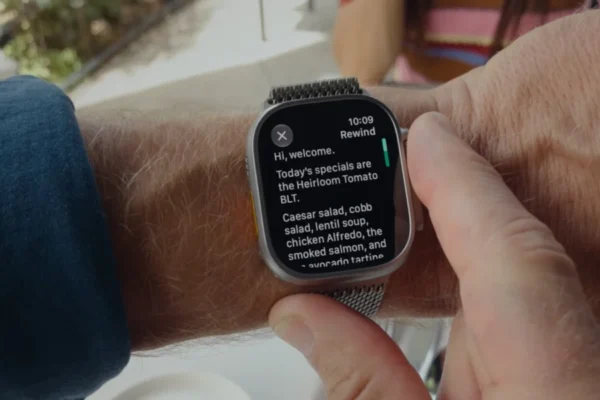










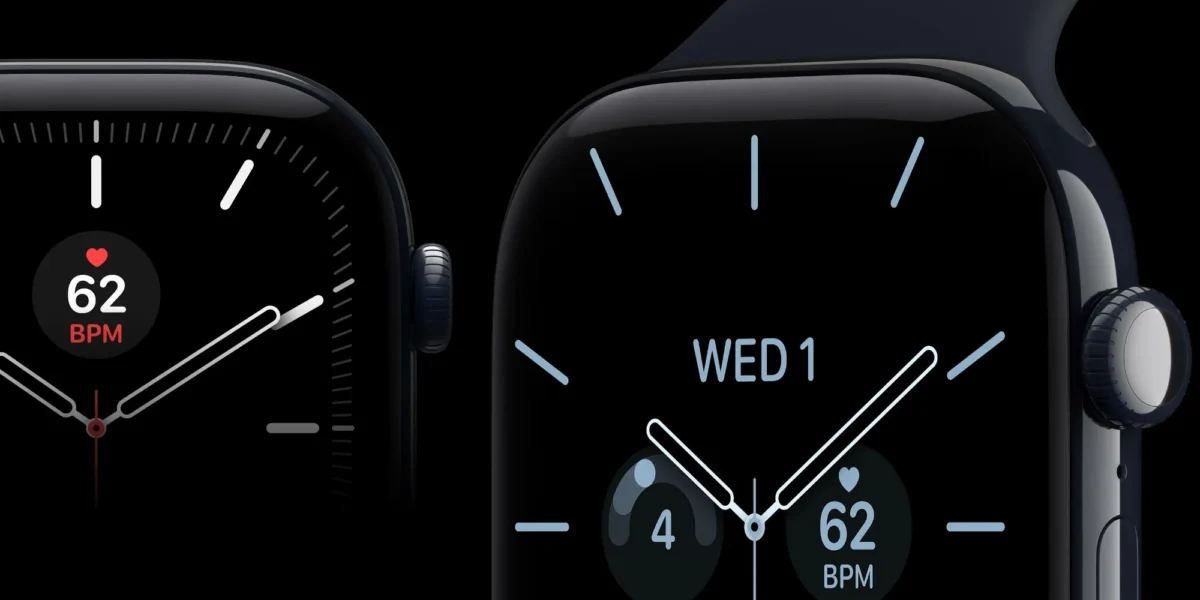
Daylight saving time (DST) transitions have long served as a litmus test for the robustness of consumer electronics, and for a recurring segment of Apple Watch users, this year’s fall back event has proven that historical software gremlins remain a persistent challenge. Following the recent end of daylight saving time in Europe and the subsequent shift in North America, reports have surfaced indicating a synchronization discrepancy between the Apple Watch’s primary interface and its always-on display (AOD) state. While the main system clock appears to update correctly, the AOD feature continues to display the pre-transition time, leading to significant user frustration and questions regarding the stability of the watchOS architecture.
A Chronology of Timekeeping Glitches
The current issue is far from an isolated incident. Apple’s history with daylight saving transitions dates back nearly a decade, highlighting a complex interplay between local time-zone databases and the proprietary algorithms governing watchOS’s power-saving modes.
The most notable predecessor to the current bug occurred in 2018 with the launch of the Apple Watch Series 4. Shortly after the autumn time change, a high volume of users reported that their devices entered an indefinite crash loop, rendering them entirely unresponsive as the operating system struggled to reconcile the recurring hour. That incident prompted a swift, albeit reactive, software patch from Apple.
In 2021, the problem manifested in a different form, specifically impacting iPhone and Apple Watch users in Canada. During that transition, iOS devices failed to correctly adjust for the time shift, causing alarm clocks and calendar events to trigger an hour early or late. The current issue—affecting the always-on display—appears to be a nuanced variant of these previous faults. Rather than a total system failure, the watchOS kernel correctly identifies the time, but the low-power refresh cycle responsible for the AOD remains tethered to the cached time data, only refreshing once the user wakes the device.

Understanding the Technical Discrepancy
At its core, the Apple Watch operates on a sophisticated power-management system designed to maximize battery longevity. When an Apple Watch is in its "rest" or "always-on" state, the display refresh rate drops to as low as 1Hz. This process involves a distinct rendering path compared to the active state, where the screen runs at full brightness and higher refresh rates.
Industry experts suggest that the current bug lies within the handoff between the operating system’s time-service daemon and the display controller’s low-power cache. When the watch transitions into a low-power mode, it relies on a local buffer to display the time without waking the primary processor. It appears that this buffer is not receiving the "trigger" command to update its internal clock during the DST transition, effectively causing the always-on display to lag by sixty minutes until the user interacts with the screen to force a full-power refresh.
User Reports and Global Impact
The issue first gained traction in European markets, where the transition occurred one week prior to the United States. Reports began flooding platforms like Reddit and X (formerly Twitter) as early as the first Sunday of the transition. Users provided visual evidence, including screen recordings, showing the watch face displaying one time while in its dimmed, always-on state, and immediately snapping to the correct time upon the user raising their wrist.
The disparity has caused confusion for professionals relying on their watches for time-sensitive tasks, with many users expressing concerns about the reliability of the device as a primary timepiece. "It is a fundamental function," one user noted on a community forum. "When the most expensive, most ‘smart’ watch on the market cannot perform the basic function of a clock during a scheduled time change, it undermines the trust in the entire ecosystem."
Official Guidance and Remediation
While Apple has not yet released a widespread firmware update to address this specific logic error, the company has reiterated standard troubleshooting protocols for time-related synchronization issues. According to official support documentation, users experiencing discrepancies are advised to follow a tiered approach to force a re-synchronization of the time data:

- Manual Time Toggle: Navigate to the Settings app on the Apple Watch, select General, then Date & Time. Toggle the "Set Automatically" option off, wait several seconds, and toggle it back on. This forces the device to query the Network Time Protocol (NTP) servers again to verify the current local offset.
- Device Unpairing and Re-pairing: In more persistent cases, unpairing the watch from the iPhone through the Watch app and performing a clean re-pair can clear corrupted cache files that may be holding onto the incorrect time offset.
- Firmware Update Check: Users should verify that their watchOS is running the latest version available. Apple often includes silent fixes for regional time-zone databases in incremental updates that may not be explicitly listed in the release notes.
Broader Implications for Wearable Tech
The persistence of daylight saving bugs in 2026 highlights the ongoing challenge of managing time-zone data in an era of hyper-connected devices. As countries continue to debate the abolition of daylight saving time—with the European Union and several U.S. states proposing legislation to stick to a single time year-round—manufacturers like Apple are forced to maintain complex, legacy-heavy codebases to accommodate the disparate and changing laws of dozens of global jurisdictions.
From an engineering perspective, the implication is that the "Always-On" display is treated as a separate, lightweight environment to preserve battery. This architectural choice, while excellent for power efficiency, creates a secondary "silo" of data that must be kept in perfect sync with the primary operating system. The recurrence of this bug suggests that testing protocols for time-zone transitions may need to be expanded to include the specific state-machine logic of low-power display modes.
Furthermore, this incident serves as a reminder of the fragility of software-dependent hardware. Unlike traditional mechanical watches, which remain immune to software logic errors, modern wearables are subject to the same vulnerabilities as smartphones and PCs. While the inconvenience is relatively minor—affecting only the visual state of the display rather than the internal system time—it poses a reputational risk to Apple, a company that markets its products on the premise of "it just works."
Moving Forward
As of this writing, Apple has not issued a formal statement regarding a dedicated patch for this specific always-on display behavior. However, given the volume of feedback and the consistency of the bug across different models, it is highly probable that a fix will be bundled into an upcoming watchOS point release.
For the average user, the advice remains to rely on the "Set Automatically" toggle as the first line of defense. As the world moves toward potentially standardizing time, perhaps these biannual headaches will eventually become a relic of the past. Until then, the Apple Watch serves as a reminder that even the most advanced consumer technology is subject to the unpredictable nature of global timekeeping standards and the complexities of software-driven power management. Users are encouraged to continue monitoring the Apple Support dashboard for any upcoming software bulletins.