







Home Assistant has officially deployed its October 2026 core update, version 2026.10, bringing a sweeping array of structural enhancements to the open-source smart home platform. Spearheaded by core developer Paulus Schoutsen (Frenck) and supported by hundreds of community contributors, the latest software iteration targets long-standing user friction points, improves global mapping architecture, introduces deep artificial intelligence integrations, and lays the groundwork for a major brand evolution.
The release arrives amid a broader strategic shift within the Open Home Foundation ecosystem. Emphasizing privacy, local control, and resistance against corporate cloud dependency, version 2026.10 sets a high technical bar for the final quarter of the year.
Cloud Architecture Evolution and the Path to Home Assistant Link
The most prominent philosophical development surrounding the 2026.10 release is the upcoming transition of Home Assistant Cloud to a new designation: Home Assistant Link. Announced officially by Nabu Casa in early October, the renaming initiative serves as a direct commentary on the modern smart home landscape. Schoutsen and the Nabu Casa team expressed widespread industry frustration regarding major technology corporations rendering functional hardware obsolete by locking device ecosystems behind volatile, proprietary cloud infrastructures.
Since its inception, Home Assistant Cloud has maintained a strict ethos of non-interference—refraining from data harvesting, forced lock-ins, or turning operational hardware into e-waste. By rebranding the service to Home Assistant Link ahead of the December release, the platform aims to clearly signal its distinct architectural philosophy.
Concurrent with the rebranding, Nabu Casa has completed a massive backend infrastructure upgrade. All remote-access servers globally have been migrated to bare-metal hardware, augmented by a newly implemented latency-checking algorithm. Upon system boot, Home Assistant now pings multiple regional servers to dynamically select the fastest, most reliable connection for the user, ensuring rapid and secure remote tunneling.
Revamping Automation Logic with Trigger IDs and Inline Metadata
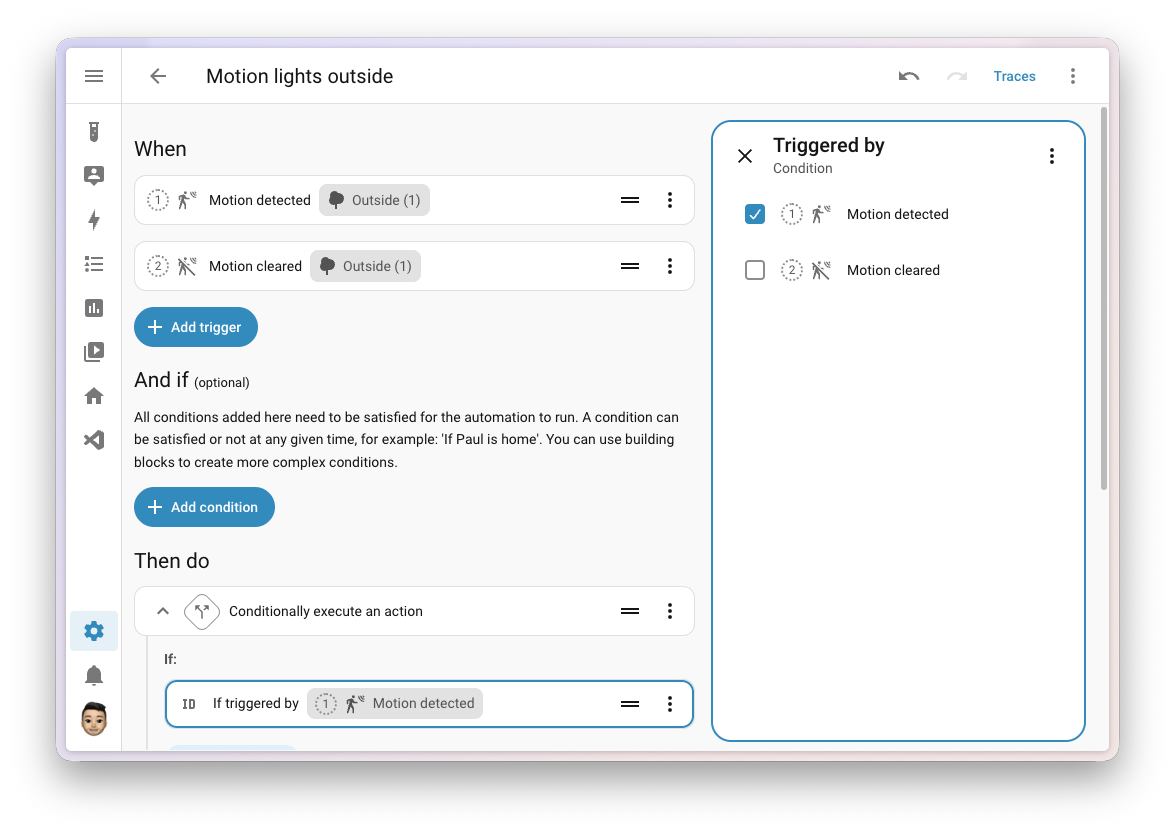
For power users and residential integrators alike, automations represent the functional heartbeat of any smart home. Historically, one of the platform’s most powerful yet underutilized features—Trigger IDs—suffered from discoverability issues. Users previously had to manually invent identifier strings within nested configuration menus and mentally map them to specific conditions to consolidate multiple automations into a single script.
Home Assistant 2026.10 addresses this through a comprehensive user interface overhaul. The automation editor now features a streamlined “Triggered by” condition selector. When constructing conditional workflows, users simply check the desired triggers from a visual list. Home Assistant automatically generates and manages the underlying IDs in the background, eliminating manual string entry while preserving full compatibility with existing YAML configurations.
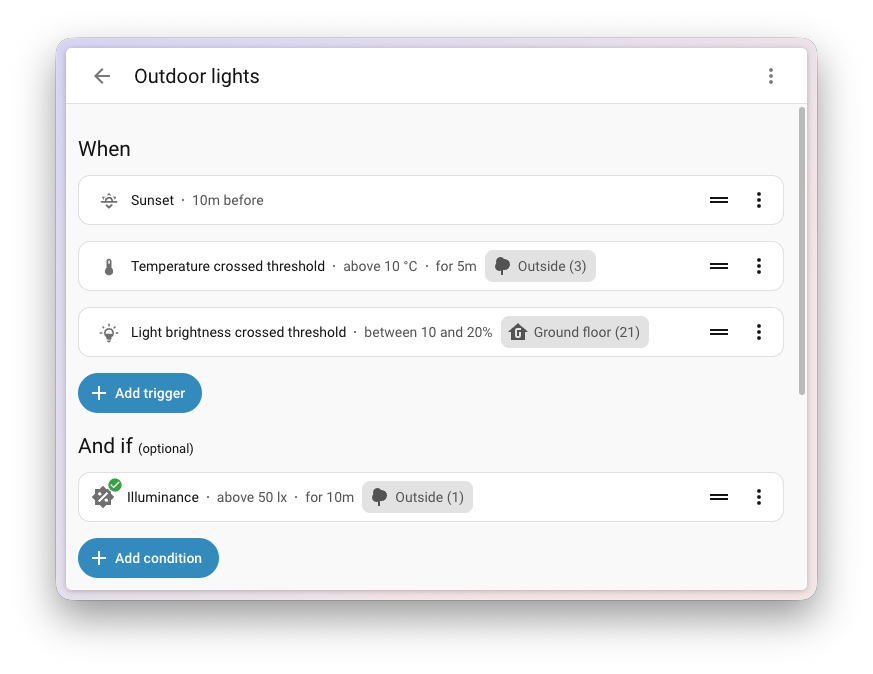
Furthermore, the automation editor now displays critical inline metadata directly within the trigger, condition, and action rows. Parameters such as temperature thresholds, time offsets, and duration windows—previously hidden behind secondary menu expansions—are now visible at a glance, drastically accelerating the logic-building and debugging process.
Transition to OpenStreetMap Vector Tiles
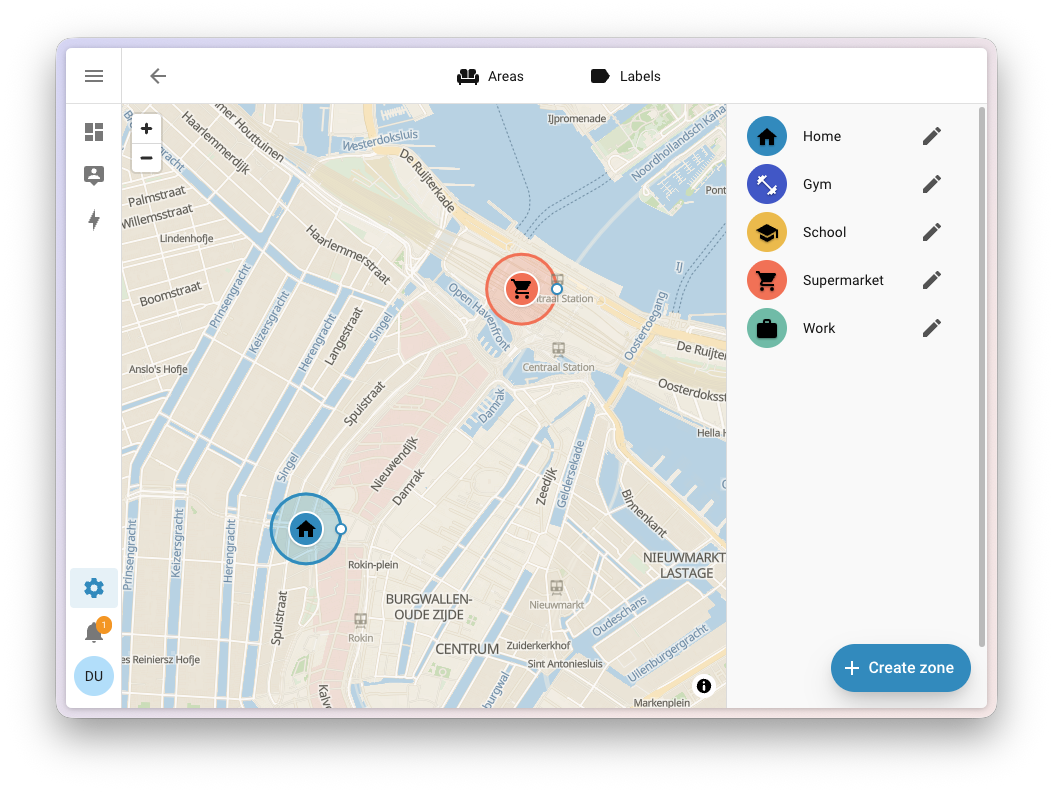
Following an abrupt map-rendering failure in the previous release caused by third-party API key restrictions, developers completed a decisive migration to vector-based mapping
powered by the OpenStreetMap Foundation. Rather than stitching together pre-rendered static raster images, client devices now dynamically render vector tiles locally.
This architectural pivot unlocks several advanced visualization features. Maps remain crisp and legible at every conceivable zoom level, complete with a dedicated, high-contrast dark mode tailored for low-light environments. Older, resource-constrained wall-mounted tablets lacking hardware vector rendering capabilities automatically degrade gracefully to the classic map style.
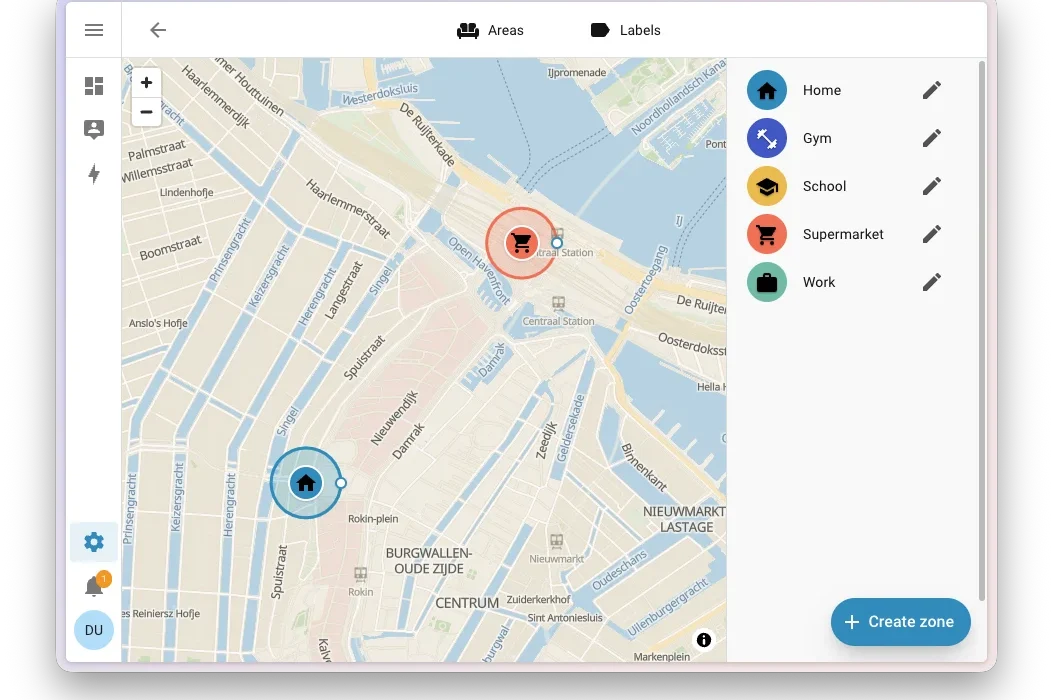
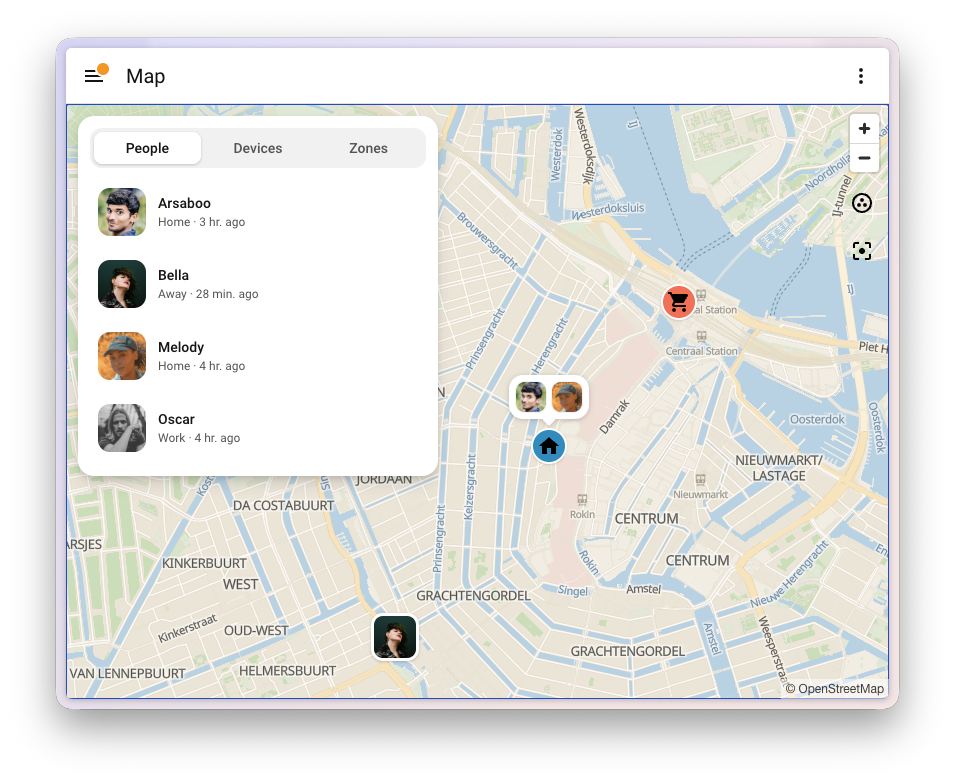
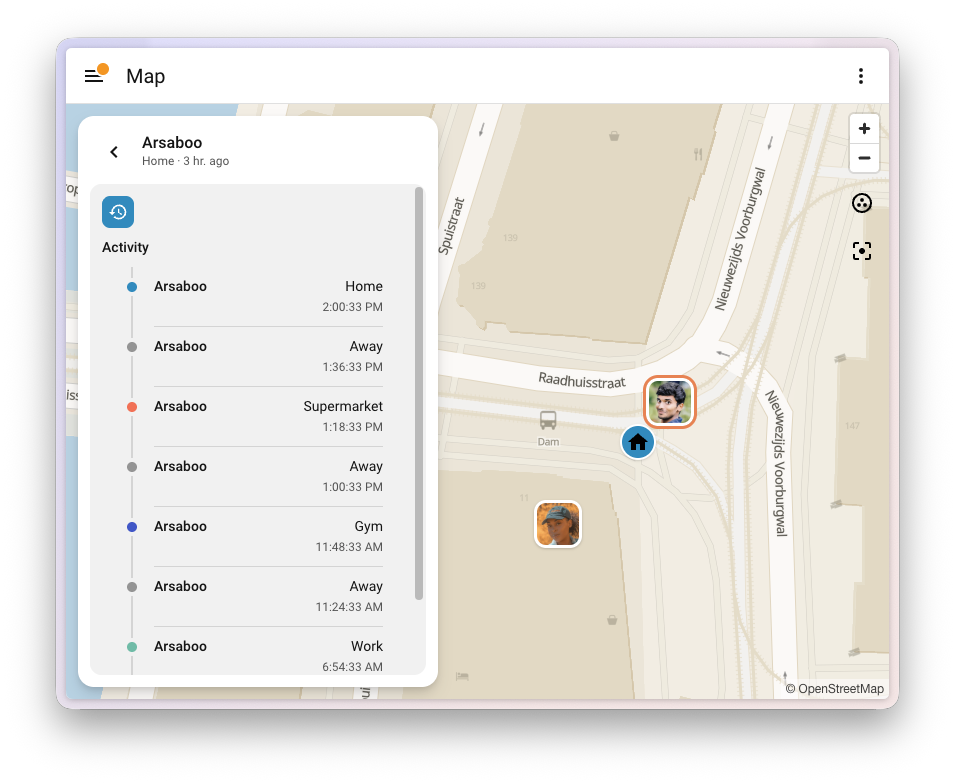
Additionally, map markers have undergone a complete aesthetic redesign. User avatars, zone indicators, and grouped device clusters now dynamically merge into unified indicator bubbles when multiple entities occupy the same geographic region, preventing visual clutter. A newly integrated Map dashboard overview panel—accessible as a slide-out sheet on mobile devices and a dedicated sidebar on desktops—provides granular insights categorized under People, Devices, and Zones, complete with color-coded historical movement trails.
User Profile Streamlining and Identity Management
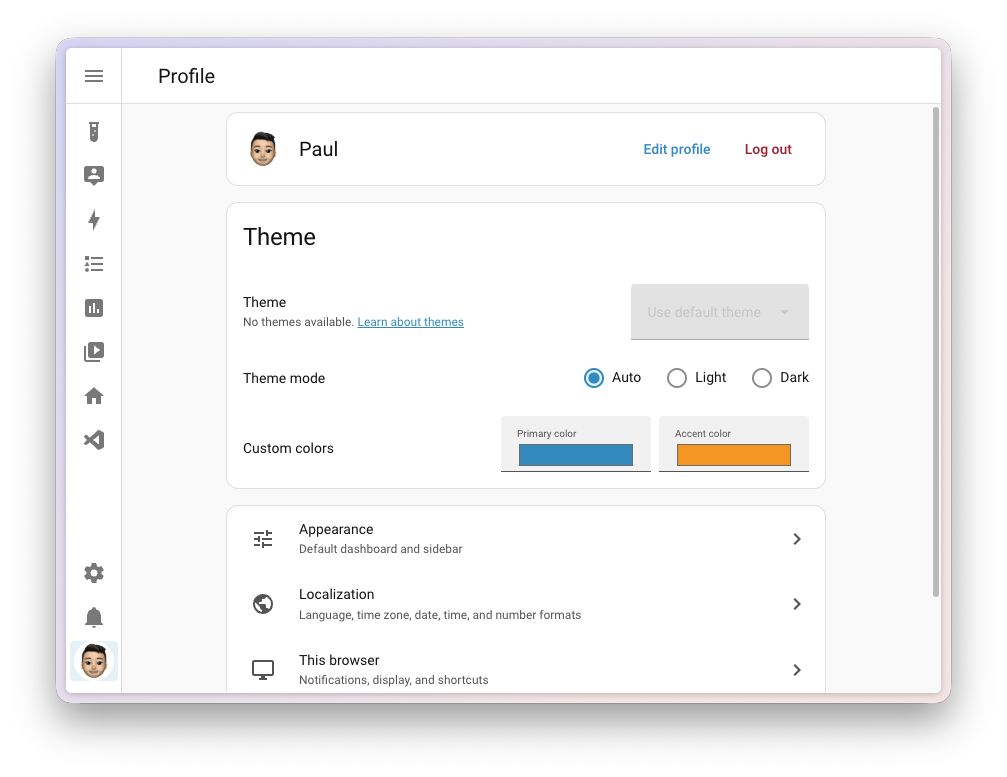
The platform’s user profile interface has undergone a structural reorganization. Previously resembling a disorganized repository of disparate preferences—ranging from notification toggles to date formats and theme configurations—the profile page now mirrors the hierarchical navigation scheme utilized throughout the broader Settings menu.
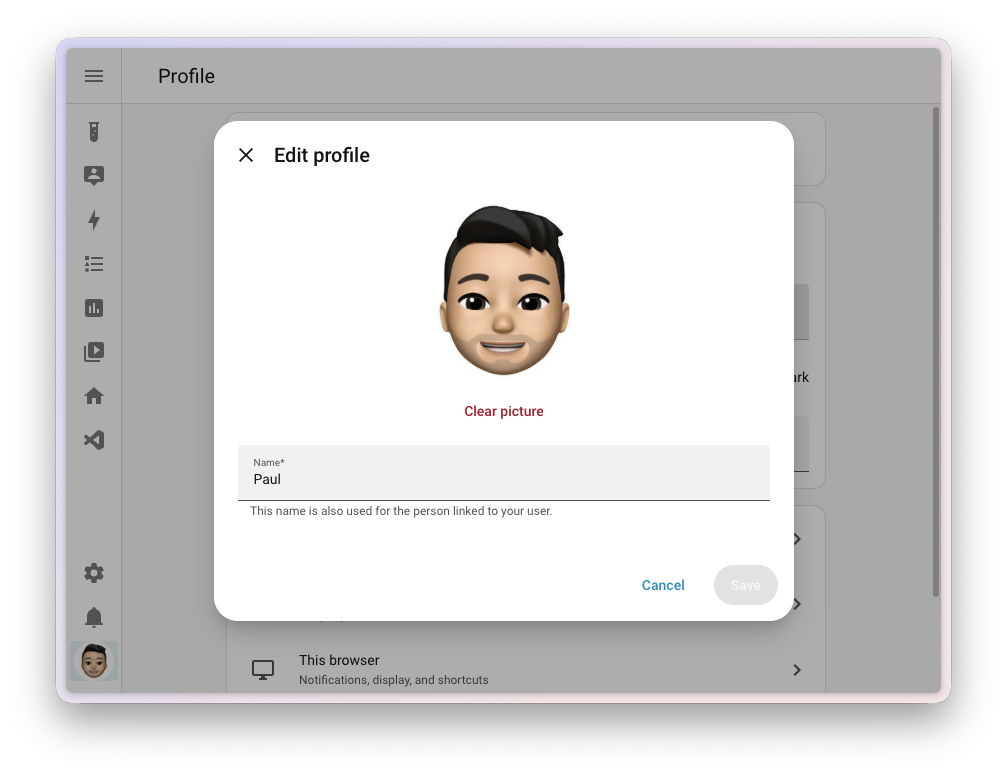
Critically, user identity management has been democratized. Non-administrator users can now independently upload, crop, and modify their profile pictures and display names directly from the profile interface, replacing a workflow that previously required administrator intervention via the core person settings. These updates ensure consistent user representation across dashboards, system logs, and voice assistant interactions.
Connectivity, Modbus Modernization, and Artificial Intelligence
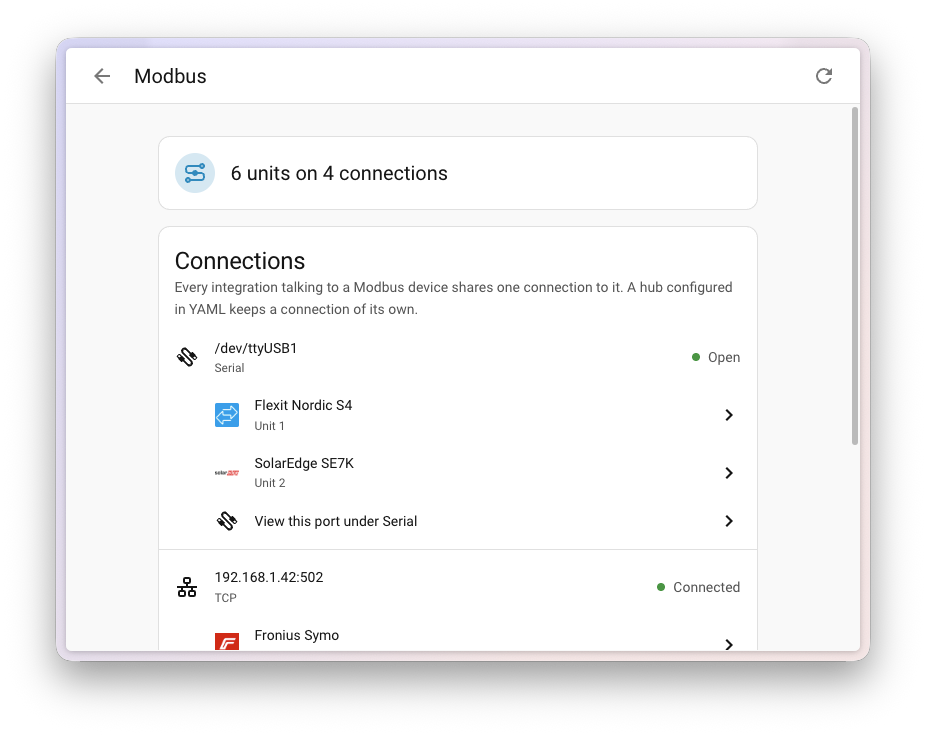
Continuing the push to modernize industrial protocols within the consumer smart home sphere, version 2026.10 introduces a centralized Modbus connectivity panel under Settings > Connectivity. Designed to aggregate fragmented serial ports and network gateways, the panel provides absolute visibility into which integrations are communicating with specific hardware registers. The update also welcomes new native Modbus integrations, including SolarEdge Modbus (launching directly at the highest integration quality tier) and KACO Modbus.
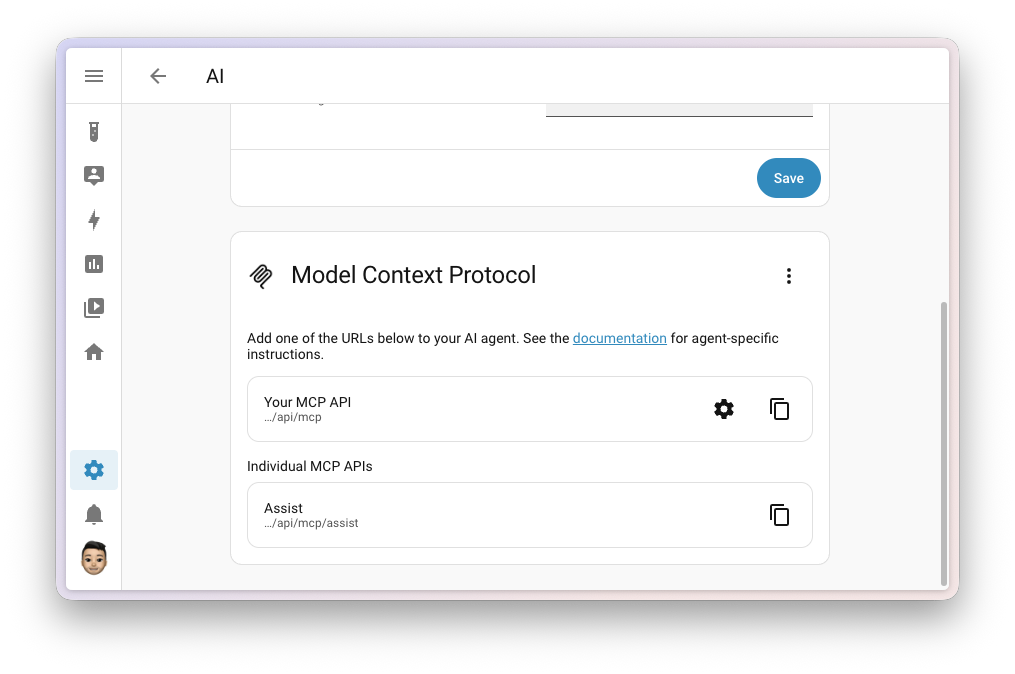
Artificial intelligence integration has also seen dramatic expansion. The Model Context Protocol (MCP) server—allowing external language models like Claude, ChatGPT, or Cursor to securely query and control home instances—can now be activated via a single toggle within the newly renamed AI system panel. Setup procedures automatically expose authorized entities to verified administrator accounts and generate one-click copyable endpoints. Conversely, external applications running native MCP servers are now automatically detected by Home Assistant, streamlining bidirectional AI agent communication.
Breaking Changes and Deprecations
As with any major core release, version 2026.10 includes a series of backward-incompatible modifications necessary for long-term codebase health. Notable updates require careful review prior to installation:
- Authentication providers have completely removed the deprecated legacy mode; usernames are now strictly normalized to lowercase without leading or trailing whitespace.
- Specific energy integrations, including easyEnergy and EnergyZero, have renamed duration-based sensors to accurately reflect that they count discrete pricing periods rather than absolute hours.
- MQTT and Synology DSM administrative actions now strictly mandate administrator user privileges when initiated manually via dashboards or developer tools, enhancing baseline residential cybersecurity.
- Unmaintained or abandoned integrations, specifically Linode and Tank Utility, have been temporarily disabled due to underlying Python packaging incompatibilities.
Outlook and Community Support
Home Assistant 2026.10 is available immediately for deployment via the standard update channel. The development team has committed to a weekly patch-release schedule throughout October to quickly address emerging bug reports. Users seeking deployment guidance, troubleshooting assistance, or community collaboration can engage with the active developer community via the official Discord server, community forums, or GitHub issue trackers.