










The rapid proliferation of artificial intelligence agents and autonomous desktop utilities has fundamentally altered the consumer software landscape, introducing unprecedented productivity capabilities alongside severe, unforeseen security vulnerabilities. Last month, Apple Inc. announced a strategic initiative to tighten macOS privacy controls following alarming reports that third-party AI agents—such as Meta’s widely discussed Muse app—were aggressively requesting Full Disk Access (FDA) and subsequently utilizing sensitive user data beyond intended operational scopes without explicit, informed consumer awareness. As the technology sector grapples with the privacy implications of autonomous software, fresh code discoveries from upcoming software distributions reveal precisely how Apple intends to enforce its mandate for "very explicit user action," dismantling historical permission loopholes and fundamentally reshaping how macOS handles sensitive directory access.
Background Context and the Rise of Autonomous AI Agents on macOS
To understand the gravity of Apple’s impending system modifications, one must examine the evolving nature of desktop applications over the past several years. Traditionally, macOS security architecture has relied on granular permission prompts, asking users for explicit authorization when an application attempts to access sensitive areas such as the camera, microphone, documents folder, or full system storage. However, the paradigm shifted dramatically with the advent of large language model-powered AI agents designed to act as comprehensive desktop assistants.
These sophisticated tools frequently demand broad, sweeping system permissions to fulfill user requests efficiently—such as summarizing local documents, indexing personal communication histories, or automating cross-application workflows. Full Disk Access, a master permission toggle historically reserved for system utilities, backup solutions, and trusted development tools, became the default authorization requested by numerous consumer-facing AI utilities. Incidents emerged wherein applications requested FDA under the guise of basic functionality, only to harvest broad swathes of private user data or route sensitive information through cloud-based inference engines without transparent notification mechanisms. In response to mounting consumer anxiety and regulatory scrutiny regarding data sovereignty, Apple committed to fortifying macOS against unauthorized data scraping by autonomous programs.
Deconstructing the Loophole: How macOS Handled Unauthorized Requests
In previous and current iterations of macOS, developers utilized a well-established system behavior to streamline the onboarding experience for applications requiring elevated privileges. When an unauthorized application attempted to read a protected file or directory outside its permitted scope, the macOS kernel would systematically deny the request. Crucially, however, the operating system simultaneously logged the denied application as a registered option within the Privacy & Security pane of the System Settings application, specifically populating the Full Disk Access list.

This design, while ostensibly intended to help users manually correct permission blocks for legitimate utilities, created a frictionless pathway for malicious or overreaching software developers. Rather than forcing users to manually navigate complex file paths or understand why an application required system-wide privileges, developers could programmatically prompt users to open the System Settings panel, locate the pre-populated application name, and effortlessly flip the toggle to grant uninhibited disk access. Security researchers and code analysts observed that this automated logging mechanism effectively transformed a security barrier into a convenient permission-granting conveyor belt, bypassing the friction required for truly informed consent.
The macOS 27.3 Overhaul: Eliminating Automated Permission Logging
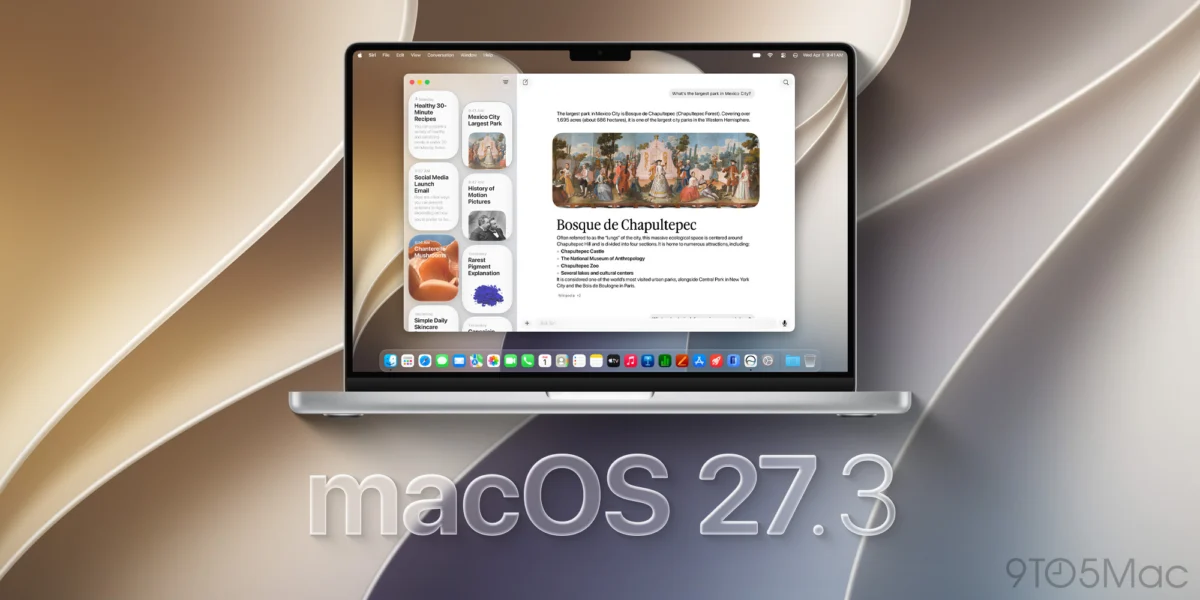
According to recent findings shared by software analyst pdfu, Apple’s upcoming macOS 27.3 update introduces a definitive fix designed to close this historical loophole. Starting with this iteration, applications that attempt to read protected files outside their authorized permission scope will no longer have their requests logged by the operating system. Consequently, these unauthorized applications will fail to populate the list of available options within the Full Disk Access settings pane.
This architectural shift directly alters the user experience. Developers can no longer rely on the operating system to automatically queue their software for easy toggling in system preferences. Instead, users must perform manual, deliberate actions to grant system-wide access, aligning with Apple’s stated goal of requiring unambiguous, highly deliberate user participation before surrendering control over sensitive local repositories.
Remaining Vulnerabilities and the Persistence of Manual Workarounds
Despite the implementation of these stricter barriers in macOS 27.3 code flags, security analysts and developers have noted that certain procedural bypasses remain under active exploration. Preliminary evaluations indicate that while system logging of unauthorized access attempts has been disabled, applications can still present direct graphical prompts instructing users to manually drag and drop application icons directly into the System Settings panel to force-enable Full Disk Access.
This ongoing cat-and-mouse dynamic highlights the inherent tension between stringent security engineering and user experience design. Critics argue that as long as desktop applications can visually guide users through drag-and-drop procedures into high-privilege settings panes, the threshold for "very explicit user action" remains legally and practically ambiguous. Because these software modifications remain in active development cycles prior to public deployment, further refinements to the user interface and permission-granting framework are widely anticipated.

The Core Economic Dilemma: Why Applications Demand Full Disk Access
The root cause of the current privacy crisis extends far beyond software loopholes or clever engineering; it stems from a fundamental structural demand within the modern software ecosystem. Developers of AI agents and productivity suites aggressively pursue Full Disk Access primarily because foundational personal data—such as local iMessage databases, extensive email archives, and cached messaging logs—remains sequestered behind comprehensive system protections.
Without Full Disk Access, third-party agents cannot easily tap into the rich historical context stored within these native repositories, severely limiting their utility as cross-platform assistants. As long as market demand prioritizes hyper-integrated AI agents capable of synthesizing all personal communications and documents, consumers will face continuous pressure to surrender comprehensive system privileges. Granting this master permission inherently exposes users to secondary risks, as compromised or misbehaving code gains the capability to exfiltrate entire local drives rather than targeted datasets.
Industry Speculation: The Potential Introduction of Private Folders
Amidst growing concern over the all-or-nothing nature of Full Disk Access, software analysts tracking internal macOS builds have surfaced references to a potential architectural feature known as "Private Folders." While official documentation and granular technical details remain scarce, industry observers speculate that Private Folders could introduce a refined, highly scoped permission model.
Should this feature materialize in future software iterations, it could allow users to grant granular, application-specific access to isolated directories—such as a designated iMessage database folder—without surrendering the master keys to the entire file system. The successful deployment of scoped directory permissions would represent a paradigm shift in desktop operating system security, potentially decoupling the utility of AI agents from the catastrophic security risks associated with universal disk access. Until such native alternatives are fully realized, however, users navigating the ecosystem must carefully weigh the convenience of autonomous software against the permanent exposure of their personal digital lives.