










The modern digital workplace continues its gradual, deliberate march toward a paperless society, with Portable Document Format (PDF) files serving as the foundational bedrock of this administrative evolution. As remote work, distributed teams, and cross-border digital transactions become standard operating procedure across industries, the demand for efficient, secure, and intuitive digital document management tools has never been higher. Enterprise organizations and individual professionals alike require robust software capable of handling complex document lifecycles—from initial creation and data extraction to multi-party signature tracking and compliance archiving.
Enter Nitro PDF, a cross-platform digital document solution designed to streamline these exact workflows. Available across Windows, macOS, and mobile iOS environments, Nitro positions itself as a comprehensive ecosystem for handling PDF-centric tasks. By integrating artificial intelligence-driven tools, versatile cloud storage integrations, and structured e-signature protocols, the platform attempts to carve out a definitive space in a crowded market historically dominated by legacy giants like Adobe Acrobat. Evaluating how this software performs under real-world conditions requires a rigorous examination of its pricing structures, user interface, AI capabilities, and signature workflows.
Pricing and Packaging Structures
Navigating the financial commitment of software-as-a-service (SaaS) platforms requires careful consideration of organizational scale and feature dependency. Nitro structures its commercial offerings across distinct tiers tailored to individual users, small-to-medium-sized businesses (SMBs), and large enterprises.
The core Nitro PDF offering is available under two primary plans. For individual users and small teams, monthly subscriptions start at approximately $15 or £11.50 per user, billed annually. Organizations seeking a traditional perpetual license model can opt for Nitro PDF Classic, priced at $270 or £200 for a three-year license term. For entities requiring strictly e-signature capabilities without advanced document editing suites, Nitro Sign is available at a lower entry point of $10 or £7.50 per month.
Beyond these standard tiers, Nitro provides bespoke enterprise solutions—namely Nitro Sign Plus, Nitro Sign Enterprise, and Nitro PDF Plus. These high-end packages are custom-tailored to specific corporate infrastructures, requiring direct consultation with the company’s sales division to establish customized pricing models. This multi-tiered approach allows organizations to right-size their software deployment, avoiding unnecessary licensing expenditures for features irrelevant to specific departmental roles.
Platform Accessibility and Interface Architecture
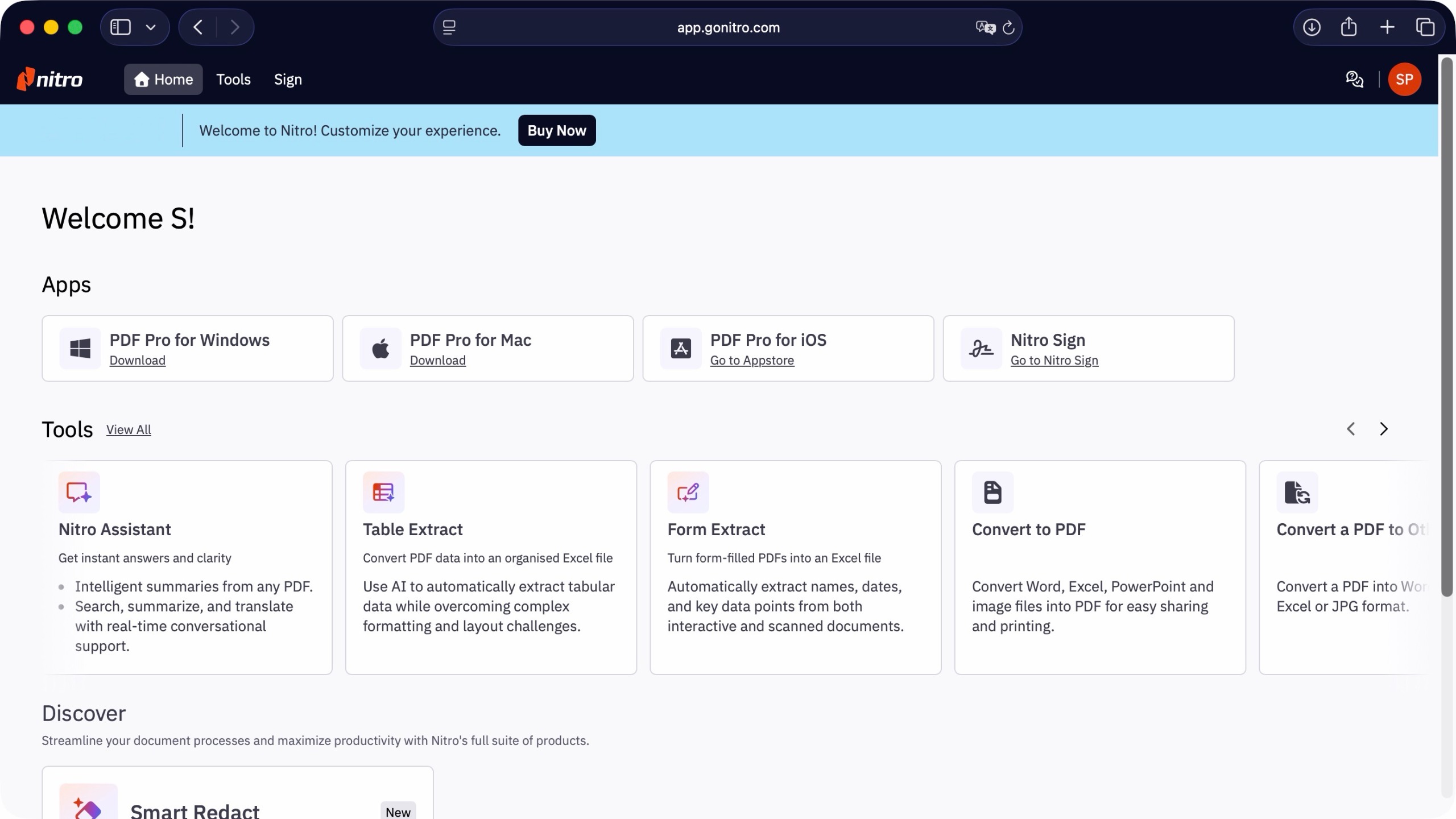
First impressions of any digital document solution often hinge on onboarding friction and interface design. Accessing Nitro PDF requires an initial account registration process involving email verification, after which users are greeted by a centralized dashboard. The software offers native application downloads for Windows and macOS environments, alongside dedicated mobile applications for iPad, iPhone, and iPod Touch. However, locating specific technical system requirements can occasionally prove cumbersome, requiring navigation to dedicated online documentation pages rather than receiving prominent display during the initial download phase.
Despite the availability of native desktop and mobile applications, the web-based iteration of Nitro PDF offers distinct advantages. Operating directly within a web browser ensures that users interact with the most up-to-date iterations of proprietary tools without waiting for local software patch cycles. Furthermore, the web platform abstracts hardware limitations, allowing individuals to process complex documents on older machinery without experiencing performance bottlenecks.
The web dashboard presents a clean, minimalist layout. Navigation is bifurcated into file source integration and specific functional categories. Users can ingest documents directly from local machine storage or establish direct API links with major cloud storage repositories, including Microsoft OneDrive, Google Drive, Dropbox, Box, and Microsoft SharePoint. This multi-cloud flexibility ensures that document workflows remain unhindered by disparate organizational storage policies.
Artificial Intelligence Integration and Smart Tools
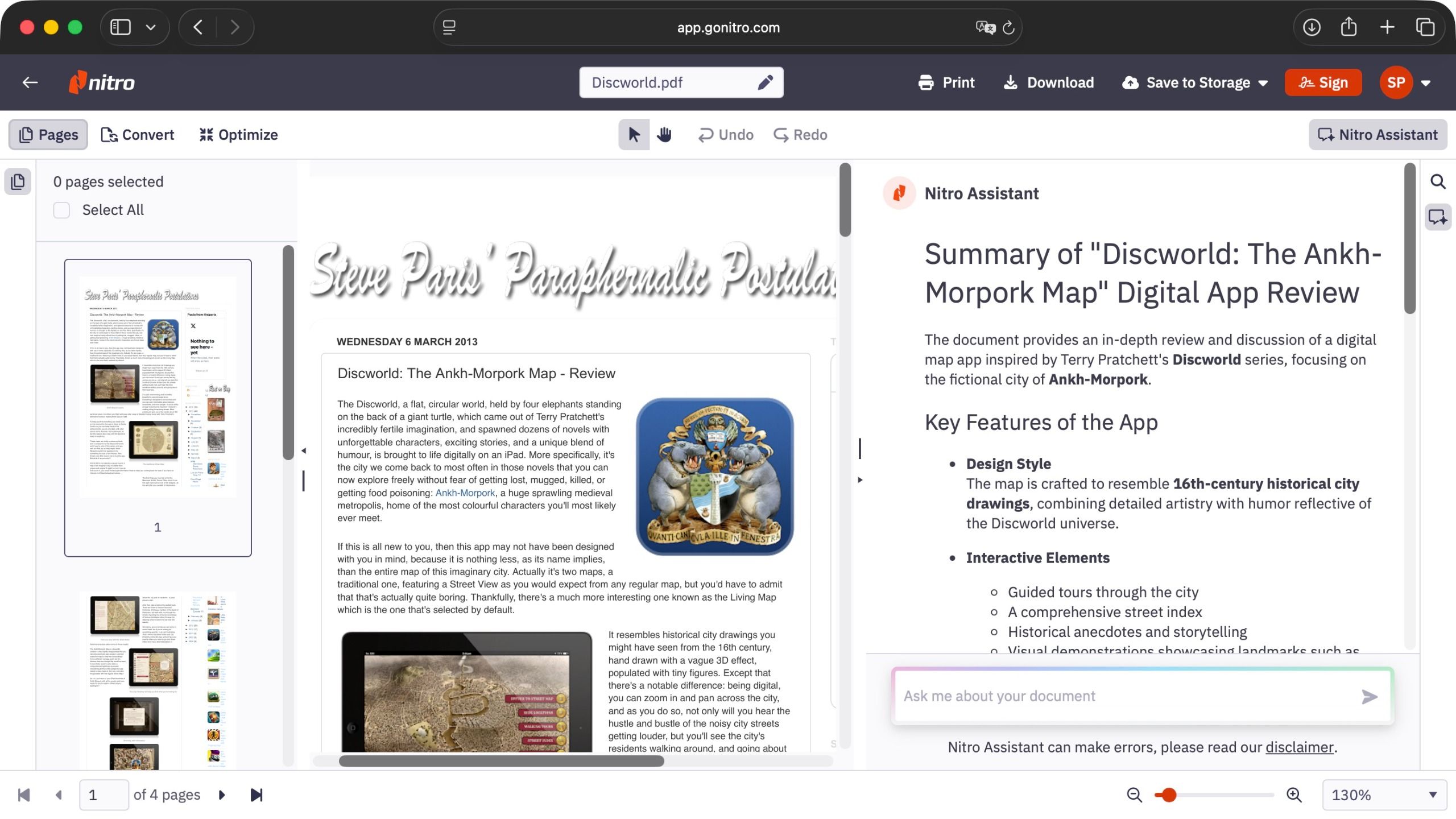
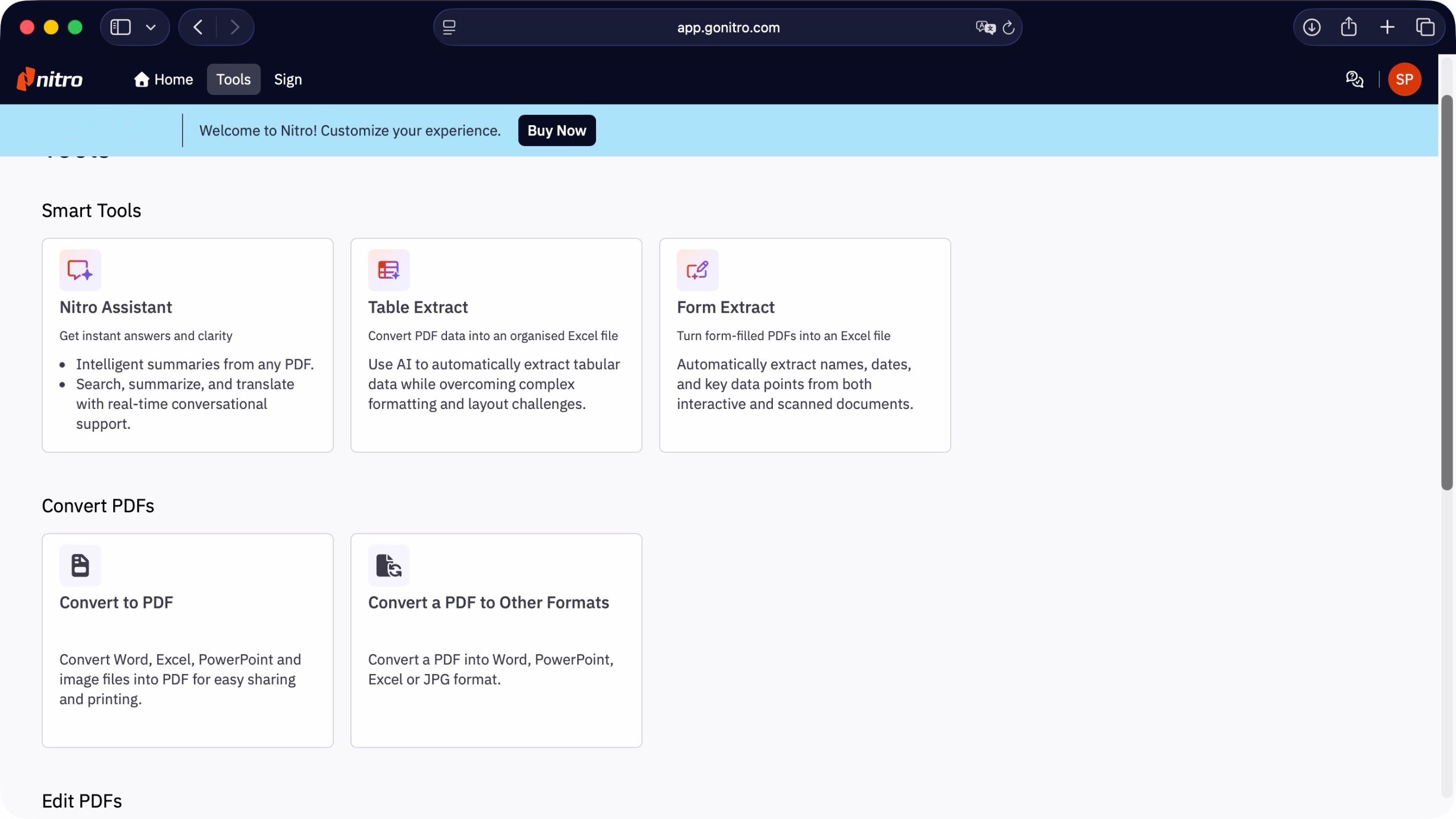
One of the more noteworthy developments in contemporary document editing software is the incorporation of machine learning algorithms and artificial intelligence (AI) assistants. Nitro approaches this technological shift by grouping several advanced utilities under its "Smart Tools" and "Nitro Assistant" banners. Notably, unlike several competing platforms that monetize advanced AI features through restrictive credit-consumption models, Nitro integrates these analytical capabilities directly into its standard subscription tiers without auxiliary usage fees.
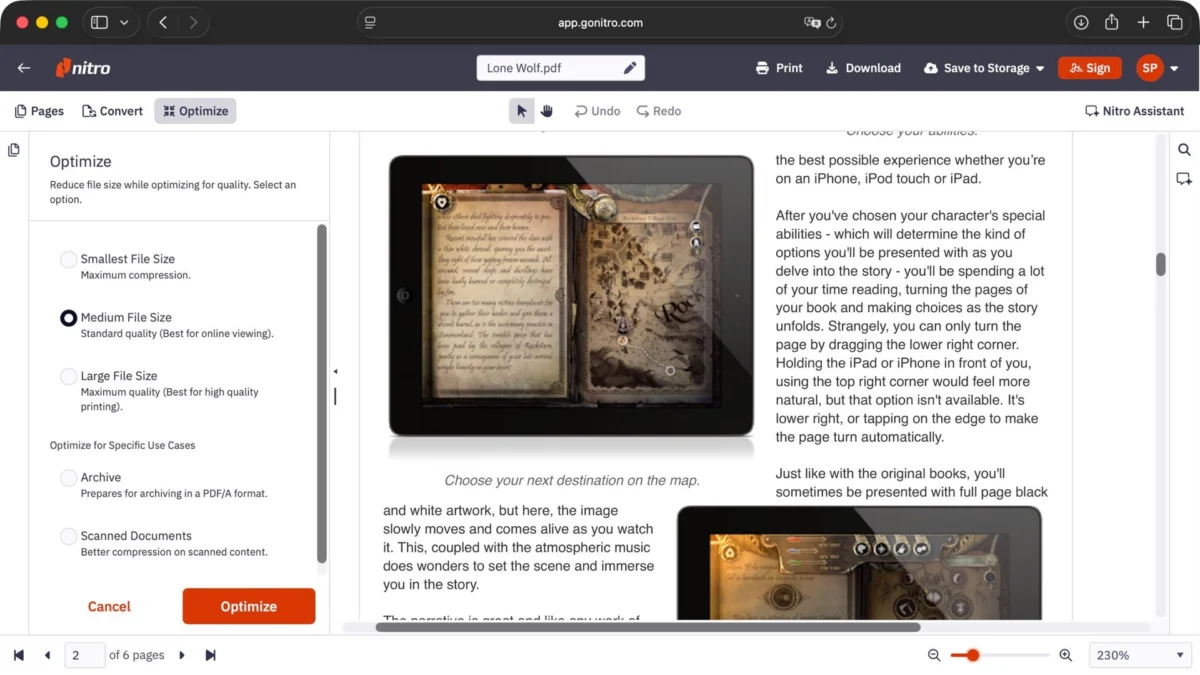
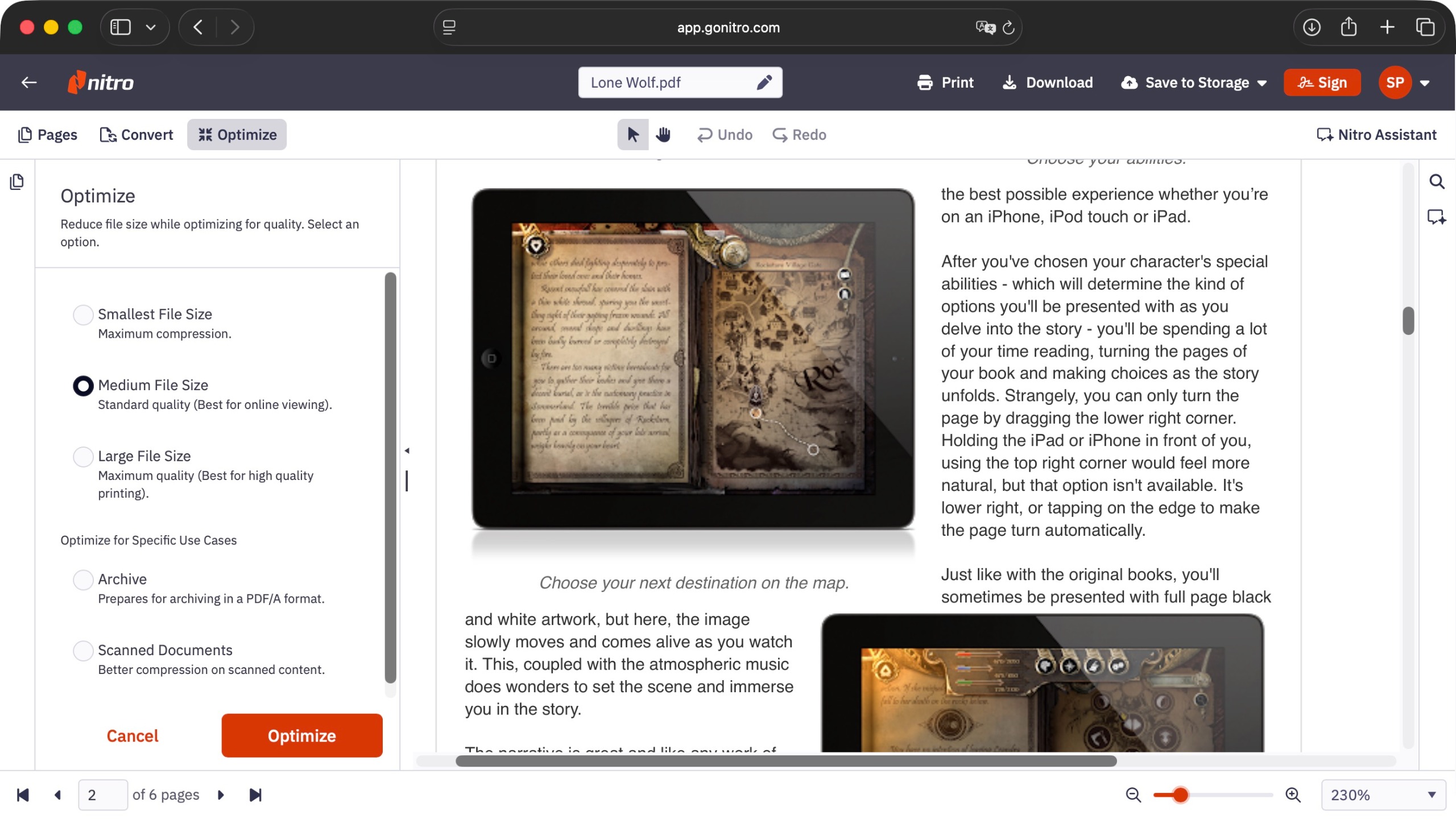
The Nitro Assistant functions as an automated document parser. Upon uploading a file, the underlying algorithm initiates an automated text analysis, generating a concise document synopsis within seconds. In practical testing involving dense narrative texts, the AI demonstrates a reliable capacity to extract core thematic arguments and synthesize executive summaries. Furthermore, the Assistant interface consolidates conversion and optimization controls, enabling users to adjust document parameters without navigating back to the primary dashboard.
Data extraction represents another critical operational pillar within the platform. The "Table Extract" tool is engineered to scan documents containing tabular data and convert those sections into structured Microsoft Excel spreadsheets. Testing reveals that the algorithm performs exceptionally well when processing documents consisting entirely of multi-page tables, capturing every numerical row and categorical header with high fidelity. However, performance fluctuates when tables are visually interspersed with complex narrative paragraphs and embedded graphics, occasionally resulting in merged cells or missed pagination boundaries.
Complementing table extraction, the "Form Extract" utility targets standardized administrative fields, automatically harvesting names, dates, postal addresses, and custom data points from unstructured PDF forms. Alongside these analytical features, the platform supports bidirectional conversion pipelines, allowing seamless transformation between PDF formats and the Microsoft Office suite (Word, Excel, PowerPoint), as well as standard raster image formats like JPG.
Document Execution and E-Signature Workflows
The operational necessity of secure, legally binding electronic signatures has driven widespread adoption of digital agreement platforms. Nitro addresses this requirement through dual-purpose functional categories labeled "Self Sign" and "Request Signatures." Interestingly, selecting either option grants immediate access to the broader signing interface, reflecting a minor redundancy in button architecture that slightly clutters the user experience.
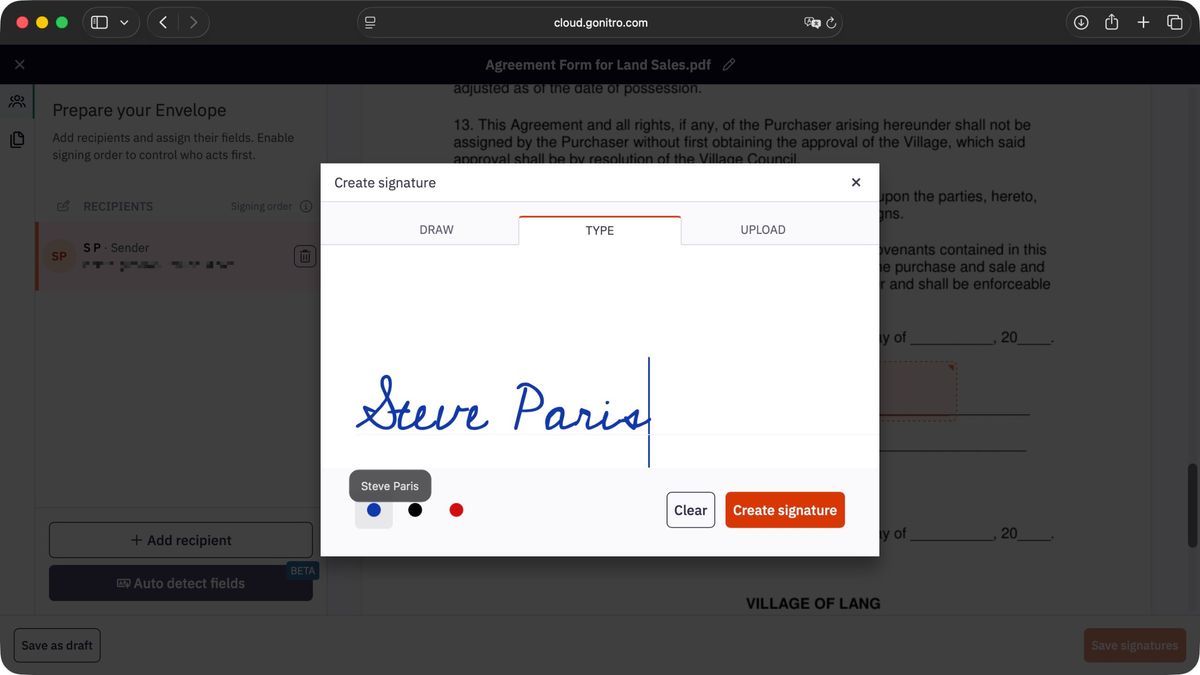
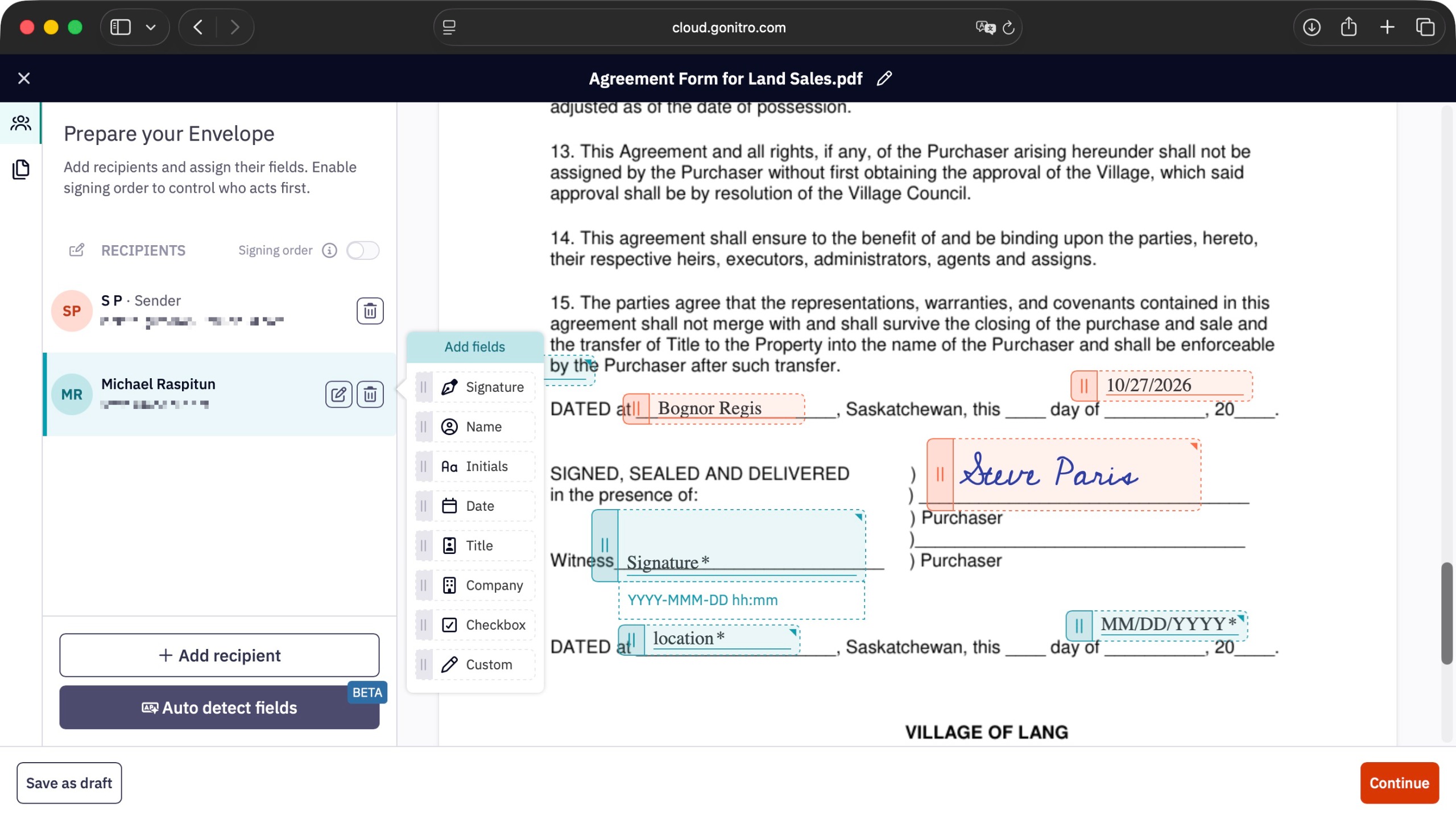
Despite minor interface redundancies, the underlying mechanics of document execution are streamlined. The document creator is designated as the primary default recipient, possessing the ability to drag and drop specific execution fields—such as signatures, initials, dates, and mandatory checkboxes—directly onto targeted areas of the PDF canvas. While the platform includes an automated "detect fields" algorithm designed to identify pre-existing signature lines, this specific feature remains in a designated beta development phase, prompting cautious users to manually position their required data fields.
When executing a signature, the software provides multiple authentication avenues. Users can attempt to draw signatures using a computer trackpad or mouse peripheral, though cross-browser inconsistencies can occasionally impede this input method. Alternatively, users can type their name, which the system renders in a standardized script font, or upload a pre-existing digital image file (JPG, PNG, or TIFF) bearing a handwritten signature.
For multi-party agreements, Nitro facilitates sequential signing orders, ensuring that downstream recipients receive notification to sign only after preceding signatories have completed their respective actions. Crucially, external signatories are not required to maintain an active Nitro account to execute a document; the platform manages external routing securely and issues automated status notifications to the document originator upon final completion.

Competitive Landscape and Market Alternatives
The PDF software market features deeply entrenched competitors, requiring prospective buyers to weigh Nitro’s capabilities against established alternatives:
- Adobe Acrobat Standard / Pro: Widely regarded as the industry benchmark, Adobe Acrobat offers an exhaustive suite of editing, conversion, and organizational tools. While its interface can initially appear overwhelming to novice users, its market reputation is built upon decades of reliable performance, universal compatibility, and robust security protocols.
- Foxit PDF Editor: A formidable multi-platform competitor prized by corporate environments for its advanced data redaction capabilities, high-speed rendering engine, and comprehensive feature set tailored to heavy document manipulation.
- EaseUS PDF Editor: Positioned primarily as a Windows-centric solution, EaseUS provides a compelling alternative for organizations seeking strong Optical Character Recognition (OCR) capabilities and the option to choose between traditional perpetual licensing and subscription models.
Implications and Strategic Recommendations

Choosing whether to invest in Nitro PDF depends heavily on an organization’s specific operational bottlenecks. Businesses that process high volumes of standardized documentation, require structured multi-party signature tracking, and can leverage AI-driven summarization and data extraction will find substantial value in the platform. The inclusion of advanced AI tools without restrictive per-query credit charges represents a significant commercial advantage over competitors who gate similar functionalities behind paywalls.
Conversely, organizations with minimal document modification needs, those firmly committed to perpetual licensing models without recurring SaaS expenditures, or entities relying heavily on niche legacy workflows may find standard operating systems or simpler freemium readers sufficient.
Ultimately, Nitro PDF bridges the gap between traditional document editing and modern cloud-collaborative workflows. Organizations are encouraged to leverage the platform’s designated trial period to evaluate how its interface, AI automation, and signature tracking integrate with existing internal protocols before committing to long-term commercial agreements.