The Open Home Foundation and the Home Assistant development team have officially released version 2026.6 of their flagship open-source smart home platform, marking a significant milestone in the software’s evolution toward user-centric design. This update introduces a fundamental shift in how users interact with dashboard configurations and automation logic, prioritizing intent-based workflows over technical building blocks. By streamlining the "add a card" process and providing real-time telemetry within the automation editor, the 2026.6 release addresses long-standing usability hurdles for both novice users and seasoned home automation enthusiasts.
A Strategic Shift in Dashboard Architecture
For years, the Home Assistant user interface relied on a "card-first" philosophy. When users sought to add a new element to their dashboard, they were presented with a technical list of card types—such as gauges, entities, and stacks—requiring them to understand the underlying data structure before visualizing their home. User research conducted by the Open Home Foundation indicated that this approach created a cognitive barrier, as most users approach dashboard design with a specific device or room in mind rather than a visual widget type.
The 2026.6 update resolves this by introducing an entirely redesigned card picker. The new interface defaults to a "By Entity" tab, which organizes the user’s home into a logical hierarchy of floors, areas, and devices. Instead of selecting a "Tile Card" and then searching for a light, users now select the light first. Home Assistant then leverages its internal logic to suggest the most appropriate card types for that specific entity, complete with live previews using the user’s actual real-time data.
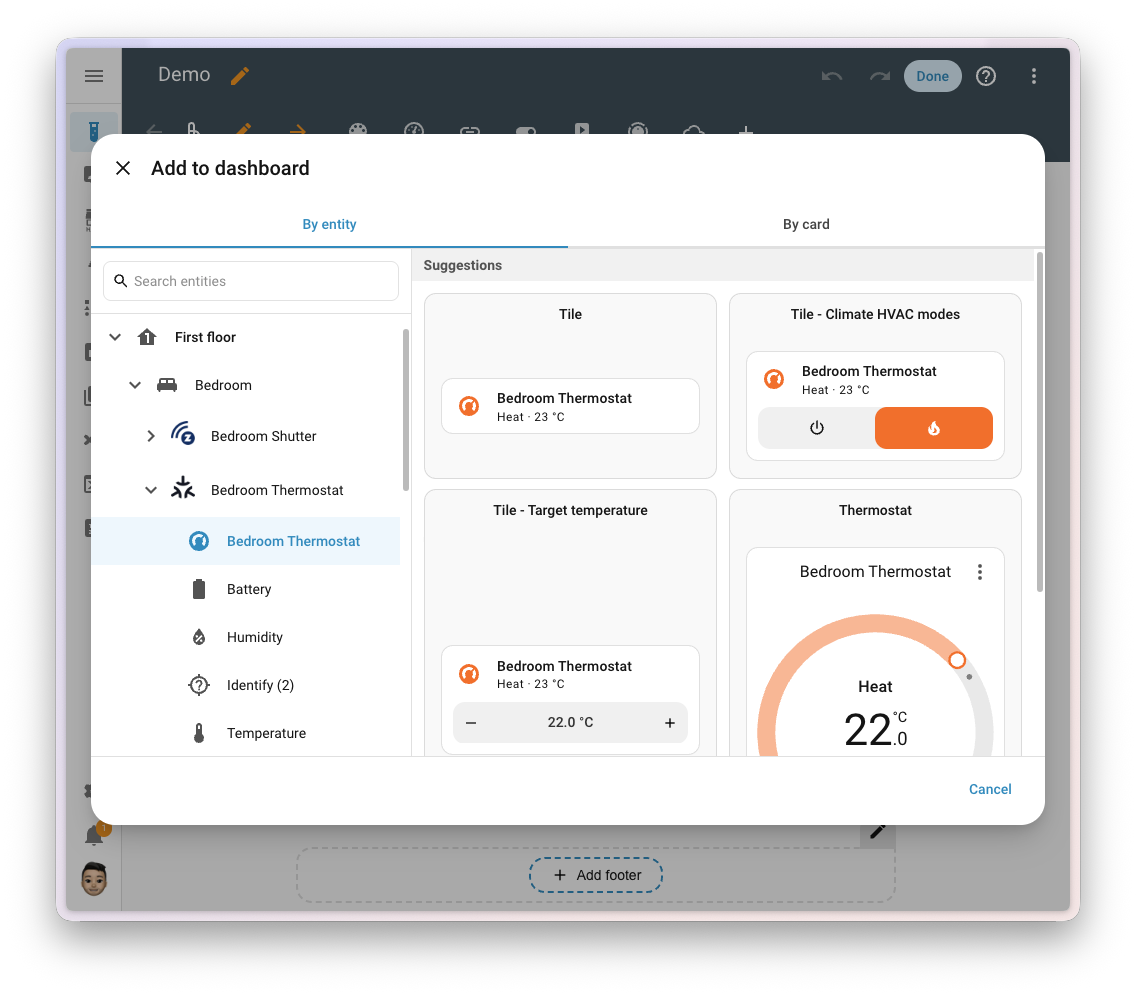
This "intent-first" design extends to community-developed custom cards. Authors of third-party dashboard elements can now opt into this new discovery system, allowing their cards to appear in a dedicated "Community" section of the picker when relevant entities are selected. This change is part of a broader roadmap effort to make the Home Assistant interface as intuitive as commercial ecosystems like Apple Home or Google Home, without sacrificing the platform’s signature flexibility.
The Evolution of Infrared as a Two-Way Protocol
Infrared (IR) technology, often dismissed as a legacy protocol, has seen a resurgence in the Home Assistant ecosystem. Following the 2026.4 release, which established IR as a "first-class citizen" by allowing Home Assistant to send commands, the 2026.6 update completes the circle by introducing IR receiving capabilities.
Historically, using an IR remote to control a TV or air conditioner would leave Home Assistant "in the dark," unaware that the device’s state had changed because the communication was one-way. The new Infrared receiver event entity allows Home Assistant to "listen" to IR signals. When a user presses a button on a physical remote, an ESPHome-based transmitter or a compatible LG Infrared device can now capture that signal and fire an event within the Home Assistant core.
This development enables two-way synchronization for legacy hardware. For example, if a user turns off their television using the original manufacturer’s remote, Home Assistant can now detect the IR blast and update the digital dashboard accordingly. Furthermore, this opens the door for users to repurpose old IR remotes as universal controllers for modern smart devices, such as using a spare VCR remote to dim Zigbee-enabled LED strips.
Enhancing Automation Transparency and Debugging
The automation editor, often considered the heart of the Home Assistant experience, received a suite of quality-of-life upgrades aimed at reducing the "guesswork" involved in building complex logic. These features are designed to provide immediate feedback during the creation process rather than forcing users to rely on post-execution trace logs.
Live Condition Testing
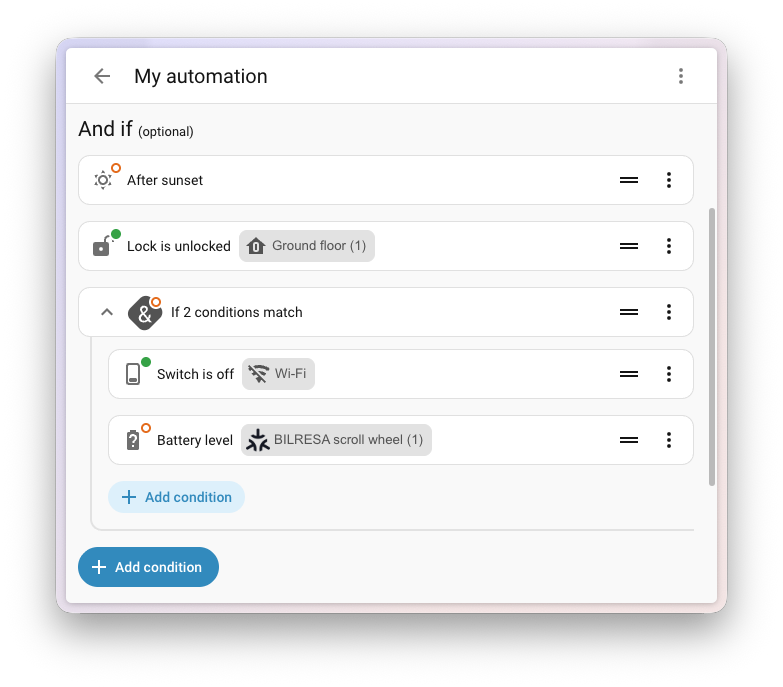
One of the most impactful additions is the introduction of live test indicators on automation conditions. Conditions act as the gatekeepers of an automation, determining whether an action should proceed. In version 2026.6, every condition row now features a real-time badge on its icon. A green checkmark indicates the condition currently passes, while a red "X" indicates it is blocking the automation. This allows users to adjust thresholds—such as light levels or temperature setpoints—and see immediately if their logic holds true under current conditions.
Target Expansion Counts
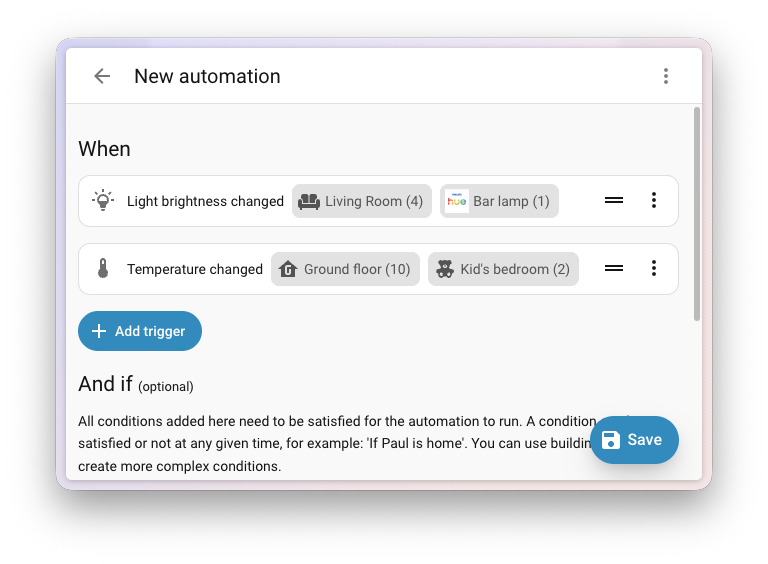
As smart homes grow in complexity, users increasingly rely on "labels," "areas," and "floors" to trigger actions across multiple devices. Previously, an action targeting "Downstairs Lights" provided no visual indication of how many bulbs were included in that group. The 2026.6 editor now displays a numerical count next to every target pill. This ensures that a user intending to turn off three lights in a hallway does not accidentally trigger thirty lights across an entire floor due to a labeling error.
Integrated Documentation via Notes
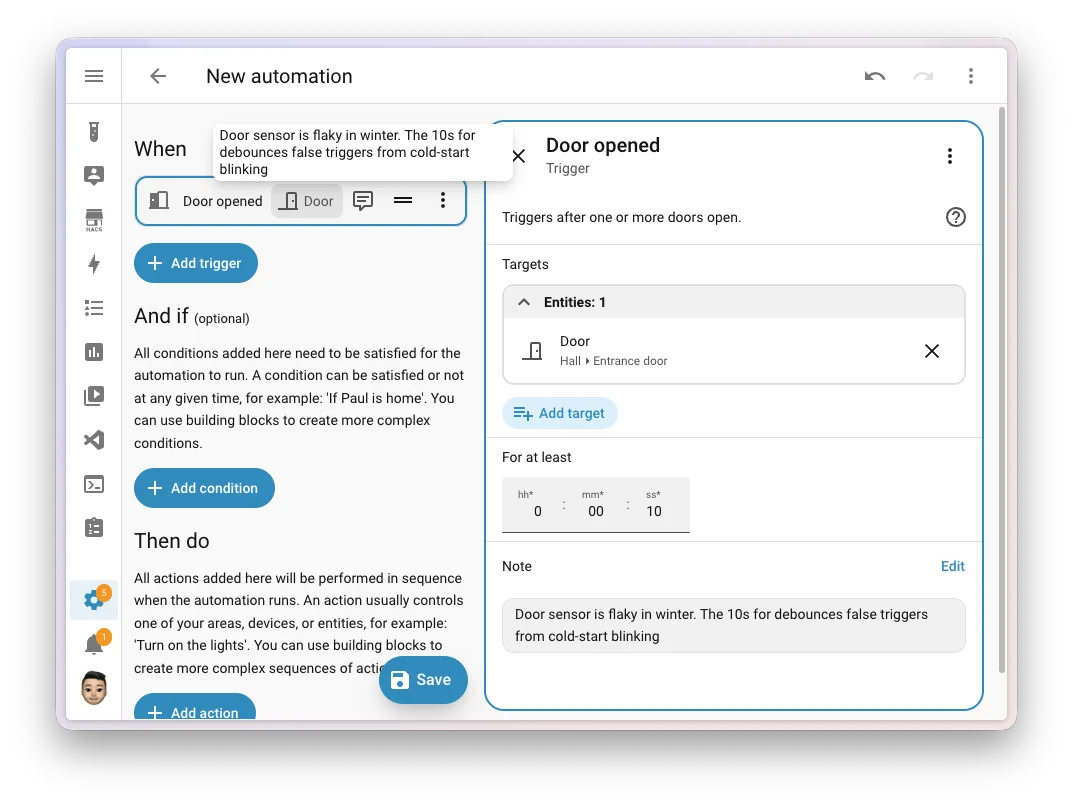
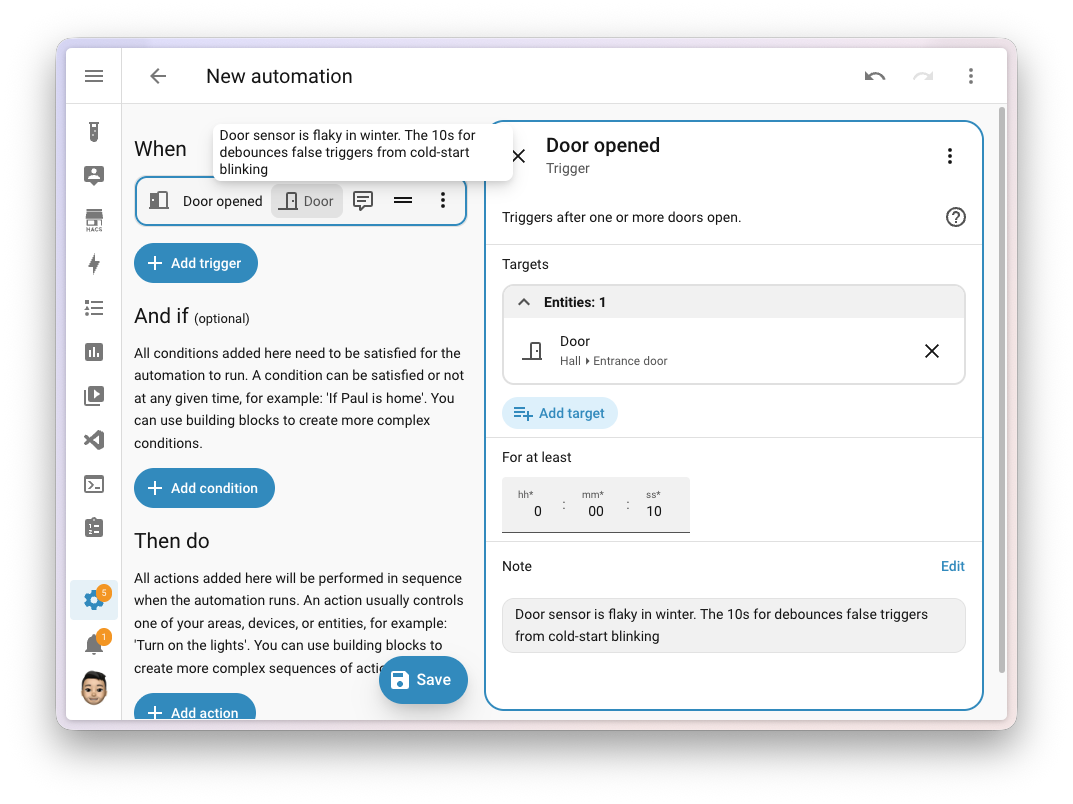
Addressing a long-term request for better internal documentation, Home Assistant now allows users to attach "Notes" to any individual step within an automation. Unlike "Aliases," which change the display name of a trigger or action, these notes provide a dedicated space for detailed explanations. This is particularly useful for complex setups where a specific "wait" command or condition might be necessary to account for hardware quirks. These notes are preserved during duplication and when sharing automations as blueprints, ensuring that the original author’s reasoning remains accessible to future users.
Progress in the Home Assistant Labs
The "Home Assistant Labs" initiative, introduced in late 2025, continues to serve as a testing ground for purpose-specific triggers and conditions. This release sees the introduction of zone-based logic that moves away from the rigid "home/not_home" binary of the past.
The new triggers—including "Person entered zone," "Person left zone," and "Person is in zone"—provide a more semantic way to build location-aware automations. Users can now easily trigger actions based on arrivals at work, school, or the gym without writing complex YAML templates. These triggers also support "for" durations, allowing the system to wait until a person has been in a zone for a specific amount of time before executing an action, thereby reducing "false positives" caused by GPS drift.
Expansion of the Tile Card and Media Controls
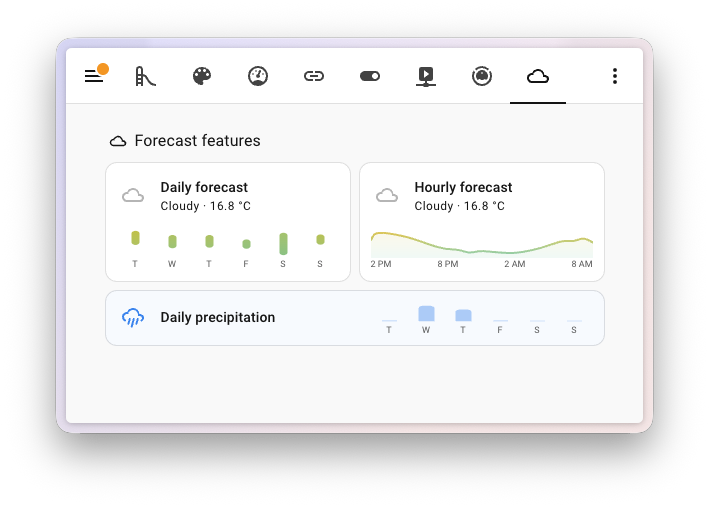
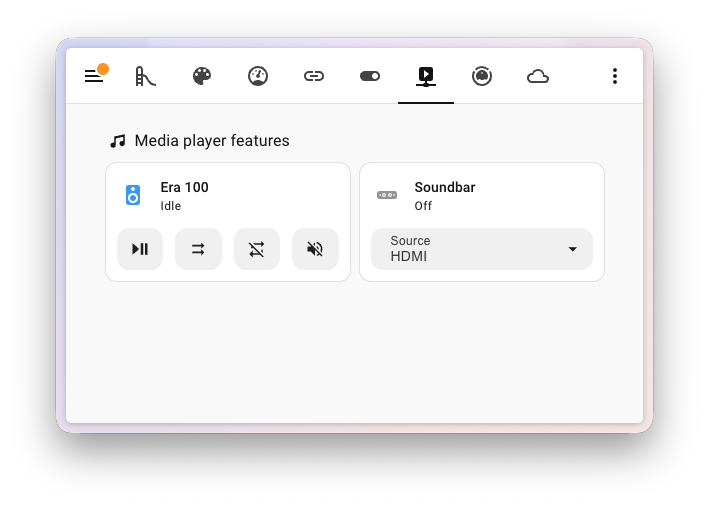
The Tile card, which has quickly become the preferred visualization tool for modern dashboards, has been expanded with dedicated features for weather and media.
- Weather Integration: Users can now add precipitation and temperature forecasts directly to a weather tile. This eliminates the need for separate forecast cards, allowing for a more compact and informative dashboard layout.
- Media Player Enhancements: Following improvements in the previous month’s release, the media player tile now supports advanced remote functions, including mute toggles, shuffle, repeat modes, and filtered source selection. These additions effectively turn a single dashboard tile into a fully functional remote control for platforms like Music Assistant or Spotify.
Security and Credential Management for Z-Wave
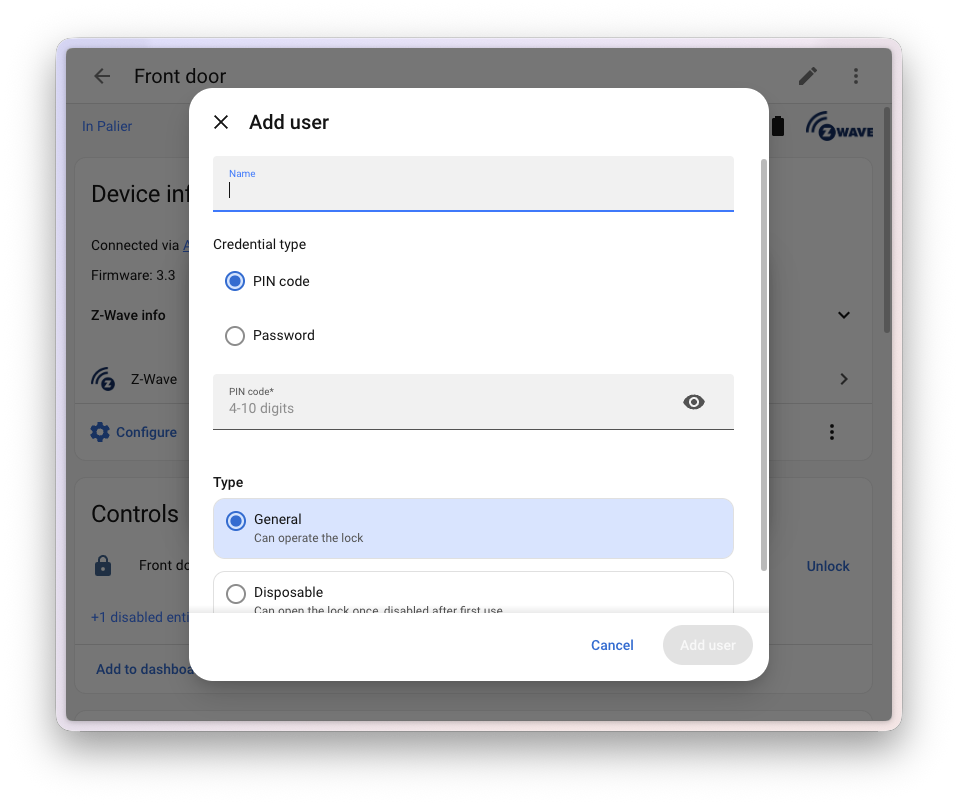
Building on the Matter credential management introduced earlier this year, Home Assistant 2026.6 brings similar functionality to Z-Wave smart locks. Through the "Manage Access" menu, users can now add, edit, and delete PIN codes and alphanumeric passwords directly from the Home Assistant UI.
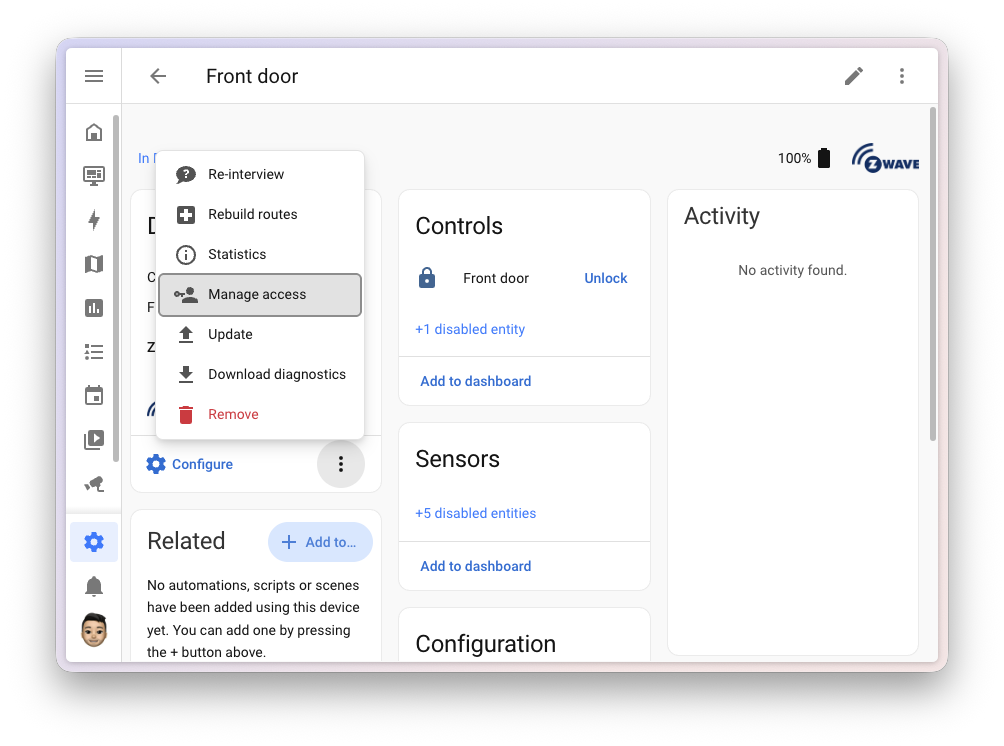
This feature is notable for its commitment to local control. Unlike manufacturer-specific apps that often require cloud accounts and internet connectivity to manage door codes, the Z-Wave implementation communicates directly with the lock hardware. This ensures that a user can grant a temporary entry code to a guest even if the home’s internet connection is down.
Energy Dashboard and System Aesthetics
The Energy dashboard, a cornerstone of Home Assistant’s sustainability mission, received two significant upgrades. Users can now integrate battery state-of-charge (SoC) sensors, allowing the energy distribution card to show exactly how much "fuel" is left in a home battery system. Additionally, all energy sources—grid, solar, gas, and water—can now be assigned custom names, allowing for better organization in homes with multiple solar arrays or secondary utility meters.
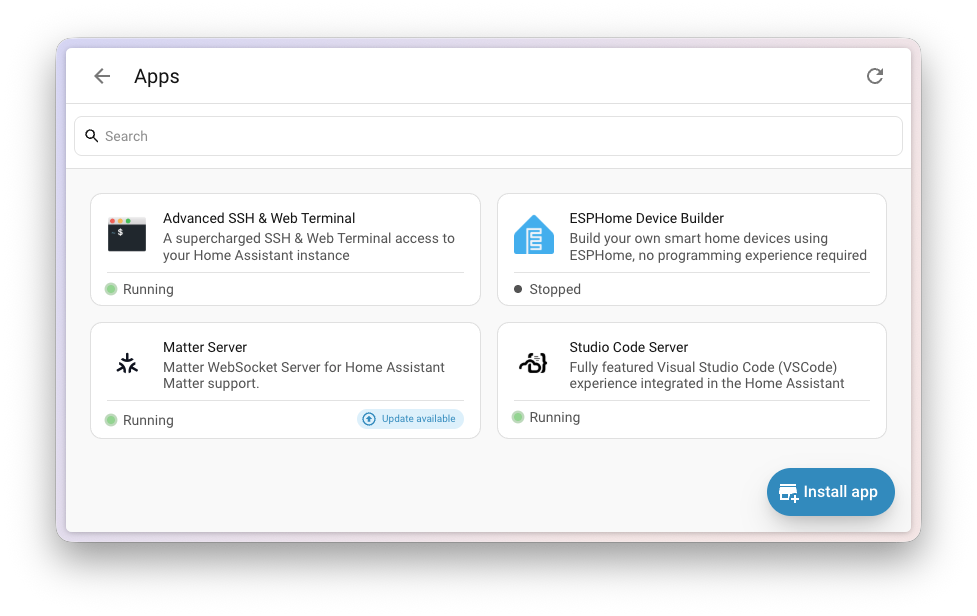
The "Apps" page (formerly the Add-ons store) has also undergone a visual refresh. The new card-based layout provides clearer status indicators and tags, making it easier for users to manage the supplemental software—such as MQTT brokers or media servers—that runs alongside Home Assistant Core.
Chronology and Industry Context
The 2026.6 release arrives during a period of intense competition in the smart home industry. With the maturation of the Matter standard and the increasing push for AI-driven "proactive" homes, Home Assistant has doubled down on its core values: privacy, local control, and extreme customizability.
- December 2025: Introduction of Home Assistant Labs and purpose-specific triggers.
- April 2026: Infrared becomes a first-class citizen (one-way).
- June 2026 (Current): Two-way Infrared, intent-based dashboard design, and enhanced automation transparency.
Market analysts suggest that Home Assistant’s move toward a more "inspiring" and "user-friendly" interface is a direct response to the increasing sophistication of mainstream alternatives. By making the platform more accessible without stripping away its "power user" features—as evidenced by the new inline YAML linting for UI editors—Home Assistant is positioning itself as the definitive OS for the private smart home.
Final Implications
Home Assistant 2026.6 is more than a collection of features; it is a statement of intent regarding the future of the Open Home. By shifting from a technical configuration model to a functional intent model, the platform is preparing for a future where the "smart home" is managed not by programmers, but by everyday residents. The focus on transparency in automations and the expansion of local control for security hardware reaffirms the platform’s role as a vanguard for digital sovereignty in an increasingly cloud-dependent world.