Apple’s recent announcement of the iPhone Duo—its long-awaited entry into the foldable smartphone market—sent shockwaves through the consumer electronics industry. While the device itself represents a massive paradigm shift in Apple’s hardware roadmap, enthusiasts and customizers immediately turned their attention to the aesthetic details accompanying the release, specifically the device’s signature default wallpapers. Initially, obtaining these graphics proved difficult for the general public, as Apple omitted them from the final release candidate builds of iOS 27. However, following the release of Xcode 27.1 beta, these highly sought-after images have finally surfaced, allowing users across the globe to download and apply the official artwork to their existing devices.
The discovery of the iPhone Duo wallpapers within developer tools highlights a common trend in software development releases, where assets for upcoming or newly announced hardware are bundled into developer-facing utilities ahead of mainstream consumer availability. For design enthusiasts looking to bring a touch of Apple’s latest hardware aesthetic to their current iPhones, iPads, or Macs, the full-resolution assets are now accessible via developer-extracted repositories.
Uncovering the iPhone Duo Artwork: The Xcode 27.1 Beta Breakthrough
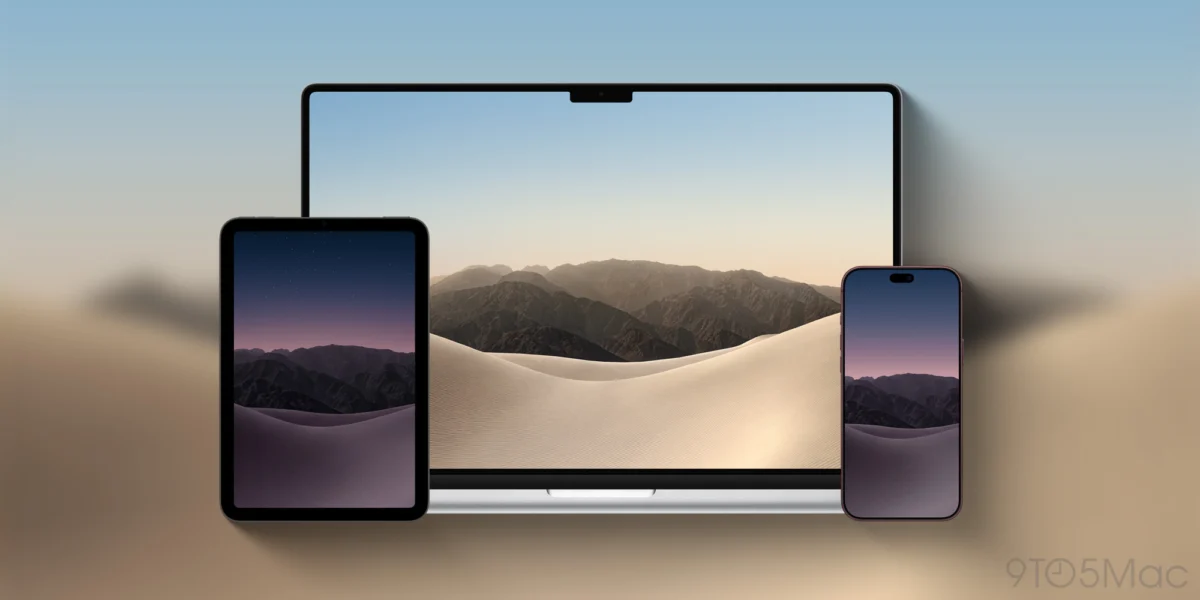
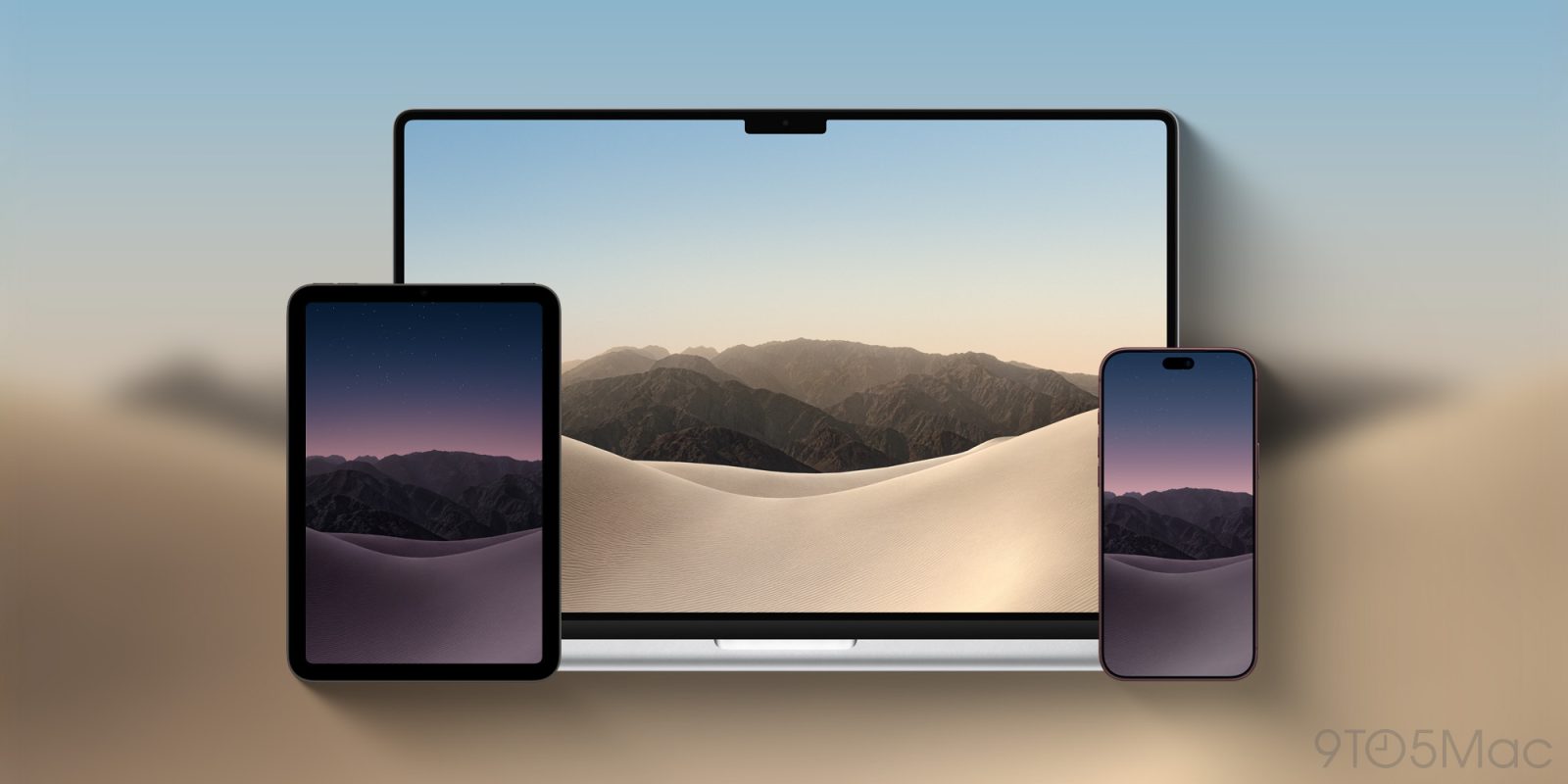
When Apple officially unveiled the iPhone Duo earlier this month, the company showcased promotional imagery featuring a striking new visual motif: sweeping desert dunes set against a dramatic mountain range. These dynamic backgrounds were engineered specifically to leverage the unique display dimensions of a foldable screen, coming in dedicated variants optimized for both light and dark display modes.
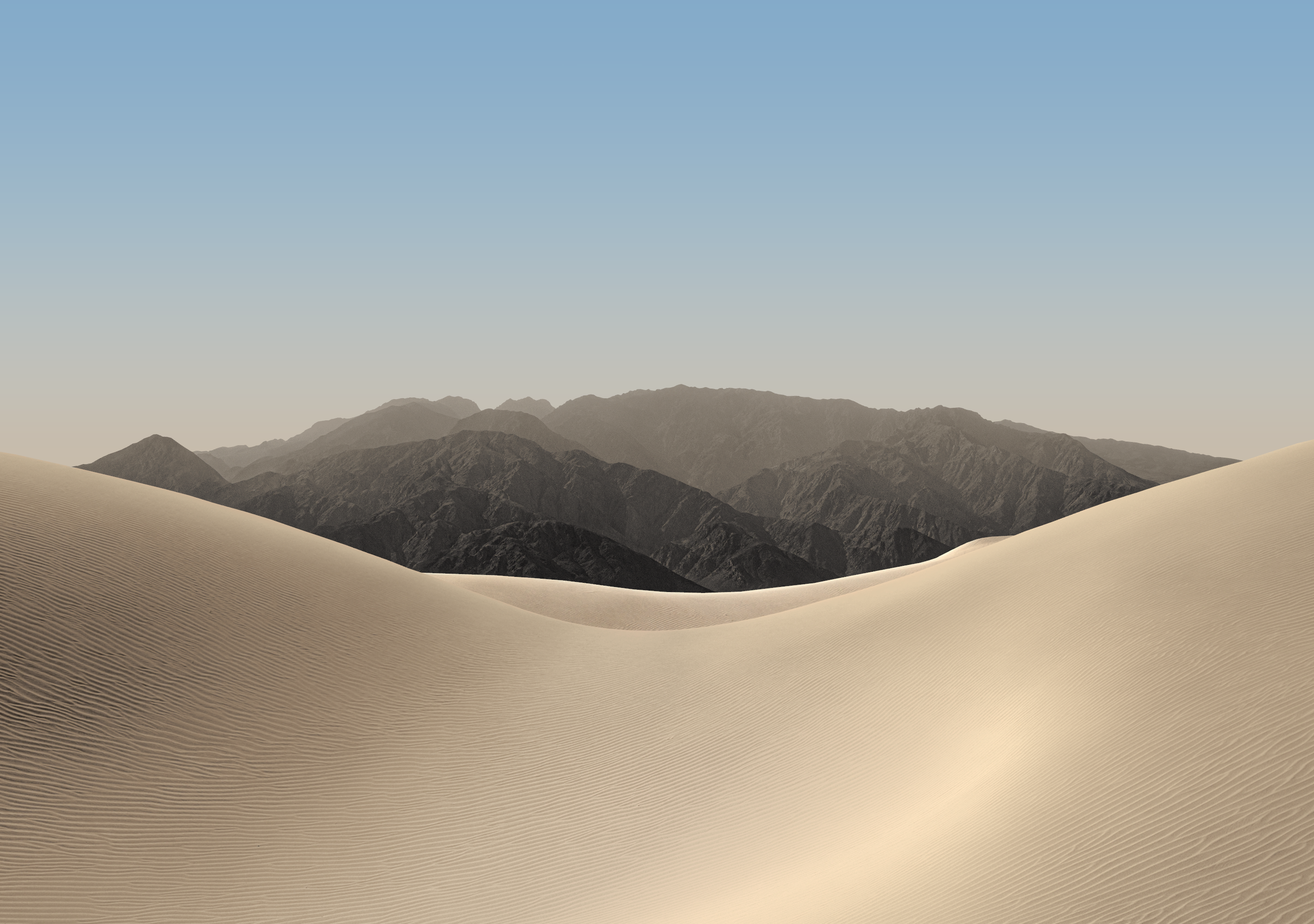
Despite the high-profile reveal, users who rushed to install the Release Candidate (RC) version of iOS 27.0—which dropped concurrently with official press assets for the iPhone 18 Pro lineup—were left empty-handed. The primary operating system update featured the expected suite of wallpapers for the traditional slab-form factor flagships, but entirely excluded the graphics curated for the foldable iPhone Duo.
The turning point arrived with the debut of Xcode 27.1 beta. As software engineers began downloading and analyzing the updated Integrated Development Environment (IDE) to test applications for future iOS iterations, asset sleuths scoured the built-in iPhone Simulator package. Buried deep within the simulator’s internal frameworks were the four distinct high-resolution wallpaper files designed for the iPhone Duo. This unexpected loophole effectively bypassed the software restriction in iOS 27.0, making the pristine graphics available to the public weeks before the physical foldable devices are projected to reach consumers’ hands.

A Closer Look at the Collection: Light and Dark Mode Variations
Apple has traditionally placed immense emphasis on the cohesive design of its software and hardware ecosystems, often commissioning specialized landscape and abstract artwork to highlight the technological capabilities of new displays. The iPhone Duo collection follows this established tradition by offering a scenic juxtaposition of organic elements and atmospheric lighting.
The newly unearthed collection comprises four distinct image files, split evenly between daytime and nighttime aesthetics:

- iPhone Duo Light Mode Wallpapers: The two daytime variations capture the stark, sun-drenched majesty of rolling sand dunes leading up to a rugged mountain horizon. Bright, warm color grading emphasizes the high-dynamic-range (HDR) capabilities of modern OLED panels, utilizing crisp whites, golden ambers, and soft sky-blue gradients.
- iPhone Duo Dark Mode Wallpapers: Conversely, the evening variants shift the color temperature entirely, casting the desert and mountain range in deep indigo, charcoal, and muted violet tones. These darker assets are engineered to reduce eye strain in low-light environments while maintaining high contrast against application icons and interface widgets.
Tech analysts and digital artists have praised the composition for its clean lines and versatility across different aspect ratios. Because the source files extracted from the Xcode 27.1 beta maintain a native resolution of 2853 by 2007 pixels, they scale remarkably well when transferred to standard slab iPhones, tablets, and desktop displays.
Step-by-Step Guide: Securing and Applying the Wallpapers
For users eager to update their device aesthetics without waiting for a broader public software patch, obtaining the wallpapers requires a straightforward process of downloading the uncompressed source files directly from verified repositories.

To ensure the highest possible visual fidelity, users must access the direct links provided in asset archives rather than saving compressed web thumbnails. Attempting to set low-resolution previews can result in noticeable artifacting and pixelation, particularly on high-PPI Retina displays.
Once the desired light or dark mode image has been downloaded in its native resolution of 2853×2007, applying it to an Apple ecosystem device involves standard operating system protocols:

- For iOS Devices: Navigate to the Photos application, locate the downloaded iPhone Duo wallpaper, tap the share sheet icon, and select "Use as Wallpaper." Users can then customize the depth effect, widget placement, and color tinting before saving the configuration to their active Lock Screen or Home Screen pair.
- For iPadOS: Access the Settings application, select "Wallpaper," tap "Add New Wallpaper," and choose the downloaded image from the photo library to adjust scaling for tablet dimensions.
- For macOS: Right-click the desktop background, select "Change Wallpaper," and add the image file to the desktop settings directory to enjoy the mountain and dune vista on a Mac display.
Broader Implications of the Foldable Era for Apple Software
The quiet inclusion of iPhone Duo assets within the Xcode 27.1 beta environment offers more than just aesthetic treats for customizers; it serves as a tangible indicator of Apple’s internal development timeline. By populating developer simulators with device-specific UI components and graphical assets, the Cupertino-based tech giant is actively preparing the third-party developer community to optimize applications for dual-screen and foldable form factors.
Software fragmentation has historically been a minor hurdle during major hardware transitions, but Apple’s unified development ecosystem via Xcode aims to mitigate compatibility issues well ahead of retail distribution. The inclusion of these wallpapers signals that the software pipeline for the iPhone Duo is advancing rapidly, moving from closed internal builds to active developer testing environments.

As the industry looks toward the official consumer launch window, the availability of these wallpapers allows everyday users to get an early glimpse into the visual identity of Apple’s next-generation hardware category. Whether the iPhone Duo will fundamentally alter the smartphone market remains to be seen, but its accompanying design language has already secured a place on countless screens worldwide.