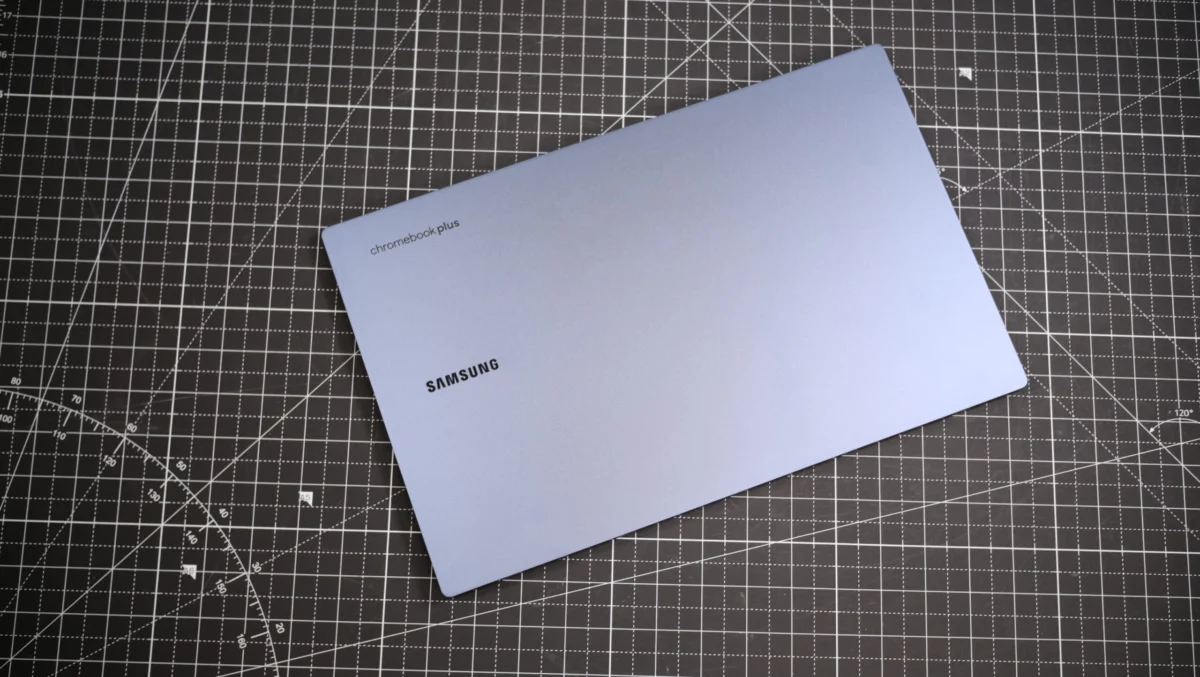
The evolution of the Chromebook has been nothing short of transformative since the first iteration of these devices debuted in June 2011. Initially perceived as rudimentary, browser-centric tools designed for basic security and minimal overhead, the modern Chromebook has shed its reputation as a "cheap" alternative. Today, the platform stands as a robust contender in the personal computing market, competing directly with Windows laptops and Apple MacBooks by offering high-end hardware, including vibrant OLED displays and sleek, aluminum-chassis designs.

This shift reached a significant milestone in October 2023 with the introduction of the "Chromebook Plus" initiative. By establishing a baseline for hardware requirements—such as faster Intel 13th Generation processors and improved storage standards—Google successfully elevated the user experience. These devices are now capable of handling intensive multitasking, local AI processing, and even high-fidelity cloud gaming, effectively bridging the gap between an entry-level education tool and a professional-grade workstation.
A Chronology of Innovation
The journey from the 2011 "Cr-48" prototype to the 2025 landscape reflects a deliberate strategy by Google to dominate the education sector before expanding into the consumer and enterprise markets. In the early years, the primary appeal was the "sandbox" security model, which made the OS immune to the traditional malware that plagued early Windows versions.
By 2017, the integration of the Google Play Store marked a turning point, allowing users to run Android applications and significantly expanding the utility of the devices. The 2023 launch of the Chromebook Plus line represented the next phase: a standardization of quality. Manufacturers like Samsung, Acer, and Lenovo were no longer just building budget devices; they were designing premium laptops meant to serve as primary computers. This era also introduced Gemini AI integration, allowing for system-wide intelligent text generation, image editing, and real-time assistance, signaling that the platform’s future is deeply rooted in machine learning.
Top Contenders for 2025
The current market reflects a diverse range of needs, from high-performance productivity to specialized gaming capabilities.

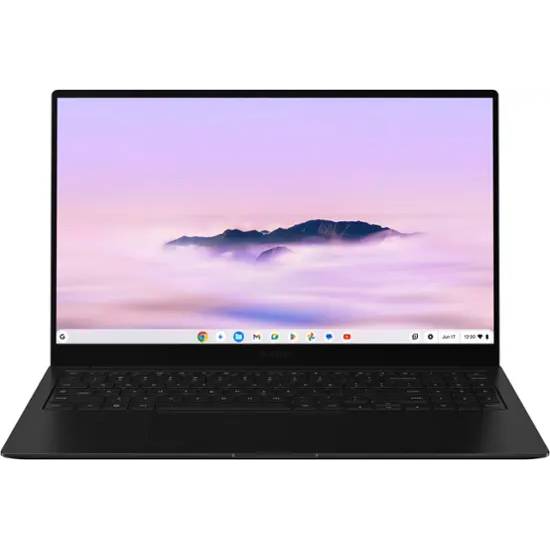
Samsung Galaxy Chromebook Plus: The Performance Leader
The Samsung Galaxy Chromebook Plus currently holds the top position for general users. With an Intel Core 3 100U processor and an AMOLED display, it offers a visual experience that rivals much more expensive Windows ultrabooks. Its standout feature, beyond the hardware, is the integration of the new "Quick Insert" keyboard button. This hardware-level shortcut provides an immediate interface for Gemini AI, allowing users to generate text, summarize documents, or perform complex searches without navigating through menus. Its 11-hour-plus battery life makes it a reliable tool for professionals who spend their day in cloud-based applications.
Acer Chromebook Spin 312: The Student Essential
The Acer Chromebook Spin 312 addresses the specific needs of the student demographic. It balances a sub-$500 price point with a durable build and a 2-in-1 form factor. Unlike many budget laptops, it features an IPS display and a trackpad that feels remarkably premium. While it utilizes the Intel Core i3-N305 processor, it remains more than capable for academic workloads—Google Docs, research, and collaborative presentations—making it an ideal choice for institutions requiring bulk deployment that doesn’t sacrifice build quality.
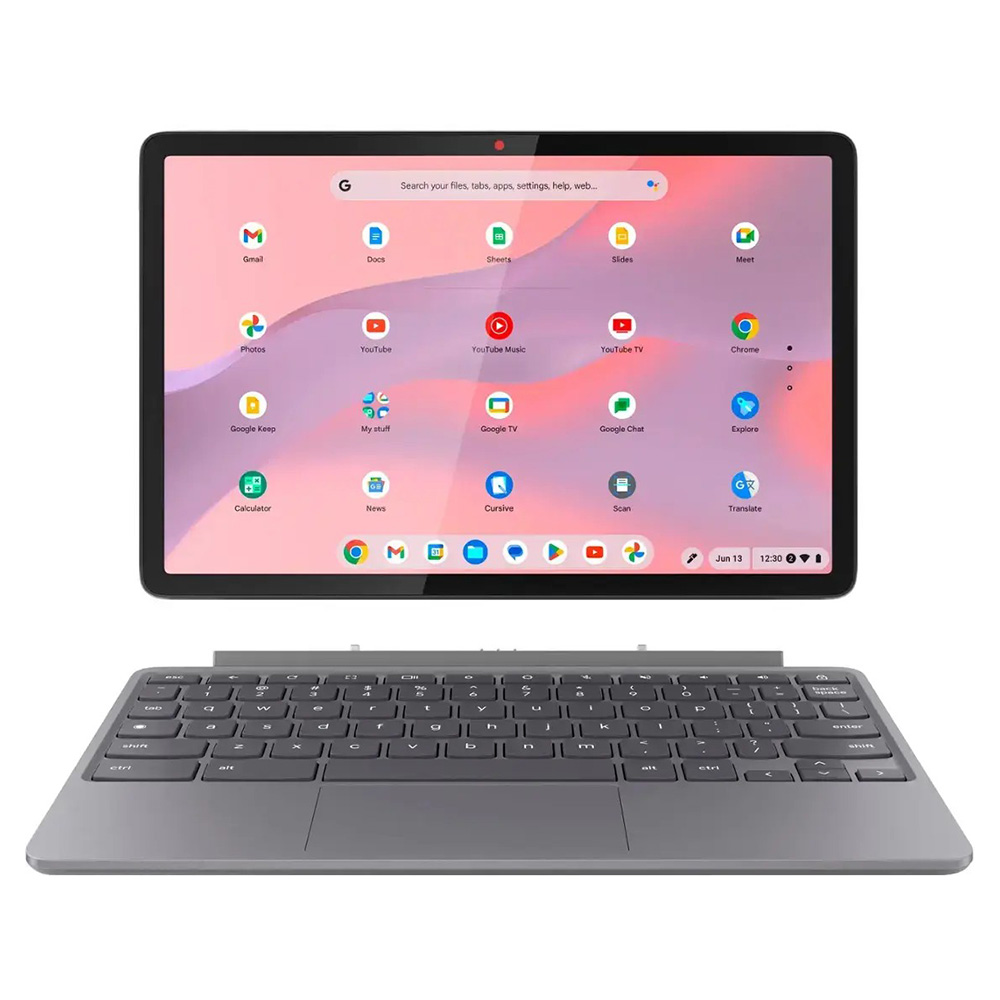
Lenovo Chromebook Duet 11 Gen 9: The Versatile Tablet
For younger users or those who prioritize portability above all else, the Lenovo Chromebook Duet 11 Gen 9 is a standout. It functions as a detachable tablet, running on the MediaTek Kompanio 838 chip. While its 4GB of RAM is modest, the optimization of ChromeOS allows it to handle streaming, light gaming, and digital sketching with ease. Its dual-camera setup (5MP front, 8MP rear) also provides a significant step up from the grainy webcams typically found on budget devices.
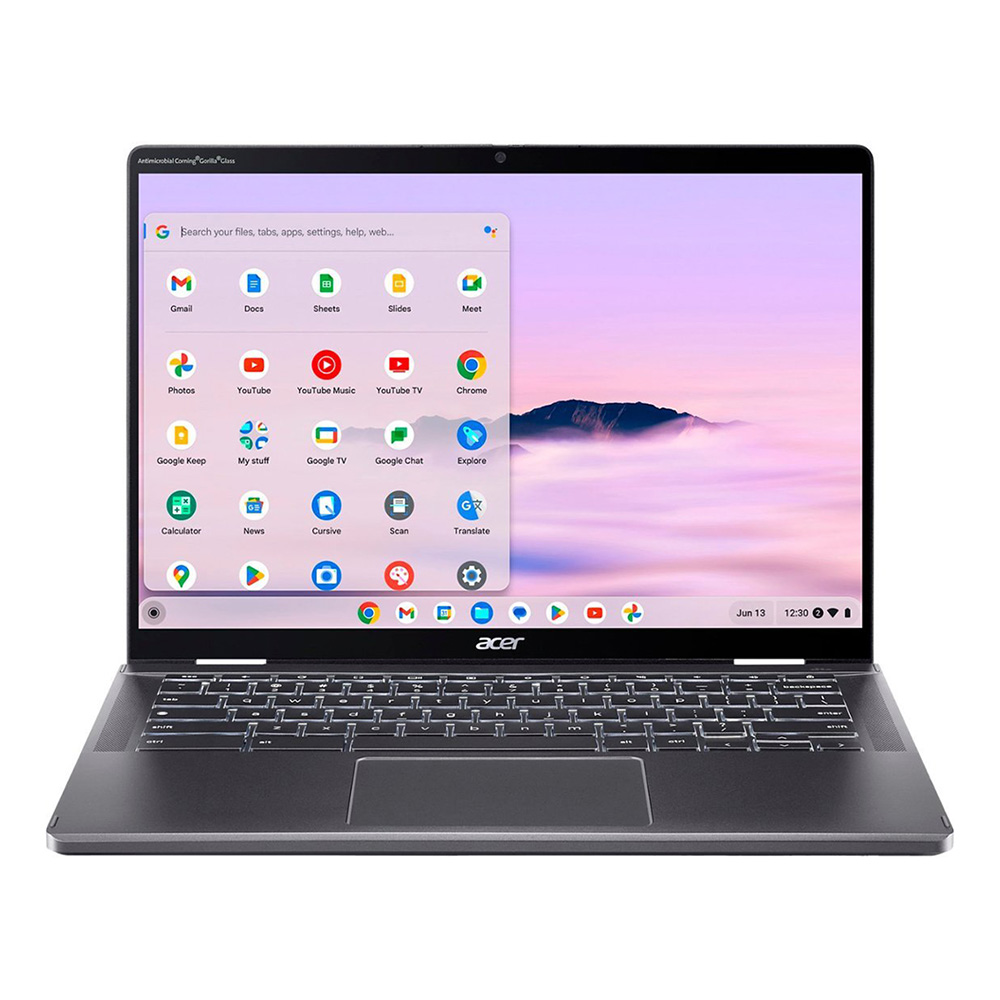
Acer Chromebook Plus Spin 714: The Keyboard Enthusiast’s Choice
For those who prioritize tactile feedback, the Acer Chromebook Plus Spin 714 offers a typing experience that is arguably the best in the category. Driven by an Intel Core Ultra 5 115U processor, this machine is geared toward users who require a more "pro" level of performance. Its inclusion in the Chromebook Plus category ensures it meets stringent standards for video conferencing, multitasking, and AI-assisted workflows.
Acer Chromebook 516 GE: The Gaming Specialist
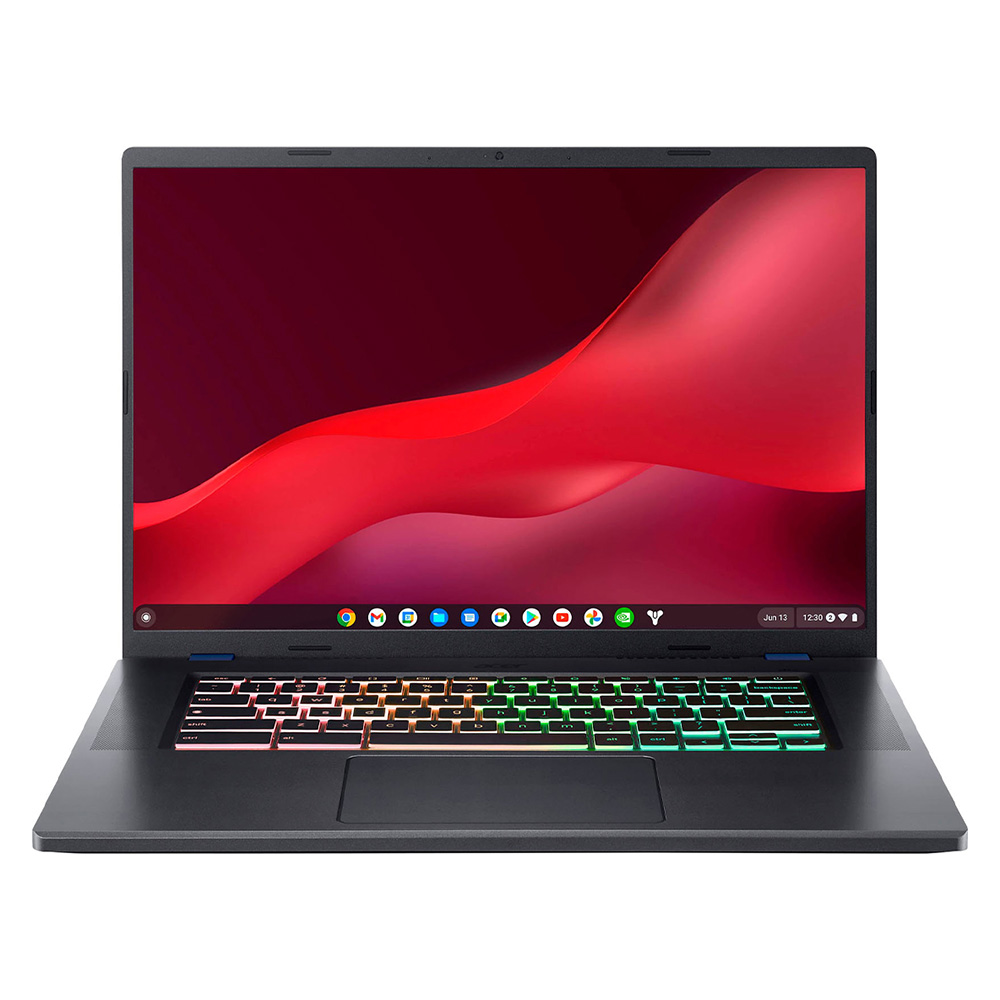
The Acer Chromebook 516 GE remains the outlier in the current lineup. It is explicitly designed for cloud gaming through services like Nvidia GeForce Now. With a 16-inch 120Hz display and an RGB-backlit keyboard, it mimics the aesthetic of traditional gaming laptops. While it lacks a dedicated GPU, its high-refresh-rate panel and ethernet connectivity ensure a stable gaming experience that minimizes input lag, proving that "gaming" on a Chromebook is a viable reality for those with a strong internet connection.
Analytical Overview of Hardware Benchmarks
The industry-standard performance metrics for these devices show a clear hierarchy. The Acer Chromebook Plus Spin 714 leads in raw CPU benchmarks (Geekbench 6 score of 6335), closely followed by the Samsung Galaxy Chromebook Plus (6015). These scores indicate that the Intel Core Ultra and 100U series chips have reached a level of parity with standard laptop processors.
However, battery life remains the primary differentiator. While the Samsung Galaxy Chromebook Plus manages over 11 hours of real-world web surfing, the gaming-centric 516 GE drops to roughly 7 hours and 40 minutes. This trade-off is critical for consumers: if the device is a mobile companion for work, longevity takes precedence; if it is a secondary gaming machine, the display and connectivity (120Hz, ethernet) are the superior assets.
The Broader Implications of AI in ChromeOS
The rapid integration of Gemini AI into the Chromebook ecosystem has changed the competitive landscape. By moving AI tasks to the device or optimizing them for the cloud via the Chromebook Plus mandate, Google has effectively increased the lifespan of these devices. Consumers are no longer buying a computer that will become obsolete in two years; they are buying an entry point into an evolving software ecosystem that updates regularly.

Industry analysts suggest that this strategy is a direct response to the "PC Refresh" cycle. By emphasizing that a $600 Chromebook can now perform the same AI-assisted tasks as a $1,500 Windows laptop, Google is successfully putting pressure on traditional hardware manufacturers to justify the higher costs of their premium offerings.
Selecting the Right Device: A Buyer’s Guide
Choosing the correct Chromebook requires an honest assessment of the user’s workflow:

- For the Professional: Focus on "Chromebook Plus" certified devices. These guarantee a minimum of 8GB of RAM and 128GB of storage, which is the bare necessity for managing dozens of browser tabs and enterprise-grade software like Zoom or Google Meet.
- For the Student: Look for 2-in-1 designs. The ability to fold the screen back into a tablet is invaluable for digital note-taking and reading academic texts.
- For the Institutional Buyer: Durability is paramount. Look for models with MIL-STD-810H certification, which indicates the device has passed rigorous testing for drop, shock, and extreme temperature resistance.
Final Assessment
The Chromebook market has moved beyond its origins of "browser-only" utility. With the integration of high-performance chips, AI capabilities, and premium build materials, these machines now occupy a significant space in the personal computing hierarchy. Whether the goal is academic performance, professional productivity, or cloud-based entertainment, the 2025 lineup offers a depth of choice that ensures there is a machine for nearly every use case. As the platform continues to mature, the gap between "Chromebook" and "High-Performance Laptop" will continue to narrow, further solidifying its place as a cornerstone of the modern computing landscape.