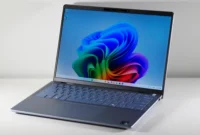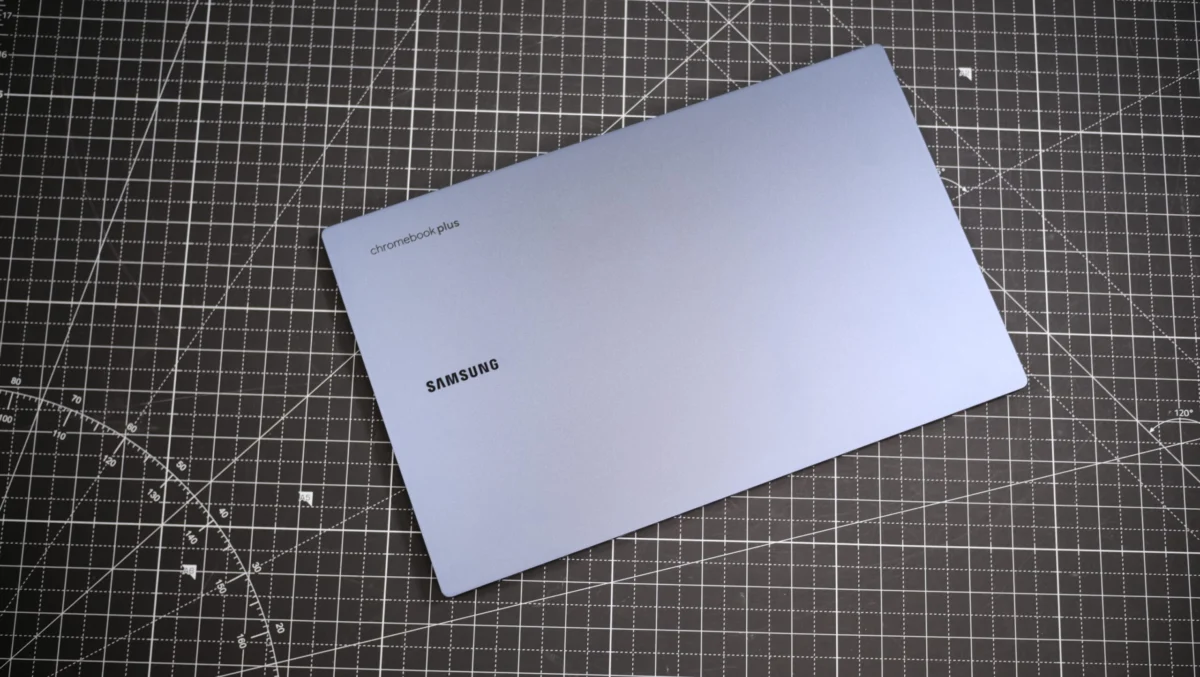
The landscape of personal computing has undergone a significant transformation since the debut of Chromebooks in June 2011. What began as a niche category of simple, inexpensive laptops, primarily focused on web browsing, security, and ease of use, has evolved into a formidable competitor in the broader laptop market. By 2025, Chromebooks are far more capable machines, boasting sophisticated designs, powerful processors, and advanced features that rival, and in some cases surpass, traditional Windows laptops and Apple MacBooks. This evolution has solidified their position as a viable, often preferable, option for a diverse range of users, from students and casual users to professionals and even gamers.
The Evolution of ChromeOS: From Simplicity to Sophistication

Initially conceived as cloud-centric devices running Google’s ChromeOS, early Chromebooks were characterized by their minimalist hardware and reliance on internet connectivity for most functions. Their appeal lay in their affordability, rapid boot times, and robust security architecture, which largely mitigated the threat of malware. This foundational philosophy of simplicity and security remains, but it has been augmented by years of iterative development and hardware innovation.
A pivotal moment in this evolution was Google’s announcement of the Chromebook Plus line in October 2023. This initiative marked a strategic move to elevate Chromebooks beyond their budget-friendly roots, introducing a new tier of devices with guaranteed higher specifications and enhanced capabilities. Chromebook Plus models feature more powerful Intel processors, ranging from Intel’s 13th Generation up through the new Intel Core 100 series, ensuring robust performance for more demanding tasks. Critically, these devices are also deeply integrated with Google’s advanced AI features, including the new Gemini AI assistant, with Plus devices receiving additional functionalities and access to the Advanced version of Gemini. This strategic integration of AI positions Chromebooks at the forefront of the generative AI revolution, offering intelligent assistance for productivity, creativity, and information retrieval directly from the operating system.
The hardware advancements extend beyond mere processing power. Modern Chromebooks now frequently feature elegant, thin, and lightweight designs, often incorporating premium materials and high-resolution displays, including vibrant OLED panels. This shift dispels the perception that Chromebooks are exclusively utilitarian tools, making them aesthetically competitive with their more expensive counterparts. Competitively priced, they now offer compelling value across various segments, challenging the dominance of established laptop categories.
The 2025 Landscape: Top Chromebooks for Every User
As of June 17, 2025, the market offers a diverse array of Chromebooks tailored to specific needs, reflecting the platform’s maturity. Laptop Mag regularly updates its recommendations, and the latest additions include the Acer Chromebook Spin 312 as the best student Chromebook, alongside updates to sections covering recent reviews, benchmark comparisons, and buying guides. Whether the priority is budget-friendliness, raw power, portability, or specialized functions like gaming, there is a Chromebook designed to meet those demands.
Here’s a closer look at the leading Chromebooks currently setting the standard:

1. Samsung Galaxy Chromebook Plus: The All-Round Excellence
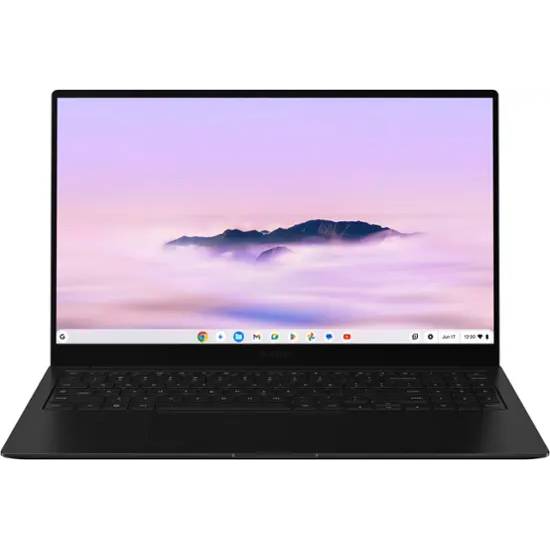
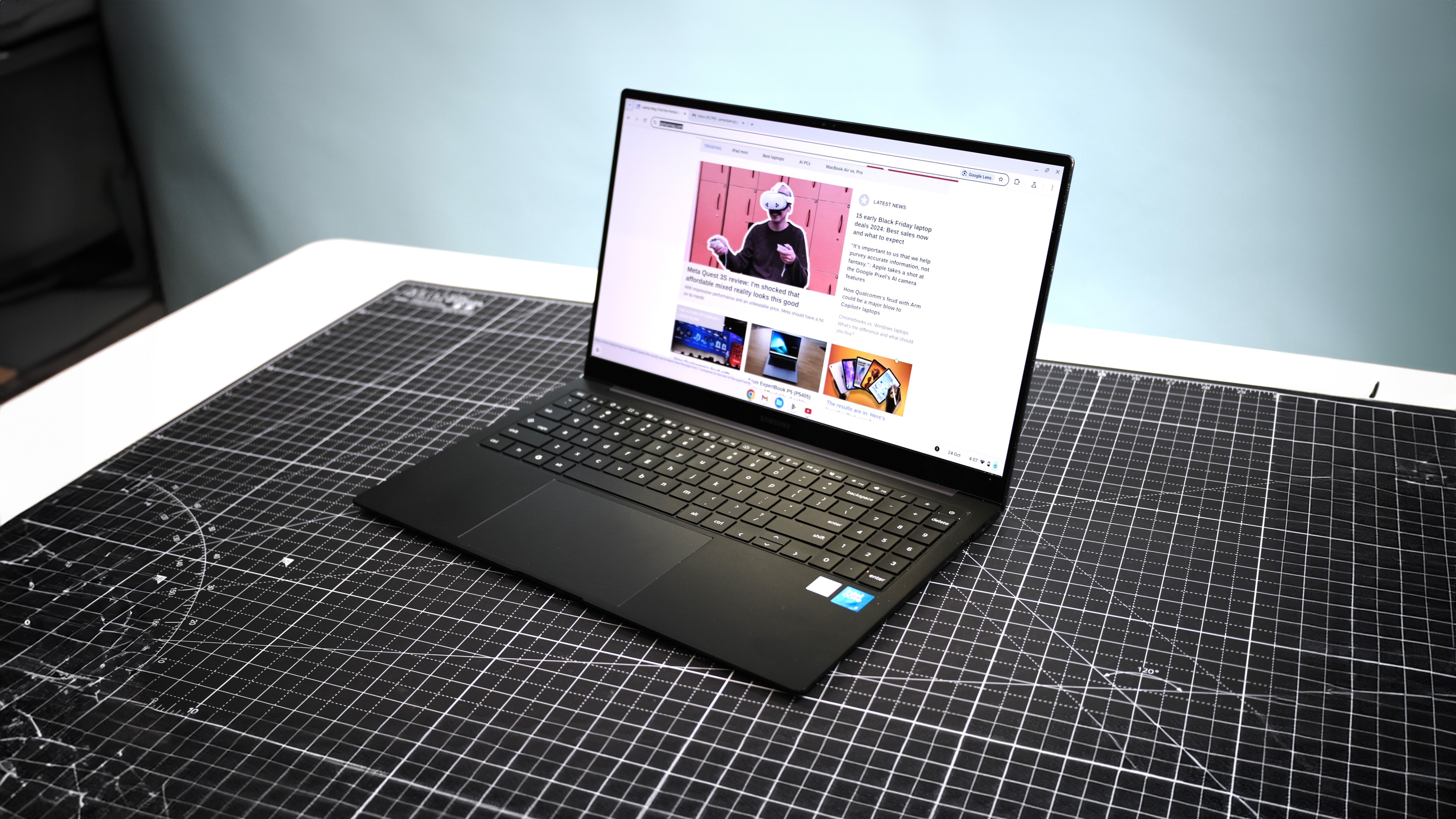
The Samsung Galaxy Chromebook Plus stands out as the best overall Chromebook in 2025, embodying the premium segment of the ChromeOS ecosystem. Priced at $699, it delivers a compelling package of performance, exceptional battery life, and a stunning display.
- Specifications: Intel Core 3 100U CPU, Intel integrated graphics, 8GB RAM, 256GB SSD storage, 15.6-inch (1920 x 1080) AMOLED display, 13.9 x 8.9 x 0.47 inches, 2.58 pounds.
- Performance and Display: Powered by a 14th-generation Intel Core 3 100U processor, the Galaxy Chromebook Plus offers solid performance that often exceeds the typical demands of ChromeOS applications. Reviewer James Pero noted its status as "probably the best" premium Chromebook. The 15.6-inch AMOLED display is a major highlight, rendering vibrant colors (108.5% DCI-P3 color gamut coverage) and deep blacks, a feature typically found in high-end Windows laptops. With an average peak brightness of 377 nits, it effectively combats screen glare, making it suitable for various lighting conditions.
- Battery Life and AI Integration: Longevity is another strong suit, with the device lasting an impressive 11 hours and 12 minutes on Laptop Mag‘s web surfing battery test, ensuring all-day productivity. The Galaxy Chromebook Plus is also notable for being the first Chromebook to feature Google’s new keyboard layout with a dedicated Quick Insert button, streamlining access to Google’s advanced AI features and the Gemini assistant, offering a superior AI experience.
- Implications: While its $699 price point might be considered high for a Chromebook, its blend of premium features, performance, and battery life justifies the investment for users seeking a top-tier ChromeOS experience. Its thin and light profile enhances portability, although its 15.6-inch form factor might still be a consideration for those prioritizing ultra-compact devices.
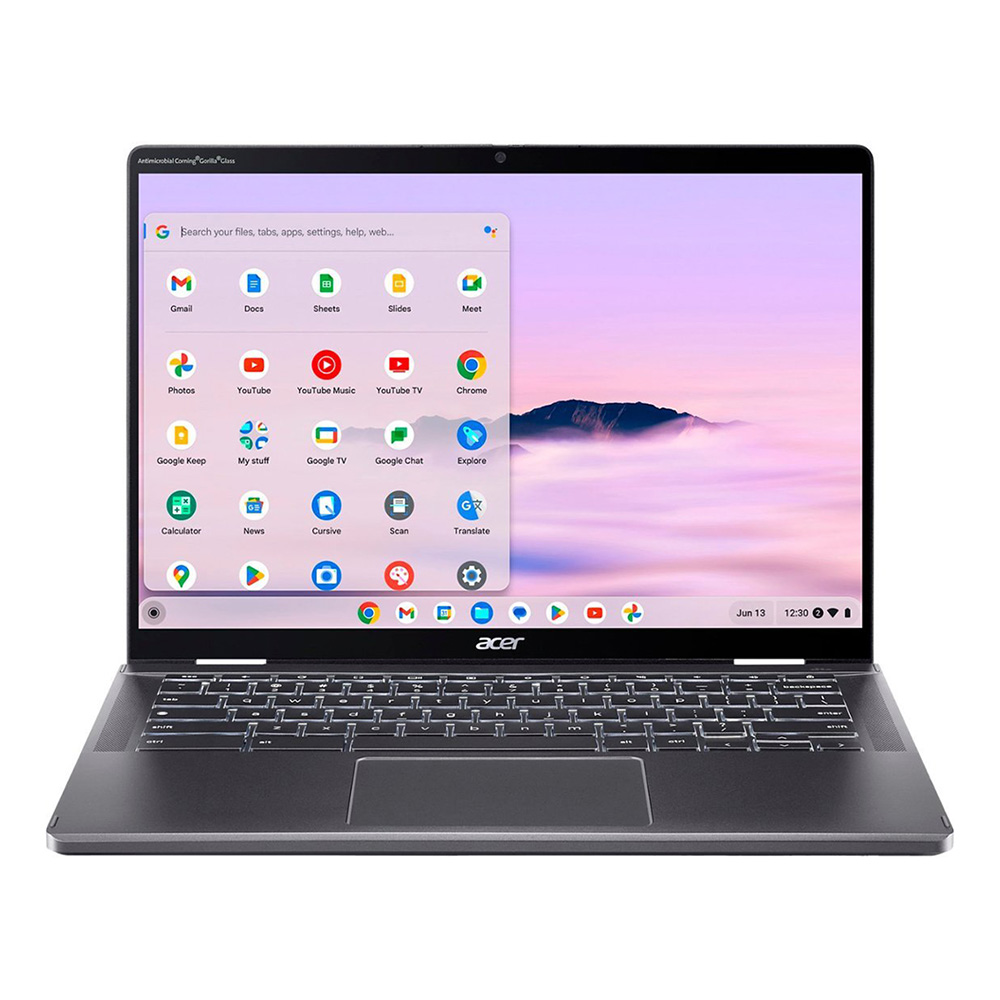
2. Acer Chromebook Spin 312: The Student’s Companion
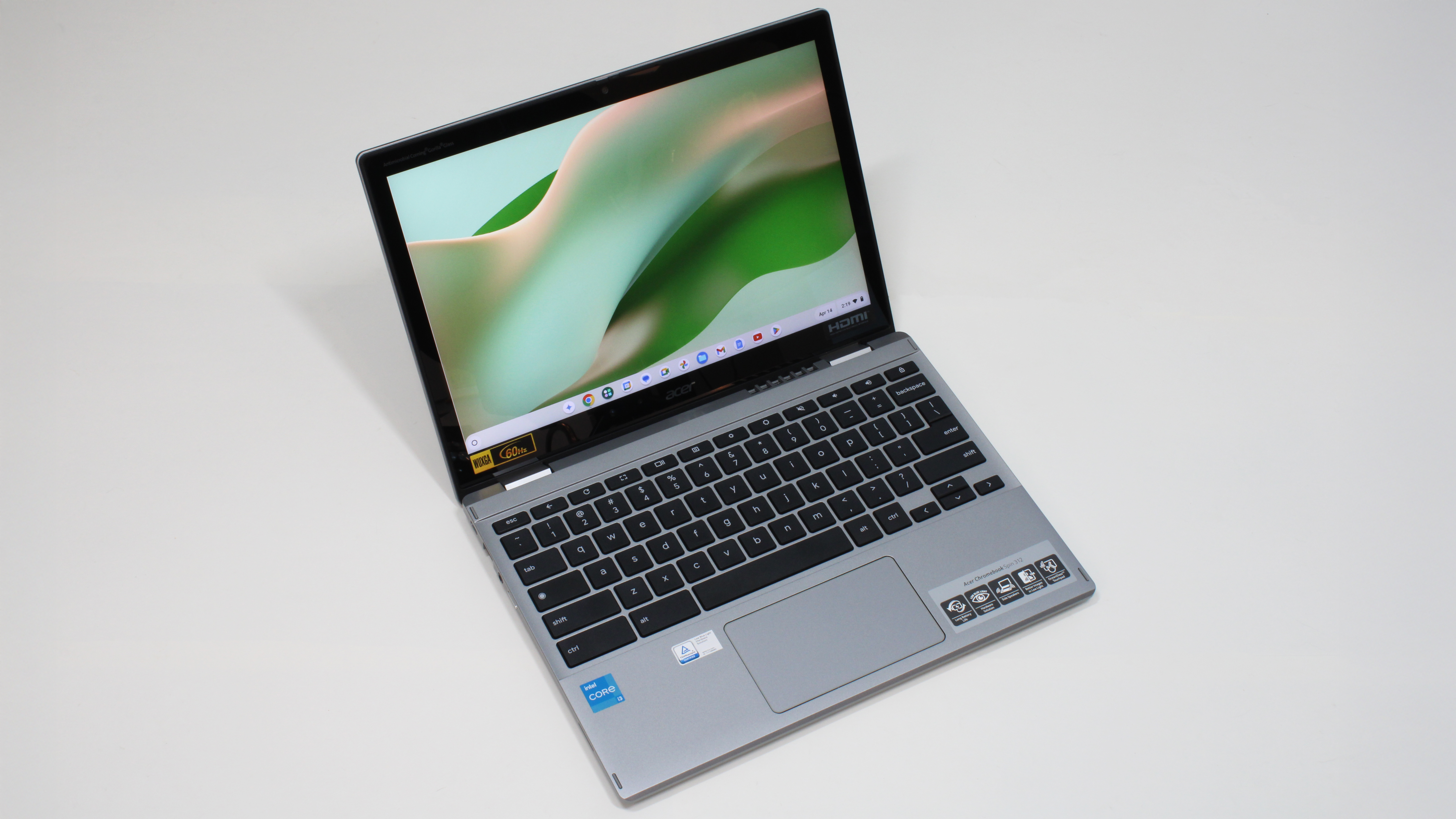
The Acer Chromebook Spin 312 emerges as an outstanding choice for students, demonstrating how far budget-friendly Chromebooks have advanced. Priced under $500, it offers a remarkable balance of performance, battery life, and portability.
- Specifications: Intel Core i3-N305 CPU, Intel UHD integrated graphics, 8GB RAM, 128GB eMMC storage, 12.2-inch (1920 x 1200) 60Hz IPS touch display, 11.41 x 8.10 x 0.78 inches, 2.84 pounds.
- Design and Durability: Sporting a silver chassis and a black keyboard, its aesthetic mimics more expensive Windows laptops. Its sturdy build and compact form factor make it ideal for the rigors of student life. The trackpad is exceptionally smooth for a budget laptop, enhancing user interaction.
- Display and Performance for Academia: The 12.2-inch IPS touchscreen, protected by Corning Gorilla Glass, provides vivid and clear images, even if its color gamut (55% DCI-P3) is modest. The touch functionality and 2-in-1 convertible design are beneficial for note-taking with a stylus. The Intel Core i3-N305 processor, coupled with 8GB of RAM, handles typical student workloads – multiple browser tabs, document editing, and online research – with ease. Its 128GB of eMMC storage is ample for cloud-centric ChromeOS, with enough headroom for experimenting with Linux applications.
- Battery Life and Considerations: With over 10 hours of battery life (10 hours and 33 minutes in testing), it can comfortably last through a full school day. While its keycaps are thin and offer a "clicky-squishy" feel, it remains a functional keyboard. The webcam is noted as grainy, and audio is shallow, but these are common compromises in its price bracket.
- Implications: This device exemplifies the value proposition of modern Chromebooks for the education sector. Its affordability, robustness, and sufficient performance for academic tasks make it an excellent investment for students and schools alike, particularly for those who prioritize simplicity and cloud integration.
3. Lenovo Chromebook Duet 11 Gen 9: Best for Portability and Kids
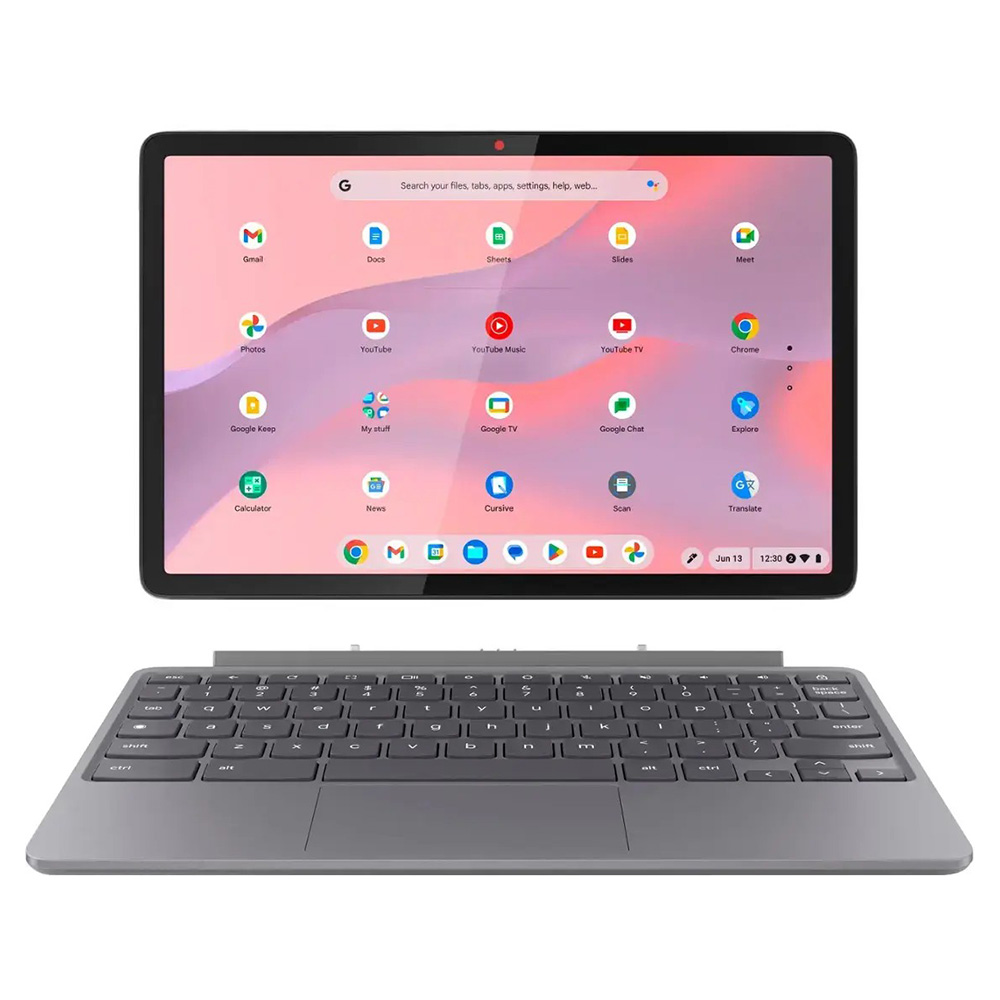
For users prioritizing ultra-portability, versatility, and an affordable price, particularly for younger users, the Lenovo Chromebook Duet 11 Gen 9 is an exceptional choice. This 2-in-1 device combines tablet functionality with laptop capabilities.
- Specifications: MediaTek Kompanio 838 CPU, 4GB RAM, 128GB SSD storage, 10.9-inch (1920 x 1200) IPS touch display, 10.05 x 6.57 x 0.3 inches, 2.08 pounds (with folio case).
- Portability and Design: Its ultra-light chassis and compact 10.9-inch design make it incredibly portable. The inclusion of a folio case, which incorporates a keyboard, adds to its versatility without significantly increasing bulk or cost (starting at $359).
- Display and Cameras: The WUXGA IPS touchscreen offers a vibrant visual experience, covering 83% of the DCI-P3 color gamut and boasting an impressive 402 nits of average peak brightness, ensuring excellent visibility even outdoors. High-quality 5MP front-facing and 8MP rear cameras are notable additions, enhancing its utility for video calls or casual photography.
- Performance and Battery Life: Powered by a MediaTek Kompanio 838 processor, the Duet 11 Gen 9 delivers dependable performance for its class, handling multiple Chrome apps and Android applications smoothly. While its 4GB RAM may limit intensive multitasking for professionals, it is more than sufficient for kids’ entertainment, educational apps, and general web use. Its battery life is strong for a device of its size, lasting 9 hours and 48 minutes on Laptop Mag‘s web surfing test.
- Implications: Madeline Ricchiuto, in her review, acknowledged that the Duet 11 Gen 9 changed her perception of Chromebooks, highlighting its capability for more than just basic streaming. This Chromebook is ideal for families seeking an affordable, durable, and versatile device for children’s learning and entertainment, offering a richer experience than many entry-level tablets.
4. Acer Chromebook Plus Spin 714: The Keyboard Enthusiast’s Dream
The Acer Chromebook Plus Spin 714 caters to users who demand robust performance and an exceptional typing experience, often a critical factor for productivity.
- Specifications: Intel Core Ultra 5 115U CPU, Intel integrated graphics, 8GB RAM, 256GB SSD storage, 14-inch (1920 x 1200) IPS touch display, 12.35 x 8.84 x 0.71 inches, 3.3 pounds.
- Typing Experience and Performance: The standout feature of the Spin 714 is its keyboard, which reviewer Stevie Bonifield praised for its "crisp, satisfying key feel," enabling a higher typing speed and accuracy than her desktop average. This is a significant advantage for writers, coders, or anyone who spends extended periods typing. Under the hood, the Intel Core Ultra 5 115U processor makes it one of the most powerful Chromebooks, capable of handling demanding web applications and leveraging Google’s AI tools like Gemini for text and image generation without slowdowns.
- Display and Features: The 14-inch IPS display offers a bright and colorful visual experience, with 78.7% DCI-P3 color gamut coverage and 355 nits of peak brightness. Top-firing speakers enhance the multimedia experience.
- Battery Life and Considerations: It offers all-day battery life, lasting 9 hours and 30 minutes on Laptop Mag‘s battery test. While the touchpad occasionally experiences lag, and the starting price of $749 (when not on sale) is on the higher end for a Chromebook, its overall package of power and superior input experience makes it a strong contender for productivity-focused users.
- Implications: The Spin 714 demonstrates the Chromebook platform’s capacity to deliver premium user experiences, directly challenging the notion that high-quality keyboards are exclusive to Windows or macOS devices. Its powerful processor and AI integration make it a strong option for professionals who operate predominantly within the cloud ecosystem.
5. Acer Chromebook 516 GE: Gaming on ChromeOS
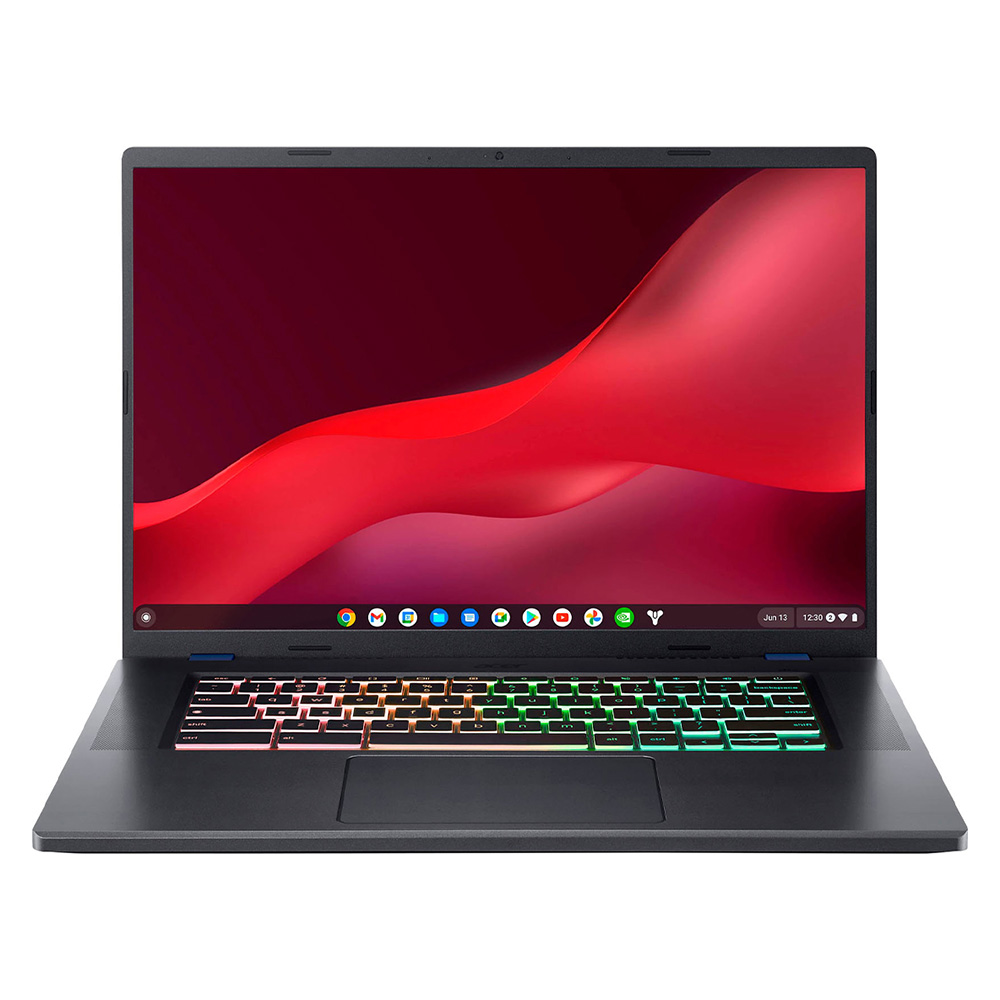
The Acer Chromebook 516 GE is a groundbreaking device that shatters preconceived notions about Chromebooks and gaming. It’s designed specifically to leverage cloud gaming services, offering a surprisingly capable and affordable gaming experience.
- Specifications: Intel Core i5-1240P CPU, Intel Iris Xe integrated graphics, 8GB RAM, 256GB storage, 16-inch (2560 x 1600) 120Hz IPS display, 14 x 9.8 x 0.84 inches, 3.8 pounds.
- Gaming-Centric Design: This Chromebook features a sleek black chassis, an RGB keyboard, and additional ports, emulating the aesthetics of traditional gaming laptops. It is optimized for services like Nvidia GeForce Now, allowing users to stream high-fidelity games without requiring powerful local hardware.
- Performance and Display for Gaming: The Intel Core i5-1240P processor and Intel Iris Xe integrated graphics provide sufficient power for daily tasks and local Android games, but its true potential lies in cloud gaming. The 16-inch WQXGA (2560 x 1600) IPS display with a 120Hz refresh rate is a key differentiator, offering smooth visuals crucial for competitive gaming, especially for those subscribed to higher GeForce Now tiers. The display also boasts respectable color accuracy (75.8% DCI-P3) and brightness (346 nits).
- Connectivity and Considerations: With more ports than typical Chromebooks, it accommodates gaming accessories and offers a hard-wired Ethernet connection for stable game streaming. While its keyboard is described as "mushy," and audio is "tinny," these are acceptable compromises given its specialized focus and value.
- Battery Life and Implications: The primary drawback is its battery life, which at 7 hours and 40 minutes, is lower than other Chromebooks on this list. However, for a device focused on gaming (which often occurs near power outlets), this is less of a concern. The 516 GE proves that Chromebooks can offer a legitimate and enjoyable gaming experience, serving as an affordable alternative to dedicated gaming laptops for cloud gaming enthusiasts.
Benchmark Comparisons: Understanding the Numbers
To provide an objective assessment, Laptop Mag employs a suite of benchmarks that measure various aspects of a Chromebook’s performance:

- Geekbench 6: This cross-platform benchmark measures overall CPU performance, with higher scores indicating better processing power. The Acer Chromebook Spin 714 leads with 6335, followed closely by the Samsung Galaxy Chromebook Plus (6015), demonstrating their robust processing capabilities.
- Jetstream 2: This benchmark evaluates JavaScript and WebAssembly performance, reflecting how quickly and efficiently a device handles web-based applications. Higher scores are better, and all the top Chromebooks show strong web performance, with the Samsung Galaxy Chromebook Plus (268.4) and Acer Chromebook 516 GE (253.5) performing exceptionally well.
- CrXPRT 2: A ChromeOS-specific benchmark that tests real-world productivity tasks like photo editing, video playback, and office suite performance. The Acer Chromebook 516 GE (185) and Samsung Galaxy Chromebook Plus (167) exhibit excellent performance for general productivity.
- Battery life – Web surfing (HH:MM): This test measures how long a laptop lasts while continuously surfing the web over Wi-Fi at 150 nits brightness. Chromebooks are renowned for their endurance, and the Samsung Galaxy Chromebook Plus (11:12) leads the pack, with most models exceeding 9 hours.
- DCI-P3 Color Gamut (Higher is better): Measures the percentage of the DCI-P3 color space the display can reproduce. Higher percentages indicate richer, more accurate colors. The Samsung Galaxy Chromebook Plus’s AMOLED display (109%) significantly outperforms the others, offering a truly premium visual experience.
- Display Brightness (Nits, higher is better): Measures the maximum brightness of the screen. A higher nit count means better visibility in bright environments and better HDR performance. The Lenovo Chromebook Duet 11 Gen 9 (402 nits) is remarkably bright for its size, while the Samsung Galaxy Chromebook Plus (377 nits) and Acer Chromebook Plus Spin 714 (355 nits) also offer excellent brightness.
- Hottest temperature (95 degree comfort threshold): Measures the hottest point on the laptop after a stress test. All tested Chromebooks remained well below the 95-degree Fahrenheit comfort threshold, indicating excellent thermal management and comfortable usage.
These benchmarks collectively illustrate that 2025 Chromebooks are not just "good enough" but are capable, high-performing machines that deliver a compelling user experience across various metrics.
Choosing the Best Chromebook: A Guide for Diverse Users
Finding the ideal Chromebook necessitates understanding specific user needs, as the "one-size-fits-all" approach is no longer applicable.

- For Students: Prioritize Chromebooks with long battery life, durable construction, and comfortable keyboards for extensive note-taking and assignment completion. Convertible 2-in-1 designs with stylus support can be beneficial for diverse learning styles. For students interested in gaming alongside their studies, cloud gaming-optimized Chromebooks offer a cost-effective dual-purpose solution. Educational institutions benefit from features like robust security via Google Workspace for Education and ad-free core services.
- For Professionals and Businesses: Focus on models with strong performance, ample RAM for multitasking, and features that simplify IT management. Enterprise-edition Chromebooks offer advanced security features, including real-time threat protection, endpoint security, and seamless integration with third-party security software. The availability of Chrome Enterprise, even in a free tier for basic management, makes Chromebooks an attractive option for businesses looking for secure, easily deployable devices.
- For Casual Users and Home Use: Ease of use, integration with the Google ecosystem, and reliable performance for web browsing, streaming, and light productivity are key. Chromebooks excel here with their intuitive interface and robust security.
- For Kids: Durability, affordability, and simple touch controls are paramount. Convertibles that can function as tablets are highly engaging for educational games and media consumption. The secure and managed environment of ChromeOS offers peace of mind for parents.
Understanding ChromeOS: Key Considerations
- Performance: Modern Chromebooks, especially the Plus series, offer strong performance for ChromeOS. They are optimized to run efficiently even with lower-spec processors than Windows laptops, often outperforming budget Windows devices with similar hardware. Their cloud-first design means less reliance on local storage, contributing to speedier operation.
- Offline Use: While designed for internet connectivity, Chromebooks support over 200 Chrome apps that function offline, including core Google services like Gmail and Google Drive, and many Android applications. Users should plan accordingly for extended offline periods.
- Android App Compatibility: Most contemporary Chromebooks provide access to the Google Play Store, enabling the use of a vast library of Android apps. However, some older apps may not be fully optimized for larger screens or keyboard/mouse input, potentially leading to scaling issues or less-than-ideal user experiences.
- Battery Life: Chromebooks are celebrated for their exceptional battery life, with many models consistently delivering over 10 hours on a single charge. This endurance makes them ideal for mobile productivity, extended classes, or long commutes.
- Security: Chromebooks are inherently secure, featuring multiple layers of protection that make them highly resistant to malware and viruses. Built-in security measures, automatic updates, and sandboxed environments contribute to a safe computing experience. Enterprise and Education versions further enhance security with advanced management features and real-time threat protection, making them a strong choice for organizations.
- Gaming: While not traditional gaming machines, Chromebooks support cloud gaming services like Nvidia GeForce Now and offer access to Steam (in beta on some models). Dedicated gaming Chromebooks like the Acer Chromebook 516 GE provide optimized hardware for these experiences, including high refresh rate displays. For Android games, touchscreen models are preferable due to mobile-first controls.
- Durability: Many Chromebooks are built to withstand more abuse than typical laptops, with reinforced chassis and spill-resistant keyboards, making them particularly suitable for educational environments or users who need a robust device. Laptop Mag‘s drop tests confirm their resilience.
Our Rigorous Testing Methodology
At Laptop Mag, our commitment to providing accurate and trustworthy reviews is underpinned by a comprehensive and rigorous testing process. We evaluate each Chromebook, from its core performance to its tactile user experience, ensuring that our recommendations are based on objective data and real-world usage scenarios.
Our testing regimen includes:
- Synthetic Benchmarks: We utilize industry-standard tools like Geekbench 6 (CPU performance), JetStream 2 (web application performance), and CrXPRT 2 (ChromeOS-specific productivity) to quantify raw computing power and efficiency.
- Display Analysis: A Klein K10-A colorimeter is used to precisely measure display brightness (in nits) and DCI-P3 color gamut coverage, providing objective data on visual quality.
- Battery Life Test: Our proprietary test involves continuous web surfing over Wi-Fi at 150 nits of brightness until the battery depletes. This provides a consistent measure of real-world endurance.
- Thermal Management: We assess heat dissipation by playing a 15-minute full-screen video and measuring surface temperatures across various points of the device to ensure comfortable operation.
- Real-World Evaluation: Beyond benchmarks, our reviewers meticulously assess every aspect of the Chromebook, including keyboard feel, trackpad responsiveness, speaker quality, webcam performance, and overall design aesthetics during daily use.
For an exhaustive breakdown of our testing protocols, readers can refer to our "How We Test Laptops" page.
Why Trust Laptop Mag
With three decades of experience in technology product reviews, Laptop Mag has established itself as a trusted authority in the field. Our independent team of writers and editors, backed by one of the world’s largest technology publishers, Future Publishing, rigorously tests hundreds of laptops, smartphones, tablets, and other tech products annually. We pride ourselves on delivering objective, factual, and actionable insights, empowering consumers to make informed purchasing decisions. Our unparalleled expertise in mobile technology ensures that every review and buying guide is meticulously researched and validated, providing the confidence you need when investing in your next device.