For many consumers, the quest for a reliable laptop under $500 remains a formidable challenge. While premium devices often dominate headlines with their cutting-edge features and sleek designs, the budget segment of the personal computing market caters to a vast demographic seeking essential functionality without a prohibitive price tag. This segment, crucial for students, casual users, and those in need of a secondary device, demands a delicate balance of cost-effectiveness, performance, and durability. As of 2025, the landscape of affordable laptops continues to evolve, with Chromebooks increasingly setting the standard for value in this competitive price bracket.
The Evolving Landscape of Affordable Computing

The journey to find a capable laptop below the $500 threshold often requires realistic expectations. Unlike their pricier counterparts, budget models typically forgo flashy aesthetics, top-tier specifications, and advanced graphical capabilities. Instead, they focus on nailing the fundamentals: web browsing, document creation, streaming media, and productivity applications. The success of a budget laptop hinges on its ability to make smart compromises, prioritizing core user needs over high-end features. A standout characteristic among the best models in this category, as consistently observed by industry experts, is exceptional battery life – a critical factor for on-the-go productivity and extended use.
The market for sub-$500 laptops has seen significant shifts over the past decade. What once consisted of underpowered netbooks or heavily compromised Windows machines has transformed into a more robust selection, largely due to the rise of ChromeOS. This lightweight, cloud-centric operating system requires fewer hardware resources, enabling manufacturers to deliver snappy performance and longer battery life at lower costs. Consequently, while Windows options exist, Chromebooks frequently offer superior value, pushing the boundaries of what consumers can expect for their investment.
Regular updates to product listings and reviews are vital in this fast-paced market. For instance, recent adjustments made on May 5, 2025, included the addition of FAQs, detailed testing charts, and the Acer Chromebook Spin 312 to the top recommendations, alongside an updated "how to choose" guide, reflecting ongoing innovation and market availability.
Key Considerations for Budget Laptop Buyers
Selecting an ideal laptop under $500 necessitates a careful evaluation of several factors beyond just the price. Understanding what compromises are acceptable and which features are non-negotiable is paramount.
- Budget vs. Features: While the $500 ceiling is firm, the value proposition varies greatly. It’s crucial to scrutinize specifications, from internal hardware to keyboard quality. Thorough reviews from independent sources like Laptop Mag provide invaluable insights into a laptop’s strengths and weaknesses relative to its price. If a specific model hasn’t been extensively reviewed, a quick search for "laptop name review" can help consumers make an informed decision.
- Screen Size and Portability: Laptops in the 12-inch to 14-inch range generally offer the best balance of screen real estate and portability within this price segment. These sizes tend to be the lightest and thinnest, making them suitable for students or users who frequently carry their devices.
- Form Factor – Clamshell or Convertible: Traditional "clamshell" laptops often deliver more powerful specifications for a lower price. However, the budget market also features a growing number of convertible (2-in-1) laptops with 360-degree rotating displays or detachable keyboards. These offer the flexibility of a laptop and a tablet, appealing to users who require note-taking or drawing capabilities. It’s important to note that 2-in-1s in tablet mode can be thicker and expose keys, whereas detachables avoid this ergonomic issue.
- Battery Life – The 10-Hour Benchmark: A critical performance metric for any laptop, especially in the budget category, is battery endurance. Experts recommend aiming for models that can deliver at least 10 hours of continuous web surfing on Wi-Fi at 150 nits of brightness. Many sub-$500 laptops now comfortably exceed this benchmark, offering all-day usability.
- Specifications – What to Expect: While finding a budget laptop with 16GB RAM, a 256GB SSD, and a 13th-gen Intel Core processor (or newer) is rare, it represents the ideal scenario. More commonly, consumers will encounter configurations featuring 8GB RAM, 128GB (or less) eMMC storage, and MediaTek Kompanio or Intel N-series processors. For these specifications, a Chromebook often extracts significantly more mileage and a smoother user experience compared to a Windows laptop, where such hardware can lead to noticeable performance bottlenecks.
Top Contenders in the Sub-$500 Arena
Leading the charge in the budget laptop category are several models that effectively balance cost with essential features, often surpassing expectations for their price point.
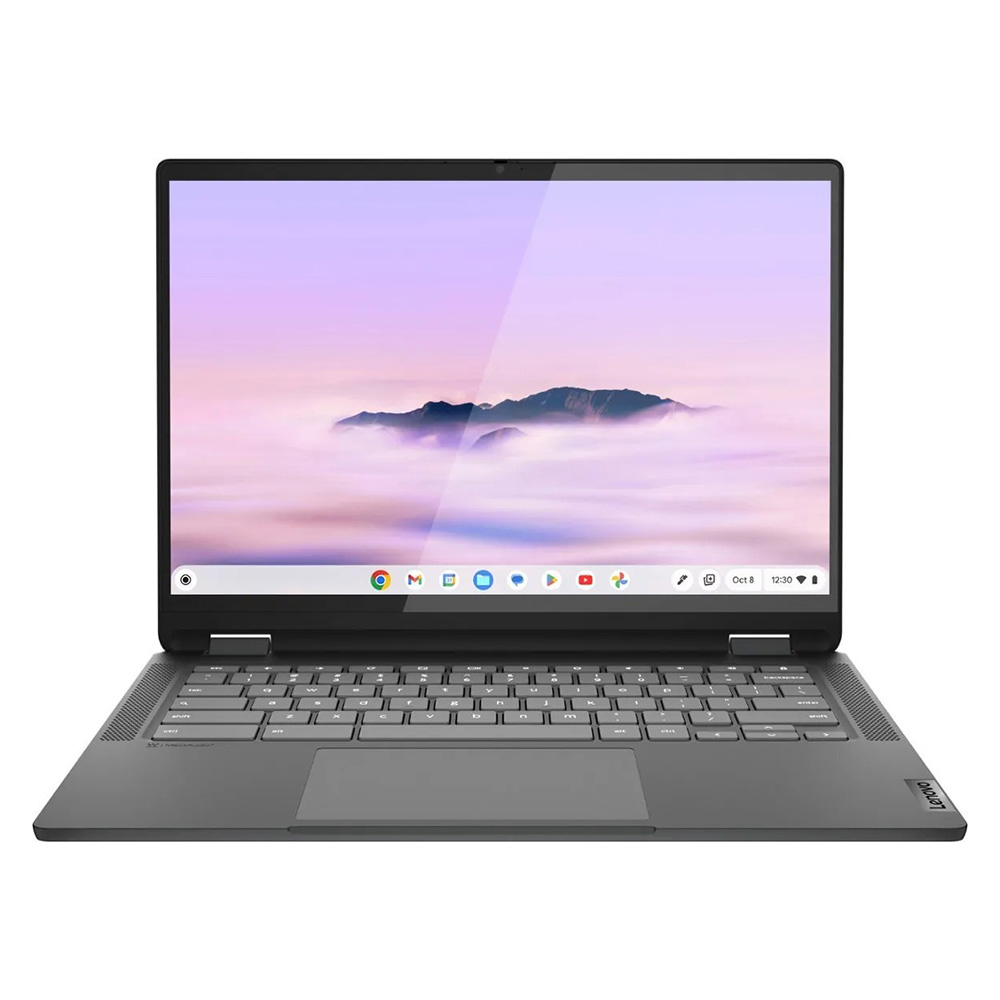
Best Overall: Lenovo IdeaPad Flex 5i Chromebook Plus
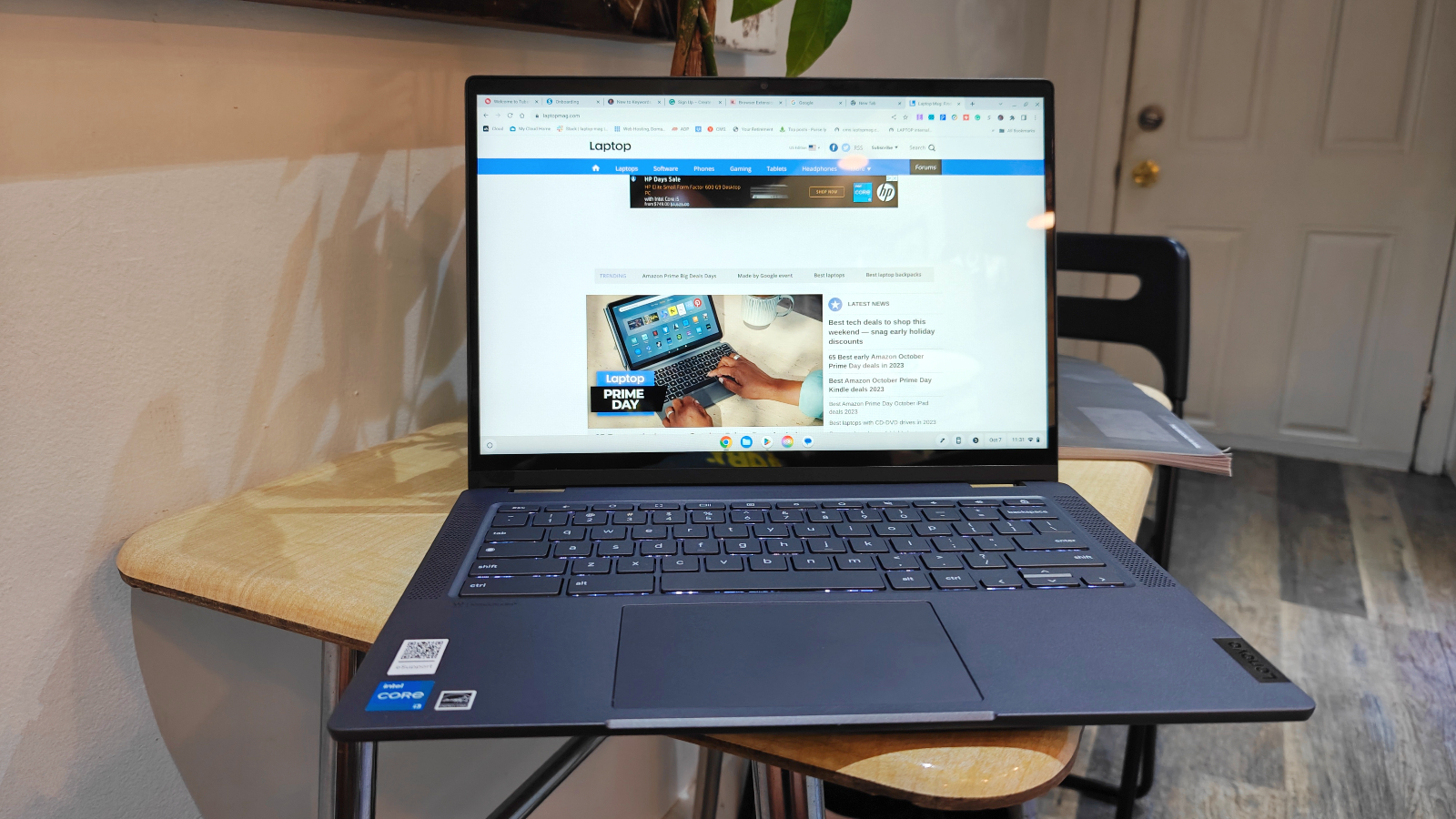
The Lenovo IdeaPad Flex 5i Chromebook Plus stands out as a prime example of modern budget computing. This 2-in-1 device offers a compelling blend of AI-infused performance, an excellent keyboard, sturdy build quality, and an attractive design, all for under $500. Powered by an Intel Core i3-1315U CPU and 8GB of RAM, it delivers snappy performance that belies its price. In Geekbench 6 multi-core tests, it achieved an impressive score of 5,384, surpassing the average Chromebook performance of 5,259. This performance is particularly noteworthy given that Chromebooks, by design, are less resource-intensive than Windows machines, meaning the Core i3 processor provides a remarkably fluid experience for typical ChromeOS tasks.
Beyond raw power, the IdeaPad Flex 5i Chromebook Plus boasts nearly 10 hours of battery life, making it a reliable companion for a full workday or academic sessions. Its design is surprisingly premium, defying the often-clunky aesthetics associated with budget laptops. Measuring 12.4 x 9.0 x 0.8 inches and weighing 3.57 pounds, it strikes a good balance between portability and robust construction. While its 14-inch, 1080p IPS touch display could be brighter (averaging 306 nits and covering 46.5% of the DCI-P3 gamut), its 16:10 aspect ratio offers valuable vertical screen real estate, enhancing productivity.
Best Under $300: Lenovo Duet 5 Chromebook
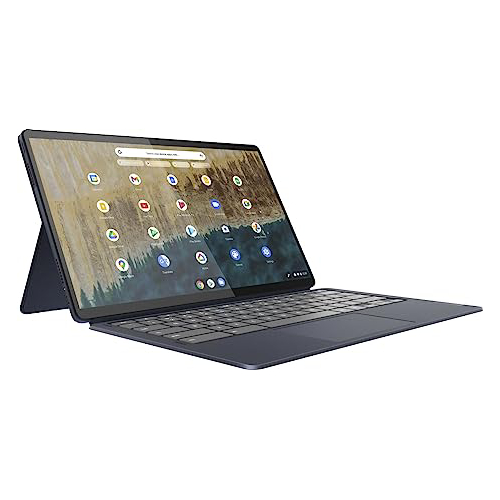
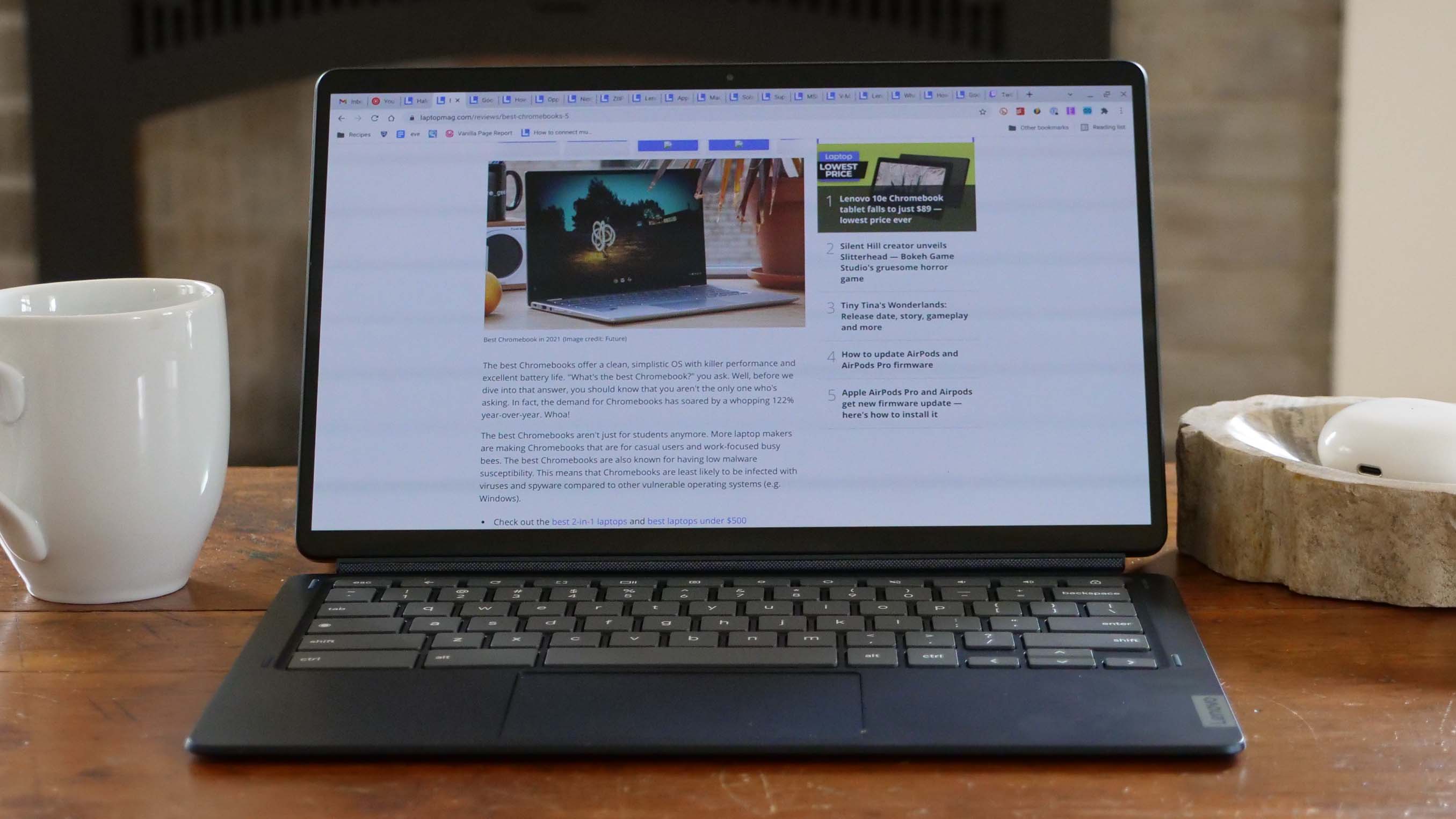
For those operating on an even tighter budget, the Lenovo Duet 5 Chromebook remains an undisputed champion, despite being a slightly older model. Its detachable 2-in-1 design offers unparalleled versatility, transforming seamlessly between a tablet and a laptop. The most striking feature of the Duet 5 is its vibrant 13.3-inch, 1920 x 1080 OLED display. This panel reproduced an impressive 85.2% of the DCI-P3 color gamut and achieved a peak brightness of 361 nits – figures typically associated with much more expensive, premium laptops. The inclusion of an OLED screen at this price point is a significant achievement, providing rich colors and deep blacks for an exceptional viewing experience.
Battery life is another major highlight, with the Duet 5 Chromebook lasting an astounding 13 hours and 31 minutes in web surfing tests, placing it among devices known for exceptional endurance. While its Qualcomm Snapdragon 7c Gen 2 processor delivers more modest performance (1,727 on Geekbench 5 multi-core, below the Chromebook average of 2,253), it is perfectly adequate for ChromeOS’s lightweight demands. Crucially, unlike many other detachable devices, the Duet 5 includes both the keyboard and cover, adding to its already outstanding value proposition. The only minor drawbacks are the lack of a bundled stylus and its comparatively weaker performance.
Best Windows Laptop: Lenovo IdeaPad Flex 5 14 (Intel)
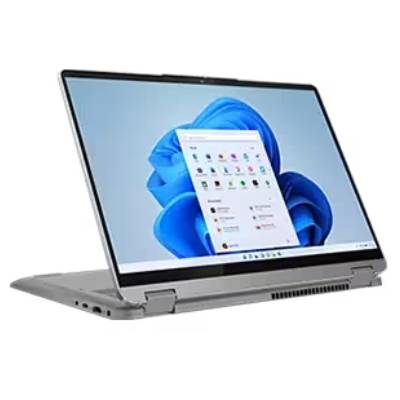
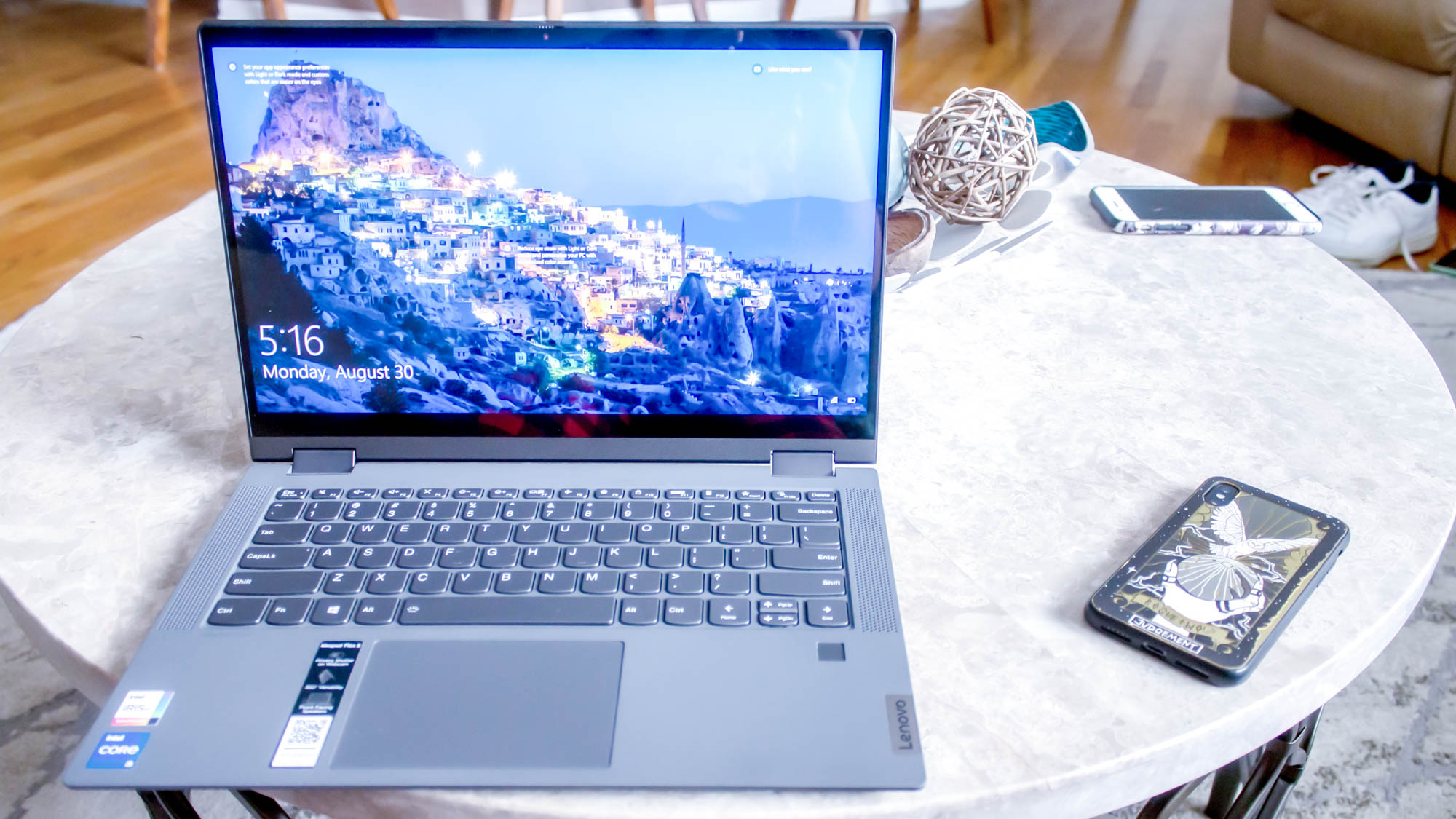
Finding a genuinely capable Windows laptop under $500 that offers long-term reliability can be a daunting prospect. The Lenovo IdeaPad Flex 5 14 (Intel) emerges as a rare gem in this category, offering a solid blend of performance, an exceptionally comfortable keyboard, and outstanding battery life. This model achieved an impressive 14 hours and 16 minutes in battery life tests, a feat that many premium laptops struggle to match.

Powered by an Intel Core i5-1135G7 CPU, 16GB RAM, and a 512GB SSD, the IdeaPad Flex 5 14 delivered a Geekbench 5 multi-core score of 3,841. While not as high as the newer Flex 5i Chromebook Plus, it comfortably surpasses other budget Chromebooks and performs admirably for a Windows machine in this price range. The typing experience is a particular strength, with a responsive keyboard offering a tactile click, making it ideal for extended writing sessions. Although its 12.3-inch (2400 x 1600) IPS touch display is somewhat dim (200 nits) and dull (45% DCI-P3), and it features only one USB-C port, its overall package, especially now often found closer to $400, makes it an excellent value for Windows users. An AMD Ryzen 3 variant also exists, expected to offer similar benefits.
Best for Students: Acer Chromebook Spin 312
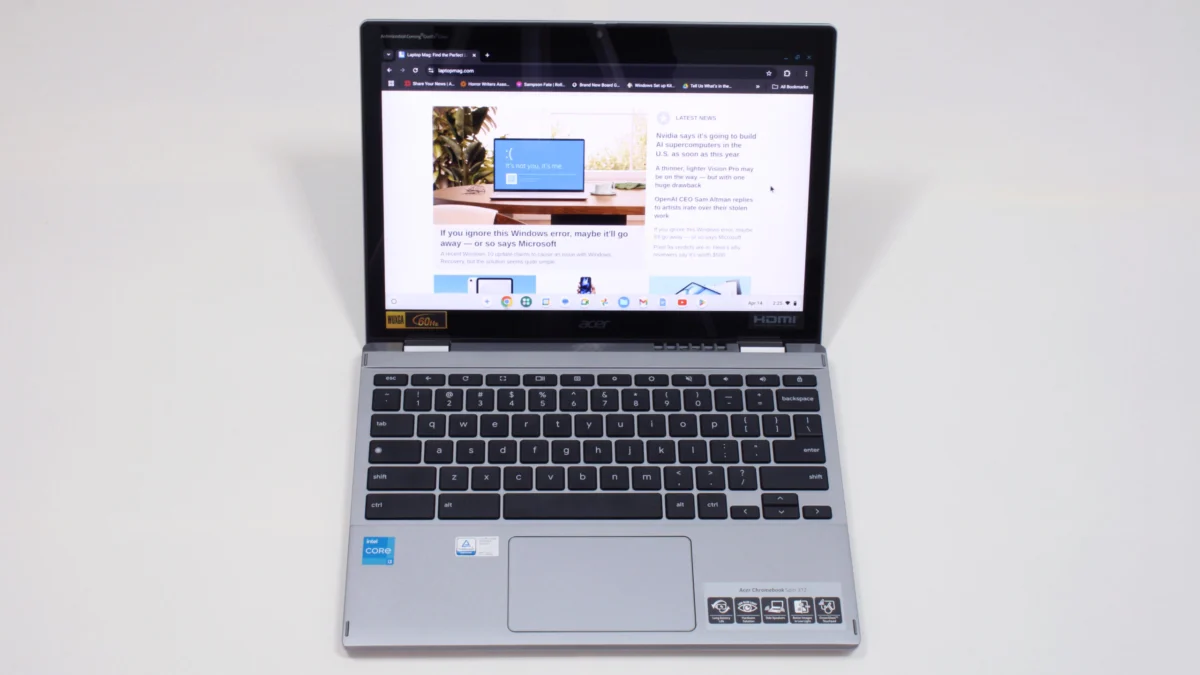
The Acer Chromebook Spin 312 presents an excellent option for students, combining affordability with essential features for academic success. Priced around $450, this 2-in-1 Chromebook boasts a durable build, impressive battery life, and a unique display experience. Its silver-coated chassis gives it a more premium look than its price suggests, and at just under 3 pounds, it is light enough for students to carry between classes throughout the day. The battery life is robust, lasting up to 10 hours and 33 minutes on a single charge.
Distinctive features include Acer’s OceanGlass touchpad, which reviewers laud as exceptionally smooth, even outperforming some more expensive Windows laptops. The 12.2-inch (1920 x 1200) IPS touch display benefits from a Corning Gorilla Glass coating, which enhances color vividness and contrast despite the panel’s modest 55% DCI-P3 color gamut coverage. While the keyboard’s "clicky-squishy" feel and thin keycaps are minor drawbacks, its 2-in-1 functionality means students can easily switch to tablet mode for handwritten notes, reducing reliance on typing. The integrated webcam, however, is noted for being grainy.

Benchmark Comparisons and Performance Insights
Comparative benchmark data underscores the strengths and trade-offs within the sub-$500 laptop segment. The Lenovo IdeaPad Flex 5i Chromebook Plus leads in Geekbench 6 scores, reflecting its strong modern performance. The Lenovo Duet 5 Chromebook, despite its lower Geekbench 5 score, compensates with its exceptional OLED display and battery life. The Lenovo IdeaPad Flex 5 14 (Intel) showcases robust performance for a Windows machine in its category, particularly in multi-core tasks, and boasts the longest battery life among the reviewed models. The Acer Chromebook Spin 312 offers a balanced performance for its price, making it a reliable choice for student workloads.
| Metric | Lenovo IdeaPad Flex 5i Chromebook Plus | Lenovo Duet 5 Chromebook | Lenovo IdeaPad Flex 5 14 | Acer Chromebook Spin 312 |
|---|---|---|---|---|
| Geekbench 6 (Higher is better) | 5,384 | NA | NA | 4,477 |
| Geekbench 5 (Higher is better) | NA | 1,727 | 3,841 | NA |
| Jetstream 2 (Higher is better) | 272.91 | 70.1 | NA | 215 |
| CrXPRT 2 (Higher is better) | NA | 55 | NA | 140 |
| Handbrake time (MM:SS, lower is better) | NA | NA | 25:30 | NA |
| Battery life – Web surfing (HH:MM) | 09:43 | 13:31 | 14:16 | 10:33 |
| SSD transfer speeds (MBps, higher is better) | NA | NA | 565.9 | NA |
| DCI-P3 Color Gamut (Higher is better) | 46.5% | 85.2% | 45% | 55% |
| Display Brightness (Nits, higher is better) | 306 | 361 | 200 | 277 |
| Hottest temperature (95 degree comfort threshold) | 89.5 | NA | 94 | 91.5 |
Note: NA indicates data not applicable or not available for that specific test/model.
Broader Market Dynamics and Future Outlook
The question of whether budget laptops are "worth it" is unequivocally yes for a significant portion of the consumer base. For users whose primary needs revolve around email, video consumption, or basic productivity, the quality of today’s cheap laptops can be surprisingly good. As Laptop Mag reviews editor Rami Tabari points out, however, not all budget laptops offer great long-term value, emphasizing the importance of factors like battery life for longevity.
The average price of laptops has remained relatively stable over the past several years, even as overall quality has improved. This trend, however, could be influenced by external factors such as tariffs. Historically, tariff hikes on electronics have impacted pricing, and any future increases could make it significantly harder to find quality laptops under $500. Consumers looking for the best deals should keep an eye on major sales events like Black Friday and Cyber Monday, though many manufacturers and retailers offer competitive pricing throughout the year.
Methodology and Editorial Standards
Laptop Mag’s recommendations are built upon a rigorous and comprehensive testing methodology. Each laptop undergoes extensive benchmark testing, encompassing both synthetic evaluations and real-world simulations, before being handed to expert reviewers. This meticulous process ensures a thorough assessment of performance, battery life, display quality, audio, and thermal management.
Key aspects of the testing protocol include:
- Display Analysis: A Klein K10 colorimeter is used to measure display brightness (nits) and DCI-P3 color gamut coverage, providing objective data on visual fidelity.
- Performance Benchmarking: Laptops are subjected to industry-standard benchmarks such as Geekbench 5 and 6 for CPU performance, and 3DMark for professional graphics capabilities.
- Real-World Performance: Practical tests include converting a 4K video to 1080p resolution and duplicating a 4.97GB multimedia file to assess everyday speed. Gaming performance is evaluated using the Sid Meier’s Civilization 6 Gathering Storm benchmark at medium settings and 1080p.
- Thermal Management: Heat tests involve playing a 15-minute full-screen video, with temperatures measured across various points on the device to ensure user comfort.
- Battery Life: The battery test simulates continuous web surfing over Wi-Fi at 150 nits of brightness. For MacBooks and premium Windows 11 laptops, a runtime exceeding 9 hours is considered strong, while gaming laptops and workstations are praised for durations over 5 hours.
Following lab tests, each laptop undergoes an in-depth, hands-on evaluation by experienced reviewers. These experts integrate the devices into their daily workflows for several days, performing tasks such as writing, editing, video conferencing, and streaming. This blend of objective technical analysis and subjective user experience allows Laptop Mag to deliver well-rounded, honest, and reliable reviews, empowering consumers to make confident purchasing decisions in the dynamic world of personal computing.