The quest for a high-performing laptop without exceeding a $500 budget often feels like a formidable challenge in today’s technology-driven world. While it’s true that budget-friendly models typically forego the cutting-edge features and premium aesthetics of their pricier counterparts, the market has matured to offer robust, reliable machines that excel at core functionalities and even surprise with bonus attributes. This segment of the laptop market is not merely about cost-cutting; it represents a significant advancement in accessible technology, catering to a broad demographic from students and young learners to professionals seeking a dependable secondary device. Understanding the realistic expectations is paramount: while top-tier specifications, advanced graphics, or luxurious materials remain largely out of reach, discerning consumers can find devices that deliver satisfactory performance for web browsing, document creation, streaming media, and essential productivity applications. The increasing sophistication of entry-level processors and the optimization of operating systems, particularly ChromeOS, have significantly elevated the value proposition in this price bracket, often making Chromebooks a more compelling choice over Windows alternatives for sheer bang-for-buck.

The Evolution of Budget Computing and the Rise of Chromebooks
The journey of budget laptops from often sluggish, compromised machines to genuinely capable devices is a testament to technological progress and shifting market demands. Historically, laptops under $500 were synonymous with significant performance bottlenecks, poor build quality, and frustrating user experiences. The components available at lower price points were often underpowered, leading to slow boot times, stuttering multitasking, and short battery life. This landscape began to change dramatically with the advent and popularization of Chromebooks in the early 2010s.
Chromebooks, running Google’s lightweight ChromeOS, offered a paradigm shift. By relying heavily on cloud-based applications and services, they drastically reduced the need for powerful internal hardware and extensive local storage. This allowed manufacturers to produce highly efficient, fast-booting, and secure laptops at a fraction of the cost of traditional Windows machines. For tasks like web browsing, email, word processing (via Google Docs), and media consumption, Chromebooks proved to be more than adequate, often outperforming similarly priced Windows laptops burdened by a more demanding operating system. This competitive pressure, combined with advancements in low-power processors from Intel (like the N-series and later Core i3s) and Qualcomm, has pushed Windows manufacturers to also improve their budget offerings, albeit with greater difficulty in matching the seamless experience of ChromeOS at the very lowest price points.
The market has responded positively to this evolution. According to various tech industry reports, the sales of budget laptops, especially Chromebooks, surged during periods like the COVID-19 pandemic, driven by increased demand for remote work and online education. This sustained demand has incentivized manufacturers to invest further in refining their sub-$500 lineups, leading to the selection of robust and feature-rich options available today.
Key Considerations for the Budget-Conscious Buyer
Choosing a laptop under $500 requires a strategic approach, prioritizing essential features and understanding where compromises are inevitable. The "how to choose" section of any comprehensive guide to budget laptops emphasizes several critical areas:
- Budget vs. Features: While the $500 ceiling is firm, the value within that range varies. Consumers should meticulously scrutinize specifications, from processor type and RAM to storage and display quality. It’s not just about the numbers but how they translate to real-world performance for intended use. For instance, a Chromebook with 8GB RAM and an Intel Core i3 or MediaTek Kompanio processor will generally feel snappier than a Windows laptop with similar specs due to OS overhead.
- Screen Size and Portability: The sweet spot for portability and usability in this price range typically falls between 12 and 14 inches. These sizes strike a balance, offering enough screen real estate for productivity while keeping the device lightweight and easy to carry. Larger screens (15+ inches) are rare and often come with significant compromises in other areas, such as battery life or build quality, to stay within budget.
- Form Factor: Clamshell vs. Convertible: Traditional clamshell laptops often provide better hardware for the money, as they don’t incur the additional costs associated with hinge mechanisms or touch-sensitive displays. However, the rise of affordable 2-in-1 convertibles (with 360-degree hinges) and detachable laptops offers enhanced versatility, transforming into tablets for note-taking, drawing, or casual media consumption. Buyers should weigh the utility of a flexible form factor against potential trade-offs in raw performance or keyboard quality. Crucially, detachable models often provide a more ergonomic tablet experience as the keyboard can be completely removed, unlike convertibles where the keyboard remains attached and exposed on the underside.
- Battery Life: The Unsung Hero: In the budget segment, exceptional battery life is a standout feature that significantly enhances a laptop’s utility. A device that can last a full workday (10+ hours of continuous web surfing in tests) minimizes the need to constantly seek power outlets, making it ideal for students, travelers, or anyone on the go. This is often a strong point for Chromebooks due to their power-efficient operating system.
- Specifications: Optimizing for Value: While 16GB RAM, 256GB SSD, and a 13th-gen Intel Core processor (or newer) would be ideal, they are rare finds under $500. More commonly, you’ll encounter 8GB RAM, 128GB eMMC storage (slower than SSD but cheaper), and Intel N-series or MediaTek Kompanio processors. For Windows, an Intel Core i3 or AMD Ryzen 3 is preferable for smoother operation. The crucial distinction is that these "lower" specs yield a far more fluid experience on ChromeOS than on Windows, which demands more resources. Buyers must realistically assess their workflow to determine if these specifications are sufficient.
Spotlight on Top Performers: Redefining Budget Excellence
The current market offers several exemplary models that demonstrate how manufacturers are making smart compromises to deliver compelling value.

-
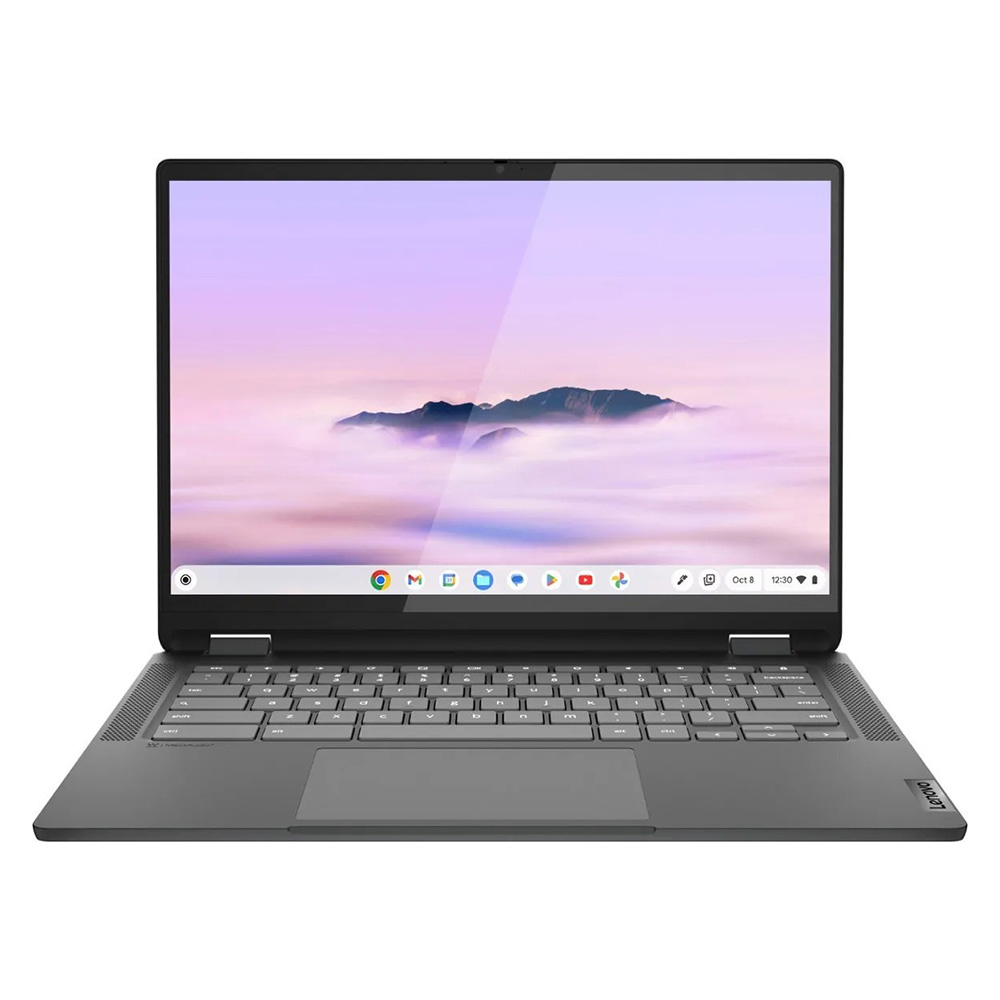
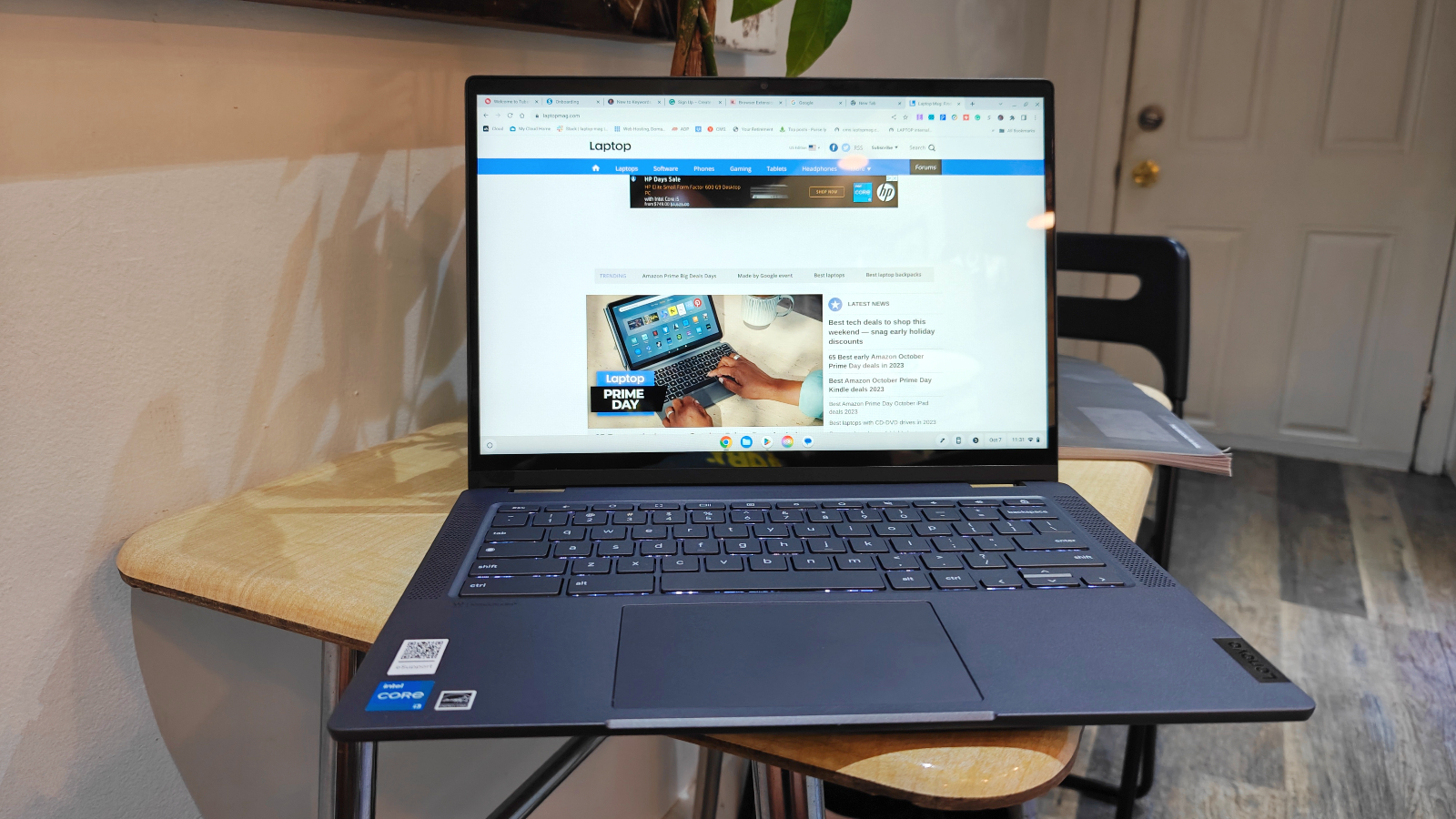
Lenovo IdeaPad Flex 5i Chromebook Plus (Best Overall): This model stands out as a beacon of modern budget computing. Powered by an Intel Core i3-1315U CPU and 8GB of RAM, it achieves a Geekbench 6 multi-core score of 5,384, surpassing the average Chromebook performance and significantly outperforming many other budget contenders. Its "AI-infused" performance hints at optimizations for contemporary workloads and responsiveness. Beyond raw power, its attractive 2-in-1 design belies its affordable price, featuring sturdy hinges and a comfortable keyboard, crucial for extended use. While its 14-inch, 1080p IPS touch display could be brighter, its 16:10 aspect ratio provides valuable vertical screen real estate for productivity. With nearly 10 hours of battery life, it delivers sustained usability, making it a highly recommended choice for those seeking a premium-feeling experience without the premium price tag.
-
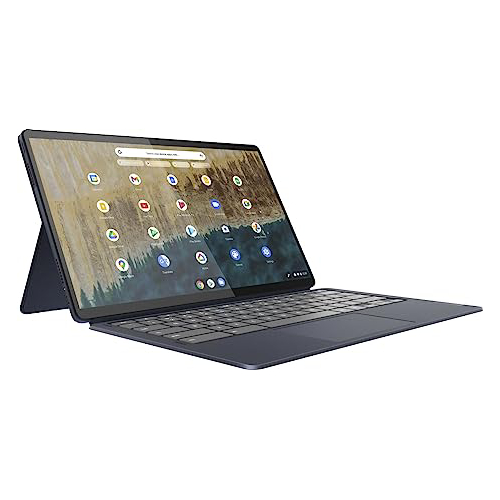
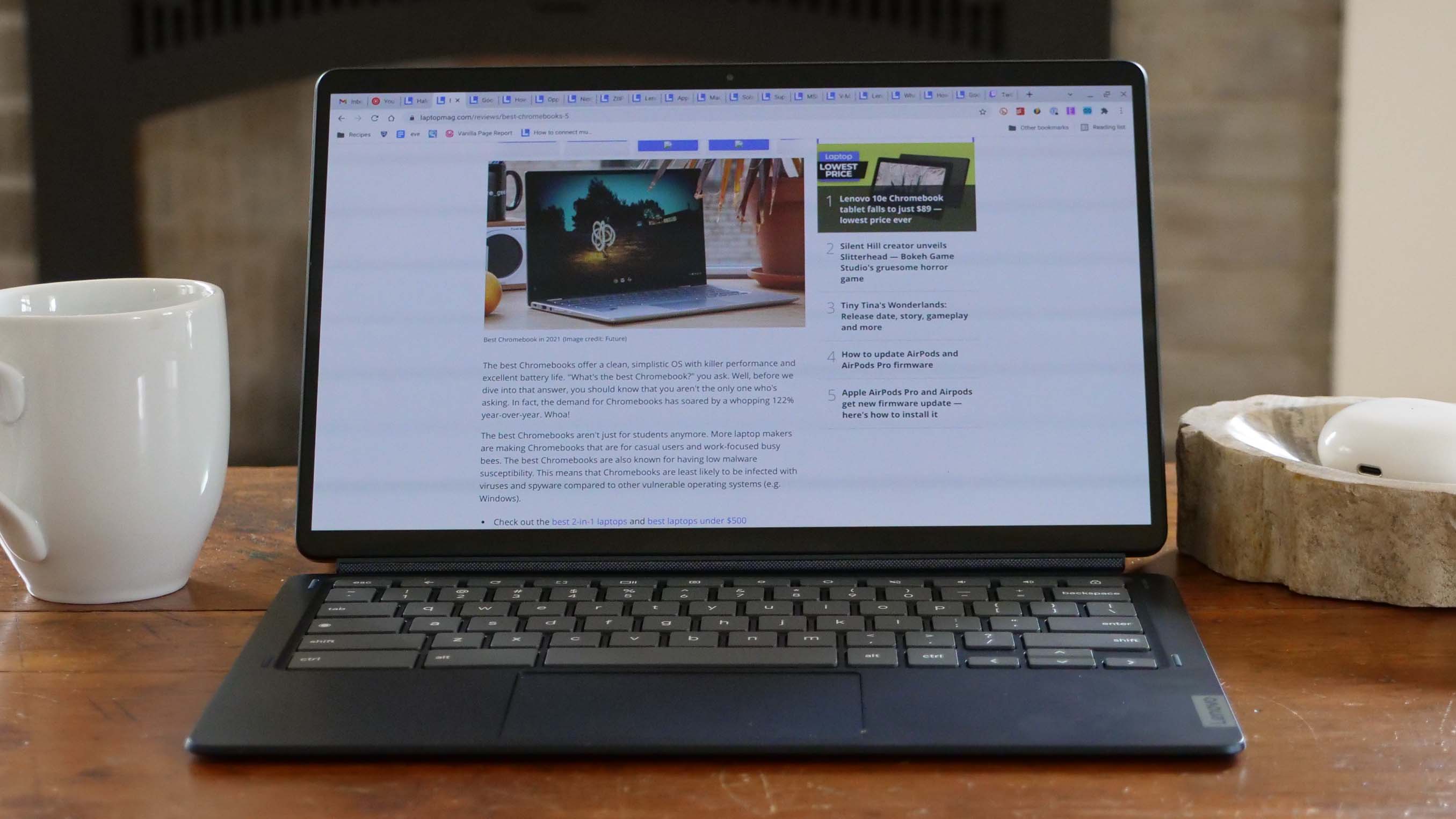
Lenovo Duet 5 Chromebook (Best Under $300): A perennial favorite, the Duet 5 Chromebook redefines what’s possible at an even lower price point. Despite its Qualcomm Snapdragon 7c Gen 2 processor yielding a Geekbench 5 multi-core score of 1,727 (below some Chromebook averages), its star feature is a vibrant 13.3-inch, 1920 x 1080 OLED display. This panel reproduces an impressive 85.2% of the DCI-P3 color gamut and achieves 361 nits of brightness—figures typically associated with much more expensive, premium laptops. The inclusion of an OLED panel at this price is a significant differentiator, offering superior contrast and color accuracy for media consumption. Furthermore, its detachable 2-in-1 design, complete with an included keyboard and cover, provides exceptional versatility. With over 13 hours of battery life, it offers all-day endurance, making it a near-perfect travel companion or secondary device. The main trade-offs are its modest performance for demanding tasks and the absence of a bundled stylus, but these are minor caveats given its overall value.

-
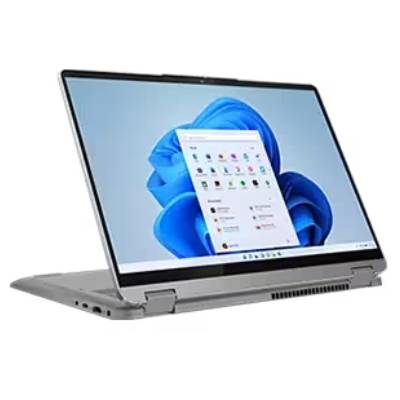
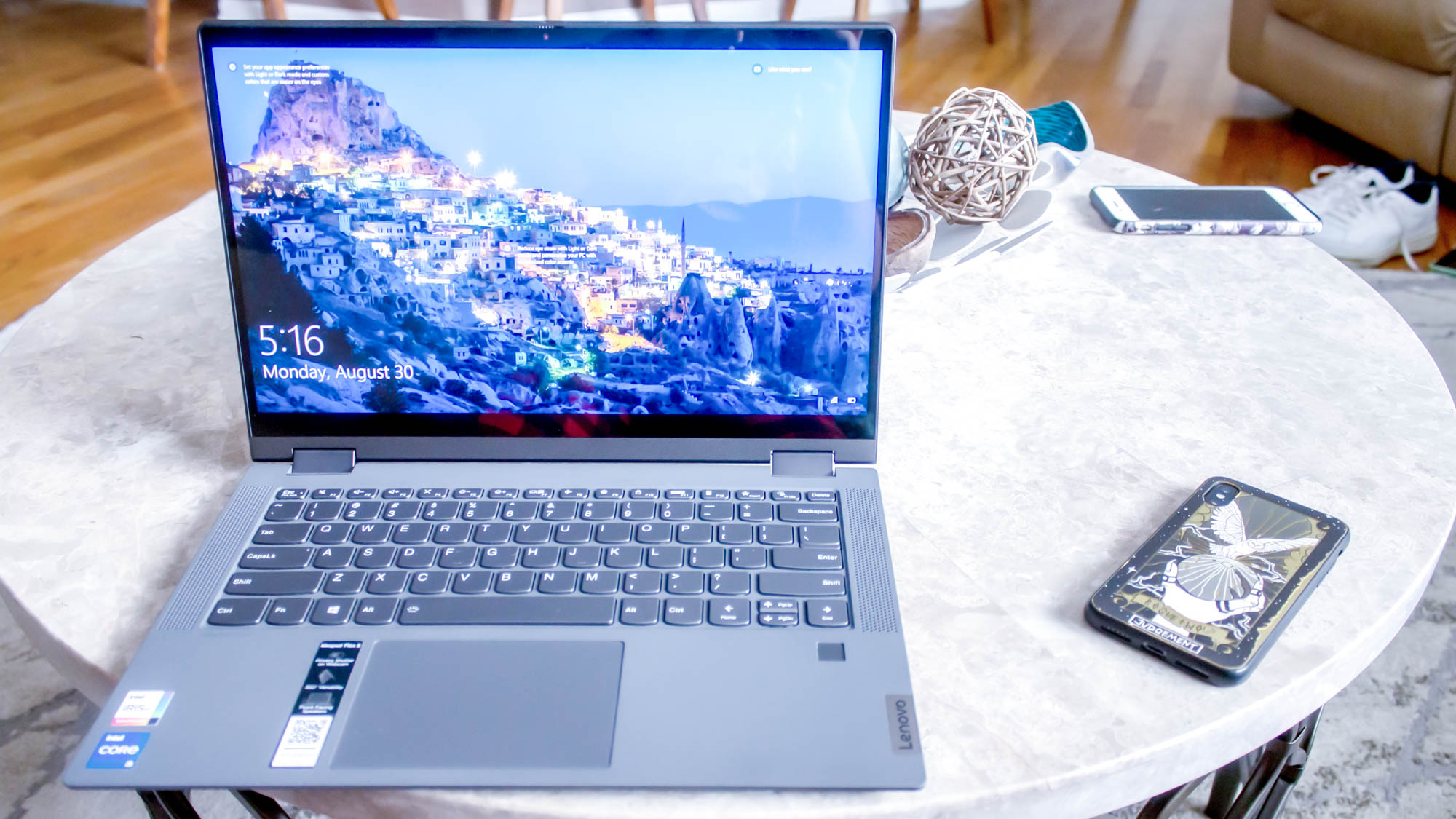
Lenovo IdeaPad Flex 5 14 (Best Windows Laptop): Finding a reliable Windows laptop under $500 that offers genuine performance without immediate frustration is a rare feat, and the IdeaPad Flex 5 14 rises to this challenge. Equipped with an Intel Core i5-1135G7, 16GB RAM, and a 512GB SSD (configurations vary, but these high specs can sometimes be found near the $500 mark), it delivers solid performance, achieving a Geekbench 5 multi-core score of 3,841, well above most Chromebooks. Its standout feature is an impressive battery life of over 14 hours, a rarity for any laptop, let alone a budget Windows model. The comfortable and responsive keyboard further enhances the user experience. While the 12.3-inch (or 14-inch in some configurations) 2400 x 1600 IPS display can be dim and dull, and the presence of only one USB-C port is a limitation, its overall package of performance, endurance, and typing comfort makes it the top choice for users who specifically require a Windows operating system within a strict budget. The availability of an AMD Ryzen 3 model offers a viable alternative, though specific performance and battery life would need separate validation.
-
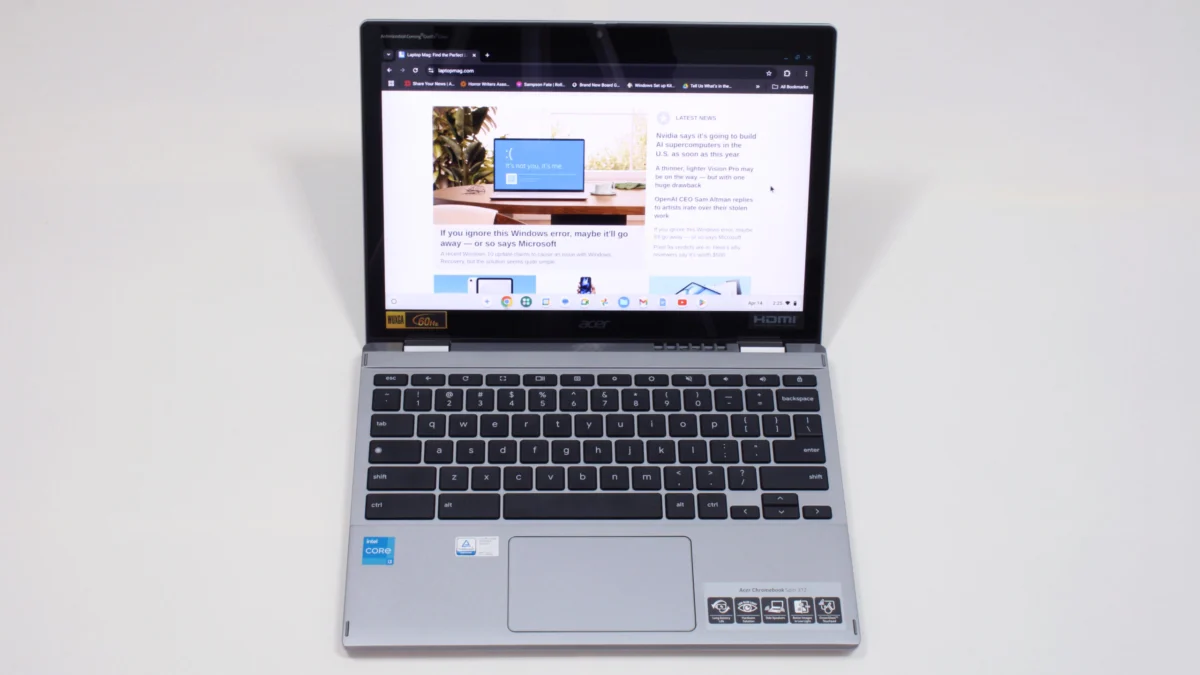
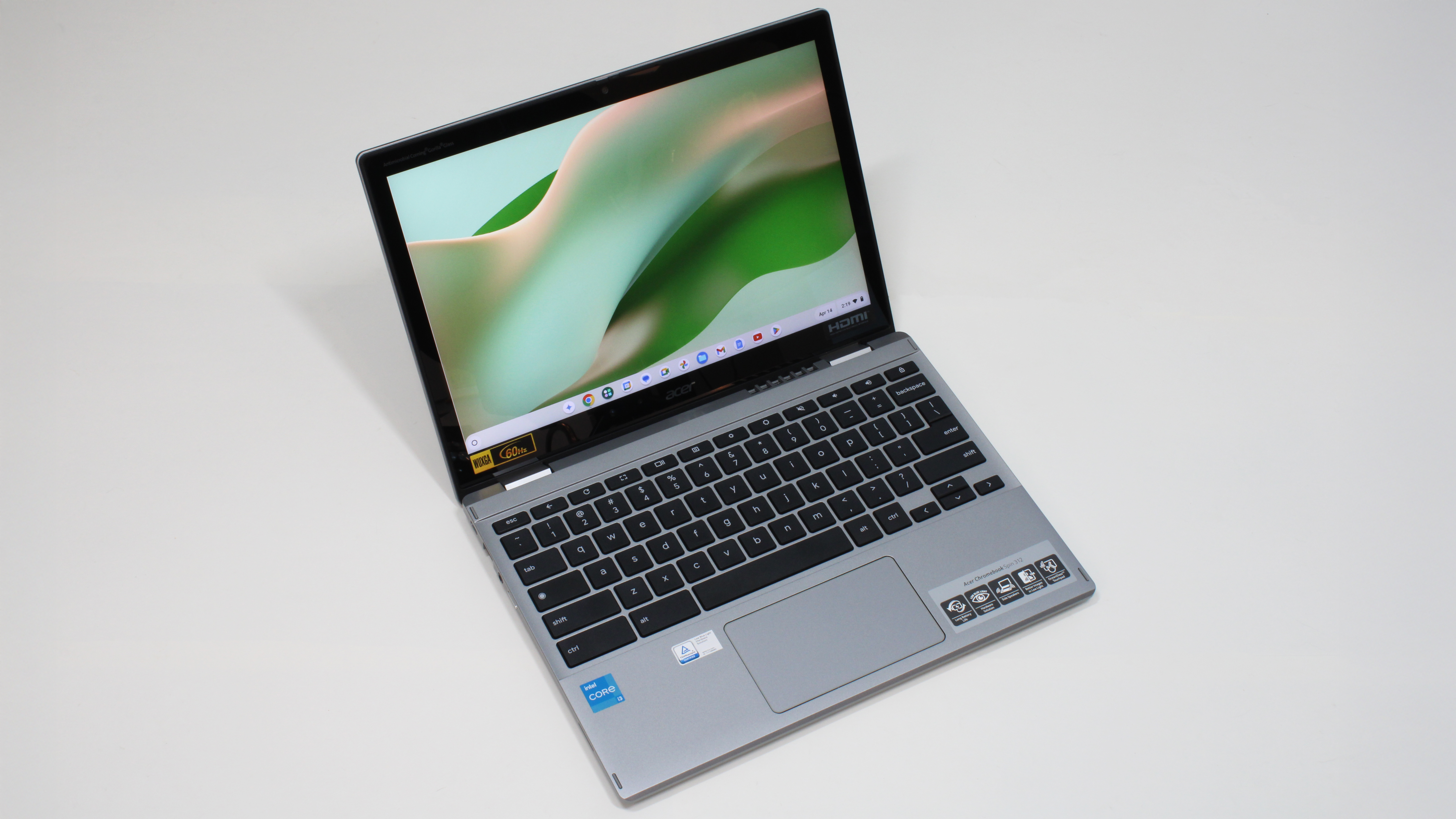
Acer Chromebook Spin 312 (Best for Students): The Acer Chromebook Spin 312 exemplifies an ideal student laptop, blending robust features with an accessible price. Its Intel Core i3-N305 processor and 8GB RAM, paired with ChromeOS, ensure smooth performance for educational tasks. The device boasts a sturdy build and a refined silver-coated chassis that belies its budget status. At under 3 pounds, it’s exceptionally portable, a critical factor for students carrying it between classes. Battery life is also commendable at over 10 hours. Unique features enhance its appeal: Acer’s OceanGlass touchpad offers an incredibly smooth experience, surpassing even some premium models, and the Corning Gorilla Glass coating on its 12.2-inch, 1920 x 1200 IPS touch display makes colors appear more vivid and contrasts more dramatic than its 55% DCI-P3 color gamut might suggest. As a 2-in-1 convertible, it adapts to various learning styles, supporting both typing for essays and handwriting notes. While its audio quality is shallow, keycaps are thin, and the webcam is grainy, these are minor drawbacks in a machine that delivers such strong value for its target demographic.
Understanding Performance Metrics in Budget Laptops
The benchmark comparisons provided offer crucial insights into the relative strengths of these budget laptops.
- Geekbench (5 and 6): These multi-core benchmarks measure overall processor performance. Higher scores indicate better capability for multitasking and more demanding applications. The Lenovo IdeaPad Flex 5i Chromebook Plus’s 5,384 on Geekbench 6 demonstrates strong modern CPU performance for a budget device, especially compared to the Lenovo Duet 5 Chromebook’s 1,727 on Geekbench 5 (note the different versions, making direct comparison difficult but indicating a general tier). The Lenovo IdeaPad Flex 5 14’s 3,841 on Geekbench 5 is respectable for a Windows machine at this price point.
- Jetstream 2 and CrXPRT 2: These are browser-based benchmarks that evaluate web application performance, a critical metric for Chromebooks. Higher scores mean smoother web browsing, faster loading of complex web apps, and better responsiveness in cloud-based productivity tools. The Flex 5i Chromebook Plus (272.91) and Acer Chromebook Spin 312 (215) show excellent web performance, significantly outperforming the Duet 5 Chromebook (70.1), which uses an ARM-based chip optimized differently.
- Handbrake Time: This measures how quickly a laptop can transcode a video file, indicating CPU-intensive workload performance. The Lenovo IdeaPad Flex 5 14’s 25:30 time is a solid showing for a budget Windows laptop, demonstrating its capability for more intensive tasks compared to Chromebooks, which are not typically designed for local video rendering.
- Battery Life – Web Surfing (HH:MM): This is perhaps the most universally important metric for budget laptops. All recommended models exceed 9 hours, with the Lenovo IdeaPad Flex 5 14 (14:16) and Lenovo Duet 5 Chromebook (13:31) offering exceptional endurance, providing significant value for mobile users.
- DCI-P3 Color Gamut and Display Brightness (Nits): These metrics quantify display quality. Higher DCI-P3 percentages mean richer, more accurate colors, while higher nits indicate a brighter screen, important for outdoor use or well-lit environments. The Lenovo Duet 5 Chromebook’s OLED display (85.2% DCI-P3, 361 nits) is a clear winner in this category, offering a visual experience far superior to its price point suggests. Other models, while decent, fall into the typical budget range (e.g., Flex 5i at 46.5% DCI-P3, 306 nits).
- SSD Transfer Speeds: This measures how fast data can be read from and written to the storage drive. The Lenovo IdeaPad Flex 5 14’s 565.9 MBps is a good speed for an SSD, contrasting with the slower eMMC storage found in many Chromebooks, which often do not publish comparable speeds but are generally significantly lower.
The Lifespan and Value Proposition of Affordable Computing
The question of whether budget laptops are "worth it" is frequently posed. The answer is a resounding yes, provided expectations are calibrated. For users whose primary needs revolve around email, web browsing, streaming, and productivity suites like Google Docs or Microsoft Office 365 (web-based), today’s cheap laptops offer surprising quality. They feature increasingly snappy processors, comfortable keyboards, and often vibrant displays, challenging the notion that affordability equates to compromise. However, as industry experts like Laptop Mag’s Rami Tabari have highlighted, not all budget laptops are a great deal. The "hidden costs" can emerge from poor longevity, inadequate battery life that quickly degrades, or components that fail prematurely. This underscores the importance of thorough reviews and prioritizing models with proven endurance and solid build quality, even if it means slightly higher initial outlay within the budget.
Regarding pricing trends, while the average price of laptops has remained relatively stable over recent years, their overall quality has demonstrably improved. This suggests that consumers are getting more for their money than ever before. However, external factors such as global tariffs (e.g., those imposed by the Trump administration on electronics) can significantly impact pricing. Future tariff hikes could lead to substantially higher prices across the board, making the quest for a quality sub-$500 laptop even more challenging. Historically, the cheapest times to purchase laptops are during major sales events like Black Friday and Cyber Monday, though many manufacturers and retailers offer competitive deals throughout the year, especially during back-to-school seasons.
Rigorous Testing and Expert Credibility
Laptop Mag’s commitment to providing trustworthy reviews is underscored by its comprehensive testing methodology. Each laptop undergoes a dual-phase evaluation: extensive synthetic benchmarks and real-world usage tests.
- Synthetic Benchmarks: These include the Klein K10 colorimeter for display brightness and DCI-P3 color gamut, Geekbench 5 and 6 for CPU performance, and 3DMark for graphics capabilities. These standardized tests allow for direct comparison between different models.
- Real-World Performance: To simulate everyday use, laptops are tasked with converting 4K video to 1080p, duplicating large multimedia files, and running demanding games like Sid Meier’s Civilization 6: Gathering Storm (at medium settings, 1080p).
- Thermal Management: Heat tests involve playing 15-minute full-screen videos to measure temperature distribution, ensuring user comfort.
- Battery Life: The battery test simulates continuous web surfing over Wi-Fi at a standardized 150 nits of brightness. For MacBooks and premium Windows laptops, 9+ hours is considered good; for gaming laptops and workstations, 5+ hours is commendable.
Following these rigorous lab tests, each laptop is subjected to in-depth, hands-on evaluation by expert reviewers. These specialists integrate the laptops into their daily workflows—writing, editing, video conferencing, streaming—for several days to assess real-world performance, usability, and overall user experience. This blend of technical analysis and practical, lived-in experience ensures a well-rounded, objective perspective on every product reviewed by Laptop Mag. With decades of experience in testing and reviewing a vast array of technology products, from smartphones to PC accessories, Laptop Mag maintains a reputation for independent and reliable consumer guidance, reinforced by its position within Future Publishing, one of the world’s largest technology publishers.