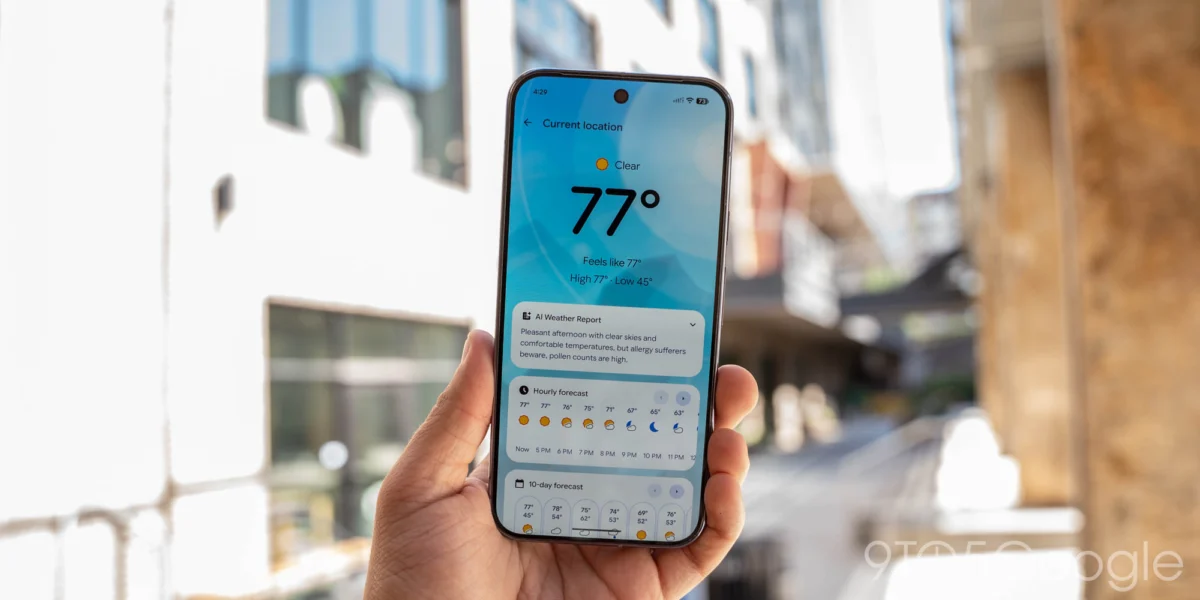
Google has officially released a functional update for its Pixel Weather application, marking a notable improvement in user experience for those relying on the company’s dedicated weather solution. The update, version 1.1.20260716.x, introduces a manual refresh button to the “Forecasted weather” homescreen widget, a highly requested feature that aims to reduce reliance on opening the full application for real-time updates. This development follows a series of iterative improvements Google has made to its weather suite throughout the year, reinforcing the company’s commitment to refining its first-party software offerings.
Chronology of Recent Pixel Weather Enhancements
The evolution of Pixel Weather has been rapid since its initial rollout. The application, which serves as a cornerstone of the Pixel device experience, has seen a steady cadence of updates designed to streamline information consumption.
- Early 2026 Launch: Google introduced the standalone Pixel Weather app, distinguishing it from the legacy Google Weather integration found within the Google app. This allowed for more granular design control and feature deployment.
- August 2026 Icon Refresh: Just last month, Google pushed an update that refined the application’s iconography, aligning it more closely with the broader Material You design language found across Android 16 and beyond.
- September 2026 Widget Update: The current iteration (version 1.1.20260716.x) introduces the manual refresh toggle, addressing user feedback regarding data latency on the homescreen.
This trajectory reflects a broader strategy by Google to move away from static, infrequent data polling in favor of giving users active control over their device’s information feed.
Technical Details of the Update
The primary addition to the widget is a dedicated refresh icon located in the top-right corner of the interface. When tapped, the widget displays a subtle spinner animation, indicating that the app is fetching the latest meteorological data from Google’s backend servers. This provides an immediate alternative to waiting for the system’s background sync interval.
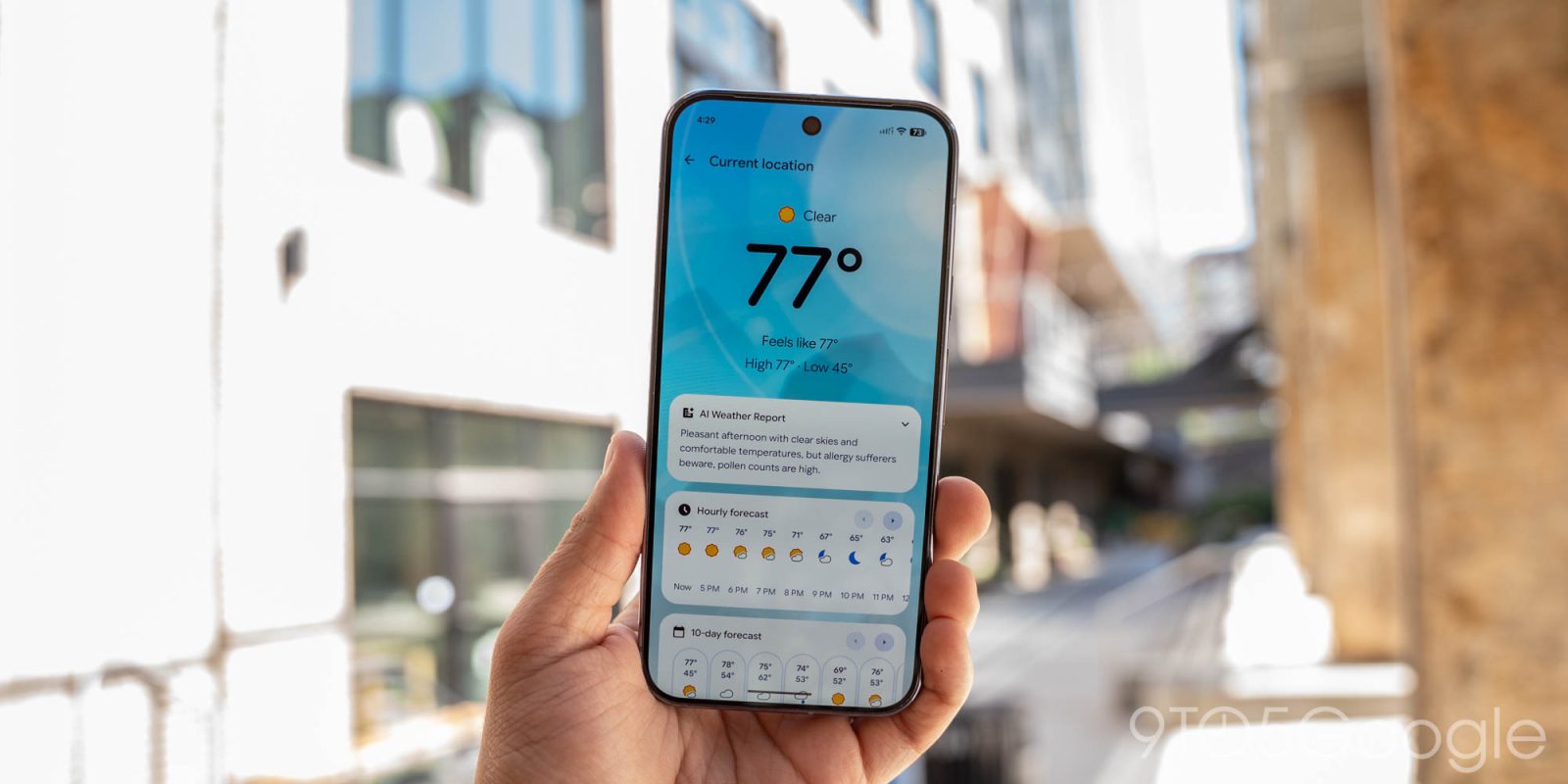
In addition to the widget improvement, the app’s internal interface has undergone a subtle design modification. Users browsing the city-specific forecast feed will notice that the "Hourly" and "10-day" forecast cards no longer feature the static left/right navigation arrows. Google has opted for a cleaner, swipe-only interface. By removing these manual buttons, the company is standardizing the UI to favor the intuitive touch gestures that have become the hallmark of the Android interface, thereby reducing visual clutter.
Broader Implications: Bringing Pixel Apps to Googlebooks
Perhaps the most significant news accompanying this minor app update is the announcement regarding the expansion of Pixel-exclusive software. Google has confirmed that Pixel Weather, along with the Google Recorder application, will be made available on all Googlebooks devices moving forward.
This decision signals a shift in Google’s hardware strategy. Historically, apps like Pixel Weather and Recorder were gated behind the Pixel hardware brand to incentivize consumers to purchase Google’s smartphones. By cross-pollinating these applications into the Googlebooks ecosystem, Google is attempting to create a more unified software experience across its product categories. Industry analysts suggest this move could be aimed at increasing user engagement with Google’s proprietary services, regardless of the specific form factor the user chooses.
Supporting Data and User Experience Analysis
The implementation of a manual refresh button on a weather widget is more than a quality-of-life improvement; it addresses a core technical challenge in mobile operating systems. Android devices typically manage background battery usage by limiting the frequency with which apps can reach out to servers for data. While this preserves battery life, it can lead to "stale" information.
According to mobile UX design standards, providing a manual override for data fetching serves several purposes:
- Latency Perception: Users perceive an application as faster if they feel they have control over the data retrieval process.
- Accuracy Confidence: By allowing a manual check, users are less likely to doubt the information presented on the screen during rapidly changing weather conditions, such as during a storm or high-heat event.
- Data Efficiency: Users who are mindful of their data consumption can choose when to trigger a refresh, rather than letting the OS poll in the background at set intervals.
The removal of the navigation buttons in the app’s city feed, while seemingly minor, follows the principle of "less is more" in UI design. By removing non-essential UI elements, the developer can focus the user’s attention on the data itself, which is the primary value proposition of a weather application.
Market Context and Future Outlook
The competition in the weather app space is intense. With robust offerings from companies like The Weather Company (IBM), AccuWeather, and various independent developers like Carrot Weather, Google faces pressure to ensure that its native offering remains competitive.

Google’s strategy has been to prioritize clean, high-contrast, and glanceable information. The latest update suggests that while Google is committed to minimalism, it is also becoming more responsive to the "power user" demographic that desires more granular control over how and when their apps sync data.
As the Pixel ecosystem grows, observers will be watching closely to see if other "Pixel-exclusive" features follow the path of the Weather and Recorder apps. If Google continues to decouple these services from specific hardware, it could eventually lead to a "Google Experience" layer that is consistent across all Android devices, potentially unifying the user base and simplifying the development cycle for Google’s internal teams.
Conclusion
The rollout of version 1.1.20260716.x is now complete, and users should see the update reflected in their Google Play Store history. For most, the change will be subtle, but the addition of a refresh button provides a tangible benefit for those who check the weather frequently throughout the day.
By balancing functional updates with a design philosophy that favors simplicity, Google continues to iterate on its vision of what a modern, integrated weather application should be. Whether this move toward broader availability for Googlebooks will impact future hardware sales remains to be seen, but for the end user, the result is a more capable, versatile, and accessible set of tools. As Google continues to refine these applications, the focus will likely remain on reducing friction, increasing data accuracy, and ensuring that the software remains consistent across an ever-expanding array of hardware platforms.
The integration of these features into the wider Google ecosystem represents a calculated effort to ensure that the "Google" brand remains synonymous with reliable, high-performance software, regardless of the device. Users are encouraged to ensure their applications are updated via the Play Store to take full advantage of these latest enhancements. Moving forward, the industry will monitor how these app-level updates inform the development of future iterations of the Android operating system and the hardware that carries it.