The pursuit of a reliable laptop under the $500 threshold often presents a considerable challenge for consumers. While budget-friendly models inherently forgo the premium aesthetics and advanced functionalities of their pricier counterparts, a thorough understanding of market offerings reveals that highly capable machines, adept at handling essential tasks and occasionally boasting surprising bonus features, are indeed accessible. Success in this segment hinges on establishing realistic expectations. For fundamental computing needs—such as web browsing, document creation, video streaming, or utilizing basic productivity applications—the market offers robust sub-$500 laptops perfectly suited for students, children, or individuals seeking a dependable secondary device without a significant financial outlay. While Windows-based options exist, Chromebooks frequently emerge as superior value propositions in this competitive price bracket.
The Evolving Landscape of Affordable Computing

The landscape of budget computing has undergone a significant transformation over the past decade. What was once a realm dominated by sluggish performance and compromised user experiences has evolved into a space where thoughtful engineering and optimized operating systems deliver increasingly capable devices. This shift is largely driven by advancements in component manufacturing, fierce competition among manufacturers, and the maturation of operating systems like ChromeOS, which demand less hardware overhead to deliver a smooth experience.
Historically, sub-$500 laptops were often synonymous with frustrating compromises. Early models struggled with basic multitasking, offered dim, low-resolution displays, and were plagued by short battery life. The user experience was often secondary to the price point. However, as technology has progressed, components like processors (even entry-level ones), RAM, and storage solutions have become more efficient and cost-effective. This allows manufacturers to integrate better specifications into budget devices without drastically increasing costs. The rise of cloud-centric computing, championed by Chromebooks, further democratized access to functional laptops by leveraging web-based applications and cloud storage, reducing the need for expensive local hardware.
Key Considerations for Budget Buyers
Navigating the budget laptop market necessitates a clear understanding of the trade-offs involved. Consumers should not anticipate cutting-edge specifications, high-performance graphics, or luxurious build materials. Instead, the expectation should be for competent processors, adequate (though often limited) storage, and respectable displays. The true hallmark of an exceptional budget model lies in its ability to make intelligent compromises, often prioritizing a single standout feature. A critical observation across many top budget performers is their remarkable battery life, a feature that significantly enhances the user experience and overall value. This commitment to longevity on a single charge is a testament to the focused design principles applied to these cost-effective machines.
The choice of operating system is paramount in this price range. While Windows offers broad software compatibility, the overhead requirements of the OS itself can strain the limited hardware found in sub-$500 Windows machines, potentially leading to slower performance. Chromebooks, running Google’s lightweight ChromeOS, are inherently designed for efficiency with lower-spec hardware. This optimization often translates to snappier performance, faster boot times, and a more consistent user experience, making them an excellent choice for web-centric tasks, educational use, and general productivity. For those whose primary activities revolve around web browsing, Google Workspace, streaming, and light applications, a Chromebook frequently delivers a superior return on investment.
Spotlight on Top Performers
-
Lenovo IdeaPad Flex 5i Chromebook Plus: The Overall Benchmark
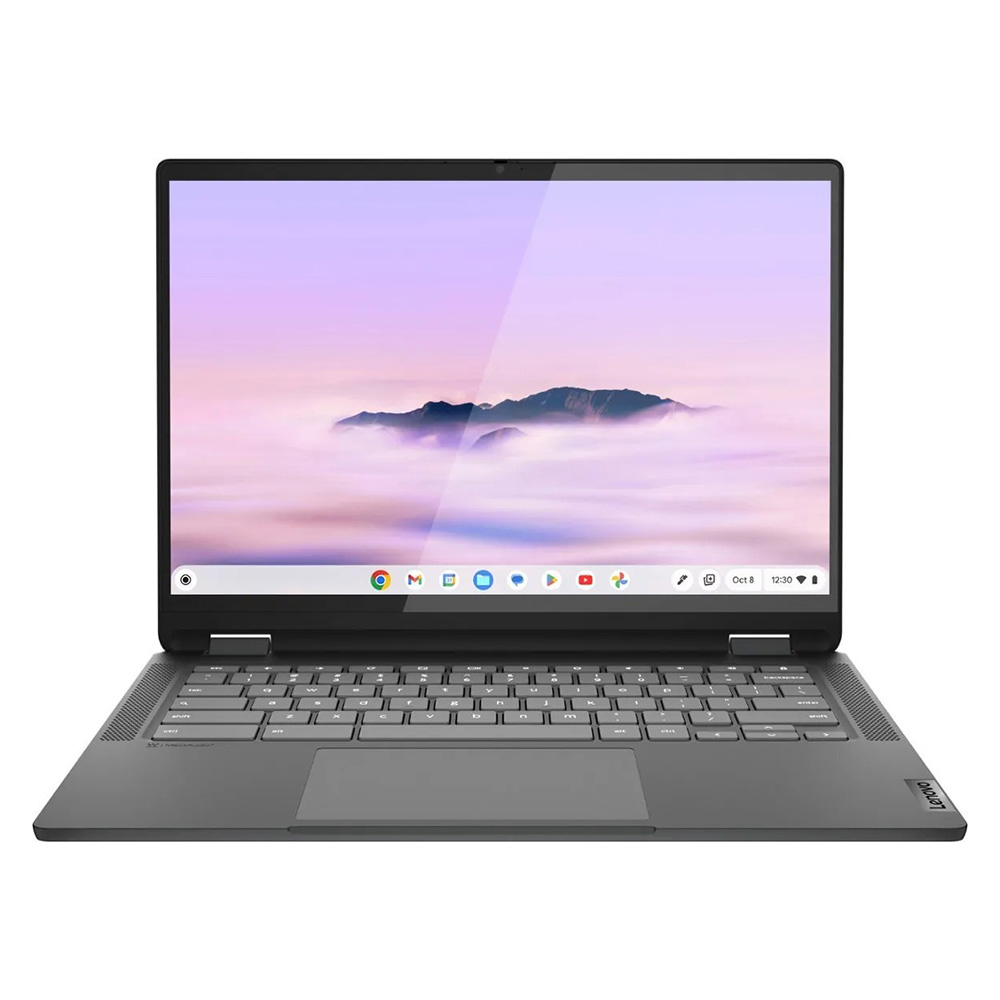
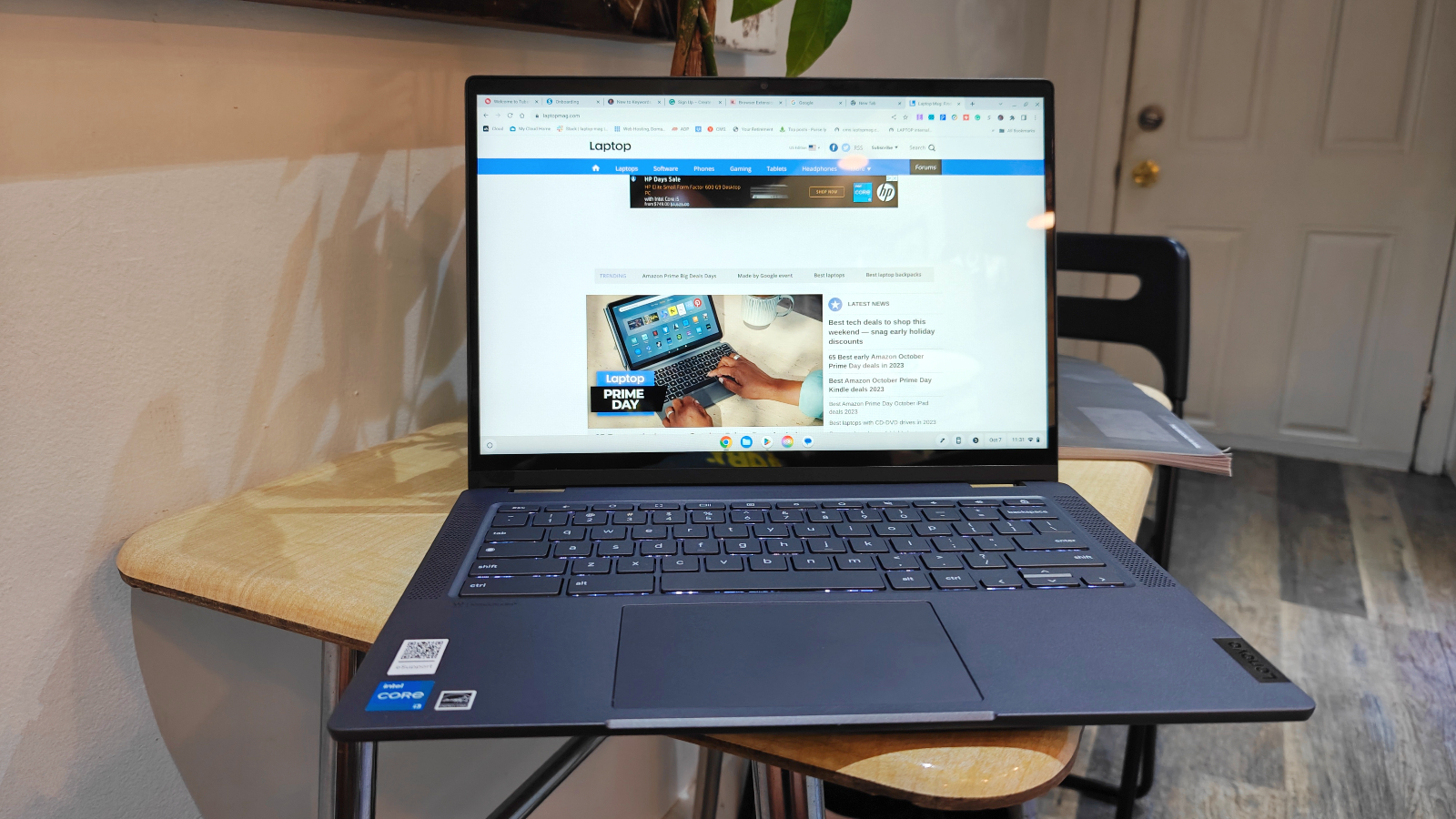
For consumers seeking a contemporary laptop that defies its modest price tag, the Lenovo IdeaPad Flex 5i Chromebook Plus stands out as a formidable recommendation. This device transcends the typical budget Chromebook stereotype, offering a compelling blend of AI-infused performance within an attractive, versatile 2-in-1 form factor. Powered by an Intel Core i3-1315U processor and complemented by 8GB of RAM, this Chromebook delivers a notably smooth operational experience. Its 14-inch 1080p IPS touch display, while not the brightest on the market at 306 nits and covering 46.5% of the DCI-P3 color gamut, benefits from a 16:10 aspect ratio, providing valuable vertical screen real estate for productivity tasks.The performance metrics underscore its capability. In Geekbench 6 multi-core testing, the IdeaPad Flex 5i achieved an impressive score of 5,384, surpassing the average Chromebook performance of 5,259. This places it significantly ahead of the Lenovo Duet 5 Chromebook (1,727 on Geekbench 5, which is a different benchmark version but indicates a substantial performance gap) and the Lenovo Flex 5 14 (Intel) at 3,841 (Geekbench 5). This robust performance, coupled with the inherently less demanding nature of ChromeOS, ensures that users rarely encounter bottlenecks during everyday usage. Furthermore, its nearly 10-hour battery life (9:43 in web surfing tests) provides ample power for extended work or study sessions. The design, weighing 3.57 pounds and measuring 12.4 x 9.0 x 0.8 inches, exudes a premium feel, defying its budget classification with sturdy hinges and a comfortable, tactile keyboard.
-
Lenovo Duet 5 Chromebook: Unbeatable Value Under $300
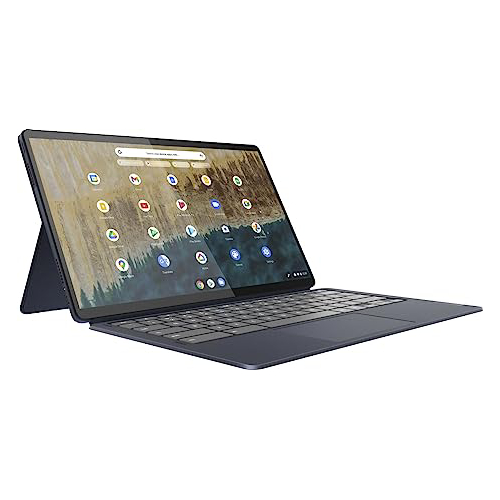
Maintaining a strong position for years, the Lenovo Duet 5 Chromebook remains an exceptional champion, particularly for its value proposition under $300. This detachable 2-in-1 device combines the versatility of a tablet with the functionality of a laptop, offering an experience often reserved for much higher price points. While its Qualcomm Snapdragon 7c Gen 2 processor yields a Geekbench 5 multi-core score of 1,727, placing it below the overall Chromebook average of 2,253 and other top performers on this list, its strengths lie elsewhere.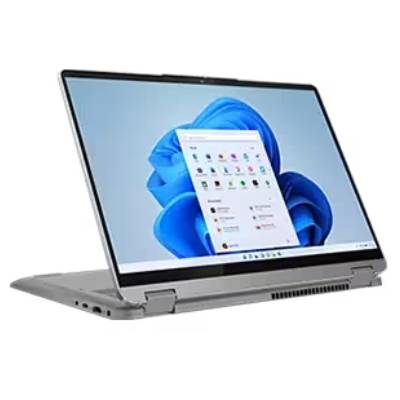
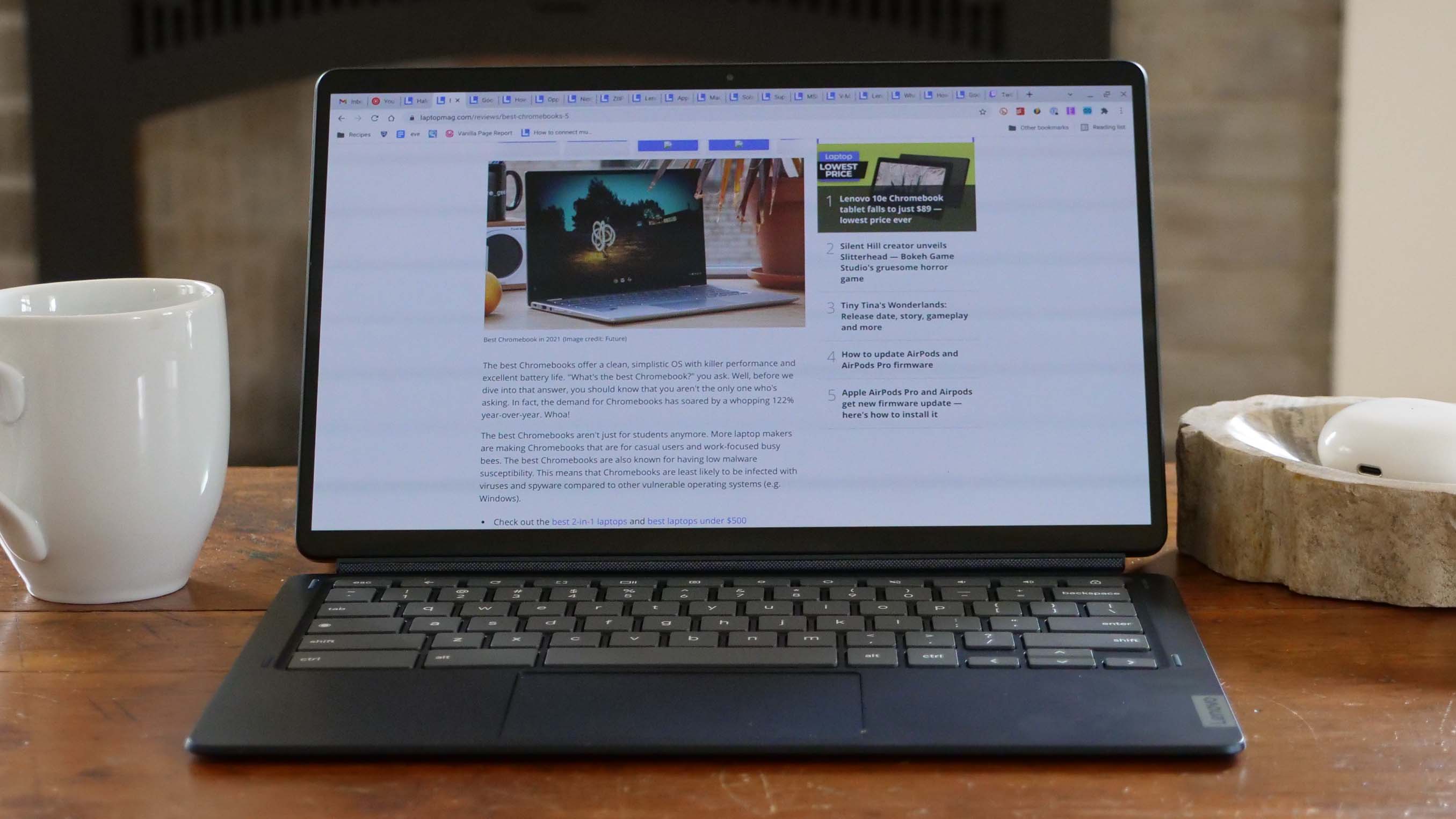
The Duet 5 Chromebook boasts a stunning 13.3-inch, 1920 x 1080 OLED display. This panel stands out with a DCI-P3 color gamut reproduction of 85.2% and an average brightness of 361 nits—figures typically associated with premium laptops and high-end televisions. The inclusion of an OLED panel at this price point is remarkable, delivering vibrant colors and deep blacks that significantly enhance the visual experience. Complementing this visual excellence is an extraordinary battery life of 13 hours and 31 minutes, positioning it among the longest-lasting notebooks available. Critically, unlike many pricier detachables, the Duet 5 includes both the keyboard and cover as standard. Its tablet-only weight of 1.5 pounds (2.24 pounds with the keyboard) further underscores its portability. The primary drawbacks are its relatively weaker performance for intensive tasks and the absence of an included stylus, but these are minor considerations given its overall value.
-
Lenovo IdeaPad Flex 5 14 (Intel): The Windows Contender
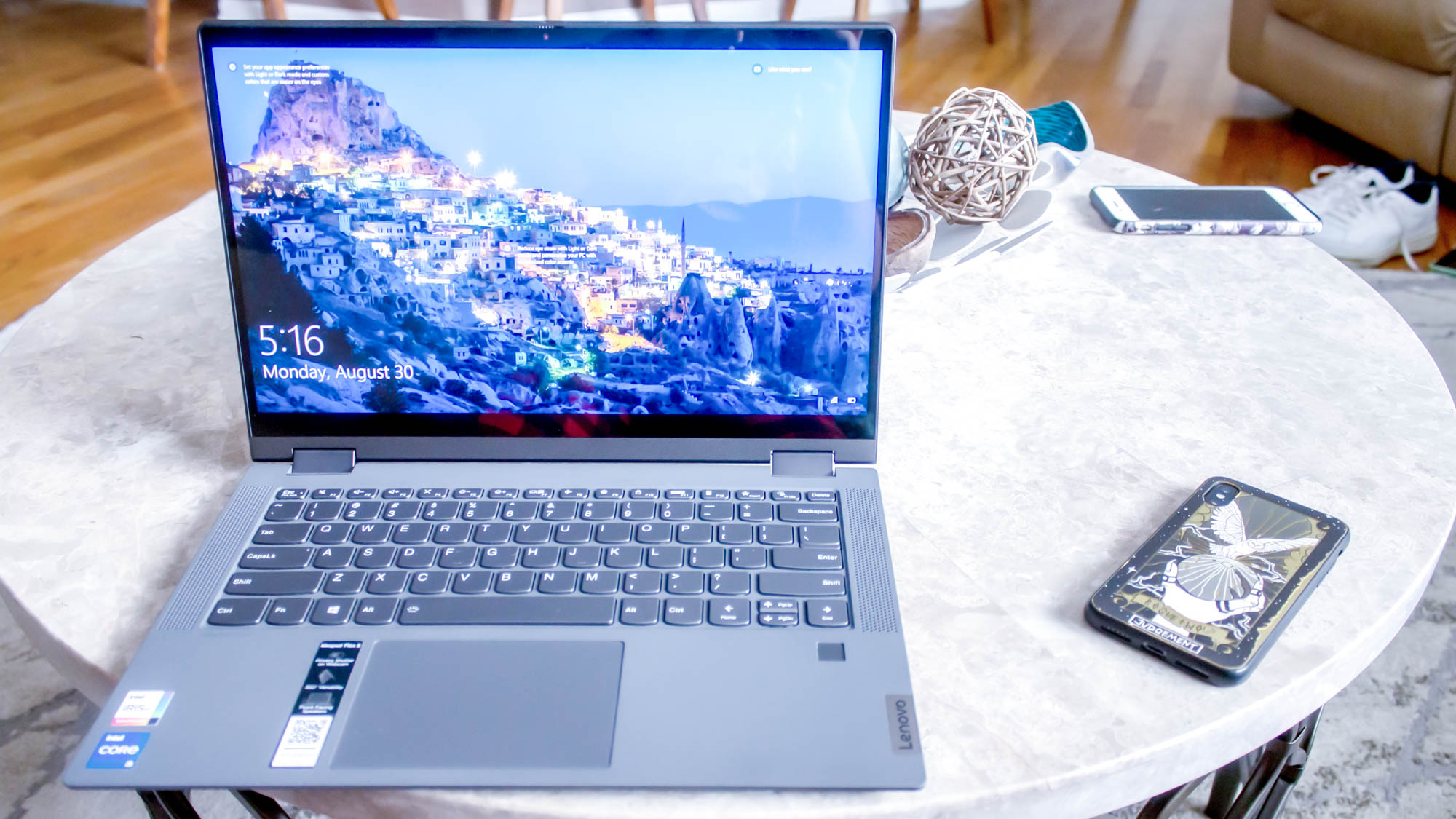
Discovering a capable Windows laptop for under $500 that delivers a consistent and reliable experience is a rare feat. The Lenovo IdeaPad Flex 5 14 (Intel) fills this niche admirably, offering a robust feature set that includes solid performance, exceptional battery life, and a highly comfortable keyboard—all critical elements for a productive computing experience within this budget. Powered by an Intel Core i5-1135G7 processor with Intel Iris Xe integrated graphics and 16GB of RAM, it provides a respectable performance foundation. Its 12.3-inch (2400 x 1600) IPS touch display, while somewhat dim at 200 nits and covering only 45% of the DCI-P3 gamut, is a compromise balanced by its other strengths.The IdeaPad Flex 5 achieved a Geekbench 5 multi-core score of 3,841, significantly outperforming the Chromebook average of 2,253 and other budget Chromebooks like the Duet 5. This performance makes it a viable option for Windows-specific applications and moderate multitasking. Its most compelling feature, however, is its astounding battery life of 14 hours and 16 minutes, easily surpassing many premium laptops. The keyboard provides a responsive and tactile typing experience, essential for long periods of document creation. While the Intel version might be challenging to locate, the AMD Ryzen 3 model offers a comparable experience. Originally priced between $500-$650, its current availability for under $500 or even $400 makes it an outstanding value in the Windows segment, despite having only one USB-C port and not including a stylus.

-
Acer Chromebook Spin 312: Student’s Smart Choice
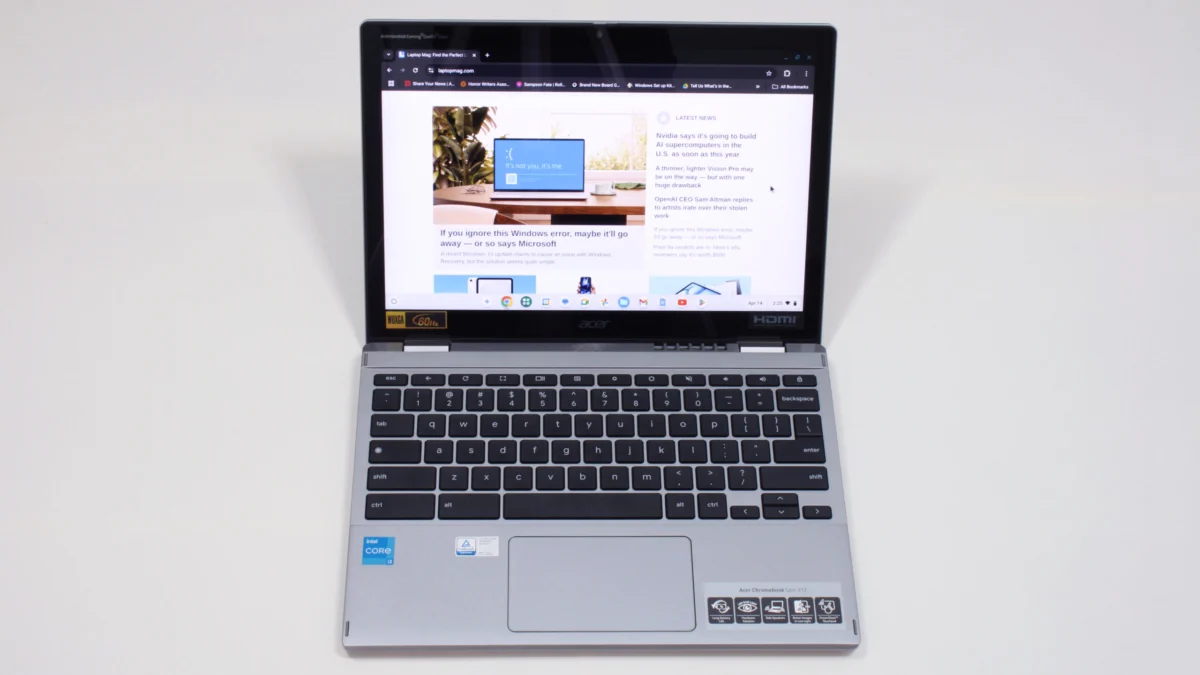
For the student demographic, the Acer Chromebook Spin 312 emerges as an exemplary budget laptop, offering a balance of durability, portability, and user-friendly features. Its Intel Core i3-N305 CPU, 8GB of RAM, and 128GB eMMC storage provide adequate performance for academic tasks. The device’s silver-coated chassis gives it a more expensive appearance than its actual price, and its light weight of 2.84 pounds makes it ideal for carrying between classes.A key highlight is its battery life, which lasts up to 10 hours and 33 minutes on a single charge. Unique features enhance its usability, such as Acer’s OceanGlass touchpad, which offers an exceptionally smooth tactile experience, often outperforming trackpads on more expensive Windows laptops. The 12.2-inch (1920 x 1200) IPS touch display, though covering 55% of the DCI-P3 color gamut (modest by objective metrics), benefits significantly from its Corning Gorilla Glass coating. This coating not only adds durability but also enhances visual contrast and vividness, making colors appear richer than the panel’s specifications might suggest. As a 2-in-1 laptop, the Spin 312 accommodates both typing and handwritten note-taking, making it highly adaptable for diverse student needs, despite its shallow audio and thin keycaps.
Comparative Performance Analysis

A deeper dive into the benchmark data provides crucial context for understanding the real-world capabilities of these budget laptops. Geekbench scores, particularly Geekbench 6 for newer models, reflect raw processing power, indicating how well a laptop handles intensive tasks like complex calculations or heavy multitasking. Higher scores, such as the IdeaPad Flex 5i Chromebook Plus’s 5,384, denote a more responsive system. Jetstream 2, which measures JavaScript and WebAssembly performance, is highly relevant for Chromebooks, as it indicates browser-based application speed. The IdeaPad Flex 5i’s 272.91 and Acer Chromebook Spin 312’s 215 are strong indicators of snappy web performance compared to the Duet 5 Chromebook’s 70.1, reflecting the latter’s weaker processor. CrXPRT 2, another Chromebook-centric benchmark, further evaluates overall responsiveness in common ChromeOS tasks.
Battery life, measured by continuous web surfing over Wi-Fi at 150 nits of brightness, stands out as a critical metric where these budget machines excel. Runtimes exceeding 10 hours, as seen in all featured models, are exceptional and vital for mobile users. The Lenovo IdeaPad Flex 5 14 (Intel)’s 14 hours and 16 minutes and the Lenovo Duet 5 Chromebook’s 13 hours and 31 minutes are particularly noteworthy, often surpassing the endurance of many premium devices.
Display quality, while subject to budget constraints, still offers variations. DCI-P3 color gamut coverage indicates the richness and accuracy of colors, with higher percentages being better. The Duet 5 Chromebook’s 85.2% is outstanding due to its OLED panel, while others like the IdeaPad Flex 5i (46.5%) and Acer Spin 312 (55%) are more typical for IPS budget screens. Display brightness (nits) impacts visibility in various lighting conditions; the Duet 5’s 361 nits and IdeaPad Flex 5i’s 306 nits offer good outdoor visibility, whereas the IdeaPad Flex 5 14’s 200 nits might struggle in bright environments. These figures highlight where manufacturers prioritize their budget, with some opting for a dazzling display and others focusing on raw performance or battery life.
Expert Insights and Industry Outlook
Industry analysts frequently point to the sub-$500 laptop market as a bellwether for accessibility in technology. Manufacturers are continuously challenged to innovate within tight budgetary constraints, leading to intelligent design choices and strategic component selection. The growing capabilities of integrated graphics and efficient processors, even at entry levels, mean that "basic" computing is far more robust than it once was. The success of Chromebooks, in particular, demonstrates a strategic pivot by Google and its hardware partners to deliver highly optimized software experiences on cost-effective hardware, catering directly to a significant segment of the market that prioritizes value and simplicity.
There’s a palpable consumer sentiment that even affordable devices should not compromise on core functionality and usability. The ubiquity of technology has raised expectations, and consumers now expect smooth performance for everyday tasks, decent displays, and, crucially, all-day battery life, regardless of price. This pressure drives manufacturers to refine their budget offerings, leading to the emergence of truly impressive devices like those highlighted in this review. The focus on AI-infused performance, as seen in the Lenovo IdeaPad Flex 5i Chromebook Plus, indicates a trend toward integrating advanced features even in budget devices, leveraging software optimizations to compensate for hardware limitations.
Navigating the Purchase: A Buyer’s Guide Re-emphasized
To streamline the purchasing process, prospective buyers should adhere to several tried-and-true guidelines when selecting a laptop under $500. Beyond the initial price tag, evaluating the long-term value and expected longevity is crucial. This involves scrutinizing specifications, assessing keyboard quality, and examining build robustness as detailed in comprehensive reviews. For models not explicitly reviewed, a simple online search for "[laptop name] review" can yield valuable insights for an informed decision.
Screen size is a practical consideration affecting portability; models ranging from 12 to 14 inches are typically the lightest and thinnest, dominating the sub-$500 category. The form factor also dictates versatility. While traditional clamshell laptops often offer better features for the price, convertible 2-in-1s with 360-degree rotating displays or detachable keyboards are increasingly available and inexpensive. These are ideal for users who desire tablet functionality or prefer handwritten input, though it’s important to note the ergonomic differences between folding a screen back and detaching a keyboard.
Battery life remains a non-negotiable feature; a minimum of 10 hours in real-world usage tests is recommended to ensure the device can last a full workday without needing a charge. In terms of internal specifications, while 16GB RAM, a 256GB SSD, and a 13th-gen Intel processor or newer would represent ideal (and rare) finds, more commonly, buyers will encounter combinations of 8GB RAM, 128GB (often slower eMMC) storage, and MediaTek Kompanio or Intel N-series processors. For these more common specifications, a Chromebook will almost invariably offer a more fluid and satisfying user experience compared to a Windows laptop, due to its optimized operating system.
The market for laptops under $500 is not static. Factors such as global supply chains, component costs, and geopolitical influences (like tariffs, as historically discussed by industry experts) can impact pricing. While the average price of laptops has remained relatively stable over recent years, with quality improving, future tariff hikes could significantly increase costs, making it even more challenging to find high-quality devices in this budget segment. Therefore, staying informed about market trends and seizing opportune deals, particularly during major sales events like Black Friday and Cyber Monday, is advisable.
In conclusion, the journey to finding a truly valuable laptop under $500 is less about chasing unattainable premium features and more about making astute, informed choices that align with specific user needs. By focusing on essential performance, robust battery life, and the inherent efficiencies of platforms like ChromeOS, consumers can unlock devices that not only meet but often exceed expectations for their price point, providing reliable and enjoyable computing experiences.