Mechanical keyboards have experienced a massive surge in popularity over the past decade, transitioning from niche enthusiast items to mainstream desktop staples utilized by gamers, programmers, and office professionals alike. Central to this resurgence is the tactile satisfaction and longevity offered by mechanical switches, which are engineered to endure tens or even hundreds of millions of keystrokes. However, this longevity comes with a maintenance prerequisite. Unlike membrane keyboards, which feature a sealed rubber dome layer, mechanical keyboards possess intricate exposed housings, individual switches, and removable keycaps that act as a natural trap for dust, skin cells, hair, and ambient debris.
A prime case study in long-term peripheral maintenance involves the XTRFY K40 TKL RGB, specifically the Hardware Canucks Edition, which has served as a primary daily driver since its market introduction in 2019. Following two years of continuous deployment without a comprehensive sanitation cycle, the accumulation of organic and particulate matter necessitates a deep restoration process. While the market is flooded with proprietary cleaning kits—many of which offer questionable utility—restoring a high-end mechanical keyboard successfully relies on methodical disassembly, standard household tools, and chemical precision to avoid damaging sensitive electronic components.
Anatomy of Peripheral Contamination
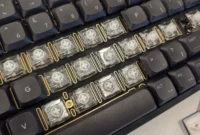
To understand the necessity of a deep clean, one must examine how debris infiltrates a tenkeyless (TKL) mechanical keyboard layout. Over a 24-month operational window, daily usage introduces millions of microscopic particles into the chassis. Skin dander, dust from HVAC systems, textile fibers from clothing, and stray hairs inevitably migrate past the keycap perimeters. On non-floating keycap designs—where the surrounding frame rises up around the lower portion of the keycaps—these particles become trapped in a confined trench surrounding the mechanical stems.
According to ergonomic and workspace hygiene studies, computer peripherals frequently harbor higher concentrations of bacteria and particulate matter than household surfaces such as toilet seats if left unmaintained. In the case of the XTRFY K40 TKL RGB, visual inspection prior to cleaning revealed a dense concentration of debris heavily localized around high-frequency input zones. Specifically, the spacebar, the left Shift key, and the right Enter key exhibited the highest density of trapped matter. This concentration correlates directly with typing ergonomics; the thumbs and pinkies resting on these modifier keys generate downward pressure that compresses trapped dust into a sticky amalgam, further exacerbated by factory-applied lubricant on the stabilizer bars catching stray hairs.
Chronology of the Restoration Process
Restoring a mechanical keyboard to factory-standard condition requires a structured, multi-phase chronological approach. Initiating the process haphazardly risks damaging the printed circuit board (PCB), stripping structural screws, or degrading the chemical integrity of the plastic keycaps.
Phase One: Initial Diagnostics and Inversion
The procedure begins with a preliminary dry-shake phase. Inverting the keyboard and gently tapping the chassis dislodges loose particulate matter resting loosely on the switch plates. Following this, the workspace must be prepared with appropriate tools. Rather than specialized kits, the optimal toolkit consists of a wire keycap puller, an assortment of soft and stiff-bristled paintbrushes, cotton swabs (Q-tips), wooden toothpicks, tweezers, a diluted solution of mild dish soap, and an isopropyl alcohol (rubbing alcohol) and water mixture.
Phase Two: Digital Mapping and Keycap Extraction
Because human memory is unreliable when dealing with upwards of 80 to 100 individual keys, documentation is essential prior to disassembly. While physical reference photographs can be utilized, displaying a high-resolution stock layout of the specific keyboard model on an adjacent monitor provides an infallible spatial guide for reassembly.
Using a wire keycap puller—which minimizes the risk of scratching the keycap flanks compared to rigid plastic rings—the keys are systematically extracted. Special care must be applied to stabilized keys, such as the spacebar, shift, and enter keys. These components utilize metal wire stabilizers beneath the cap; pulling them unevenly can warp the delicate plastic inserts. Once removed, the entire array of keycaps is submerged in a warm, soapy bath designed to dissolve skin oils, finger grease, and localized grime.
Phase Three: Chassis Disassembly and Plate Separation
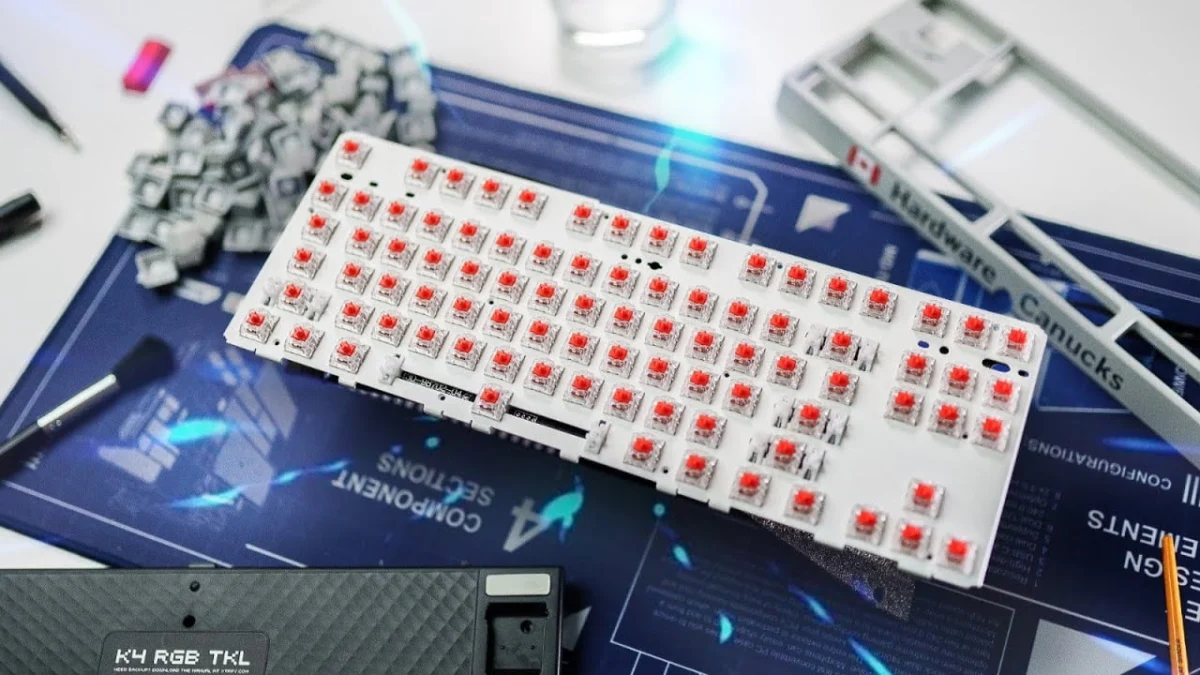
Unlike keyboards featuring a floating design where switches are mounted directly onto an exposed top plate, the XTRFY K40 features a modular multi-tier construction. Removing a series of accessible exterior screws allows the top frame element to detach entirely.
This structural separation is critical for deep cleaning, as it exposes the perimeter edges of the base plate where debris traditionally accumulates out of reach. Disassembling the frame also reveals the internal engineering choices of the manufacturer; in this instance, dampening foam lines the interior base of the hollow plastic chassis, explaining the keyboard’s muted, high-quality acoustic profile during operation. Detaching the internal USB cable clears the workspace of obstructions, allowing for unimpeded access to the switch plate.
Phase Four: Mechanical Brushing and Chemical Scrubbing
With the switch plate exposed, dry particulate removal commences. Utilizing a stiff-bristled paintbrush, loose hairs and large fibers are swept away from the switch housings. Technicians must exercise caution regarding bristle quality; low-grade brushes that shed fibers can inadvertently introduce new foreign matter into the switches.
Once dry debris is cleared, sticky residue requires chemical intervention. Pure water is insufficient for breaking down organic grease; a 50/50 mixture of isopropyl alcohol and water is applied via cotton swabs. The alcohol acts as a solvent, cutting through stubborn oils accumulated around the left Shift and spacebar zones. Because factory lubricants are intentionally applied to stabilizer bars to eliminate rattle, care must be taken to clean surrounding grime without entirely stripping the necessary dampening grease.
Phase Five: Drying, Polishing, and Reassembly
Following a minimum one-hour soak, keycaps are extracted from the soapy solution individually, rinsed, shaken to expel trapped water droplets, and arranged face-up on absorbent kitchen towels to air-dry completely.
Once all components are thoroughly dry, the structural reassembly begins. The top frame is reattached to the chassis, followed by a final static sweep of the switch plate using vertical and horizontal strokes to capture any lingering micro-particles without pushing them deeper into the switch mechanisms. Utilizing the digital monitor reference, keycaps are snapped back into their respective positions. A final microfibre polish removes any handling smudges, returning the peripheral to a visual and tactile state virtually indistinguishable from a newly unboxed unit.
Technical Specifications and Material Safety Considerations
Executing a deep clean on specialized hardware requires strict adherence to material science principles. Peripheral manufacturers utilize various polymers for keycap construction, most notably ABS (Acrylonitrile Butadiene Styrene) and PBT (Polybutylene Terephthalate).
ABS plastic, while common due to its lower production cost and vibrant color reproduction, is chemically sensitive. High concentrations of isopropyl alcohol or acetone applied directly to ABS keycaps can degrade the plastic’s surface texture, strip secondary legends, or create a shiny, worn aesthetic prematurely. Consequently, chemical solvents should be strictly reserved for the metal or durable plastic chassis plates, while keycaps should remain restricted to mild dish soap and warm water immersion.
Furthermore, electrical safety is paramount. The internal PCB houses surface-mounted LEDs, controller chips, and solder joints that are vulnerable to liquid ingress. Excessive moisture—particularly unevaporated water trapped beneath switches or pooling inside the base frame—can cause short circuits, trace corrosion, or permanent LED failure. Technicians must ensure absolute desiccation of all components before re-energizing the device via USB connection.
Industry Implications and Peripheral Longevity
The maintenance cycle of mechanical keyboards highlights a broader consumer trend toward right-to-repair philosophies and hardware longevity. In an era dominated by electronic waste and disposable consumer technology, high-end mechanical keyboards represent a durable investment. Retailing typically between $80 and $200+ for enthusiast-grade models, peripherals like the XTRFY K40 are engineered for multi-year lifespans.
Industry analysts note that routine maintenance significantly extends the operational lifespan of mechanical switches. Dust and particulate ingress are leading causes of switch chattering—a phenomenon where a single keystroke registers multiple inputs due to microscopic interference within the metallic leaf contact points inside the switch housing. By proactively removing particulate matter every 12 to 24 months, users can prevent switch degradation, preserve tactile consistency, and delay the financial and environmental cost of replacement.
Conclusion
The systematic overhaul of a two-year-old mechanical keyboard demonstrates that routine domestic maintenance can successfully reverse years of heavy environmental exposure. Through controlled disassembly, appropriate chemical solvents, and meticulous attention to material safety, hardware components can be restored to optimal functional and aesthetic standards. As mechanical keyboards remain a central interface for digital productivity and gaming, understanding the protocols of deep sanitation ensures both peak performance and long-term hardware preservation.