For years, Apple’s Find My network stood as a significant competitive advantage for its ecosystem, leveraging hundreds of millions of devices to create a vast, crowdsourced mesh network capable of tracking products with remarkable precision, even when offline. Google, recognizing this critical need for its equally expansive user base, has steadily developed and enhanced its own robust alternative, now prominently known as Find Hub, a successor to the earlier "Find My Device." While Find Hub has been a cornerstone of Android device management for approximately two years, its full spectrum of capabilities remains underutilized by many users. This comprehensive guide aims to shed light on the sophisticated features embedded within Find Hub, empowering Android users to effectively locate their lost gadgets and safeguard their invaluable personal data.
The Genesis of Device Tracking: A Historical Perspective
The concept of remotely locating a lost or stolen mobile device is not new. Early iterations of such services, including Google’s initial "Find My Device," primarily relied on the device being online and having GPS enabled. These basic tools allowed users to pinpoint a device’s last known location on a map, ring it loudly to find it nearby, or perform a remote wipe as a last resort. However, a significant limitation persisted: once a device went offline, its trail often went cold, leaving owners with little recourse.
The landscape shifted dramatically with the advent of crowdsourced tracking networks. Apple’s "Find My" network, launched in 2019, revolutionized device location by turning every participating iPhone, iPad, and Mac into a beacon, passively scanning for nearby lost Apple devices via Bluetooth Low Energy (BLE). When a lost device was detected, its encrypted location was securely relayed back to the owner through the network, all without compromising the privacy of the transmitting device. This innovation provided an unprecedented level of tracking capability, particularly for offline devices and small items equipped with AirTags.
Google’s response, now embodied by Find Hub, represents a critical evolution for the Android ecosystem. With billions of active Android devices globally, the potential for a similarly powerful crowdsourced network was immense. The transition from the more basic "Find My Device" to the enhanced "Find Hub" reflects Google’s commitment to offering a competitive, comprehensive, and privacy-centric solution. This evolution wasn’t merely about feature parity; it was about leveraging the sheer scale of Android to create a safety net for its users, ensuring that a lost phone, smartwatch, or earbud doesn’t necessarily mean a permanent loss.
How Find Hub Works: The Power of the Android Network
At its core, Find Hub operates on a sophisticated, decentralized network principle. Every Android device that is powered on and has location services enabled (and has opted into the Find Hub network, which is often enabled by default) can participate in this global tracking effort. When a device is marked as lost, it emits a secure, anonymized Bluetooth signal. Other Android devices within range detect this signal, encrypt its location, and securely upload it to Google’s servers. This data is then made accessible to the owner via their Find Hub app or web interface.
This crowdsourced approach offers several distinct advantages over traditional GPS-only tracking:
- Offline Tracking: Critically, Find Hub can locate devices even when they are not connected to Wi-Fi or cellular networks. As long as the device has battery and Bluetooth enabled, it can be detected by other Android devices. This is particularly useful for items lost in public spaces, forgotten in a friend’s car, or even devices that have been stolen and had their SIM card removed.
- Enhanced Accuracy in Dense Environments: In urban areas or crowded buildings where GPS signals can be weak or inaccurate, the density of Android devices significantly improves the chances of a precise location being reported through multiple nearby "pings."
- Vast Reach: With over 3 billion active Android devices worldwide as of 2024, the Find Hub network dwarfs any single-vendor alternative in sheer scale. This monumental reach dramatically increases the probability of a lost device being detected and its location reported, regardless of its geographical position.
- Privacy-Centric Design: Google emphasizes that the location data collected through the Find Hub network is encrypted end-to-end, anonymized, and aggregated. No individual device’s location is identifiable by other network participants, nor is the identity of the detecting device revealed to the owner of the lost item. This robust privacy framework is essential for maintaining user trust and encouraging broad participation in the network.
Beyond Basic Location: Advanced Tracking Features
Find Hub is more than just a dot on a map; it provides a suite of advanced features designed to offer granular control and information during a stressful lost-device scenario.
-
Detailed Device Status: Battery and Network Connectivity
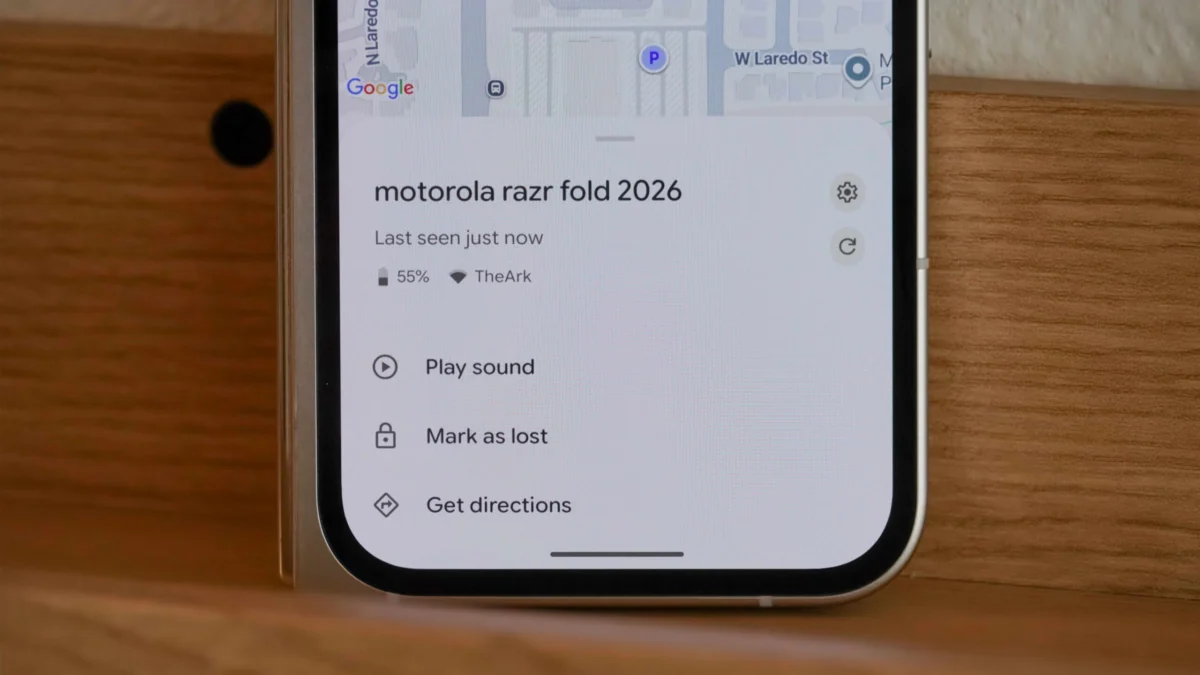
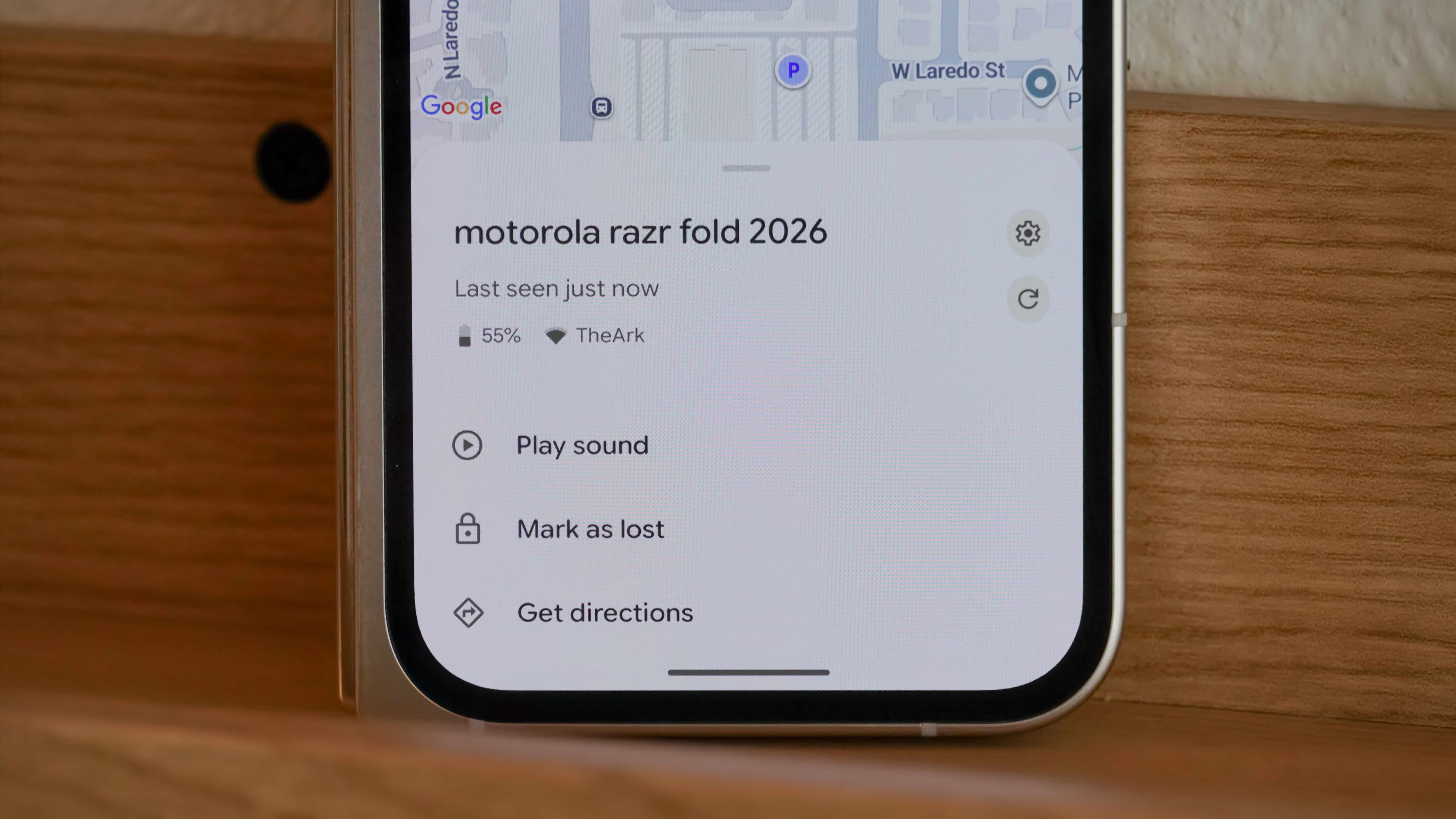
One of Find Hub’s understated yet highly practical features is its ability to display crucial real-time information about your lost device. Beyond just its location, the app shows the device’s current battery percentage and its network connection status (Wi-Fi or cellular), including signal strength.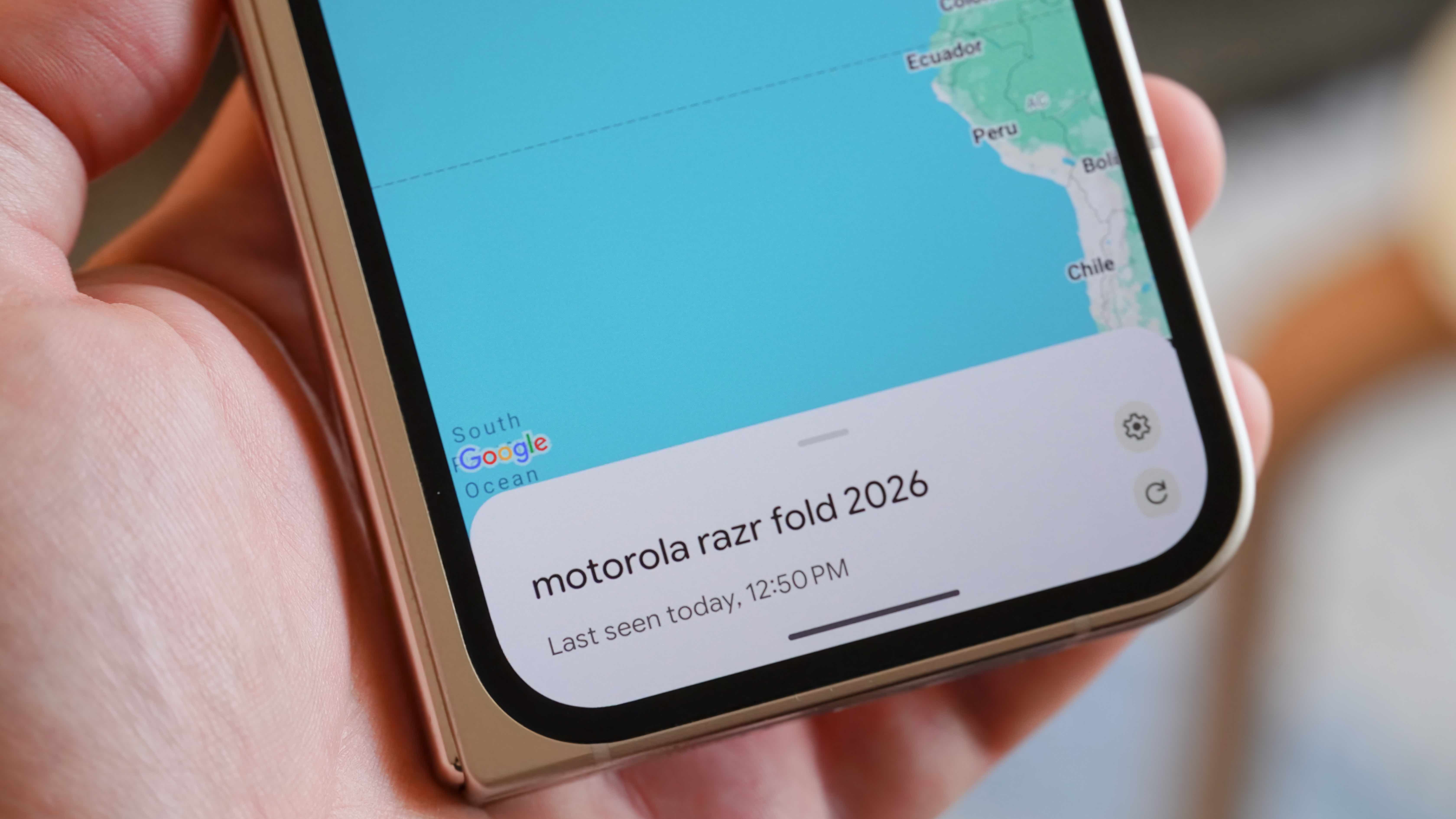
- Implication for Recovery: Knowing the battery level is paramount. It allows you to estimate how much time you have before the device powers down, potentially losing its ability to be tracked. If the battery is critically low, recovery efforts become urgent.
- Network Insights: The network connection details offer valuable contextual clues. For instance, if your phone shows a strong Wi-Fi signal from your home network, you can confidently conclude it’s somewhere within your residence. A weak signal might suggest it’s just outside or in a peripheral area like a garage or car parked nearby. Conversely, a cellular connection with a strong signal implies it’s likely outdoors or in an area with good mobile coverage, away from your known Wi-Fi networks. This data can often be more immediately actionable than raw GPS coordinates alone, especially for devices misplaced indoors. To access this information, users simply open the Find Hub app, tap on the desired device in the "Devices" list, and the details appear directly below its name.
-
Precision Mapping and Navigation Integration
When a device’s location is unknown, Find Hub’s mapping capabilities become indispensable. The app provides a detailed map with a pin indicating the device’s last known location.- Google Maps Integration: A crucial integration is the "Get directions" button, which seamlessly launches Google Maps, pre-populated with the device’s coordinates. This allows users to immediately start navigating to the precise location where their device was last detected. This feature is invaluable for recovering phones left in taxis, at restaurants, or dropped during commutes.
- UWB (Ultra-Wideband) Potential: While the article notes that UWB support is not universally available for hyper-accurate indoor tracking (like Apple’s AirTags offer), the Find Hub network is designed to be compatible with future UWB-enabled Android devices and trackers. This promises even more precise "near me" location capabilities, potentially guiding users to within inches of their lost item in complex indoor environments.
-
Audible Alerts for Close-Range Recovery
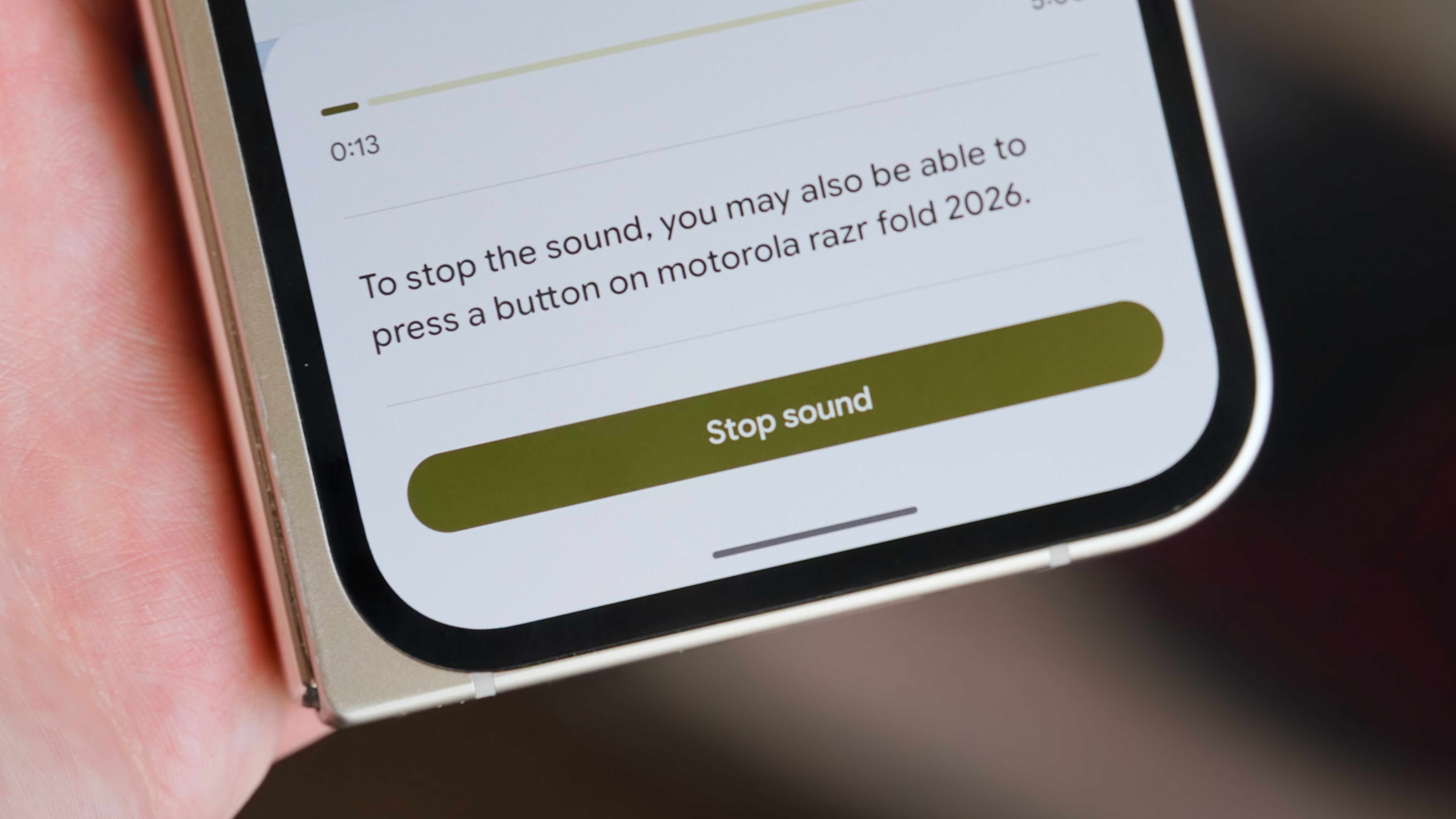
For devices lost within proximity – perhaps buried under laundry, slipped between couch cushions, or misplaced in a cluttered office – the "Play sound" feature is often the quickest solution.- Loud and Persistent Alarm: Activating this feature from the Find Hub app (Devices > [Device Name] > Play sound) causes the lost device to emit a loud, distinctive alarm sound, even if it was previously on silent mode. This alarm is designed to be highly audible, cutting through ambient noise to guide the owner directly to their item.
- Versatility: This function isn’t limited to phones; it works equally well for Wear OS watches and Bluetooth earbuds, provided they are powered on and connected to the network or a nearby Android device. The persistent nature of the alarm ensures that even if you miss it initially, it continues to play, increasing the chances of discovery.
Collaborative Tracking and Data Security Measures
Beyond individual recovery, Find Hub also incorporates features that address collaborative usage and critical data protection.
-
Shared Ownership for Accessories
In households or shared workspaces, accessories like earbuds or item trackers are often used by multiple individuals. Find Hub introduces a "Share ownership" feature for compatible accessories, allowing trusted friends or family members to also track the device’s location.- Seamless Sharing: The process is straightforward: open Find Hub, select the accessory, tap "Share ownership," and generate a shareable link. This link, valid for 24 hours and intended for single use, can be sent to another individual.
- Practical Applications: This is particularly useful for shared items like a family’s Google Pixel Buds Pro 2, ensuring that if one partner misplaces them, the other can help locate them. It extends the utility of the network beyond a single owner, reflecting the reality of modern device usage. It’s important to note that this feature is specifically designed for accessories and not typically available for primary devices like phones.
- Security Considerations: While convenient, users should exercise caution when sharing ownership, ensuring the recipient is genuinely trusted, as they will gain access to the accessory’s location data.
-
The "Mark as Lost" Protocol
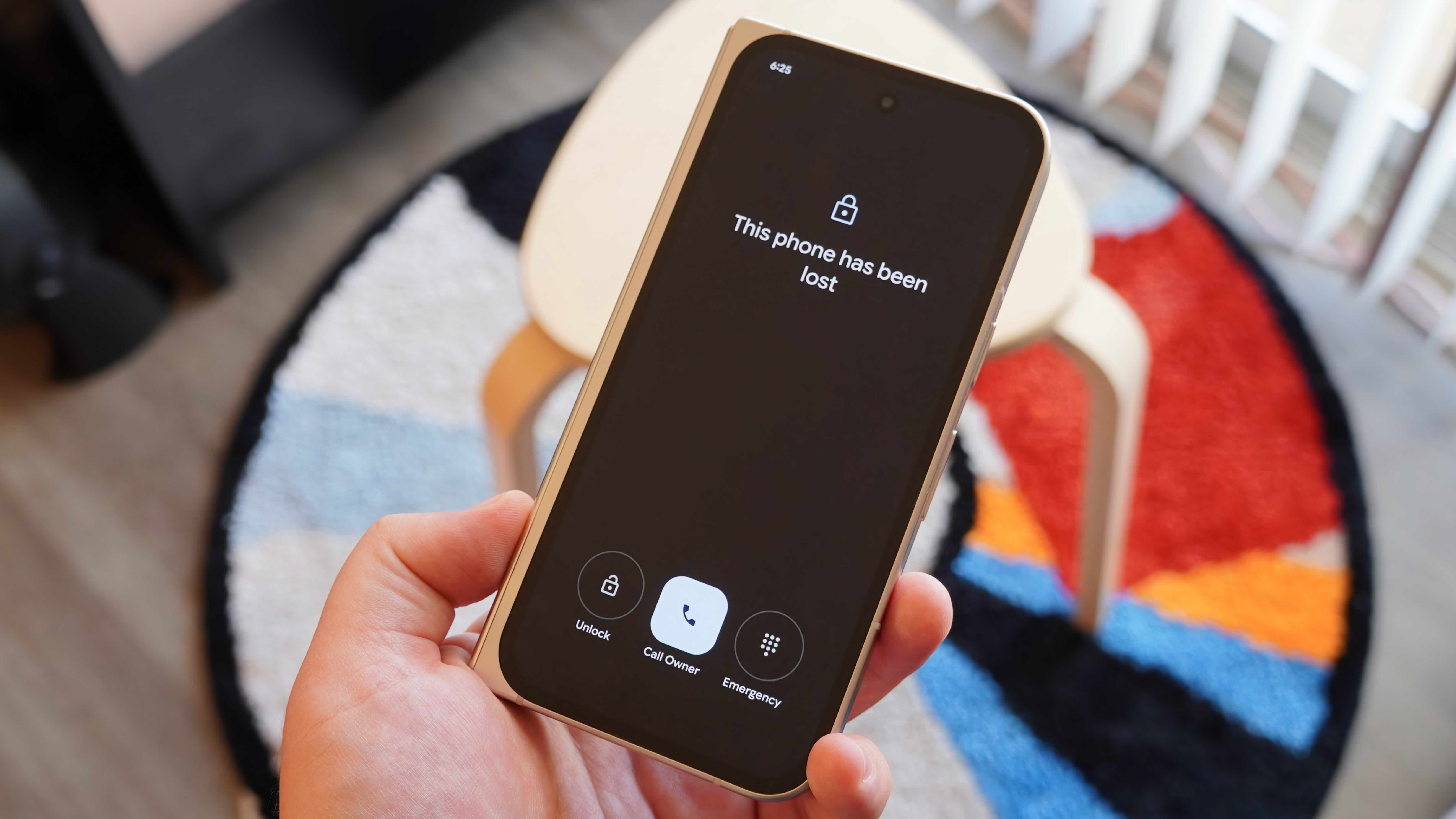
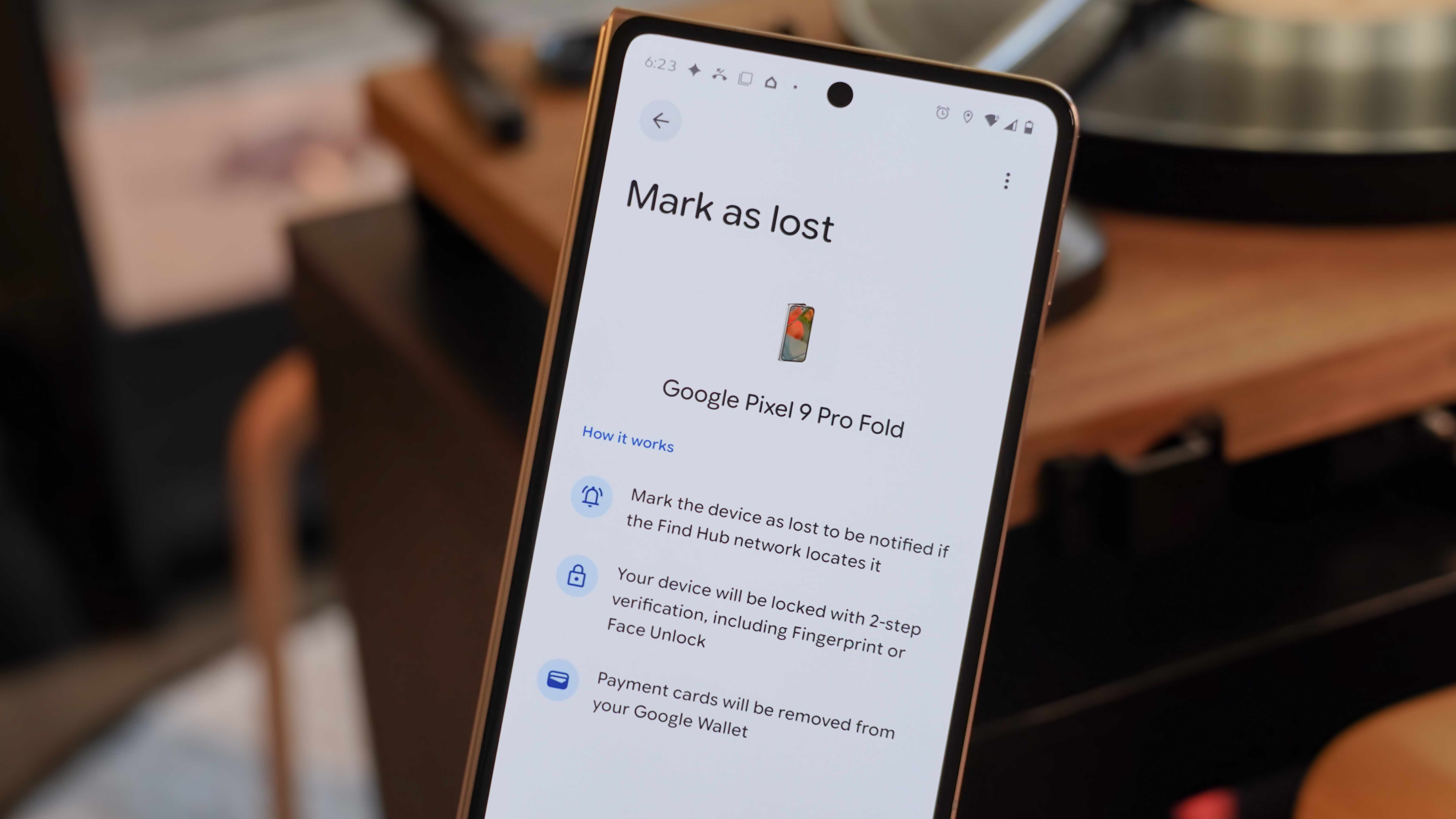
When a device is truly lost or potentially stolen and out of immediate reach, the "Mark as lost" mode is a crucial security and recovery feature.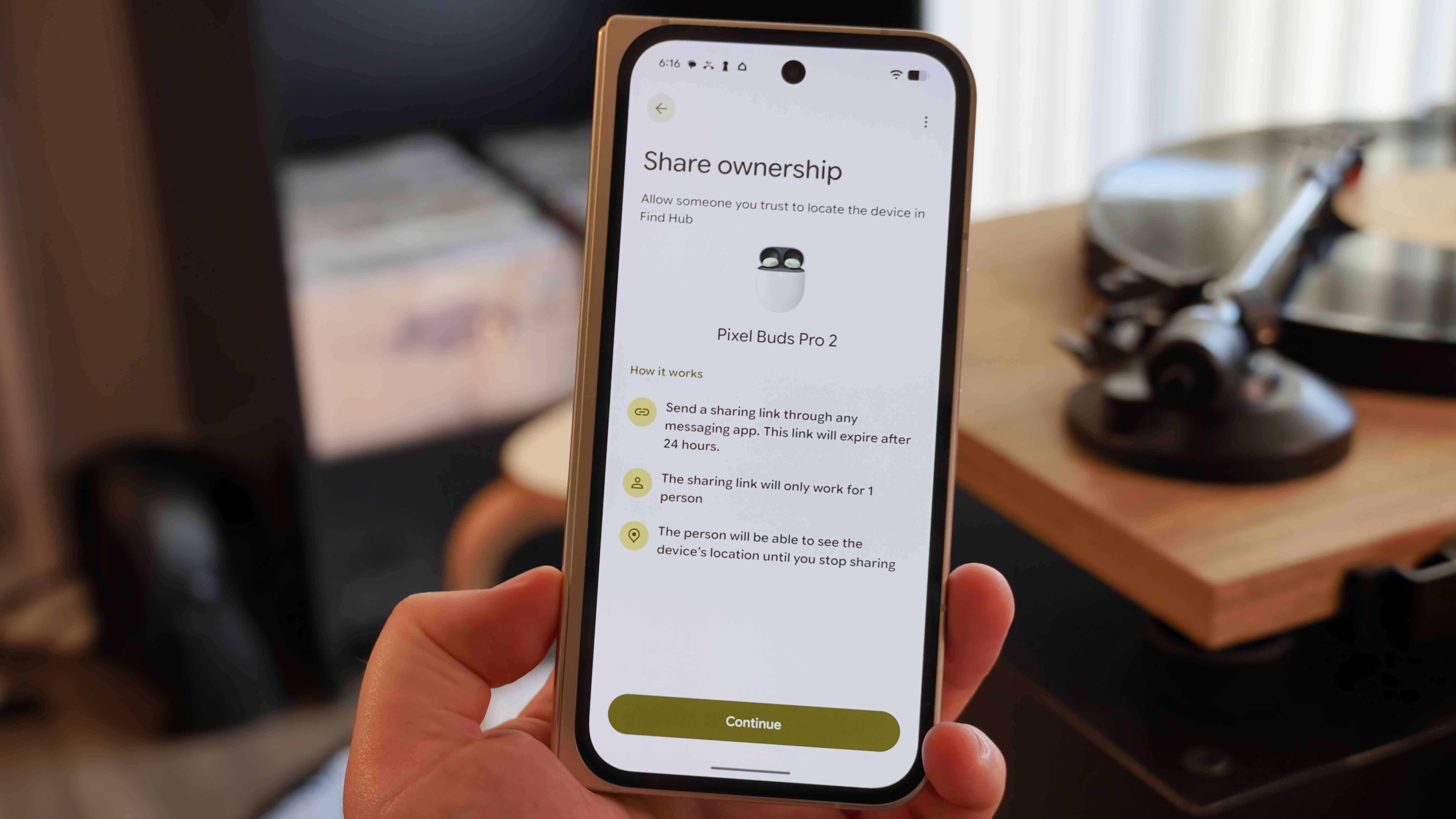
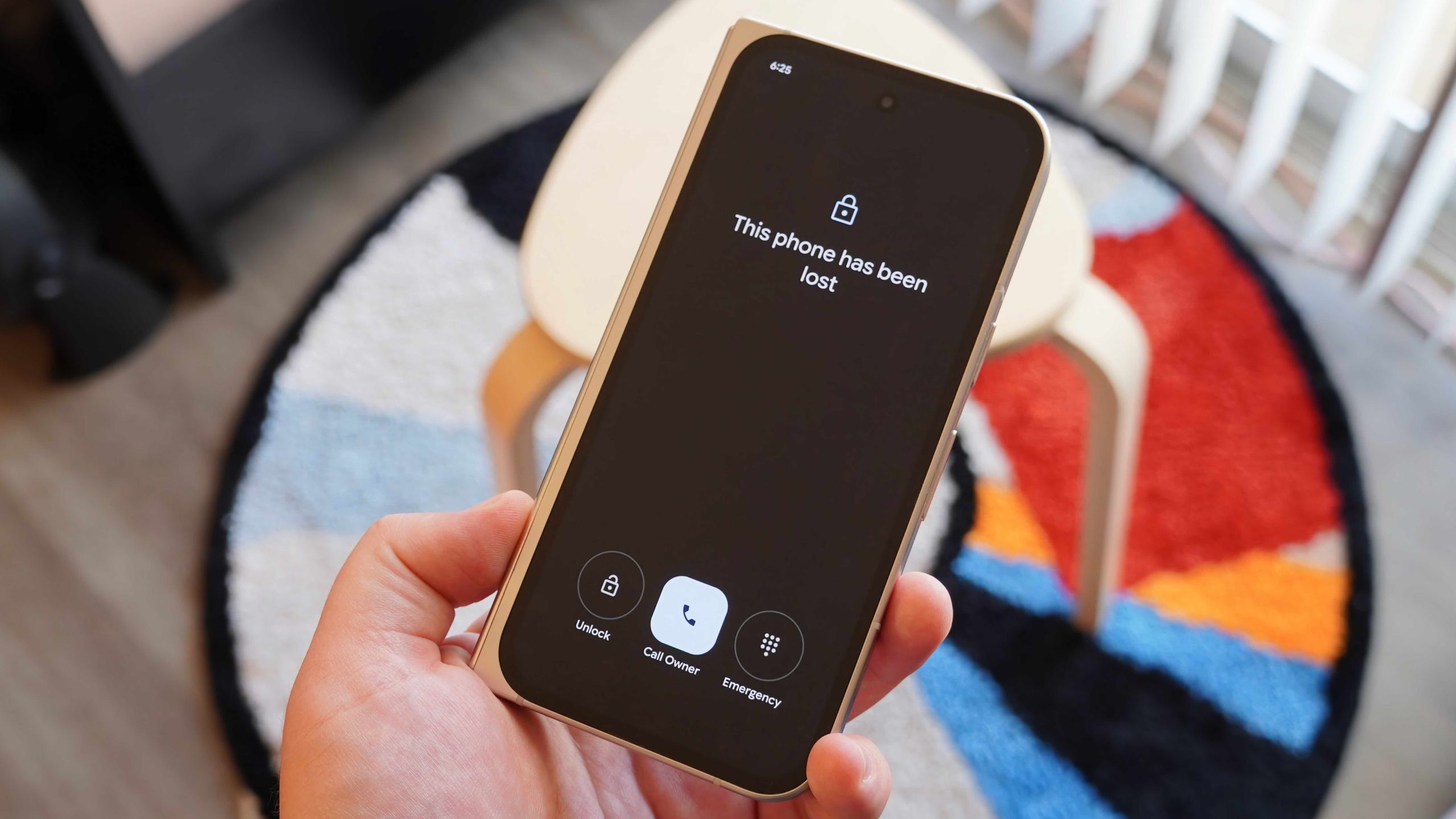
- Remote Lockdown: Activating this mode (Find Hub app > [Lost Device Name] > Mark as lost > Continue) immediately locks down the device. The screen displays a customizable message and an optional contact phone number, allowing a finder to easily reach the owner without accessing any personal data. This transforms a lost device into a recovery tool, encouraging good Samaritans to return it.
- Enhanced Security: The device remains locked, preventing unauthorized access to personal information, photos, messages, and banking apps. When the owner eventually recovers the device, they will need to use two-factor authentication to unlock it, adding an extra layer of security against potential tampering during its absence.
- Web Client Access: All "Mark as lost" functionalities can also be managed remotely via the Find Hub web client at
https://www.google.com/android/find/, offering flexibility even if the primary device for managing Find Hub is also lost. This dual access ensures users are never without options to secure their data.
The Ultimate Safeguard: Remote Data Eradication
In the unfortunate event that a lost device cannot be recovered, or if there’s a high risk of sensitive data falling into the wrong hands, Find Hub provides a critical last resort: remote factory reset.
- Permanent Data Deletion: This feature, accessible via the Find Hub app or web client (Find Hub app > [Device Name] > Settings gear icon > Factory reset for phones or Remove device for accessories), allows users to permanently wipe all data from their lost device. This action deletes all personal information, apps, photos, and settings, effectively restoring the device to its original factory state.
- Irreversible Action: It’s imperative to understand that this is an irreversible decision. Once a device is factory reset, it is removed from the Find Hub network, and all tracking capabilities are lost. Therefore, this option should only be exercised when all hope of recovery is exhausted, and the primary concern shifts entirely to data protection.
- Mitigating Risk: For users with highly sensitive information—such as financial data, confidential work documents, or private communications—a remote wipe provides peace of mind, ensuring that even if the device is permanently lost or stolen, their digital footprint remains secure. The decision to erase data is often difficult but sometimes necessary to prevent identity theft or privacy breaches.
Broader Implications and Future Outlook
Google’s Find Hub represents a significant stride in standardizing and enhancing device security and recovery across the fragmented Android ecosystem. Its evolution signals Google’s intent to offer a comprehensive, Apple Find My-level experience for its users, leveraging the sheer scale of Android’s global presence.
- Competitive Landscape: The robust capabilities of Find Hub intensify the competition in the device tracking space. While Apple’s network gained an early lead, Google’s continuous improvements and the sheer volume of Android devices promise a formidable challenger, benefiting consumers across both ecosystems with more reliable tracking solutions.
- Privacy vs. Utility Debate: The expansion of crowdsourced networks naturally reignites discussions around data privacy. Google’s emphasis on end-to-end encryption, anonymization, and aggregated data aims to address these concerns head-on, allowing users to benefit from the utility of the network without compromising their personal information. Transparency in data handling and clear opt-in/out options are crucial for maintaining user trust.
- Ecosystem Expansion: Find Hub’s compatibility extends beyond just phones and Wear OS watches. It supports Bluetooth accessories and a growing list of third-party item trackers like Chipolo and Pebblebee. This open approach signifies a future where a wide array of personal items, not just primary devices, can be integrated into the robust Find Hub network. Future developments could include deeper integration with smart home devices, more sophisticated indoor mapping, and even richer contextual data to aid recovery.
- User Empowerment: Ultimately, Find Hub empowers Android users with unparalleled control over their digital assets. In a world where smartphones are repositories of our lives, the ability to locate, secure, and, if necessary, remotely wipe a lost device is not merely a convenience but a fundamental aspect of digital safety and peace of mind. Familiarity with these features is no longer optional but a vital skill for every Android user.
By mastering the various functionalities of Find Hub, Android users can significantly improve their chances of recovering lost devices and, more importantly, protect their sensitive data from unauthorized access. It transforms the often-distressing experience of losing a gadget into a manageable process, backed by the collective power of billions of Android devices.