
In today’s interconnected world, where virtual interactions have become an indispensable part of professional and personal life, the quality of one’s digital presence is paramount. Far from being a mere peripheral, an excellent webcam has rapidly evolved into a home office essential and a critical accessory for anyone engaging in online streaming, content creation, or professional virtual meetings. The era of conducting video calls at arm’s length or relying on a selfie stick for acceptable framing is firmly behind us; crisp, clear, and engaging visual communication is now the standard.
While most modern laptops are equipped with integrated webcams, the quality delivered by these built-in solutions often falls short of contemporary expectations. Manufacturers, in their pursuit of sleek designs and cost efficiencies, frequently compromise on camera sensors and optics, leading to a prevalent issue of grainy, dimly lit, and low-resolution video feeds. Although notable exceptions exist, such as the 12MP Center Stage camera found in the 16-inch MacBook Pro M4 Pro, these are anomalies rather than the norm. For the vast majority of users, the default laptop webcam simply isn’t sufficient to project a professional image or produce high-quality content. This widespread inadequacy has spurred a significant demand for external webcams, enabling users to achieve superior audio and visual fidelity, ensuring they look and sound their best in every virtual interaction.
The Rise of the External Webcam: A Post-Pandemic Imperative
The global shift towards remote work, online education, and digital entertainment platforms, significantly accelerated by the events of 2020, fundamentally reshaped how individuals and businesses communicate. Prior to this, webcams were often an afterthought for many, relegated to occasional video calls with distant relatives. However, as virtual meetings became the primary mode of professional collaboration, and platforms like Twitch, YouTube, and TikTok cemented their status as mainstream entertainment and income-generating avenues, the limitations of integrated cameras became glaringly obvious.
This burgeoning reliance on virtual presence created a new market imperative for high-quality external webcams. Professionals needed to project credibility and clarity in client meetings and team collaborations. Educators sought to maintain engagement with students through clear visual aids. Content creators and streamers understood that visual fidelity was key to attracting and retaining audiences in an increasingly competitive landscape. The market responded with an influx of devices offering a range of features, resolutions, and price points, moving beyond basic functionality to incorporate advanced optics, intelligent software, and specialized designs.
A Brief Chronology of Webcam Evolution
The concept of live video transmission over networks dates back to the early 1990s, notably with the "Trojan Room coffee pot" webcam at Cambridge University, which provided live images of a coffee pot to researchers. Early consumer webcams emerged in the mid-1990s, offering rudimentary, low-resolution video, primarily for novelty and basic communication over slow dial-up connections. For years, advancements were incremental, focusing on improving resolution from VGA to 720p, and eventually 1080p, alongside better low-light performance and autofocus capabilities.
The late 2010s saw a significant leap with the introduction of 4K resolution webcams and the integration of more sophisticated image processing. The post-2020 era marked a pivotal moment, pushing manufacturers to innovate rapidly, incorporating features previously found only in more expensive cameras. This includes larger sensors for improved low-light performance, advanced AI for tracking and framing, and specialized designs for portability or content creation, reflecting a mature and diverse market catering to specific user needs.
Key Features Driving Webcam Selection
Choosing the right webcam involves evaluating several critical specifications and features that directly impact performance and suitability for different use cases:
- Resolution: Measured in pixels (e.g., 1920×1080 for Full HD, 3840×2160 for 4K), higher resolution means sharper, more detailed images. While 1080p is sufficient for most standard video calls, 4K offers superior clarity, particularly beneficial for content creation, presentations involving text or intricate details, or larger displays.
- Frame Rate (FPS): Indicates how many individual images are captured per second. 30 frames per second (fps) provides a smooth, natural look for most applications. 60 fps offers even greater fluidity, crucial for fast-paced streaming, gaming commentary, or professional video production where motion blur needs to be minimized.
- Autofocus: Essential for maintaining a sharp image, especially if the user moves or changes distance from the camera. Fast and accurate autofocus prevents blurry feeds, a common issue with cheaper integrated cameras.
- Low-Light Performance: The ability of a camera to produce clear images in suboptimal lighting conditions. Larger sensors and advanced image processing algorithms, often incorporating High Dynamic Range (HDR) technology, significantly improve performance in dim environments, reducing noise and enhancing clarity.
- Field of View (FOV): Determines how wide an area the camera captures. A wider FOV (e.g., 78-90 degrees) is ideal for including multiple people in a frame or showcasing a broader background. A narrower FOV might be preferred for a more focused, individual shot.
- Built-in Microphone: While external microphones generally offer superior audio, a good built-in microphone (often stereo or with noise-canceling capabilities) is a convenient feature for casual use, reducing clutter.
- Advanced Features: This category includes AI tracking (where the camera automatically follows the subject), physical privacy shutters, integrated gimbals for dynamic movement, and specialized software for image customization and effects.
Spotlight on Leading Webcam Innovations
The market offers a diverse array of webcams, each excelling in particular areas. Here’s a closer look at some of the standout options:
1. Logitech HD Webcam C920: The Unyielding Standard of Value
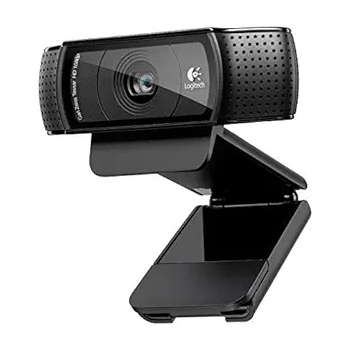
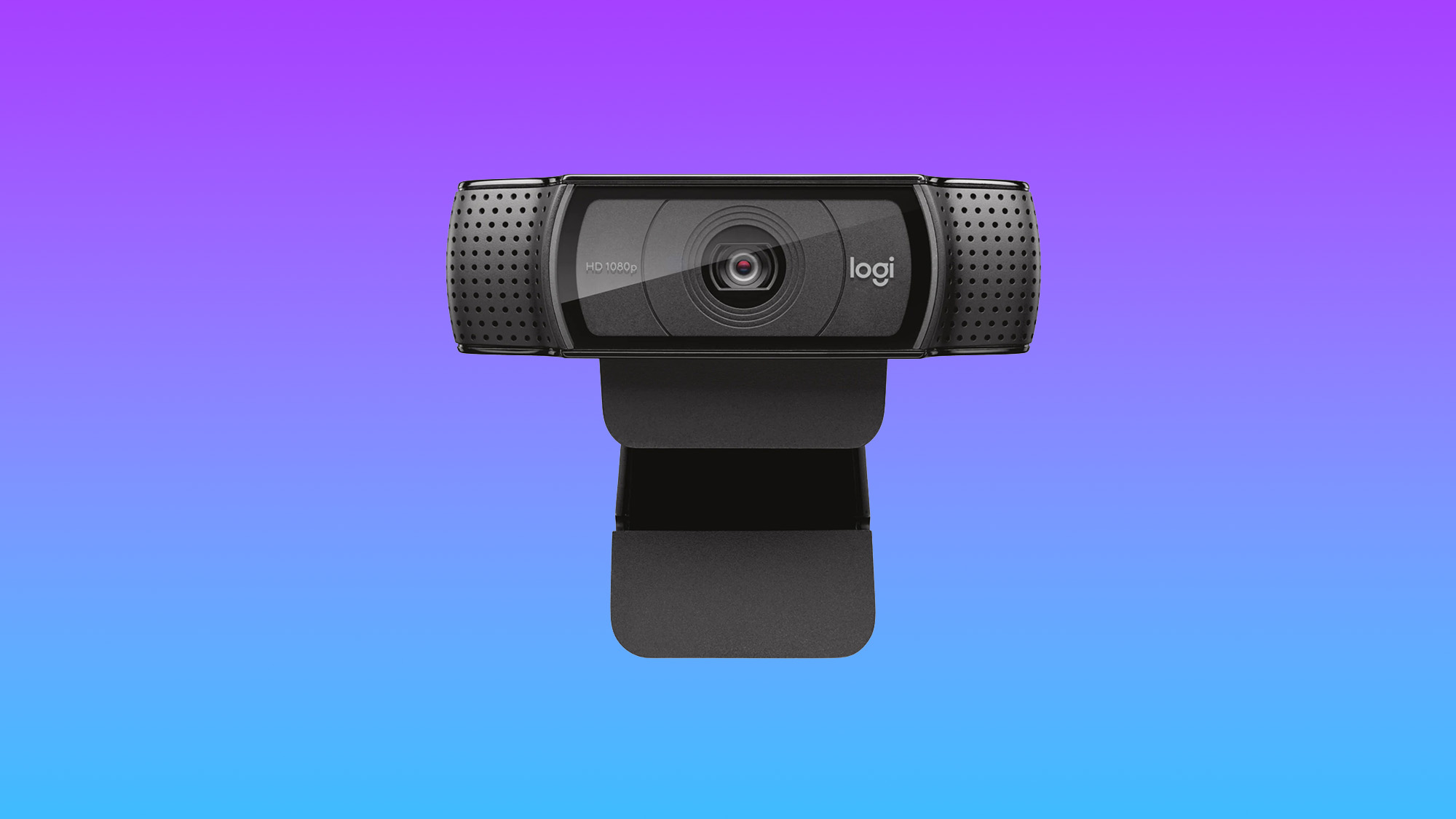
The Logitech HD Webcam C920, typically priced around $60, remains a perennial favorite and a benchmark for affordable, high-quality webcams. Its 1080p resolution delivers consistently sharp, color-accurate, and crystal-clear images, a dramatic improvement over most integrated laptop cameras. With a 78-degree field of view, it comfortably accommodates two people in the frame, making it versatile for small group calls or individual presentations. The C920’s enduring popularity stems from its exceptional value proposition: superior image quality at an accessible price point. While its accompanying software might be considered basic by some, offering filters, angle adjustments, and security camera functionality, the core performance of the camera itself is undeniable. For anyone seeking a significant upgrade from their laptop’s camera without a substantial investment, the C920 continues to be an unparalleled choice.
- Specifications: Resolution: 1920 x 1080; Size: 1.14 x 3.70 x 0.94 inches; FPS: 30fps; Built-in Mic: Stereo mic; Autofocus: Yes; Gimbal: No; HDR: No.
- Analysis: The C920’s success lies in its balance of performance and price. It democratized high-definition video conferencing for the masses, proving that professional-grade visuals didn’t require exorbitant costs. Its simple plug-and-play functionality, combined with reliable image quality, cemented its status as the go-to option for everyday users and professionals alike.
2. Insta360 Link 2: Redefining Professional Streaming and Presentation
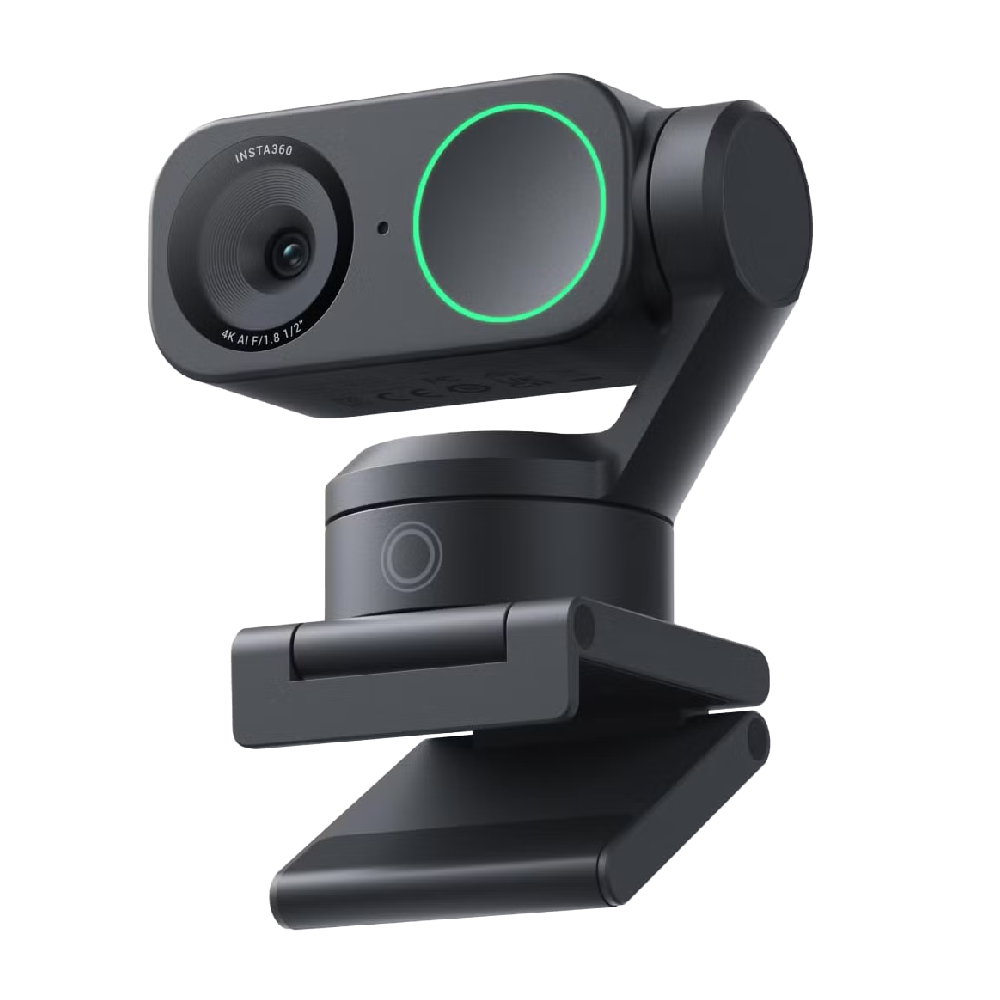
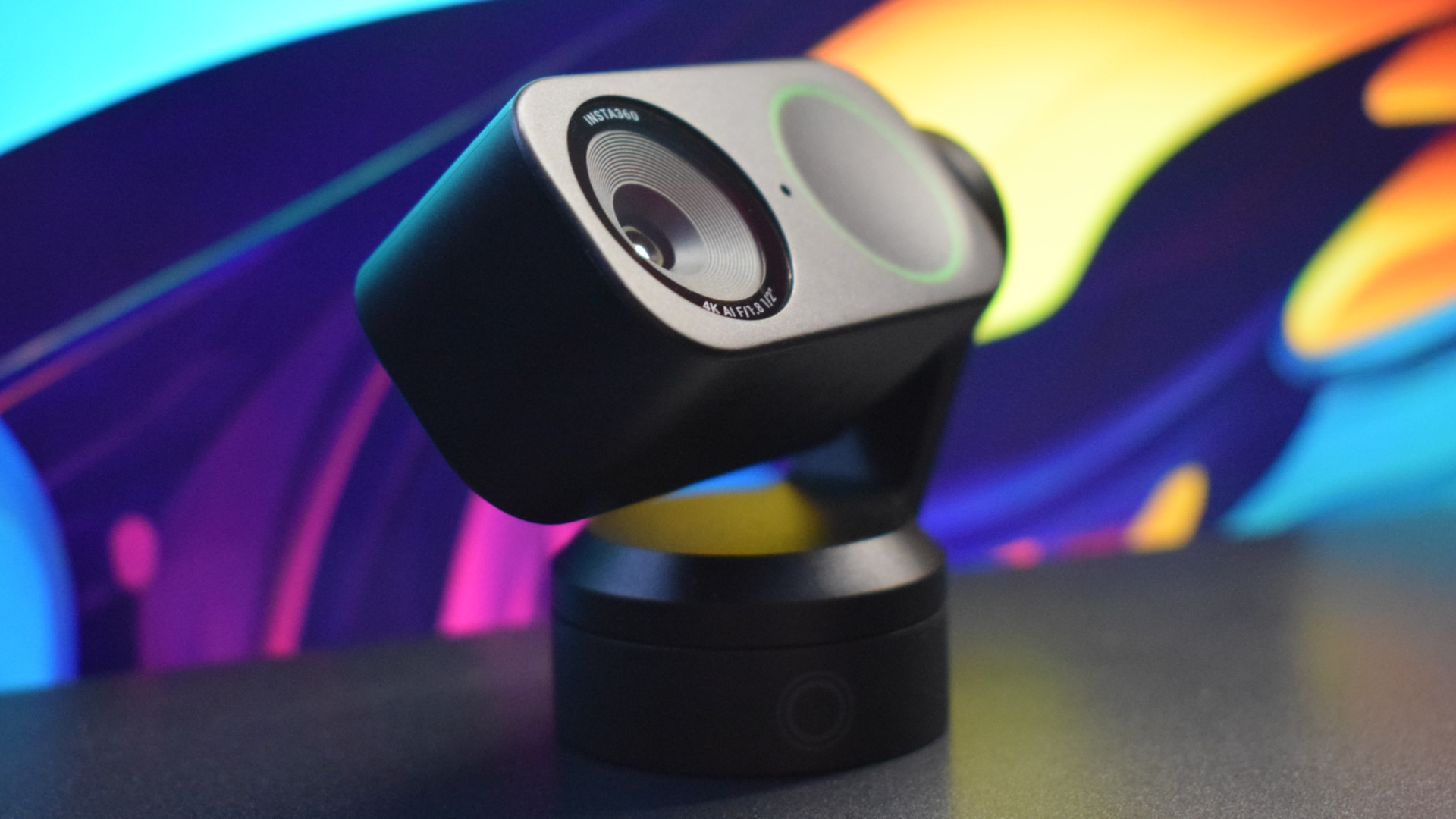
For those whose needs extend beyond basic video calls to professional content creation or high-stakes presentations, the Insta360 Link 2, priced around $199, offers a transformative experience. Its most striking feature is a unique dual-axis gimbal design, which, coupled with advanced AI tracking, allows the 4K webcam to automatically turn and tilt, ensuring the subject remains perfectly framed and in focus, even during dynamic movement. This capability is revolutionary for educators, presenters, and streamers who need freedom of movement without sacrificing visual quality.
The Link 2’s robust software enables specialized modes, such as snapping focus and cropping to whiteboards for collaborative sessions or spinning down to "DeskView" for detailed, hands-on demonstrations. Powered by an improved 1/2-inch sensor, it excels in low-light conditions, delivering vibrant and richly detailed images comparable to entry-level DSLR cameras when paired with appropriate lighting. While its audio quality, relying on a noise-canceling pinhole mic, is functional but not its strongest suit, the visual prowess and intelligent features make it an invaluable tool for production-level results.
- Specifications: Resolution: 3840 x 2160; Size: 2.8 x 2.3 x 1.5 inches; FPS: 30fps at 4K, 60fps at 1080p; Built-in Mic: Noise-cancelling pinhole mic; Autofocus: Yes; Gimbal: Yes; HDR: Yes.
- Analysis: The Insta360 Link 2 represents a significant leap in webcam technology, bridging the gap between traditional webcams and more complex camera setups. Its AI-driven gimbal and specialized modes cater directly to the evolving demands of dynamic content creation and professional virtual engagement, offering a level of versatility previously unavailable in consumer webcams.
3. Opal Tadpole: The Mobile Professional’s Compact Companion
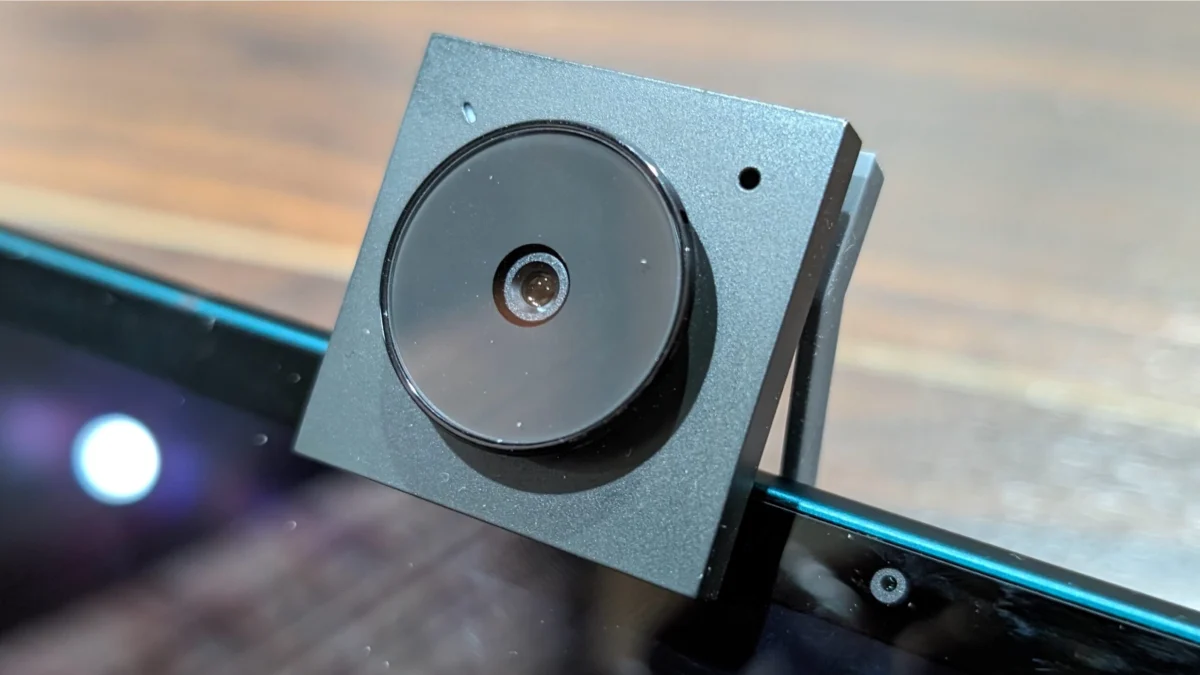
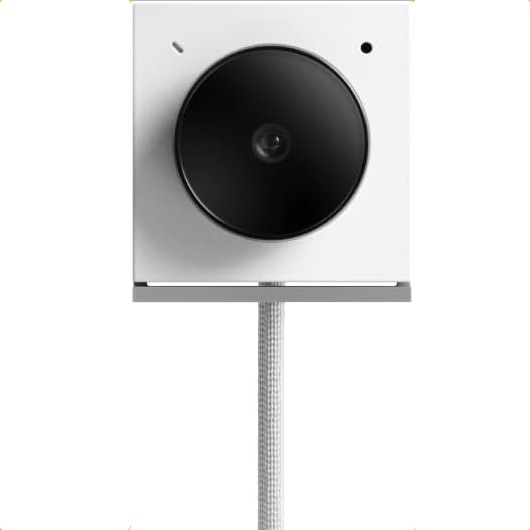
The Opal Tadpole stands out as the definitive solution for professionals on the go. Recognizing the universal inadequacy of laptop webcams and the impracticality of carrying bulky external cameras, the Tadpole offers stellar 4K video quality in an incredibly diminutive clip-on design. Its compact form factor, reminiscent of an old iPod Shuffle, makes it effortlessly portable. The built-in USB-C cable ensures simple plug-and-play functionality, eliminating the need for extra wires or complex setups.
The Tadpole’s ability to deliver a crisp, clear image, even in challenging travel environments, provides a stark contrast to the noisy, garbled output of most integrated cameras. While its full companion app is currently limited to macOS, and the directional mic can be somewhat finicky, its core strength lies in its unmatched portability combined with impressive 4K resolution and excellent low-light/HDR quality. For remote workers, consultants, or anyone frequently traveling, the Opal Tadpole is an indispensable tool that ensures a professional appearance from anywhere.
- Specifications: Resolution: 3840 x 2160; Size: 1.4 x 1.8 x 0.8 inches; FPS: 30fps at 4K; Built-in Mic: MEMS directional mic; Autofocus: Yes; Gimbal: No; HDR: No.
- Analysis: The Opal Tadpole addresses a critical niche in the webcam market: high-quality, ultra-portable video. It acknowledges that convenience is as important as quality for mobile professionals, offering a powerful imaging solution that doesn’t compromise on its travel-friendly design.
4. Anker PowerConf C200: Mid-Range Excellence with Privacy
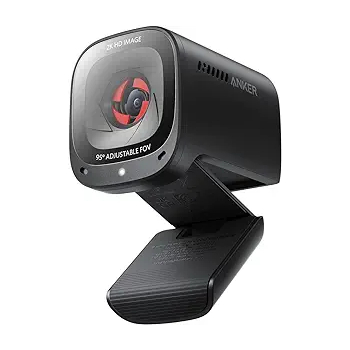
The Anker PowerConf C200 offers a compelling blend of quality and affordability, positioning itself as an outstanding mid-range option at approximately $69.99. This webcam delivers impressive 2K (2560 x 1440) image quality at a smooth 60 frames per second, outperforming many pricier alternatives. Its robust build quality and stylish design are complemented by a crucial feature for home office users: a physical privacy shutter, providing peace of mind against unauthorized access.
The PowerConf C200 excels in both normal and low-light conditions, producing crisp, color-accurate images with remarkably fast autofocus. This makes it a formidable choice for various applications, from daily video conferences to casual streaming. While its noise-canceling feature for the dual-stereo mics can occasionally lead to choppy, digitized audio, the overall visual performance for its price point is exceptional, offering a significant upgrade without breaking the bank.
- Specifications: Resolution: 2560 x 1440; Size: 2 x 1.6 x 2.2 inches; FPS: 60fps @ 2K; Built-in Mic: Dual-stereo mics; Autofocus: Yes; Gimbal: No; HDR: No.
- Analysis: The Anker PowerConf C200 disrupts the mid-range market by offering premium features and performance at a highly competitive price. Its emphasis on 2K resolution at 60fps, combined with a physical privacy shutter, caters directly to the practical needs of modern remote workers and content creators seeking excellent value.
5. Logitech MX Brio 4K: Uncompromising Image Fidelity for Professionals
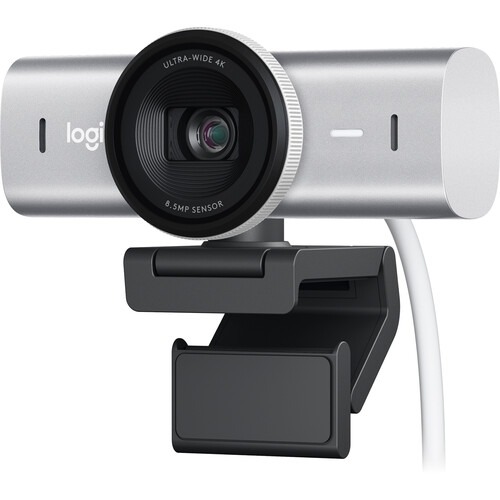
For users prioritizing the absolute best image quality in a 4K webcam, the Logitech MX Brio 4K is a top-tier choice, typically retailing for around $200. Its core strength lies in its advanced 8.5MP Sony STARVIS CMOS sensor, which ensures exceptional clarity, bright, vivid colors, and sharp video and stills across various lighting conditions. This superior sensor technology allows the MX Brio to maintain excellent image quality even when perfect lighting is not available, distinguishing it from competitors.
The MX Brio includes a convenient privacy shutter and boasts sturdy build quality. While its AI tracking capabilities are competent, for dynamic movement and advanced presentation modes, the Insta360 Link 2 might offer more specialized functionality. However, for static or semi-static setups where raw image quality is paramount, the MX Brio shines. Its 4K resolution provides incredible detail, and its ability to track faces, bodies, whiteboards, and even desks (via "Show Mode") adds versatility. The dual beamforming microphones are a definite improvement over typical laptop mics, even if they don’t match dedicated audio setups.
- Specifications: Resolution: 3840 x 2160; Size: 1.7 x 3.9 x 1.4 inches; FPS: 30fps at 4K, 60fps at 1080p; Built-in Mic: Dual Beamforming mic; Autofocus: Yes; Gimbal: No; HDR: No.
- Analysis: The Logitech MX Brio 4K targets the professional segment that demands uncompromising visual fidelity. Its premium sensor and robust image processing capabilities make it ideal for high-end video conferencing, detailed presentations, and streaming where visual clarity is a primary concern, even in challenging lighting scenarios.
Market Trends and Future Outlook
The webcam market is continuously evolving, driven by several key trends:
- Miniaturization and Portability: As exemplified by the Opal Tadpole, there’s a growing demand for high-quality cameras that are discreet and easy to carry, catering to the increasingly mobile workforce.
- AI Integration: Artificial intelligence is becoming standard, not just for tracking and framing, but also for features like background removal, virtual greenscreens, and intelligent lighting adjustments, enhancing user experience and professional output.
- Sensor Technology Advancements: Larger and more sensitive sensors, along with advanced image signal processors, are enabling superior low-light performance and dynamic range, making high-quality video possible in almost any environment.
- Ecosystem Integration: Manufacturers are focusing on creating cohesive ecosystems, where webcams seamlessly integrate with other peripherals and software, offering a more unified and streamlined user experience.
- Sustainability: As with many tech sectors, there’s an increasing emphasis on sustainable manufacturing practices and materials, responding to consumer and regulatory demands.
The future of webcams will likely see further convergence of professional-grade features into more affordable and user-friendly devices. As virtual reality and augmented reality applications become more commonplace, webcams may also play a crucial role in capturing and integrating real-world environments into these immersive experiences.
Conclusion: The Indispensable Tool for Digital Presence
The humble webcam has transformed from a niche accessory to an indispensable tool for navigating the modern digital landscape. Whether for maintaining professional credibility in virtual meetings, engaging audiences through compelling content, or simply connecting with loved ones, the quality of one’s visual and audio output significantly impacts the effectiveness and perception of these interactions. While the market offers a wide spectrum of choices, from affordable all-rounders like the Logitech C920 to advanced, AI-powered devices such as the Insta360 Link 2 and the premium Logitech MX Brio 4K, or the ultra-portable Opal Tadpole, the underlying message is clear: investing in a dedicated external webcam is no longer a luxury, but a necessity. By understanding the key features and aligning them with individual needs, users can unlock a superior virtual experience, ensuring their digital presence is as impactful and professional as their real-world interactions.