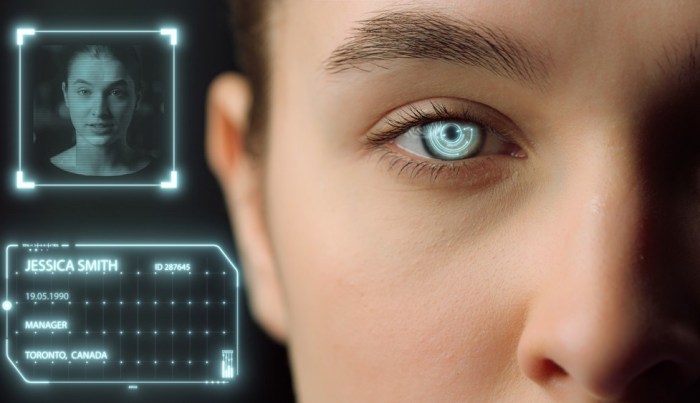
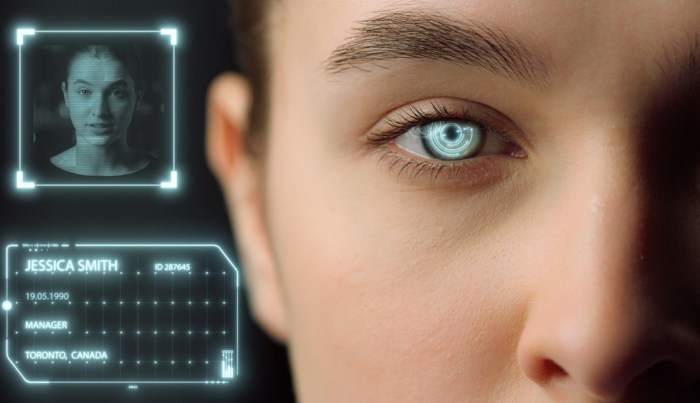
Deepfake fraud rise amid cheap generative ai boom – Deepfake fraud rises amid cheap generative AI boom, a chilling reality that has emerged as the accessibility of deepfake technology explodes. The ability to manipulate images and videos with startling realism is no longer confined to Hollywood studios or government agencies.
Affordable, user-friendly deepfake software is now readily available, empowering individuals with the tools to create convincing forgeries that can be used for nefarious purposes.
This newfound accessibility has fueled a surge in deepfake-related fraud, with perpetrators exploiting the technology for financial gain, identity theft, and social manipulation. The consequences for individuals and businesses are far-reaching, extending beyond financial losses to include reputational damage, emotional distress, and legal repercussions.
The Rise of Deepfake Technology
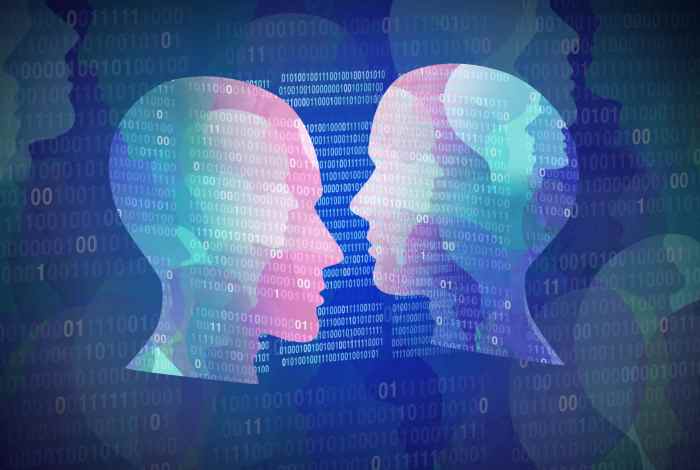
The accessibility and affordability of deepfake technology have dramatically increased due to advancements in generative AI. This has led to a surge in the creation and distribution of deepfakes, raising concerns about their potential misuse.Deepfakes are synthetic media that manipulate or fabricate existing content, often using artificial intelligence (AI) to create realistic-looking videos, images, and audio recordings.
These advancements have made it easier than ever to create convincing deepfakes, even for individuals with limited technical expertise.
Generative AI Advancements
The development of powerful generative AI models, such as Generative Adversarial Networks (GANs), has been instrumental in the rise of deepfakes. GANs are a type of AI system that learns to generate realistic data by pitting two neural networks against each other.
One network, the generator, creates synthetic data, while the other, the discriminator, tries to identify the generated data as fake. This process of adversarial training enables GANs to create increasingly realistic and convincing deepfakes.
Deepfake Software
Several deepfake software tools are available, ranging from open-source platforms to commercial applications. Some popular examples include:
- DeepFaceLab:An open-source deepfake software known for its ease of use and high-quality output.
- FaceSwap:Another open-source tool that allows users to swap faces in videos and images.
- Reface:A mobile app that uses deepfake technology to create realistic face-swaps in videos and photos.
- FakeApp:A popular deepfake software that has been used for both ethical and unethical purposes.
Ease of Use and Accessibility
The accessibility and ease of use of deepfake tools have significantly increased compared to previous methods. Earlier deepfake creation methods required extensive technical expertise and computational resources. However, modern deepfake software often offers user-friendly interfaces and requires minimal technical knowledge.
This has made it easier for individuals with limited technical skills to create and distribute deepfakes.
“The democratization of deepfake technology has made it easier for anyone with a computer and internet access to create convincing synthetic media.”
Furthermore, the availability of pre-trained deepfake models and cloud-based platforms has further reduced the barriers to entry. This has made deepfake technology accessible to a wider audience, including individuals with limited technical expertise.
Deepfake Fraud
The accessibility of generative AI has fueled a surge in deepfake technology, making it easier than ever to create realistic, yet fabricated, media. This ease of creation, however, has also opened the door for a new wave of fraudulent activities.
Deepfakes are increasingly being used for malicious purposes, posing a growing threat to individuals and organizations alike.
Financial Scams
Deepfakes can be used to create convincing audio and video recordings of individuals, making them ideal tools for financial scams. For example, a scammer might create a deepfake of a CEO’s voice, using it to instruct employees to transfer funds to a fraudulent account.
This tactic is particularly effective as it leverages the authority and trust associated with the CEO’s identity.
Identity Theft
Deepfakes can also be used to create fake identities, enabling perpetrators to impersonate real individuals and access their financial accounts, social media profiles, or other sensitive information. Imagine a scenario where a deepfake is used to create a fake profile on a dating app, luring unsuspecting individuals into sharing personal information or even sending money.
Social Manipulation
Deepfakes can be used to spread misinformation and influence public opinion, particularly during political campaigns or social movements. A deepfake video of a politician making inflammatory statements could be used to undermine their credibility or incite violence. Similarly, deepfakes could be used to create fake news stories, sowing discord and distrust.
Real-World Examples
The use of deepfakes in fraudulent activities is not a theoretical concern. Several real-world cases have demonstrated the potential harm of this technology. In 2019, a deepfake video of a Ukrainian politician was used to spread disinformation, highlighting the potential for deepfakes to influence political discourse.
In another instance, a company was defrauded of millions of dollars when a scammer used a deepfake of the CEO’s voice to authorize a fraudulent wire transfer.
Psychological Impact
The ability of deepfakes to convincingly impersonate real individuals poses a significant psychological threat. Deepfakes can erode trust in individuals and institutions, making it increasingly difficult to discern truth from fabrication. This can lead to heightened anxiety and paranoia, as people become increasingly wary of the information they encounter online.
The Impact of Deepfake Fraud on Individuals and Businesses
The rise of deepfake technology has brought with it a new wave of fraud, with individuals and businesses alike becoming vulnerable to its deceptive power. Deepfake fraud can have devastating consequences, ranging from financial losses and reputational damage to emotional distress and legal battles.
You also will receive the benefits of visiting energy more sustainable in today.
Understanding the impact of deepfake fraud is crucial for individuals and organizations to take proactive measures to protect themselves.
The Impact of Deepfake Fraud on Individuals
Deepfake fraud can have a profound impact on individuals, leading to significant financial losses, reputational damage, and emotional distress. Victims may experience a range of consequences, including:
- Financial Losses:Deepfakes can be used to create convincing videos of individuals authorizing fraudulent transactions or making false claims, leading to financial losses. For example, a deepfake video of a person requesting a loan or investment could be used to deceive lenders or investors.
- Reputational Damage:Deepfake videos can be used to spread false information and damage an individual’s reputation. For example, a deepfake video of a person engaging in inappropriate or illegal activities could be used to tarnish their image and harm their personal and professional relationships.
- Emotional Distress:Deepfake fraud can cause significant emotional distress, as victims may struggle to cope with the feeling of being impersonated or manipulated. The psychological impact of deepfake fraud can be severe, leading to anxiety, depression, and feelings of helplessness.
The Impact of Deepfake Fraud on Businesses
Deepfake fraud poses significant risks to businesses, potentially leading to financial losses, legal issues, and damage to brand reputation. Businesses may face the following consequences:
- Financial Losses:Deepfakes can be used to defraud businesses in various ways, such as creating fake invoices, manipulating financial statements, or impersonating executives to authorize unauthorized transactions. These actions can result in significant financial losses for businesses.
- Legal Issues:Businesses may face legal issues related to deepfake fraud, such as lawsuits from victims, regulatory fines, and criminal charges. Deepfake fraud can also create legal complexities regarding intellectual property rights, defamation, and privacy violations.
- Damage to Brand Reputation:Deepfake fraud can damage a business’s brand reputation, leading to a loss of customer trust and confidence. For example, a deepfake video of a company CEO making offensive or unethical statements could significantly harm the company’s image and reputation.
Challenges in Detecting and Mitigating Deepfake Fraud
Detecting and mitigating deepfake fraud presents significant challenges due to the increasing sophistication of deepfake technology. Current technologies and approaches face limitations, including:
- The Difficulty of Detecting Deepfakes:Deepfakes are becoming increasingly realistic, making it difficult to distinguish them from genuine videos. This poses a significant challenge for detection algorithms and human analysts.
- The Rapid Evolution of Deepfake Technology:Deepfake technology is constantly evolving, making it challenging to keep pace with the latest advancements and develop effective countermeasures.
- The Lack of Standardized Detection Methods:There is currently no standardized approach for detecting deepfakes, making it difficult to compare and evaluate different detection methods. This lack of standardization can hinder the development and deployment of effective detection solutions.
Combating Deepfake Fraud
The rapid proliferation of deepfake technology poses a significant threat to individuals and businesses alike. As deepfakes become increasingly sophisticated and accessible, the potential for fraud and deception grows exponentially. To effectively combat this emerging threat, a comprehensive strategy is crucial, encompassing preventative measures and mitigation strategies.
Strengthening Security Measures, Deepfake fraud rise amid cheap generative ai boom
Implementing robust security measures is paramount in safeguarding against deepfake fraud. These measures should be designed to authenticate identities, verify information, and protect sensitive data.
- Multi-Factor Authentication (MFA):MFA adds an extra layer of security by requiring users to provide multiple forms of identification before granting access to accounts or systems. This can significantly reduce the risk of unauthorized access, even if a deepfake has successfully impersonated a legitimate user.
For example, requiring a unique code sent to a user’s mobile phone in addition to a password can deter fraudsters.
- Identity Verification:Implementing robust identity verification processes is essential to ensure that users are who they claim to be. This can involve verifying identity documents, conducting background checks, and utilizing biometric authentication methods. For example, businesses can require customers to provide a government-issued ID or use facial recognition technology to verify their identity during online transactions.
- Data Encryption:Encrypting sensitive data helps protect it from unauthorized access, even if it falls into the wrong hands. This includes encrypting data at rest (stored on servers) and in transit (while being transmitted over networks). For example, financial institutions employ encryption to protect customer account information and transaction details.
Best Practices for Identifying and Verifying Information Online
In an era of deepfakes, critical thinking and verification are essential skills for navigating the online world.
- Check Sources:Always verify the source of information before accepting it as true. Look for reputable sources, such as established news organizations, academic institutions, and government websites. Avoid relying on social media posts or unverified websites as primary sources of information.
- Analyze Content:Carefully examine the content itself for inconsistencies, errors, or signs of manipulation. Look for unusual lighting, inconsistent facial expressions, or unnatural movements in videos. Be wary of content that seems too good to be true or that promotes extreme viewpoints.
- Use Fact-Checking Tools:Utilize fact-checking websites and tools to verify the accuracy of information. Websites like Snopes.com, FactCheck.org, and PolitiFact.com can help you identify false or misleading content.
The Future of Deepfakes and Fraud: Deepfake Fraud Rise Amid Cheap Generative Ai Boom
The rapid advancement of deepfake technology, driven by the accessibility of generative AI, raises serious concerns about its potential for widespread fraud. While deepfakes currently hold a niche position in the fraud landscape, their evolution and integration into various aspects of our lives could lead to significant changes in the future.
Potential Evolution of Deepfake Technology
The future of deepfake technology holds both exciting and unsettling possibilities. With ongoing research and development, deepfakes are likely to become even more sophisticated, blurring the lines between reality and fabrication. Here are some potential advancements:
- Enhanced Realism:Deepfakes will become increasingly realistic, making it harder for the average person to distinguish them from genuine content. Advancements in AI algorithms, coupled with access to larger and more diverse datasets, will enable the creation of highly convincing deepfakes that mimic subtle nuances of human behavior and appearance.
- Real-time Deepfakes:The development of real-time deepfake capabilities could enable live manipulation of video feeds, potentially impacting live broadcasts, video conferencing, and even social media interactions. Imagine a scenario where a deepfake of a CEO is used to announce a fraudulent acquisition, or a politician’s speech is manipulated to spread misinformation in real-time.
- Multimodal Deepfakes:The future might see deepfakes extending beyond video to encompass other modalities like audio, text, and even sensory experiences. Imagine deepfake audio recordings used for voice phishing scams, or deepfake text generated to impersonate individuals in online communication.
Ethical Concerns and Regulatory Landscape
The increasing sophistication of deepfakes poses significant ethical concerns. The potential for misuse in spreading misinformation, damaging reputations, and perpetrating fraud necessitates a robust regulatory framework. Here are some key ethical considerations:
- Privacy and Consent:The use of deepfake technology raises serious privacy concerns, particularly regarding the unauthorized use of individuals’ likenesses. Establishing clear guidelines and regulations regarding consent and data usage is crucial to protect individuals from exploitation.
- Freedom of Speech vs. Misinformation:Balancing freedom of speech with the need to combat the spread of misinformation through deepfakes is a complex challenge. Regulations must be carefully crafted to prevent censorship while effectively mitigating the potential harm caused by deepfake-generated content.
- Transparency and Accountability:Ensuring transparency in the creation and distribution of deepfakes is essential. Establishing mechanisms for identifying and labeling deepfake content can help users make informed decisions and prevent the spread of misinformation.
Raising Public Awareness and Empowering Individuals
Public awareness about deepfake technology and its potential for fraud is paramount in mitigating its impact. Educating individuals and businesses about the risks associated with deepfakes and equipping them with tools to identify and combat them is crucial.
- Critical Thinking and Media Literacy:Promoting critical thinking skills and media literacy can help individuals discern genuine content from deepfakes. Encouraging skepticism and fact-checking practices can empower people to evaluate information critically and identify potential manipulation.
- Technological Solutions:The development of technologies to detect and identify deepfakes is crucial. AI-powered tools can analyze video and audio content for anomalies, providing evidence of manipulation. However, it’s important to acknowledge that deepfake technology is constantly evolving, necessitating ongoing research and development of detection methods.
- Collaborative Efforts:Collaboration between governments, technology companies, and research institutions is essential to address the challenges posed by deepfake technology. Sharing information, developing best practices, and coordinating efforts can contribute to a more effective response to the evolving threat of deepfake fraud.